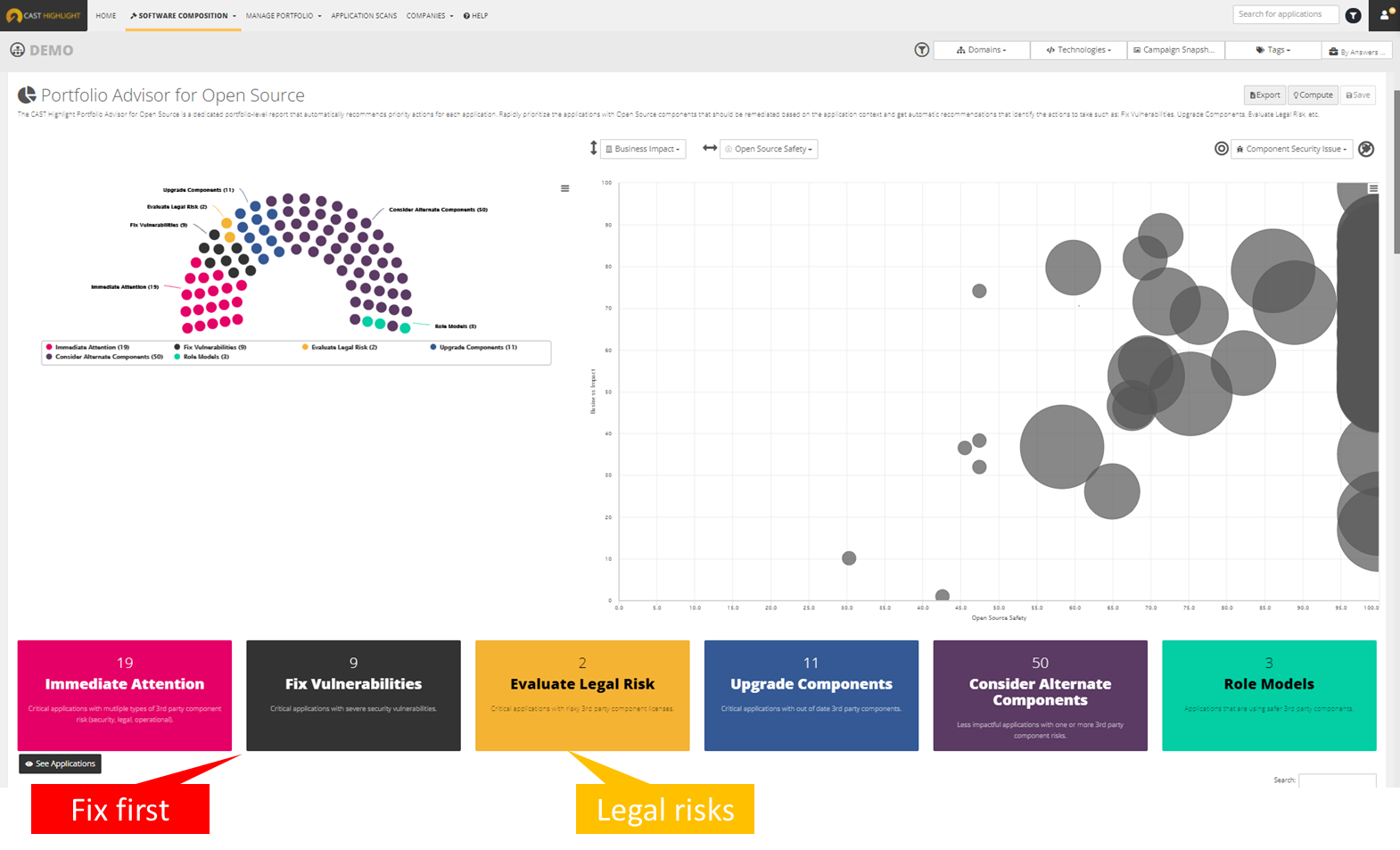
CAST headquartered in New York offers Highlight, an application portfolio management solution providing software component analysis , application security, application benchmarking, and technical due diligence.
$25,000
per year
ShareGate
Score9 out of 10
N/A
ShareGate is an Microsoft 365 migration and governance platform that focuses on simplicity, boasting over 100,000 IT pros as users.
$5,995
per year
Pricing
CAST Highlight
ShareGate
Editions & Modules
Cloud
25k
Portfolio Size 25
SCA
$26k
Portfolio Size 25
Complete
33k
Portfolio Size 25
ShareGate Protect
$1995
per year
Migrate Essentials
$5,995
per year 1 machine activation for essential migrations
Migrate Pro
$9,995
per year 5 machine activation for essential migrations
Migrate Enterprise
$17,995
per year 25 machine activation for essential migrations
I think CAST is a great tool to give insight into your applications. The tool can be met with resistance from team members as the tool is going to expose defects that should be addressed. Out of the box, it may need some tailoring to focus on certain areas so that you are not overwhelmed with defects the first time you scan your code. But ultimately, you will want to eliminate all defects in the code and have all violations turned on.
A de minimis incentive was given to thank the reviewer for their time. The incentive was not used to bias or drive a particular response, nor was the incentive contingent on a positive endorsement. More Info
ShareGate is well suited for SharePoint on-prem to on prem site migrations, on-prem site to online SharePoint migrations, file share migrations to SharePoint online. Moving power and automating workflows using the ShareGate tool is less appropriate.
A de minimis incentive was given to thank the reviewer for their time. The incentive was not used to bias or drive a particular response, nor was the incentive contingent on a positive endorsement. More Info
A de minimis incentive was given to thank the reviewer for their time. The incentive was not used to bias or drive a particular response, nor was the incentive contingent on a positive endorsement. More Info
A de minimis incentive was given to thank the reviewer for their time. The incentive was not used to bias or drive a particular response, nor was the incentive contingent on a positive endorsement. More Info
A de minimis incentive was given to thank the reviewer for their time. The incentive was not used to bias or drive a particular response, nor was the incentive contingent on a positive endorsement. More Info
A de minimis incentive was given to thank the reviewer for their time. The incentive was not used to bias or drive a particular response, nor was the incentive contingent on a positive endorsement. More Info
It is a powerful tool for copying files along with their associated metadata and version history. It integrates seamlessly with Microsoft 365 and supports workflow migrations. However, it may not be ideal for non-technical users. Currently, it does not support Power Platform workflow migrations and lacks a pause function—offering only start or stop options during migration.
A de minimis incentive was given to thank the reviewer for their time. The incentive was not used to bias or drive a particular response, nor was the incentive contingent on a positive endorsement. More Info
Overall, I am very satisfied with the ShareGate tool, which is used effectively for migration purposes, not only to migrate the contents from SharePoint to SharePoint but also to the contents from file share to SharePoint. This tool helps us review the warnings/errors from the migrations quickly and helps us identify what caused the errors. I hope the ShareGate product team will consider migration of power automated workflows using this tool in future releases.
A de minimis incentive was given to thank the reviewer for their time. The incentive was not used to bias or drive a particular response, nor was the incentive contingent on a positive endorsement. More Info
The tool is generally very reliable, with minimal downtime or unplanned outages. It performs consistently during migrations and administrative tasks, and users rarely encounter critical application errors.
A de minimis incentive was given to thank the reviewer for their time. The incentive was not used to bias or drive a particular response, nor was the incentive contingent on a positive endorsement. More Info
In most cases, ShareGate performs well—pages load quickly, and reports are generated in a reasonable timeframe, even for moderately complex environments. Its interface is responsive, and it handles standard migrations and administrative tasks efficiently. However, performance can slow down during very large migrations or when processing high volumes of data, especially if the source or destination environments are heavily customized
A de minimis incentive was given to thank the reviewer for their time. The incentive was not used to bias or drive a particular response, nor was the incentive contingent on a positive endorsement. More Info
A de minimis incentive was given to thank the reviewer for their time. The incentive was not used to bias or drive a particular response, nor was the incentive contingent on a positive endorsement. More Info
A de minimis incentive was given to thank the reviewer for their time. The incentive was not used to bias or drive a particular response, nor was the incentive contingent on a positive endorsement. More Info
A de minimis incentive was given to thank the reviewer for their time. The incentive was not used to bias or drive a particular response, nor was the incentive contingent on a positive endorsement. More Info
These other tools only do a part of what CAST does. CAST gives a comprehensive view into the code looking at all aspects, code quality, security, maintainability, vulnerability, privacy, reuse, etc. These other tools only focus on one or two dimensions.
A de minimis incentive was given to thank the reviewer for their time. The incentive was not used to bias or drive a particular response, nor was the incentive contingent on a positive endorsement. More Info
A de minimis incentive was given to thank the reviewer for their time. The incentive was not used to bias or drive a particular response, nor was the incentive contingent on a positive endorsement. More Info
ShareGate scales well across departments and sites, supporting large migrations and tenant moves with strong Microsoft 365 integration. However, it lacks advanced automation, Power Platform support, and pause/resume functionality, which can limit its effectiveness in highly complex or enterprise-scale environments.
A de minimis incentive was given to thank the reviewer for their time. The incentive was not used to bias or drive a particular response, nor was the incentive contingent on a positive endorsement. More Info
I believe once we had the tool working for our code base, we immediately saw positive ROI.
We spent some time getting to where our code code be scanned efficiently but some of that was trying to do things ourselves instead of fully utilizing Cast Professional Services. I highly recommend to do an engagement with CAST to have them help setup the tool in your environment or to run it in the cloud for you.
A de minimis incentive was given to thank the reviewer for their time. The incentive was not used to bias or drive a particular response, nor was the incentive contingent on a positive endorsement. More Info
A de minimis incentive was given to thank the reviewer for their time. The incentive was not used to bias or drive a particular response, nor was the incentive contingent on a positive endorsement. More Info