Certinia FM Cloud automates financial management on the Salesforce platform. The customer-centric software includes a general ledger, automated billing processes, and financial intelligence.
N/A
ZipBooks
Score7 out of 10
Small Businesses (1-50 employees)
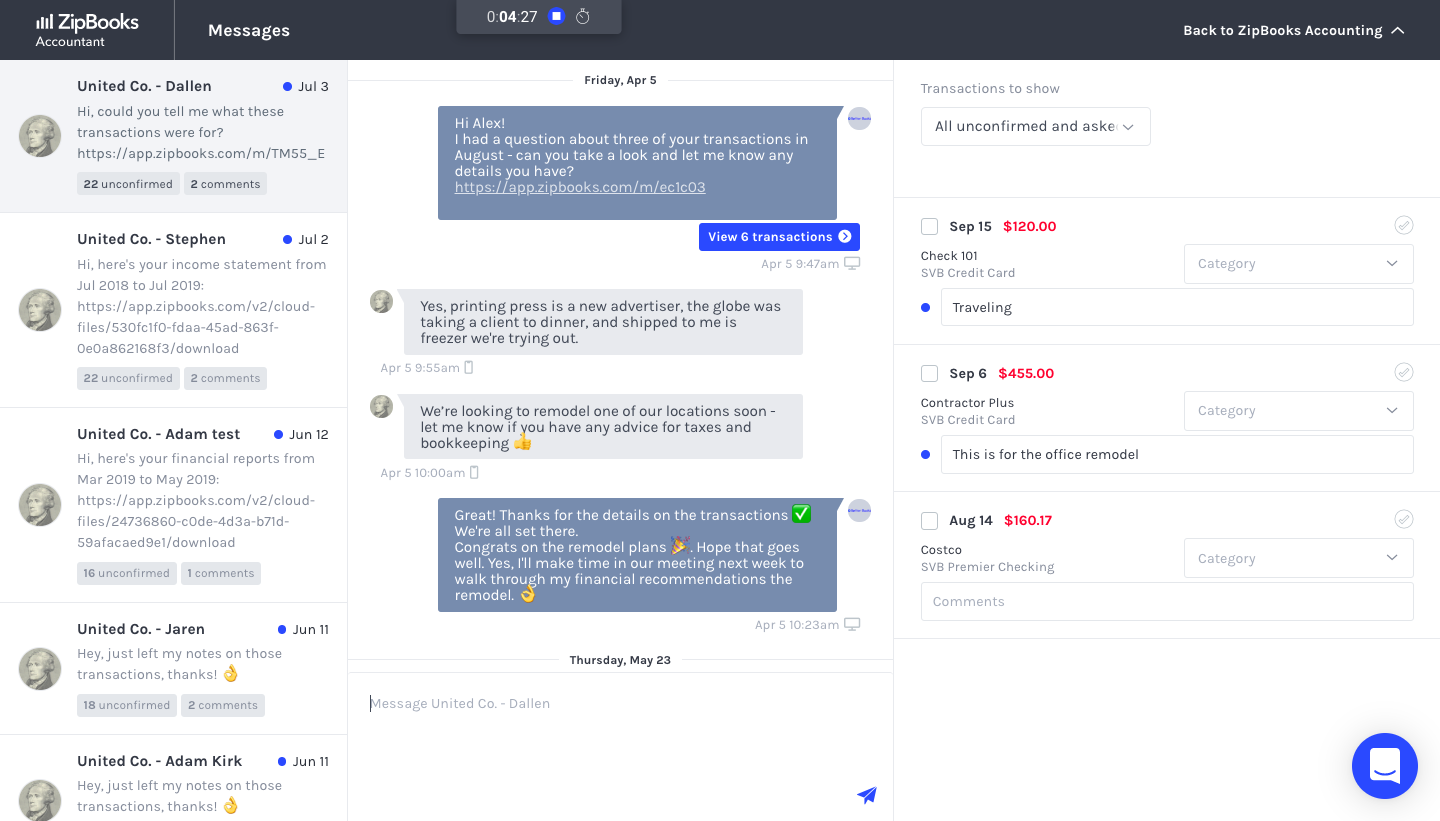
ZipBooks is an accounting software solution for small business owners and accountants. Users can track expenses, manage their team, send recurring invoices and manage projects.
$15
per month
Pricing
Certinia FM Cloud
ZipBooks
Editions & Modules
No answers on this topic
ZipBooks Starter
$0
ZipBooks Smarter
$15
ZipBooks Sophisticated
$35
ZipBooks Accountant
Custom
Offerings
Pricing Offerings
Certinia FM Cloud
ZipBooks
Free Trial
No
Yes
Free/Freemium Version
No
Yes
Premium Consulting/Integration Services
Yes
Yes
Entry-level Setup Fee
Required
No setup fee
Additional Details
Certinia Professional Services Cloud software follows a subscription-based pricing model that is typically structured according to the number of users and the level of features required. The software’s pricing may vary depending on the organization’s size and needs, with options to select modules or add-ons for additional functionality. Specific pricing details may require a consultation or quote from Certinia for tailored solutions.
—
More Pricing Information
Features
Certinia FM Cloud
ZipBooks
Payroll Management
Comparison of Payroll Management features of Certinia FM Cloud and ZipBooks
Feature
Certinia FM Cloud
8.4
2 Ratings
11% above category average
ZipBooks
-
Ratings
Pay calculation
8.52 Ratings
00 Ratings
Benefit plan administration
8.02 Ratings
00 Ratings
Direct deposit files
9.02 Ratings
00 Ratings
Customization
Comparison of Customization features of Certinia FM Cloud and ZipBooks
Feature
Certinia FM Cloud
8.4
4 Ratings
11% above category average
ZipBooks
9.1
2 Ratings
18% above category average
API for custom integration
8.84 Ratings
9.12 Ratings
Plug-ins
8.03 Ratings
9.11 Ratings
Security
Comparison of Security features of Certinia FM Cloud and ZipBooks
Feature
Certinia FM Cloud
8.4
5 Ratings
0% below category average
ZipBooks
9.5
5 Ratings
15% above category average
Single sign-on capability
8.65 Ratings
9.74 Ratings
Role-based user permissions
8.15 Ratings
9.34 Ratings
Reporting & Analytics
Comparison of Reporting & Analytics features of Certinia FM Cloud and ZipBooks
Feature
Certinia FM Cloud
7.9
5 Ratings
5% above category average
ZipBooks
10.0
6 Ratings
24% above category average
Dashboards
8.45 Ratings
10.06 Ratings
Standard reports
6.55 Ratings
10.06 Ratings
Custom reports
8.85 Ratings
00 Ratings
General Ledger and Configurable Accounting
Comparison of General Ledger and Configurable Accounting features of Certinia FM Cloud and ZipBooks
Feature
Certinia FM Cloud
7.9
6 Ratings
2% above category average
ZipBooks
8.8
6 Ratings
14% above category average
Accounts payable
8.05 Ratings
00 Ratings
Accounts receivable
7.14 Ratings
8.05 Ratings
Global Financial Support
8.01 Ratings
00 Ratings
Primary and Secondary Ledgers
7.01 Ratings
00 Ratings
Journals and Reconciliations
6.33 Ratings
00 Ratings
Configurable Accounting
7.43 Ratings
00 Ratings
Standardized Processes
8.73 Ratings
00 Ratings
Bank reconciliation
00 Ratings
8.01 Ratings
Expense management
00 Ratings
10.05 Ratings
Time tracking
00 Ratings
9.06 Ratings
Multi-currency support
00 Ratings
9.12 Ratings
Inventory Management
Comparison of Inventory Management features of Certinia FM Cloud and ZipBooks
Feature
Certinia FM Cloud
10.0
3 Ratings
23% above category average
ZipBooks
-
Ratings
Inventory tracking
10.03 Ratings
00 Ratings
Automatic reordering
10.03 Ratings
00 Ratings
Location management
10.03 Ratings
00 Ratings
Order Management
Comparison of Order Management features of Certinia FM Cloud and ZipBooks
Feature
Certinia FM Cloud
8.1
2 Ratings
2% above category average
ZipBooks
9.2
6 Ratings
22% above category average
Pricing
8.02 Ratings
00 Ratings
Order entry
8.02 Ratings
00 Ratings
Credit card processing
8.52 Ratings
10.06 Ratings
Cost of goods sold
8.02 Ratings
8.52 Ratings
Subledger and Financial Process
Comparison of Subledger and Financial Process features of Certinia FM Cloud and ZipBooks
Feature
Certinia FM Cloud
8.7
1 Ratings
14% above category average
ZipBooks
-
Ratings
Travel & Expense Management
10.01 Ratings
00 Ratings
Budgetary Control & Encumbrance Accounting
7.01 Ratings
00 Ratings
Project Financial Management
Comparison of Project Financial Management features of Certinia FM Cloud and ZipBooks
Feature
Certinia FM Cloud
9.3
1 Ratings
20% above category average
ZipBooks
-
Ratings
Budgeting and Forecasting
9.01 Ratings
00 Ratings
Project Costing
9.01 Ratings
00 Ratings
Cost Capture
10.01 Ratings
00 Ratings
Capital Project Management
9.01 Ratings
00 Ratings
Customer Contract Compliance
10.01 Ratings
00 Ratings
Project Revenue Recognition
10.01 Ratings
00 Ratings
Project Execution Management
Comparison of Project Execution Management features of Certinia FM Cloud and ZipBooks
For accounting systems, users and/or evaluators often want to see some type of matrix or "heads up" comparisons of specific features and functionality of a system in key areas such as: 1) General Ledger 2) Order to Cash cycle 3) Purchase to Pay cycle 4) Cash management 5) Inventory and/or Cost Accounting (Projects/Jobs, etc) 6) Revenue Recognition 7) Fixed Assets management 8) Budgets 9) Tax 10) Reports and Analysis It would be great if this kind of matrix existed to be filled in by reviewers so that others could benefit from their perspectives about the applications and how they address or handle the specific features/functionality. With respect to FinancialForce, the company has found that nearly all the key features it needed were available from the application.
ZipBooks is really strong for small businesses (and non-profits like the ones I help manage). It may not yet be ready to handle medium or large businesses given the deep, niche functionality that is sometimes required in those cases.
A de minimis incentive was given to thank the reviewer for their time. The incentive was not used to bias or drive a particular response, nor was the incentive contingent on a positive endorsement. More Info
A de minimis incentive was given to thank the reviewer for their time. The incentive was not used to bias or drive a particular response, nor was the incentive contingent on a positive endorsement. More Info
Invoicing is particularly easy-to-use, quick, clean and beautiful. GREAT for branding.
The time tracker was unexpected, but very useful and integrates well with the invoicing. Leads to quick invoicing every time.
Customer support is phenomenal -- the support staff is friendly and helpful.
Although they are a new company, they are definitely on the right track!
I recommend this software to clients, colleagues, and friends alike, mostly for it quick and beautiful invoicing.
They do what they can to live up to their name! It doesn't take very long to get set up, or very long to create a complete invoice and send it to the right person.
Since SalesForce was not made with accounting in mind, building FinancialForce as a module on top of SalesForce gives problems because the overarching architect of SalesForce cannot facilitate all the accounting requirements.
The FinancialForce integration team was not very good, and did not help us set up our FinancialForce very well. Their customer support is also lacking and takes a long time to respond and troubleshoot our problems.
FinancialForce doesn't actually build financial statement reports. We were only able to run a trial balance, and we had to build the statements ourselves in Excel.
A de minimis incentive was given to thank the reviewer for their time. The incentive was not used to bias or drive a particular response, nor was the incentive contingent on a positive endorsement. More Info
There is some difficulty with a need to learn the use of the menus, they are not open and click, at the moment, the user needs to open the menu then using the pad keys scroll down and use enter to select from the drop-down menu. A mouse does not work.
A de minimis incentive was given to thank the reviewer for their time. The incentive was not used to bias or drive a particular response, nor was the incentive contingent on a positive endorsement. More Info
The company has now converted its legacy, "home grown" operations system and built it on the force.com platform, and the integration between it and FinancialForce is deeply entrenched. No other application would be able to replicate this functionality, and the company will be able to scale and leverage the force.com platform as it grows.
Change management is always an issue, but the evidence of the application's usability is that both long-time employees (used to the legacy systems for many years) and newer employees have been able to learn the system and improve their business processes.
Unless the internet is completely unavailable - which has not happened yet - the application is always accessible. Since FinancialForce is built on the force.com platform, it's uptime is tied to Salesforce security and system performance standards
The response time for FinancialForce is exemplary. Immediate acknowledgement of the support request by automatically logging a case/ticket on the provider side, then less than 24-hour follow up by a support team member with specific questions, information or resolution for the issue.
Through its Xtra login website available to its customers, FinancialForce offers a complete set of online, video tutorials, training and documentation. Each tutorial is "bite-sized", meaning it imparts instructional, step-by-step information in 2-3 minute narrated videos. For a particular cycle or process, like invoices to payments for example, each tutorial builds on the last so that the user can get a complete picture of the steps and process in less than 10 minutes.
The company decided to run parallel for three months in order to soften the impact of the change from the legacy "system" - which users had been interfacing with for over a decade - to FinancialForce. While not recommended, this did provide time for the in-house "super user" team of 2 people to become completely familiar with the application, and thus provide hands-on training and be a resource for the users who would be processing the daily accounting transactions.
FinancialForce Subscription & Usage Billing has more features, more useability, and manages higher numbers of customers. The systems I have used in the past are easier to navigate but couldn't handle this number of customers.
A de minimis incentive was given to thank the reviewer for their time. The incentive was not used to bias or drive a particular response, nor was the incentive contingent on a positive endorsement. More Info
I've primarily compared ZipBooks vs. Quickbooks because I've used Quickbooks at larger companies before. ZipBooks was the right fit for a smaller organization because it still had all the core features of Quickbooks but at a dramatically lower price that fits the budget.
A de minimis incentive was given to thank the reviewer for their time. The incentive was not used to bias or drive a particular response, nor was the incentive contingent on a positive endorsement. More Info
A de minimis incentive was given to thank the reviewer for their time. The incentive was not used to bias or drive a particular response, nor was the incentive contingent on a positive endorsement. More Info
ZipBooks is entirely affordable, and with my current $15/mo payments, I get ROI pretty quickly.
Invoices are simple and easy to make, while staying beautiful and functional at the same time. This saves me TIME, which means that I don't need to spend 15-20 minutes fiddling with the software to make it do what I want it to do. It just works. And that means, I can spend more time doing client work, and managing projects and sales.