TrustRadius: an HG Insights company

Save this comparison

Save this comparison

Add Product

Recommended Comparisons

    Overview
    ProductRatingMost Used ByProduct SummaryStarting Price

    CoConstruct

    Score7.2 out of 10
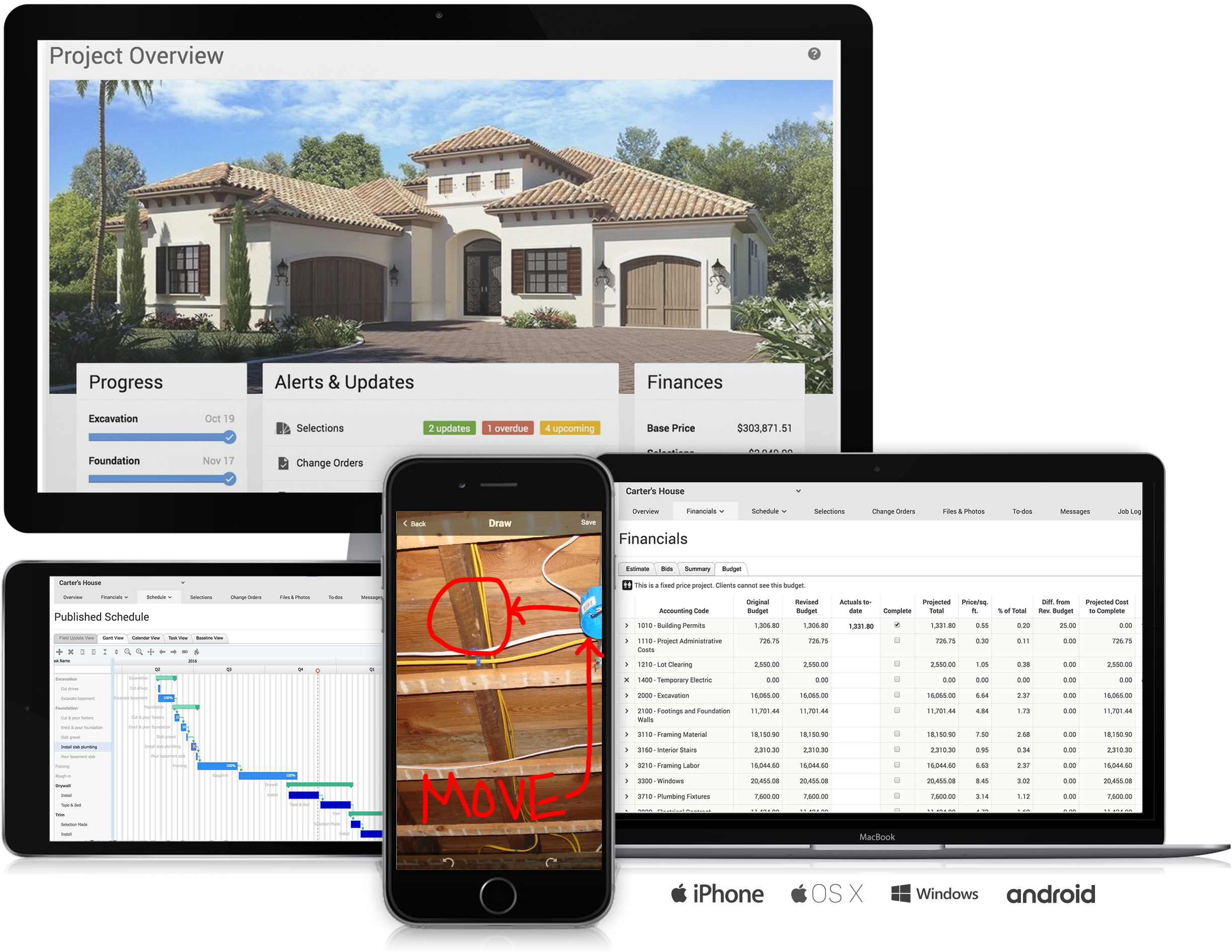
    N/ACoConstruct, from Buildertrend since the November 2021 acquisition, is a custom builder & remodeler software. It allows users to enter data once and have that information flow through the estimate, specs, selections, bids, proposals, change orders, and budgets, including to and from QuickBooks. In addition, CoConstruct includes scheduling and 3-way communication between builder, client, and trade partners. Everything is captured via email and texting. Login isn't required for…

    $49

    per month

    SeaTable

    Score8.1 out of 10
    N/AWith SeaTable, teams can organize tasks, assets, projects and ideas. It looks like a spreadsheet but structures any type of information, in the cloud or on the user's own server. SeaTable is a web solution to design business processeses and workflows. SeaTable is designed to give teams the information that is currently needed. Individual views provide the freedom to organize work as it is needed. SeaTable can be linked with other business applications and…

    $0

    up to 3 users

    Pricing
    CoConstructSeaTable
    Editions & Modules
    Ramp
    $49
    per month
    Plus 5
    $299
    per month
    Plus 10
    $399
    per month
    Plus 15
    $499
    per month
    Free Version
    $0
    up to 3 users
    Free Version
    $0
    per user, per year
    Plus - monthly
    $11
    per user, per month
    Enterprise - monthly
    $22
    per user, per month
    General license
    $84
    per user, per year
    Plus - yearly
    $101
    per user, per year
    Enterprise - yearly
    $203
    per user, per year
    Small Business Package #1
    $483
    for 10 users. per year
    Small Business Package #2
    $1,811
    for 25 users, per year
    Offerings
    Pricing Offerings
    CoConstructSeaTable
    Free Trial
    NoNo
    Free/Freemium Version
    NoYes
    Premium Consulting/Integration Services
    NoYes
    Entry-level Setup FeeNo setup feeNo setup fee
    Additional DetailsCoConstruct pricing is based on active job sites that have client access online, which means it is adaptable to builders & remodelers businesses. This means that there are an unlimited amount of projects available for estimates and proposals, so that customers only pay when they win a contract. Also built into the pricing are a myriad of services: a dedicated implementation coach, free estimate & scheduling templates based on industry best practices from successful builders and the NAHB, unlimited storage and users, software branded with the customer's logo, unlimited amount of warranty projects, and unlimited phone & email support. The vendor offers a money-back guarantee that is good for the first 90 days of service.—
    More Pricing Information
    Community Pulse
    CoConstructSeaTable
    Considered Both Products
    Buildertrend
    No answer on this topic
    SeaTable
    No answer on this topic
    Key User Insights
    Would buy again
    92%
    Would buy again
    12 Answers
    No answers on this topic
    Delivers good value for the price
    92%
    Delivers good value for the price
    12 Answers
    No answers on this topic
    Happy with the feature set
    77%
    Happy with the feature set
    10 Answers
    No answers on this topic
    Lived up to sales and marketing promises
    91%
    Lived up to sales and marketing promises
    10 Answers
    No answers on this topic
    Implementation went as expected
    67%
    Implementation went as expected
    8 Answers
    No answers on this topic
    Features
    CoConstructSeaTable
    Project Management
    Comparison of Project Management features of CoConstruct and SeaTable
    Feature
    CoConstruct
    -
    Ratings
    SeaTable
    7.5
    3 Ratings
    2% below category average
    Task Management00 Ratings9.13 Ratings
    Resource Management00 Ratings9.13 Ratings
    Gantt Charts00 Ratings1.01 Ratings
    Scheduling00 Ratings4.73 Ratings
    Workflow Automation00 Ratings8.22 Ratings
    Team Collaboration00 Ratings9.13 Ratings
    Support for Agile Methodology00 Ratings6.01 Ratings
    Support for Waterfall Methodology00 Ratings6.01 Ratings
    Document Management00 Ratings9.12 Ratings
    Email integration00 Ratings7.32 Ratings
    Mobile Access00 Ratings8.01 Ratings
    Timesheet Tracking00 Ratings9.01 Ratings
    Change request and Case Management00 Ratings10.01 Ratings
    Budget and Expense Management00 Ratings8.22 Ratings
    Professional Services Automation
    Comparison of Professional Services Automation features of CoConstruct and SeaTable
    Feature
    CoConstruct
    -
    Ratings
    SeaTable
    7.3
    2 Ratings
    5% below category average
    Quotes/estimates00 Ratings8.01 Ratings
    Invoicing00 Ratings8.01 Ratings
    Project & financial reporting00 Ratings8.02 Ratings
    Integration with accounting software00 Ratings5.01 Ratings
    Best Alternatives
    CoConstructSeaTable
    Small Businesses
    No answers on this topic
    Any.do
    Score8 out of 10
    Medium-sized Companies
    No answers on this topic
    KanbanFlow
    Score7.3 out of 10
    Enterprises
    No answers on this topic
    Microsoft To Do
    Score7.9 out of 10
    All AlternativesView all alternativesView all alternatives
    User Ratings
    CoConstructSeaTable
    Likelihood to Recommend
    8.0
    (14 ratings)
    8.1
    (3 ratings)
    Usability
    -
    (0 ratings)
    9.0
    (1 ratings)
    Support Rating
    9.8
    (10 ratings)
    -
    (0 ratings)
    User Testimonials
    CoConstructSeaTable
    Likelihood to Recommend
    Buildertrend
    Having the ability to completely manage a project from start to finish with one app is super helpful. The time reporting feature (when it works correctly) is a nice added bonus as it allows employees to switch from one task to another on the same project or to another project and task with ease, aiding in the accounting process of the total project. This was helpful for running analytics to see where we were spending too much time on certain tasks, thus allowing us to assess any training needs.
    Incentivized
    Read full review
    SeaTable
    It does well as a CRM for a company to see all of their candidates or clients or whatever they are tracking. The sorting and grouping ability as well as the inclusion of many formula integrations is also helpful to organize content more meaningfully. If you don't have a lot of information that you need to track, this might have more than you require but it is still a great software to use.
    Incentivized
    Read full review
    Pros
    Buildertrend
    • The integration of all aspects needed to run a remodeling company efficiently: project scheduling and management, financial planning and customer service. Since it’s an all-in-one suite and cloud-based, it enables our team to keep track of all our projects in real-time. Communication breakdown is the last thing we want, so being on the same page is not only desirable but makes for the best possible relationship with our clients.
    • Product education - We like how CoConstruct helps new users and get them to start using the tool right away. The dashboard resource materials are incredibly useful. We don’t have to spend a lot of time training new hires on the system and onboarding new clients.
    Incentivized
    Read full review
    SeaTable
    • Combination of spreadsheet and database
    • Feature rich but still easy to use
    • Uncomplicated installation and Maintenance
    Read full review
    Cons
    Buildertrend
    • Internal Communication - CoConstruct lacks the ability to tag-team members for internal communication using @mentions or any other means. This has been crippling for us and forced us to use alternative software for communicating among our team members.
    • Pipeline Management - CoConstruct's lead-tracking system feels clunky and hard to navigate and doesn't provide a pipeline view that's easy to navigate. We have moved our Pipeline Management outside of CoConstruct to make it easier for our sales team to track leads.
    • CRM - CoConstruct doesn't offer anything for customer follow-up after projects are completed. This, in addition to the lack of an effective pipeline system, has led to our decision to use Hubspot as our CRM. Moving projects into CoConstruct for Design and back our after Production.
    Incentivized
    Read full review
    SeaTable
    • SeaTable is a young company, and I have nothing to criticise, for now. - No solution will fit all use cases, in any event. --- I have found this one to be the most adaptable and complex on the European market. Due to the data location, I am reassured on the subject of GDPR compliance.
    Incentivized
    Read full review
    Usability
    Buildertrend
    No answers on this topic
    SeaTable
    It is easy to use even with keyboard only. It has a good documentation and a perfect support.
    Read full review
    Support Rating
    Buildertrend
    The support staff is brilliant; they don't operate on Australian time, so you can't just dial up support when you need it. The response times are quick, and the staff is knowledgeable. They are also well versed in most of the differences between buildings in the US and the building in Australasia. Despite their funny accents and strange use of the English language, we get by just fine!
    Incentivized
    Read full review
    SeaTable
    No answers on this topic
    Alternatives Considered
    Buildertrend
    Products like Procore and PlanGrid are geared towards projects with huge projects teams, multiple stakeholders and dozens of subcontractors. CoConstruct can be used for projects big and small (value) and also with small project teams or large projects teams. For small partial renovation or addition projects CoConstruct is a good more cost effective option.
    Incentivized
    Read full review
    SeaTable
    For the value, you get much more with SeaTable including the statistics and the number of records that can be utilized on the free version. I also thoroughly enjoy the ease of adding formulas and having the reference right inside of the platform to ensure the selection of the correct formula to meet your needs.
    Incentivized
    Read full review
    Return on Investment
    Buildertrend
    • It made time recording much easier and much more reliable
    • With its GPS feature, we would be able to track when an employee left a job to help ensure accurate time recording
    • Having the ability to give the homeowners their own custom home building app to watch the progress helped to put us ahead of the game in the industry
    • Running job cost reports as easily as CoConstruct allows helped to curb some of our administrative fees
    Incentivized
    Read full review
    SeaTable
    • Positive: Savings in administrative staffing needs.
    • Positive: Customisation allows for real-life workflow management
    • Positive: Automation is a goal that SeaTable supports very well.
    • Negative: Not many people are familiar with solutions like SeaTable. They are used to working with inflexible (and often not-fit for purpose) administrative systems. They are adept at finding ways to circumvent the issues by using secondary tools, or they wait passively for web developers to deliver the functionality they need. - It is quite difficult to convey the opportunities that SeaTable offers to people who have not used it before. SeaTable cannot be blamed for this, but it creates work in needing to convey this to the organisation's stakeholders. --- I would recommend one person to be assigned the role of SeaTable specialist in an organisation, so that any issues can be quickly resolved.
    Incentivized
    Read full review
    ScreenShots

    CoConstruct Screenshots

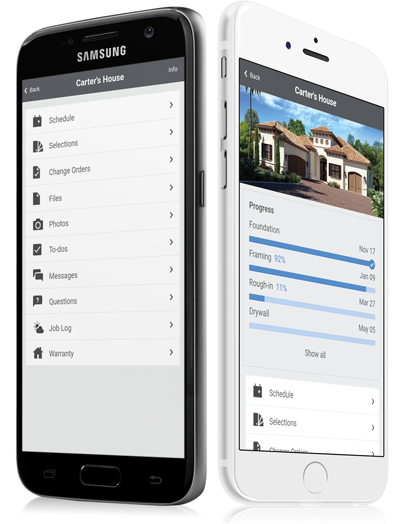
    Product screenshotProduct screenshotProduct screenshotProduct screenshotProduct screenshotProduct screenshot

    SeaTable Screenshots

    Screenshot of This is your starting overview page with all your bases. We provide you with predefined templates to help you get started with SeaTable as easily as possible.Screenshot of Always keep track of all your ideas, tasks or projects. So that everyone in the team knows exactly what needs to be done.Screenshot of In just a few clicks, you can add your team members to SeaTable, assign tasks, mark individual team members, set permissions and comment on the various tasks. This way, everyone in the team always stays informed and knows what needs to be done.Screenshot of SeaTable can be extended with individual plug-ins. In addition to the gallery, calendar, map view and timeline plug-in, you also have the option of developing your own desired functions.Screenshot of Bring your data to life with SeaTable! In addition to pie charts, bar charts and line charts, SeaTable has a variety of other options for efficiently preparing your data.Screenshot of Do you have to regularly record data from your employees or business partners? With SeaTable you can create online forms in no time at all, which you can send to the respective recipients via a link. The entered data ends up directly in SeaTable.