TrustRadius: an HG Insights company

Save this comparison

Save this comparison

Add Product

Recommended Comparisons

    Overview
    ProductRatingMost Used ByProduct SummaryStarting Price

    ConceptDraw PROJECT

    Score9 out of 10
    N/AConceptDraw PROJECT is a project management tool providing a set of options to plan and implement projects successfully, and belongs to the ConceptDraw OFFICE suite. The core features of the tool are task and resource management and reporting, along with change control. The vendor says managing multiple projects is simple due to the Gantt Chart and Multi-Project Views and shared Resource Pool. Tasks that occur on a…N/A

    Fortra’s Automate

    Score8 out of 10
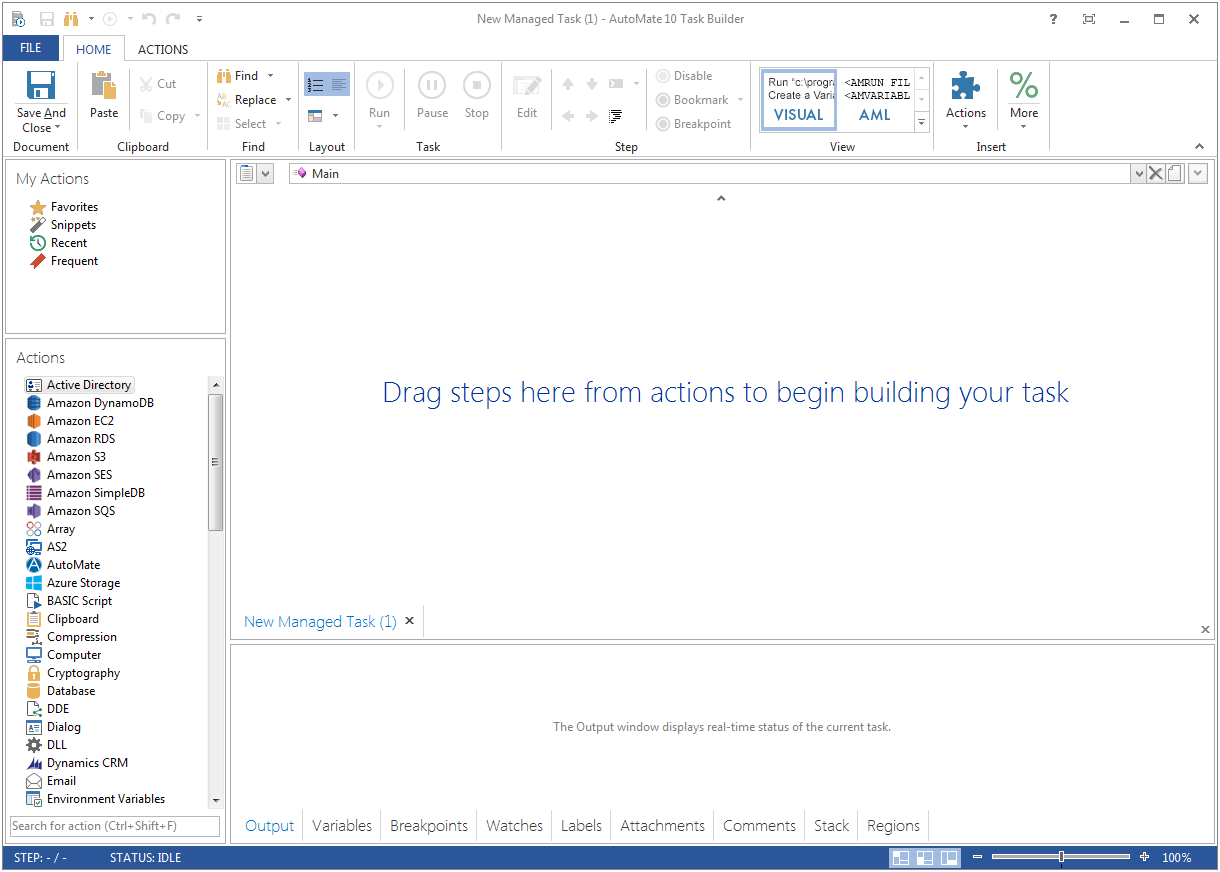
    N/AFortra's Automate (formerly HelpSystems Automate) is a robotic process automation platform for desktop applications. According to the vendor, it offers the ability to automate almost any business process, and no technical expertise is required—IT and business users alike can understand the drag-and-drop interface.N/A
    Pricing
    ConceptDraw PROJECTFortra’s Automate
    Editions & Modules
    No answers on this topic
    No answers on this topic
    Offerings
    Pricing Offerings
    ConceptDraw PROJECTFortra’s Automate
    Free Trial
    YesYes
    Free/Freemium Version
    NoNo
    Premium Consulting/Integration Services
    NoYes
    Entry-level Setup FeeNo setup feeOptional
    Additional DetailsPrice varies for Individual, Commercial, Academic, Nonprofit and Government
    More Pricing Information
    Features
    ConceptDraw PROJECTFortra’s Automate
    Project Management
    Comparison of Project Management features of ConceptDraw PROJECT and Fortra’s Automate
    Feature
    ConceptDraw PROJECT
    9.0
    3 Ratings
    16% above category average
    Fortra’s Automate
    -
    Ratings
    Task Management9.63 Ratings00 Ratings
    Resource Management9.63 Ratings00 Ratings
    Gantt Charts9.63 Ratings00 Ratings
    Scheduling9.53 Ratings00 Ratings
    Email integration10.01 Ratings00 Ratings
    Timesheet Tracking7.01 Ratings00 Ratings
    Budget and Expense Management7.93 Ratings00 Ratings
    Professional Services Automation
    Comparison of Professional Services Automation features of ConceptDraw PROJECT and Fortra’s Automate
    Feature
    ConceptDraw PROJECT
    9.4
    3 Ratings
    20% above category average
    Fortra’s Automate
    -
    Ratings
    Project & financial reporting9.43 Ratings00 Ratings
    Best Alternatives
    ConceptDraw PROJECTFortra’s Automate
    Small Businesses
    Any.do
    Score8 out of 10
    No answers on this topic
    Medium-sized Companies
    KanbanFlow
    Score7.3 out of 10
    IBM Robotic Process Automation
    Score8.4 out of 10
    Enterprises
    Microsoft To Do
    Score7.9 out of 10
    UiPath Automation Platform
    Score8.5 out of 10
    All AlternativesView all alternativesView all alternatives
    User Ratings
    ConceptDraw PROJECTFortra’s Automate
    Likelihood to Recommend
    9.6
    (3 ratings)
    10.0
    (4 ratings)
    Usability
    -
    (0 ratings)
    10.0
    (1 ratings)
    Support Rating
    9.4
    (3 ratings)
    10.0
    (1 ratings)
    User Testimonials
    ConceptDraw PROJECTFortra’s Automate
    Likelihood to Recommend
    CS Odessa LLC
    Getting started - using the Gantt chart to enter tasks in any order and then using those tasks to initially define a MindMap to further explore alternative dependencies. The alternative works better when initiating a project with significant unknowns.
    Read full review
    Fortra
    It's great for repetitive or regularly scheduled activities like reports or file transfers. However, it's not so good for on-demand activities. It doesn't support task shortcuts to run specific tasks. If it did it would be perfect.
    Incentivized
    Read full review
    Pros
    CS Odessa LLC
    • Integration with ConceptDraw Mindmap makes work breakdown very easy.
    • We have cross-functional teams where team members often work on different projects in parallel. The multi project management feature has been a blessing over these years.
    • Another import feature is the availability of many different predefined report generation templates that made it very easy to communicate different aspects of the project to different stakeholders.
    Read full review
    Fortra
    • Very detailed task builder. Easy to read step by step a task's operation even if you don't have much programming knowledge.
    • Scheduling for automation jobs is very flexible. Allows us to create all kinds of job schedules as needed.
    • Organization of jobs, tasks, conditions is done well. Allows us to easily manage our items.
    Incentivized
    Read full review
    Cons
    CS Odessa LLC
    • Non-intuitive keyboard shortcuts
    • No advanced reporting or estimates
    Incentivized
    Read full review
    Fortra
    • A reporting capability on tasks: enabled, disabled, by folder, by trigger, etc. Currently there is none.
    • An "OR" in their conditional statements - currently there is only "AND".
    • Some kind of temporary backup when changing a task - separate from the current back up/restore functionality (which works well).
    Incentivized
    Read full review
    Usability
    CS Odessa LLC
    No answers on this topic
    Fortra
    It's just very easy to use, extremely versatile, and very reliable. It's hard to find use cases where it won't work.
    Incentivized
    Read full review
    Support Rating
    CS Odessa LLC
    Online tutorials always available + chat, email and phone. Questions answered promptly and completely.
    Read full review
    Fortra
    Support is very helpful and responsive, although using the tool is very user-friendly, so I hardly use the service.
    Incentivized
    Read full review
    Alternatives Considered
    CS Odessa LLC
    ConceptDraw has a much simpler licensing and pricing model. Perpetual license and ability to use in offline mode was an important criteria for us. Perfect bundle for small and medium business.
    Read full review
    Fortra
    Incentivized
    Read full review
    Return on Investment
    CS Odessa LLC
    • Inexpensive way to present a professional project plan when needed
    Incentivized
    Read full review
    Fortra
    • It's been a net positive as AutoMate requires less eyes on specific tasks so that people can focus attention elsewhere and do more analysis.
    • Less manual work also decreases the chances of mistakes and/or missed jobs. Since Automate can schedule everything, send email notifications, etc., there is less time wasted.
    Incentivized
    Read full review
    ScreenShots

    ConceptDraw PROJECT Screenshots

    Screenshot of Resource AllocationScreenshot of Gantt Chart ViewScreenshot of Multiproject DashboardScreenshot of Split and Recurring TasksScreenshot of Micro ReportsScreenshot of Custom Fields to a Project Schedule

    Fortra’s Automate Screenshots

    Product screenshotProduct screenshot