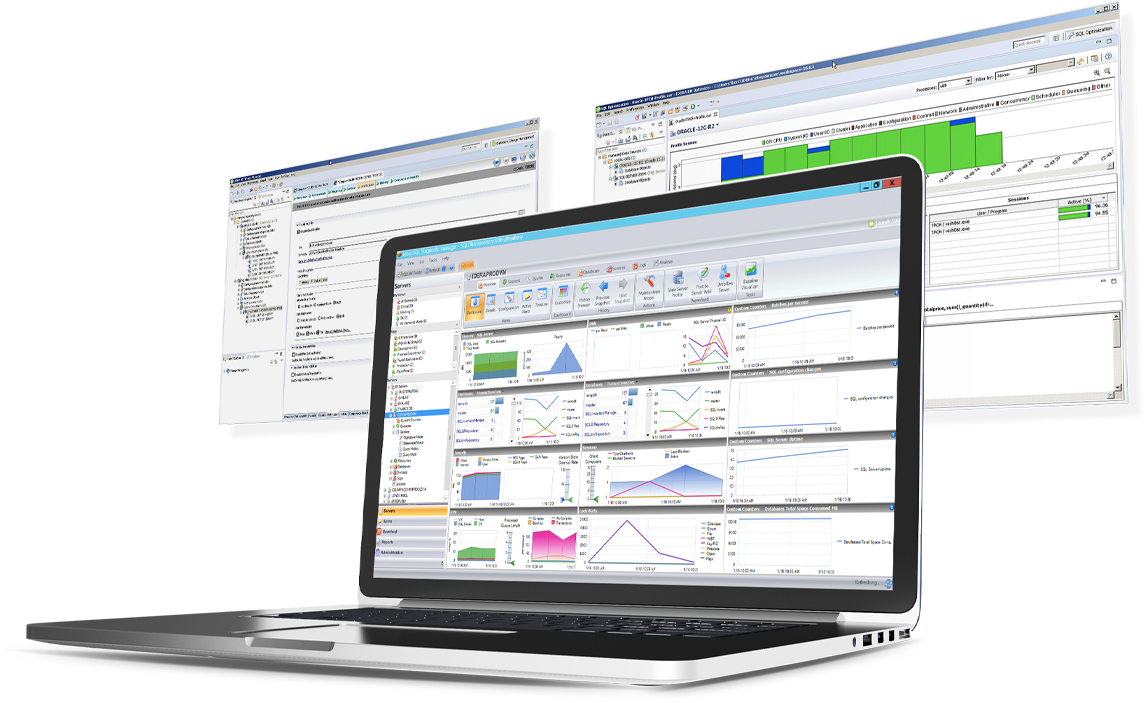
DBArtisan from Embarcadero Technologies (acquired by Idera) is a database administration toolset.
N/A
IDERA SQL Diagnostic Manager
Score 8.0 out of 10
N/A
SQL Diagnostic Manager for Microsoft SQL Server helps database administrators to find and fix Microsoft SQL Server performance problems in physical, virtual, and cloud environments. Unlike its competition, it provides effective scalability, advanced SQL query analysis and optimization, prescriptive analysis with corrective SQL scripts, powerful automated alert responses, broad PowerShell integration, complete customization, and extensive support for current and legacy Microsoft SQL Server and…
$1,996
per instance with first year maintenance included
Pricing
DBArtisan
IDERA SQL Diagnostic Manager
Editions & Modules
No answers on this topic
Standard via eCommerce
1,996.00
per instance with first year maintenance included
Offerings
Pricing Offerings
DBArtisan
IDERA SQL Diagnostic Manager
Free Trial
No
Yes
Free/Freemium Version
No
No
Premium Consulting/Integration Services
No
No
Entry-level Setup Fee
No setup fee
No setup fee
Additional Details
—
—
More Pricing Information
Community Pulse
DBArtisan
IDERA SQL Diagnostic Manager
Features
DBArtisan
IDERA SQL Diagnostic Manager
Database Development
Comparison of Database Development features of Product A and Product B
DBArtisan
8.5
3 Ratings
0% below category average
IDERA SQL Diagnostic Manager
-
Ratings
Version control tools
8.02 Ratings
00 Ratings
Test data generation
8.83 Ratings
00 Ratings
Performance optimization tools
8.02 Ratings
00 Ratings
Schema maintenance
9.83 Ratings
00 Ratings
Database change management
8.02 Ratings
00 Ratings
Database Administration
Comparison of Database Administration features of Product A and Product B
DBArtisan
8.0
3 Ratings
0% below category average
IDERA SQL Diagnostic Manager
-
Ratings
User management
7.93 Ratings
00 Ratings
Database security
8.03 Ratings
00 Ratings
Database status reporting
8.02 Ratings
00 Ratings
Change management
8.02 Ratings
00 Ratings
SQL Performance Monitoring
Comparison of SQL Performance Monitoring features of Product A and Product B
SQL Server [Business Intelligence] Manager is useful for tracking performance across SSIS, SSRS and SSA and have the data represented in dashboards. It helps improve performance and helps end users. However, several features are redundant for smaller organization that can use the tools that comes with existing Microsoft products. These features also takes time to learn and use.
User interface is easy to use, and in some ways better than Toad. The left hand side shows all databases, and you can drill down to instance, storage, schemas, tablespaces, and performance views. The right hand side displays the details of the selected object.
This is the best tool if you want to manage multiple RDBMS platforms in a single tool using the same familiar interface. Other third party tools can do it also, but it's not nearly as integrated as this, and may require additional plug-ins installed. DBArtisan excels at this, and can perform cross-platform data migrations easily.
It has different DB analysts, which can help diagnose issues with performance, optimize storage, detect fragmentation, and plan for capacity growth. For almost any action you want to take, you can generate the DDL for preview, and/or schedule it to run at a specific time.
SQLdm does a good job of providing information at a high level, but also allows me to drill down to specific queries and events if needed. I don't always need to sift through tons of details to get the information I need. It also gives a very wide range of information from SQL specific metrics, to OS metrics, to VM metrics, all the way up to host server metrics.
I like how the alert and notification system can be customized. For example, if you know a certain server regularly has long-running queries, you can adjust the alert to not fire unless a query has been running for 30 minutes while the rest of the servers fire after 30 seconds. That is very helpful in not being bombarded at dinner with alerts from a server similar to, "I've been at 90% cpu for 26 milliseconds!!!!!!!...and now it's back down to 30%" Good information to know, but not something you need to literally lose sleep over.
I like how you can configure different servers to be monitored differently. For example, you can have a group of servers called DEVELOPMENT that you can turn on heavier monitoring on so you can test how changes in applications might affect the SQL environment, but in the PRODUCTION group, you may only want to enable the heavier analysis and logging when performance issues are actively being reported.
Windows client has some issues. When you have small time intervals for your data collection, it can cause the client to become unresponsive and require you to restart it.
It takes more time to get the web client running than it does to get the windows client running.
The visualizations have been the same for the last eight years--could use a little bit of a refresh.
IDERA SQL Diagnostic Manager for SQL, Redgate SQL, and MonitorLogicMonitor are similar products to each other. We decided on IDERA SQL Diagnostic Manager for SQL because our experience with locating heavy queries has been very good and it provides real-time monitoring of all servers and databases. It also allows you to have a large volume of historical data which allows you to analyze trends in the databases.
It has a positive ROI on our organization. It's better than OEM and SQL Developer. Although the license could be expensive, it is perfect for large organizations, especially with multiple RDBMS platforms.
Most features are redundant between DBArtisan and Toad. I would not recommend using both if you already own one of them. Just download the trial for the one you're not using, and see what works best for your organization.
DBArtisan is great for DBAs and would be my personal preference. Toad is good for developers and DBAs alike but I feel like sometimes the interface is too busy and too clumsy to use.