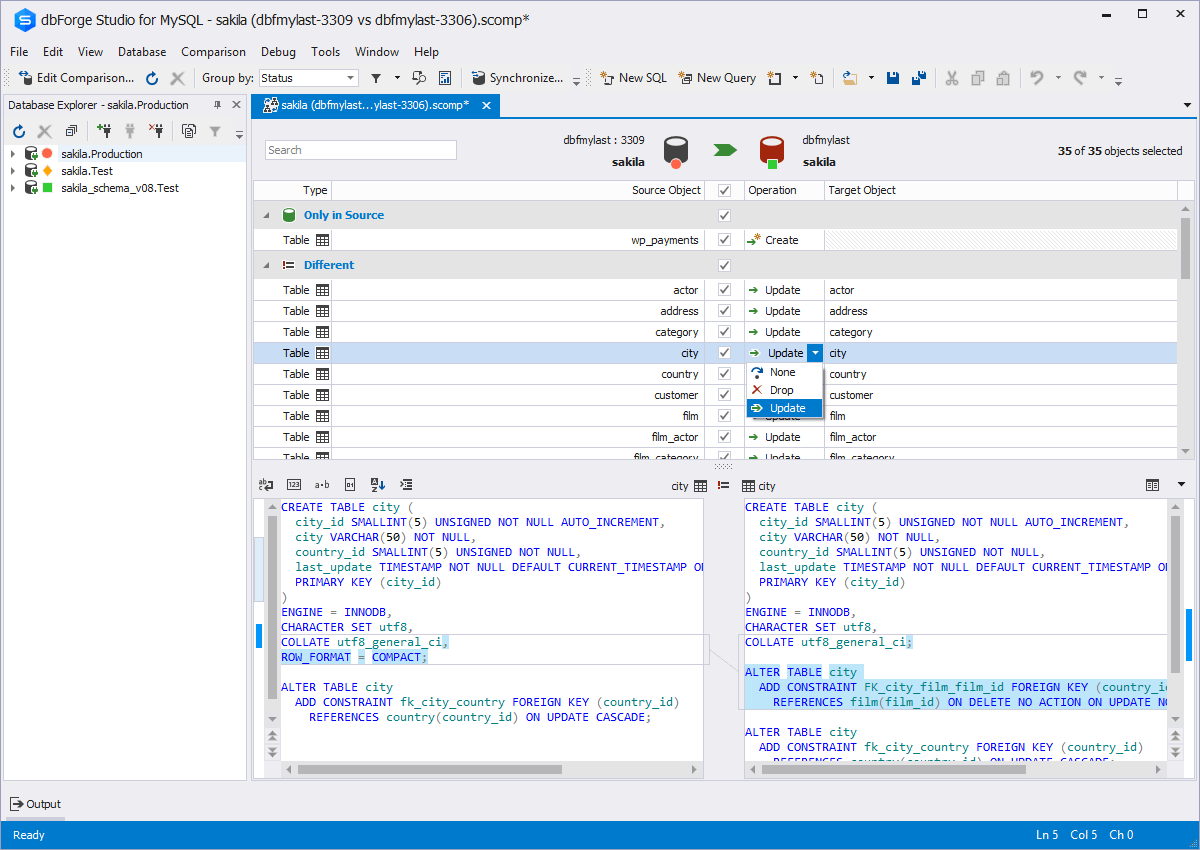
dbForge Studio is provided by
Devart and is a universal front-end client for database
management, administration and development. Devart's GUI tool provides
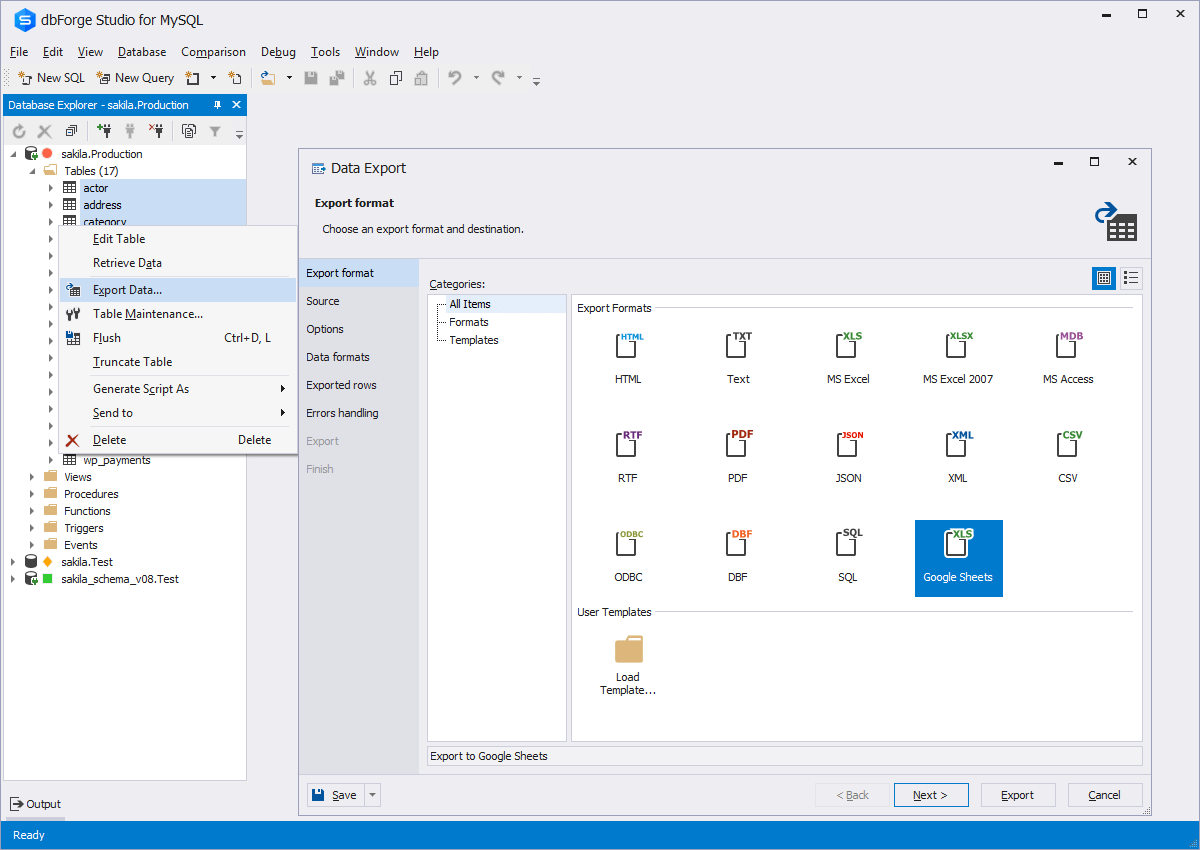
utilities to compare, synchronize, and back up databases (e.g. MySQL, Oracle, SQL Server, PostgreSQL, etc.) with scheduling,
and includes the possibility to analyze and report MySQL tables data. For example, dbForge
Studio for MySQL works with any MariaDB database servers, and supports all
MariaDB objects types. This solution enables users…
$9.95
per month
Redgate SQL Toolbelt Essentials
Score9.6 out of 10
N/A
Redgate's SQL Toolbelt Essentials includes industry-standard tools for SQL Server development & deployment, enabling users to include SQL Server databases in agile processes and enabilng developers to embed robust and scalable development practices.
This tool is useful for small and large IT departments and associated data analysts that perform direct database functions such as DBA tasks or extracting/importing data. Non-technical staff members would not benefit from this tool as much as the functions are detailed and technical. However, automation engineers will find this tool very open for automation, and can generate the scripting code for any of its functions.
A de minimis incentive was given to thank the reviewer for their time. The incentive was not used to bias or drive a particular response, nor was the incentive contingent on a positive endorsement. More Info
We use SQL Compare to troubleshoot performance problems quite a bit since our data model is more like a template and not everything is 100% in sync and customization occurs between different client databases. We continually get pulled into performance issues and the developers will say Client A is performing different than Client B, why? Using SQL Compare, we usually find that one client was tuned and had indexes altered or added that weren't deployed to all clients or other objects weren't deployed correctly during the release. On the other hand, since our data model practices allow client databases to drift I tried to create a new golden image by trying to compare multiple databases based on the same data model and found it to be a very difficult process to complete using SQL Compare. SQL Compare gave me too much information and doesn't allow enough filtering to eliminate a lot of the noise.
A de minimis incentive was given to thank the reviewer for their time. The incentive was not used to bias or drive a particular response, nor was the incentive contingent on a positive endorsement. More Info
A de minimis incentive was given to thank the reviewer for their time. The incentive was not used to bias or drive a particular response, nor was the incentive contingent on a positive endorsement. More Info
Simple and easy comparison of database schemas and data. Differences can be copied or synced from one database to another with a click of a button.
You can save "projects" so that you can easily rerun a previous comparison whenever you need to.
It has a very simple, easy to learn interface. I've never needed to read any documentation or watch any tutorials in order to figure out how to do something.
A de minimis incentive was given to thank the reviewer for their time. The incentive was not used to bias or drive a particular response, nor was the incentive contingent on a positive endorsement. More Info
The ability to parameterize searches more would be advantageous. For example, being able to specify to only look for certain columns, certain data type changes, etc.
The output reports from dbForge are very plain and could contain more detail, and perhaps be structured more like a pivot table form Excel
A de minimis incentive was given to thank the reviewer for their time. The incentive was not used to bias or drive a particular response, nor was the incentive contingent on a positive endorsement. More Info
Pricing.... I wish there was an inexpensive developer version I could buy for myself.
Portability.... I would like to use it from a flash drive so I can use it where ever I am asked to work.
Unbundled.... This may be available already but I dont' recall I can buy it cheaply as a stand-alone product. Its only part of the bundle - cost effectively.
A de minimis incentive was given to thank the reviewer for their time. The incentive was not used to bias or drive a particular response, nor was the incentive contingent on a positive endorsement. More Info
dbForge Studio (Edge) has a great UI and it's versatile, but it still has some glitches. Its multiple database support makes it possible to stick with only one UI to handle different RDBM systems, even though you have to redefine user credentials for each new connection (no copying/cloning feature for database connections). The Edit View and diagramming features also could be improved.
A de minimis incentive was given to thank the reviewer for their time. The incentive was not used to bias or drive a particular response, nor was the incentive contingent on a positive endorsement. More Info
Although experience here is limited, as only one question has been asked and answered promptly, the registration and licensing process was very smooth and professional. There are forums online that discuss dbForge issues, as well as a Facts and Questions section on dbForge's website, so product support does seem to exist if needed.
A de minimis incentive was given to thank the reviewer for their time. The incentive was not used to bias or drive a particular response, nor was the incentive contingent on a positive endorsement. More Info
A de minimis incentive was given to thank the reviewer for their time. The incentive was not used to bias or drive a particular response, nor was the incentive contingent on a positive endorsement. More Info
Before choosing dbForge Studio I evaluated at least a dozen tools, especially on the Visual Query Builder function. For now, I have identified only one product that has a better Visual Query Builder than dbForge Studio. This other product also manages UNIONs, while dbStudio still doesn't do it visually. However, the better alternative product is enormously slower in operations and less feature-rich than DbForge Studio
I've used Visual Studio Database Projects for this type of work in the past with some success, but Redgate SQL Compare is faster, more transparent, and simply easier to use. Faster is self explanatory. More transparent, means that it's much easier to set up your desired options for schema change deployment scripts. Easier to use, It's really dead simple. Start a project, connect your source, connect destination, click compare.
A de minimis incentive was given to thank the reviewer for their time. The incentive was not used to bias or drive a particular response, nor was the incentive contingent on a positive endorsement. More Info
A de minimis incentive was given to thank the reviewer for their time. The incentive was not used to bias or drive a particular response, nor was the incentive contingent on a positive endorsement. More Info
A de minimis incentive was given to thank the reviewer for their time. The incentive was not used to bias or drive a particular response, nor was the incentive contingent on a positive endorsement. More Info