Descript is a collaborative audio/video editor, from the company of the same name in San Francisco, that works like a doc. It includes transcription, a screen recorder, publishing, full multitrack editing, and AI tools.
$12
per month
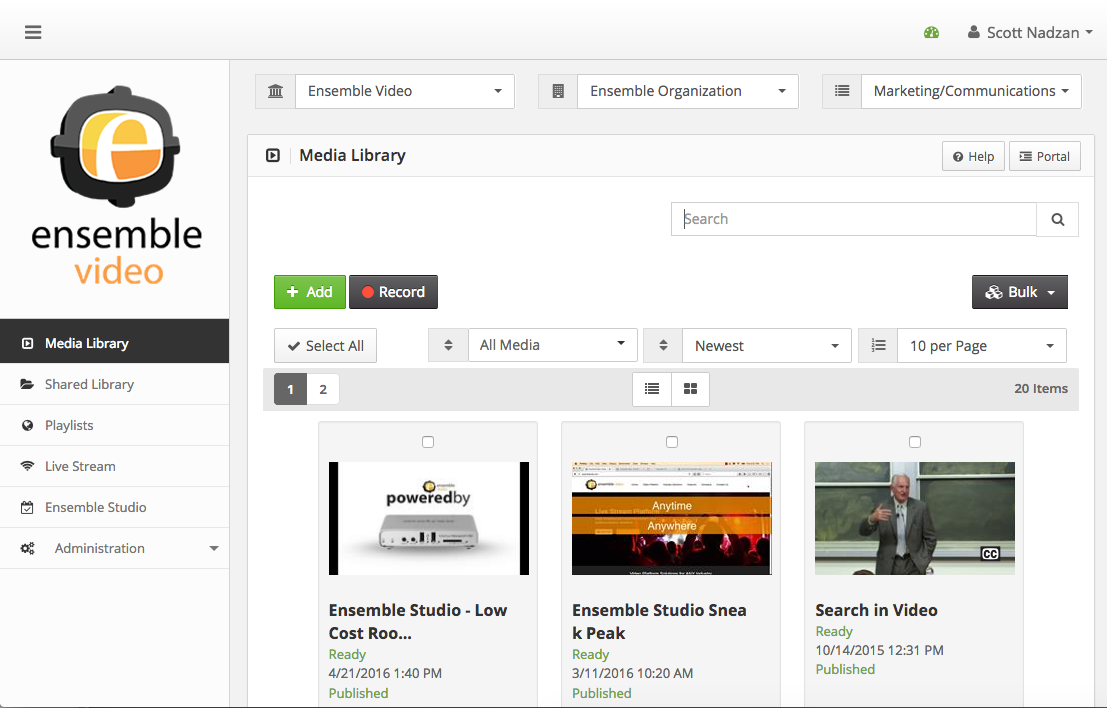
Ensemble Video
Score9.1 out of 10
Enterprise companies (1,001+ employees)
Ensemble Video is an online video platform that simplifies video management and delivers content any time, over a variety of networks.
Descript is well-suited for fast editing of training videos, tutorials, podcasts, and screen recordings, where transcript-based editing and quick cleanup save time. It works best when you need a simple workflow to record, transcribe, remove filler words, tighten sections, and apply basic enhancement tools like noise cleanup. It is less appropriate for high-stakes projects where losing edits would be very costly, or when you need strong guarantees around long-term project history, backups, and recovery. Based on our experience, if you are doing many hours of edits and expect to revisit projects months later, you may want an additional export/archive process outside the platform.
I'm not sure where Ensemble Video would be less appropriate. We've found it to be very effective for our campus-specific use cases. However, the product is very customizable in how a campus could structure their Ensemble instance to match their organization, and how users may be managed.
A de minimis incentive was given to thank the reviewer for their time. The incentive was not used to bias or drive a particular response, nor was the incentive contingent on a positive endorsement. More Info
Adapting to user needs. Ensemble Video seems to always be listening to their clients needs and suggestions by implementing effective features in every system update. Communication seems to always indicate that these features are driven by requests that their customers have made to improve the service.
Client Support - I have an IT/support background and have had to deal with many vendors and external support. Ensemble is easily the most responsive and effective vendor when it comes to support. When needing certain solutions, they have sent code that was in development and not officially released so I could achieve my goals with project videos. Support is always personal, prompt and effective.
Customization. New templates, video players, account management, and embed options have allowed us to use Ensemble Video in a much more personalized way. Early versions of the service had an "Ensemble feel" but color schemes and logos are now able to be changed for a better organization feel.
UX Performance. Because it's synced to the cloud, there can be some delay or lag in the UX when editing.
Editing Transcriptions. Machine-based transcriptions always need some post-editing. While Descript makes it pretty easy, I still think there is some room for improvement. For instance, I would like to be able to automatically update for all occurrences of a word after fixing it in the transcript.
Automatic importing of YouTube and hosted video files. I often have to download a video from YouTube to be able to import it into Descript. Would be nice to be able to just paste in the URL to the video and have Descript automatically import it.
A de minimis incentive was given to thank the reviewer for their time. The incentive was not used to bias or drive a particular response, nor was the incentive contingent on a positive endorsement. More Info
User management. Some features are unique to the entire deployment (like authentication sources). It would be great if multiple authentication options could be used across different Ensemble institutions.
Upgrade processes. Though new versions of Ensemble Video are always better, the installation process is very manual and Ensemble Video must be involved directly. Not a weakness, but it would be nice to be able to perform our own upgrades/patches when needed.
It's pretty user friendly, has a easy-moderate learning curve. However during updates they do change the features in different panes / sections that make them harder to find. The text editor is near perfect, some of the other tools such as colour, templates, audio etc. are arranged in a slighlty less intuitive manner
A de minimis incentive was given to thank the reviewer for their time. The incentive was not used to bias or drive a particular response, nor was the incentive contingent on a positive endorsement. More Info
We had a very frustrating experience with Descript and their support.
We used Descript to record and edit several videos. The edits were done around May, mainly using the web app. When we opened those same projects in December, many of them looked like raw recordings again. Cuts were missing and effects were missing.
Support and engineering told us they checked their logs and only saw “creation → recording → transcription,” and they said they could not find proof the edits were ever made. That explanation does not match what we saw in the app. The affected videos show two project backup files. In Descript, backups only appear after you start editing (the app even says so). But when we checked other projects that we know are raw, those do not show any backup files. We asked a simple question: if backups appear only after editing, why do the “raw” affected videos have two backups while truly raw videos have none? They did not answer this clearly.
One rep also said they noticed a spike in network errors in May. That is exactly when the edits were done, which makes it very likely the edits did not save or sync correctly. Instead of admitting this could be the cause, support kept pointing to “no logs of edits” and that it was our fault.
They refunded one month, but called it a “courtesy.” That was disappointing. We also stopped using Descript while they were investigating because we did not feel it was safe to keep working in the platform. If that one-month refund was meant to cover the time we could not use the service during the investigation, that still does not address the real damage. We lost many hours of work, we paid our editor hourly, and we paid for the subscription for convenience and reliability. For the amount of inconvenience and loss we experienced, one month is clearly not enough.
Descript is by far superior to the other editing software you can get on Apple computers. It's able to do a lot more and really save us tons of time. Other Adobe apps are great, but take a while to learn. Descript is very user-friendly, making it easy to start from day one with very little training.
A de minimis incentive was given to thank the reviewer for their time. The incentive was not used to bias or drive a particular response, nor was the incentive contingent on a positive endorsement. More Info
Ensemble Video has succeeded for us where other solutions have failed. It came along exactly when we needed it, for our organization. At the time, we were caught between the push and pull of several different solutions, uploading our videos with the expectation that users would take the time to download and play them, using popular public video streaming services with few settings and options, and forgoing videos altogether. Ensemble Video has taken our myriad needs and provided a platform that addresses all of them.
I can get video completed much more quickly and cheaply
We can produce more video content because of the speed with which we can have a finished product
We can have shorter timelines for example I record on Monday and we publish on Tuesday which wouldn't be otherwise possible with other methods I've used
A de minimis incentive was given to thank the reviewer for their time. The incentive was not used to bias or drive a particular response, nor was the incentive contingent on a positive endorsement. More Info
Ease of user contributed content. The videos that users upload to the system can either be automatically published or they can be reviewed by staff before being added to websites and courses. Instead of all these videos living on different sites (YouTube, Vimeo, etc.) we now have a centralized location that we have control over.
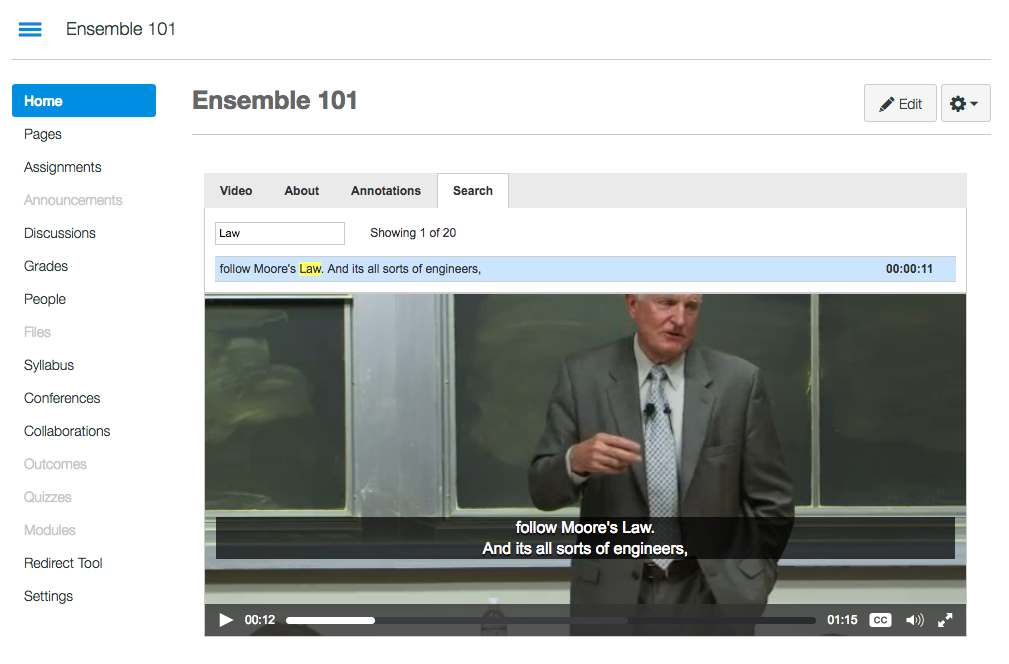
LMS Integration - A year ago YouTube changed their policy to not allow direct recording from webcams. This essentially broke the Blackboard Video Everywhere tool that allowed our instructors to post quick comments in class discussions and content areas. While they need to be pre-recorded, the Ensemble Building Block allows our instructors and students to once again upload and post videos, all from directly within the Blackboard content editor.
Flexibility - With the ease of creating user accounts and video libraries, Ensemble Video has become the go to option for Erikson courses, professional development content and project videos. Different departments can have their own account and have control over their libraries without the worry of them viewing or editing other institute content.