EdApp headquartered in New York provides their mobile learning management system.
N/A
Edsby
Score 8.6 out of 10
Mid-Size Companies (51-1,000 employees)
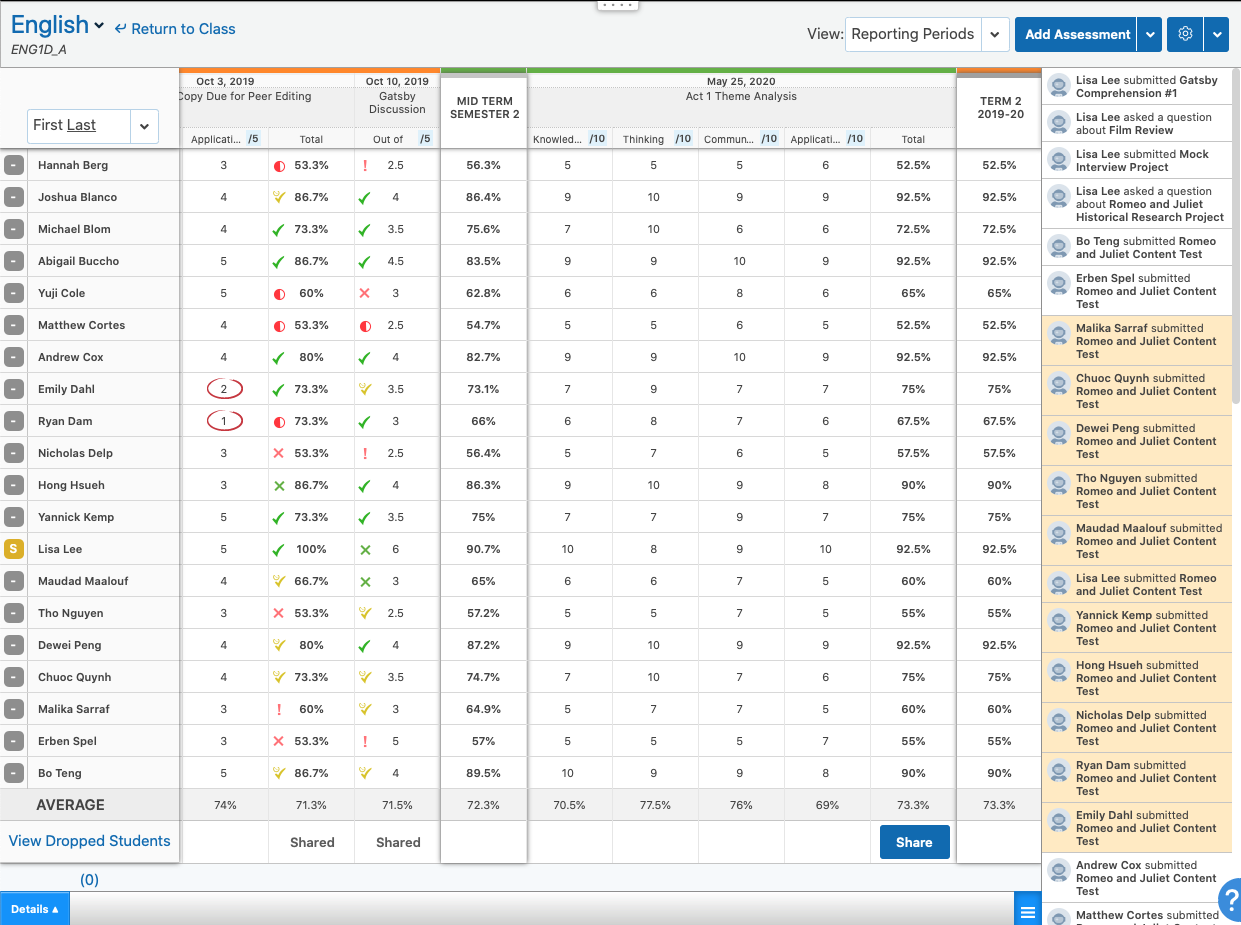
Edsby is a cloud-based learning management system (LMS) for K-12 school districts that uses web and mobile technologies to connect teachers, students, parents and administrators in new ways.
This LMS allows students and parents to check grades, attendance, homework and more from a browser, tablet or mobile phone.
The vendor says what sets this LMS apart from others is that Edsby is designed specifically for the special requirements and needs of K-12. To make district-wide…
$5
per user/per year
Pricing
EdApp
Edsby
Editions & Modules
No answers on this topic
Edsby
5+
per user/per year
Offerings
Pricing Offerings
EdApp
Edsby
Free Trial
No
No
Free/Freemium Version
No
No
Premium Consulting/Integration Services
No
Yes
Entry-level Setup Fee
No setup fee
Required
Additional Details
—
Edsby charges an up-front fee for initial integration. There are also annual costs, variable with the number of students. Parent, teacher and administrator accounts are free. Certain other features are charged for annually. Special pricing applies for private schools. Contact Edsby for details.
More Pricing Information
Community Pulse
EdApp
Edsby
Features
EdApp
Edsby
Learning Management
Comparison of Learning Management features of Product A and Product B
EdApp is great if you want to have internal training and do not want to waste time for the agency to understand your business, you do it yourself. It’s great for field structures as it’s built for mobile and built to be snappy - great time saver! It’s not yet great in the area of Power BI dashboards and customizable reports for usage.
I use only Edsby - I have no use for a google classroom as well as an Edsby page. I try to convince and how teachers how easy it is to use only one system
It has a home page viewable by students in which there is a Journal space. Teachers can post reminders for example for homework or upcoming events.
EDSBY has a place where one can create Folders or Unit Assessments which students can access and if need be print themselves a copy of the assessment. These folders can be used for different unit work or for something that is used throughout the semester. For instance, information on The Writing Process is in a folder, as are major assessments.
It's easy to set up the Grade Book because of the automatic choices that are offered for semester work and culminating work. Weights can be edited and categories of assessment can be changed quickly, if needed.
If you have a problem, you can ask for help from someone in the school or in the system who knows about the program, or you can send a message to EDSBY, and they are very quick in replying with a fix.
It’s really easy! After the onboarding with the app I’m able to ‘spit out’ a course within 1hr. That means I can now do pre-work for any meeting and see who did it and also shorten meeting time that usually was wasted on explanation of the topic. The mobile access made it simple for everyone and lead to our field force employees finding time for development between client visits.
The user interface is widely modelled on a web 2.0 design (e.g. Facebook). This is not a criticism per se, as it makes moving around the site very easy and familiar. The mobile site is also very well designed, it makes good use of space and is also easy to navigate.
EdApp has an easier interface. It allows you to start building whole courses with many lessons within first hours of use. It’s design looks more professional which results in a better fit for business environment. Unlike Kahoot!, it’s not recognised as ‘the thing my kids have at school’ - important factor in terms of user approach to content provided in lessons.
Edsby and Google Classroom are two entirely different services, yet they can be used together with increased learning effectiveness as the result. When used in tandem, they combine the best features of both platforms and blend them together to get the best learning platform possible.
Better customer service, in the sense that students know clearly what they need to do, and when they need to do it.
Better customer service, in that it is easier for teachers to contact parents, with the lap top in front of them and all the relevant data on student progress or lack thereof in front of them.
Better customer service, in that students can email the teacher directly through EDSBY to ask a question or see clarification, or make a request.