
Edsby vs. Skyward Student Management Suite
Edsby vs. Skyward Student Management Suite
| Product | Rating | Most Used By | Product Summary | Starting Price |
|---|---|---|---|---|
 Edsby | Mid-Size Companies (51-1,000 employees) | Edsby is a cloud-based learning management system (LMS) for K-12 school districts that uses web and mobile technologies to connect teachers, students, parents and administrators in new ways. This LMS allows students and parents to check grades, attendance, homework and more from a browser, tablet or mobile phone. The vendor says what sets this LMS apart from others is that Edsby is designed specifically for the special requirements and needs of K-12. To make district-wide… | $5 per user/per year | |
 Skyward Student Management Suite | N/A | Skyward, headquartered in Stevens Point, Wisconsin, offers the Skyward Student Management System, a k-12 student information system which provides classroom tools (e.g. gradebook, attendance tracking, etc), Family Engagement tools with portal, as well as admin and student services task management. | N/A |
| Edsby | Skyward Student Management Suite | |||||||||||||||
|---|---|---|---|---|---|---|---|---|---|---|---|---|---|---|---|---|
| Editions & Modules |
| No answers on this topic | ||||||||||||||
| Offerings |
| |||||||||||||||
| Entry-level Setup Fee | Required | No setup fee | ||||||||||||||
| Additional Details | Edsby charges an up-front fee for initial integration. There are also annual costs, variable with the number of students. Parent, teacher and administrator accounts are free. Certain other features are charged for annually. Special pricing applies for private schools. Contact Edsby for details. | — | ||||||||||||||
| More Pricing Information | ||||||||||||||||
| Edsby | Skyward Student Management Suite |
|---|
| Edsby | Skyward Student Management Suite | |||||||||||||||||||||||||||||||||
|---|---|---|---|---|---|---|---|---|---|---|---|---|---|---|---|---|---|---|---|---|---|---|---|---|---|---|---|---|---|---|---|---|---|---|
| Learning Management |
| |||||||||||||||||||||||||||||||||
| Student and Faculty Administration |
|
| Edsby | Skyward Student Management Suite | |
|---|---|---|
| Small Businesses |  iSpring LMS Score 9.5 out of 10 | No answers on this topic |
| Medium-sized Companies |  Schoology Learning Score 9.5 out of 10 |  Jenzabar ONE Score 7.7 out of 10 |
| Enterprises | Schoology Learning Score 9.5 out of 10 |  Schoolmint Hero Score 9.7 out of 10 |
| All Alternatives | View all alternatives | View all alternatives |
| Edsby | Skyward Student Management Suite | |
|---|---|---|
| Likelihood to Recommend | 8.6 (8 ratings) | 8.2 (17 ratings) |
| Likelihood to Renew | - (0 ratings) | 9.0 (2 ratings) |
| Usability | 8.8 (6 ratings) | 7.0 (2 ratings) |
| Support Rating | - (0 ratings) | 6.0 (2 ratings) |
| Implementation Rating | - (0 ratings) | 10.0 (1 ratings) |
| Edsby | Skyward Student Management Suite | |
|---|---|---|
| Likelihood to Recommend | Edsby
|  Skyward
|
| Pros | Edsby
| Skyward
 Scott Herring Database Support Specialist |
| Cons | Edsby
 David Lee Vice Principal | Skyward
 Liz Swarczewski 5th Grade Teacher |
| Likelihood to Renew | Edsby No answers on this topic | Skyward
|
| Usability | Edsby
 Matthew David IT Director | Skyward
|
| Support Rating | Edsby No answers on this topic | Skyward
|
| Implementation Rating | Edsby No answers on this topic | Skyward
|
| Alternatives Considered | Edsby
| Skyward
 Lindsay K. Riessen Art Teacher |
| Return on Investment | Edsby
| Skyward
 Brad Owens Special Education Teacher |
| ScreenShots | Edsby Screenshots    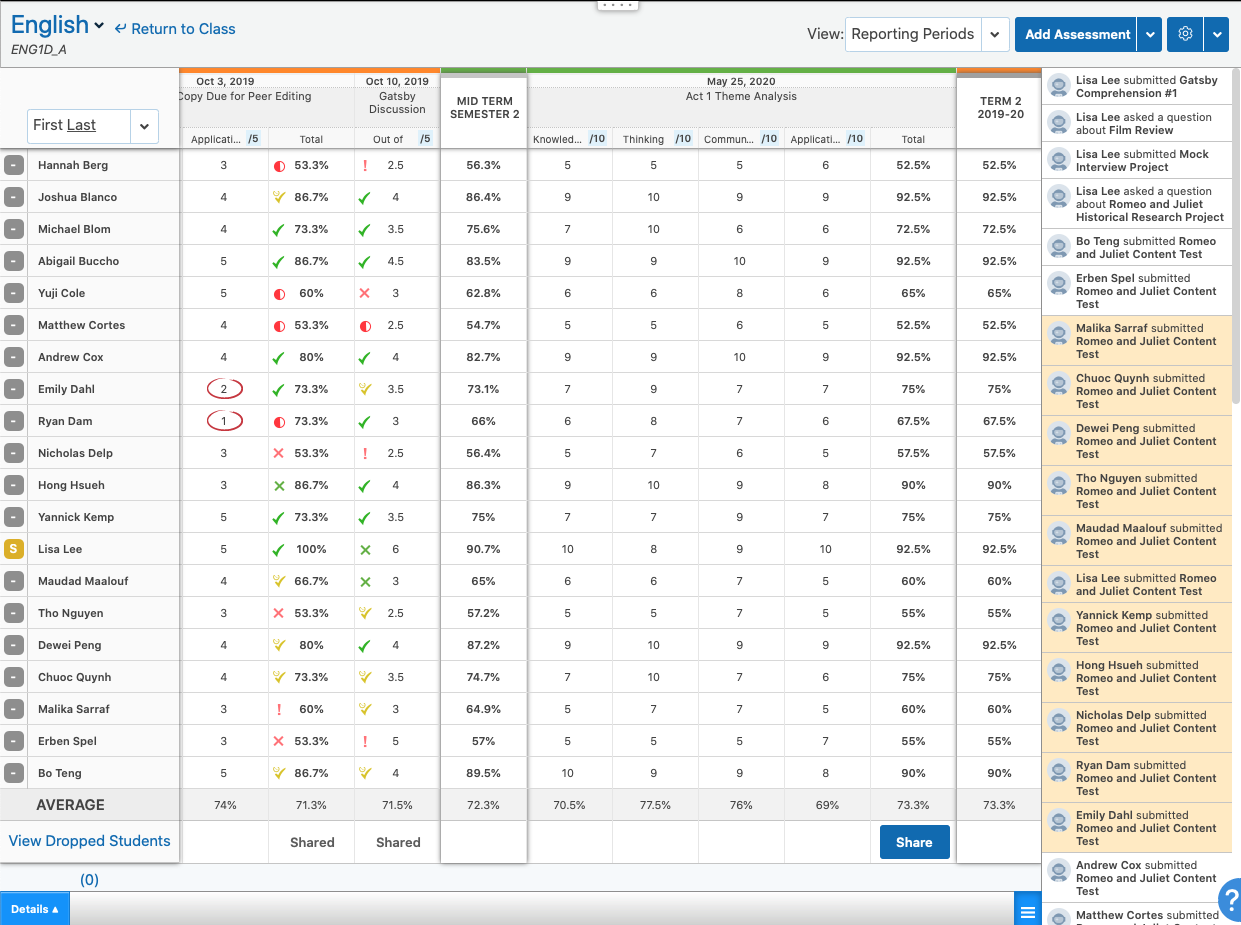  |