TrustRadius: an HG Insights company

Save this comparison

Save this comparison

Add Product

Recommended Comparisons

    Overview
    ProductRatingMost Used ByProduct SummaryStarting Price

    FileInvite

    Score1.1 out of 10
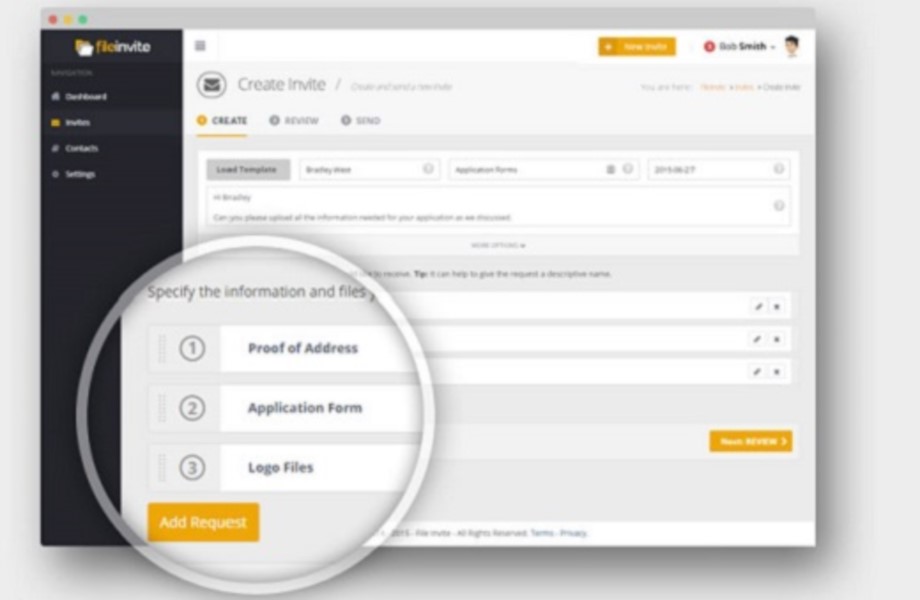
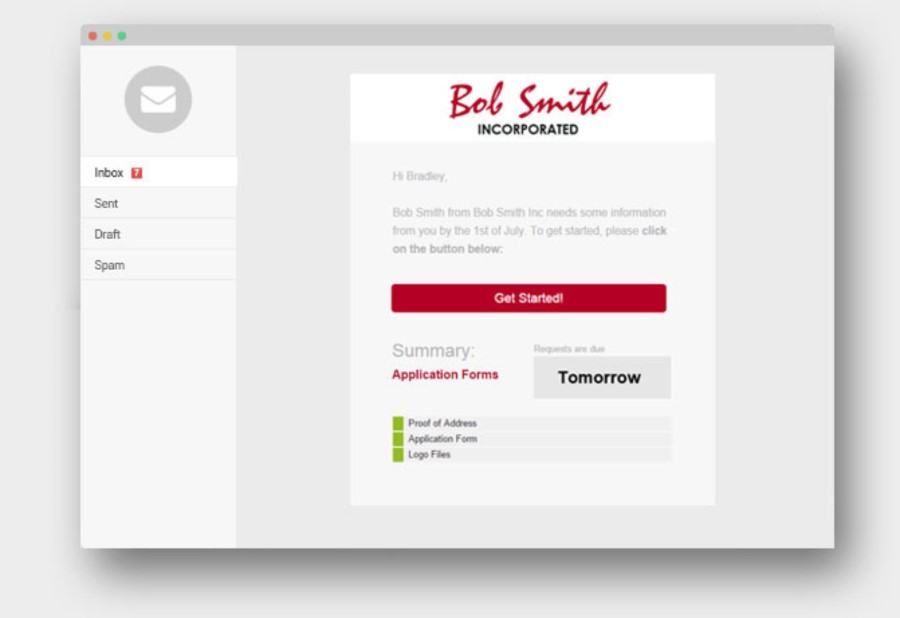
    N/AFileInvite automates the process of collecting information and documents from your clients. The vendor says the process is simple, and the interface is secure. All you have to do is create and send a FileInvite with the information you require. The client then uploads the files to a secure portal where you can approve or decline the information that has been submitted. FileInvite also allows you to set up reminders, templates and sync with your cloud storage like Google…N/A

    zeroheight

    Score8 out of 10
    N/Azeroheight helps teams create, manage and maintain their design systems. Using zeroheight, designers, engineers, and product teams can collaborate and build design systems that can be easily shared across teams.

    $49

    month

    Pricing
    FileInvitezeroheight
    Editions & Modules
    No answers on this topic
    Starter
    $49
    month
    Enterprise
    Custom Pricing
    Offerings
    Pricing Offerings
    FileInvitezeroheight
    Free Trial
    YesNo
    Free/Freemium Version
    NoYes
    Premium Consulting/Integration Services
    YesNo
    Entry-level Setup FeeNo setup feeOptional
    Additional Details——
    More Pricing Information
    Community Pulse
    FileInvitezeroheight
    Considered Both Products
    FileInvite
    No answer on this topic
    zeroheight
    No answer on this topic
    Key User Insights
    Would buy again
    40%
    Would buy again
    2 Answers
    No answers on this topic
    Delivers good value for the price
    No answers on this topic
    No answers on this topic
    Happy with the feature set
    60%
    Happy with the feature set
    3 Answers
    No answers on this topic
    Lived up to sales and marketing promises
    No answers on this topic
    No answers on this topic
    Implementation went as expected
    No answers on this topic
    No answers on this topic
    Best Alternatives
    FileInvitezeroheight
    Small Businesses
    M‑Files
    Score8.9 out of 10
    M‑Files
    Score8.9 out of 10
    Medium-sized Companies
    Esker
    Score7.4 out of 10
    Esker
    Score7.4 out of 10
    Enterprises
    Tungsten Capture
    Score9.5 out of 10
    Tungsten Capture
    Score9.5 out of 10
    All AlternativesView all alternativesView all alternatives
    User Ratings
    FileInvitezeroheight
    Likelihood to Recommend
    1.0
    (6 ratings)
    9.0
    (1 ratings)
    Usability
    7.0
    (2 ratings)
    -
    (0 ratings)
    Performance
    10.0
    (1 ratings)
    -
    (0 ratings)
    Ease of integration
    10.0
    (1 ratings)
    -
    (0 ratings)
    User Testimonials
    FileInvitezeroheight
    Likelihood to Recommend
    FileInvite
    Our forms for summer camper parents vary depending on the needs of the camper (i.e. allergies, nutrition requirements, & program desirability such as horseback riding or preferred cabin mates). This situational form allowance is a breeze with fileinvite, and the setup process is intuitive and very easy to manage as a collaboration across our entire team
    Incentivized
    Read full review
    zeroheight
    For creating and maintaining a component library, it is a fantastic tool that creates an interface between Developers, UX Engineers and Designers. It is easy to get both general information about a component, but also incredibly detailed information when looking at the component on a pixel-level, where information on paddings, margins, colors, fonts etc. can be easily accessed.
    Incentivized
    Read full review
    Pros
    FileInvite
    • Templates are fantastic and take very little time to create a file invite.
    • Ease and simplicity of communication.
    • Ability to send reminders to ensure needs tasks are completed.
    Incentivized
    Read full review
    zeroheight
    • showcasing components and other topics
    • ease of seeing detailed information on components (colors, paddings, sizes etc.)
    • ease of finding information
    • possibility of going to previous versions of the design guideline
    Incentivized
    Read full review
    Cons
    FileInvite
    • It takes forever to delete unwanted document in my experience.
    • The signature never appears on the right spot and the box can't be resized.
    • Our problem has always been to collect dozens of documents to submit an application.
    Incentivized
    Read full review
    zeroheight
    • when opening a component image (which opens a new page where the detailed information like paddings and colors are shown), the zoom can only be done by buttons, I'd prefer to be able to use my mouse scroll and for vertical / horizontal scrolling to do ctrl+scroll or ctrl+shift+scroll or something like that
    Incentivized
    Read full review
    Usability
    FileInvite
    Aside from a few minor recommendations, the solution is well thought through and very easy to set up. As a matter of fact, the onboarding support by the team was fantastic, and the ongoing availability to help while we were/are learning the platform has been extremely friendly and reliable.
    Incentivized
    Read full review
    zeroheight
    No answers on this topic
    Performance
    FileInvite
    It has been pretty smooth so far. There was an issue earlier this week that resulted in corrupted invites whereby the unique secure link failed, but I was able to resubmit the invitations quite simply, and they've assured me the issue was unusual and I won't be alarmed unless it happens again sometime soon.
    Incentivized
    Read full review
    zeroheight
    No answers on this topic
    Alternatives Considered
    FileInvite
    FileInvite has a lot of nice features, but the overall cost is the company's downfall. We were able to get a lot of the same features that we need for a lot less with other companies and providers.
    Incentivized
    Read full review
    zeroheight
    I have used and still use Sketch and Zeplin too, but they serve other purposes for us. Sketch is used to design the components themselves and they are then exported to Zeroheight where they are showcased and enriched with textual information. Zeplin is used to design application pages, and again the components are exported to Zeplin from Sketch. But Zeroheight is mainly used for the development of the components themselves as well as a documentation for our design guideline in general. It is also used by us for design tokens and patterns, as well as other information on the design guideline, so if someone wants to understand the "why" of a design decision, the explanation can be usually found in Zeroheight too.
    Incentivized
    Read full review
    Return on Investment
    FileInvite
    • Positive feedback from clients and employees who have used this vs Docusign.
    • Not sure about the exact ROI, however, I know that this has had significant cost savings vs the previous software.
    Incentivized
    Read full review
    zeroheight
    • increased quality, as less misunderstandings or communication problems occur
    • increased speed of development, as it is a single source of truth for us. The developer can rely on the information in Zeroheight being correct so that he doesn't have to iterate his code again and again.
    Incentivized
    Read full review
    ScreenShots

    FileInvite Screenshots

    Product screenshotProduct screenshotProduct screenshotProduct screenshotProduct screenshotProduct screenshot