TrustRadius: an HG Insights company

Save this comparison

Save this comparison

Add Product

Recommended Comparisons

    Overview
    ProductRatingMost Used ByProduct SummaryStarting Price

    Fortra’s Automate

    Score8 out of 10
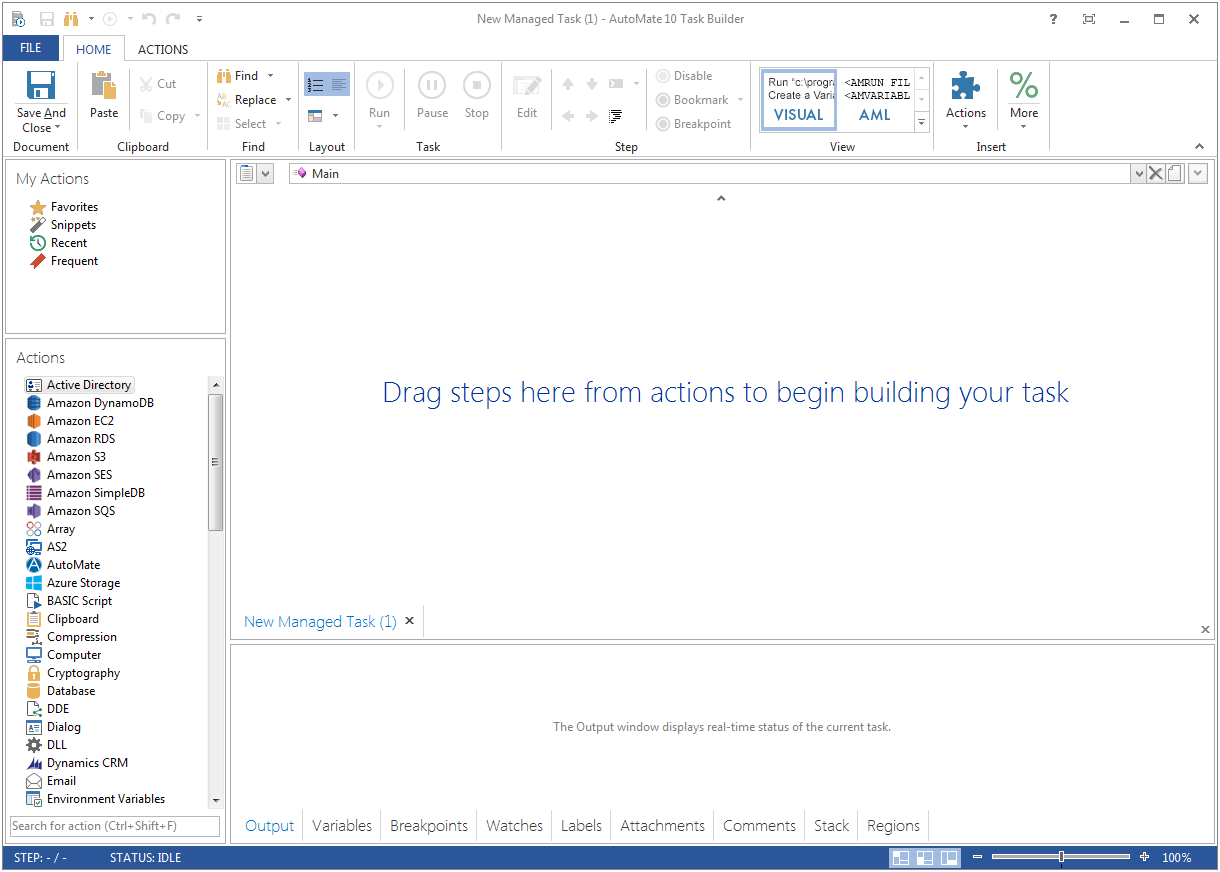
    N/AFortra's Automate (formerly HelpSystems Automate) is a robotic process automation platform for desktop applications. According to the vendor, it offers the ability to automate almost any business process, and no technical expertise is required—IT and business users alike can understand the drag-and-drop interface.N/A

    Kiteworks

    Score6 out of 10
    N/AKiteworks empowers organizations to manage risk in every send, share, receive, and save of sensitive content over numerous communications channels: email, file sharing, managed file transfer, APIs, and web forms. The Kiteworks platform unifies, tracks, controls, and secures sensitive content moving within, into, and out of an organization, significantly improving risk management and ensuring regulatory compliance. With on-premise, private cloud, hybrid and FedRAMP deployment…

    $15

    per year

    Pricing
    Fortra’s AutomateKiteworks
    Editions & Modules
    No answers on this topic
    Business
    $15
    per user/month
    Enterprise
    Custom Pricing
    Offerings
    Pricing Offerings
    Fortra’s AutomateKiteworks
    Free Trial
    YesYes
    Free/Freemium Version
    NoNo
    Premium Consulting/Integration Services
    YesNo
    Entry-level Setup FeeOptionalNo setup fee
    Additional Details——
    More Pricing Information
    Best Alternatives
    Fortra’s AutomateKiteworks
    Small Businesses
    No answers on this topic
    Dropbox DocSend
    Score8.3 out of 10
    Medium-sized Companies
    IBM Robotic Process Automation
    Score8.4 out of 10
    Dropbox DocSend
    Score8.3 out of 10
    Enterprises
    UiPath Automation Platform
    Score8.5 out of 10
    No answers on this topic
    All AlternativesView all alternativesView all alternatives
    User Ratings
    Fortra’s AutomateKiteworks
    Likelihood to Recommend
    10.0
    (4 ratings)
    9.5
    (2 ratings)
    Usability
    10.0
    (1 ratings)
    -
    (0 ratings)
    Support Rating
    10.0
    (1 ratings)
    -
    (0 ratings)
    User Testimonials
    Fortra’s AutomateKiteworks
    Likelihood to Recommend
    Fortra
    It's great for repetitive or regularly scheduled activities like reports or file transfers. However, it's not so good for on-demand activities. It doesn't support task shortcuts to run specific tasks. If it did it would be perfect.
    Incentivized
    Read full review
    Kiteworks
    Kiteworks is very good for securely sharing files external to your company and doing so without your customers knowing who each other are. The interface is simple and relatively intuitive. We have had some issues in getting timely support from Accellion this past year, but they seem to be doing better lately.
    Incentivized
    Read full review
    Pros
    Fortra
    • Very detailed task builder. Easy to read step by step a task's operation even if you don't have much programming knowledge.
    • Scheduling for automation jobs is very flexible. Allows us to create all kinds of job schedules as needed.
    • Organization of jobs, tasks, conditions is done well. Allows us to easily manage our items.
    Incentivized
    Read full review
    Kiteworks
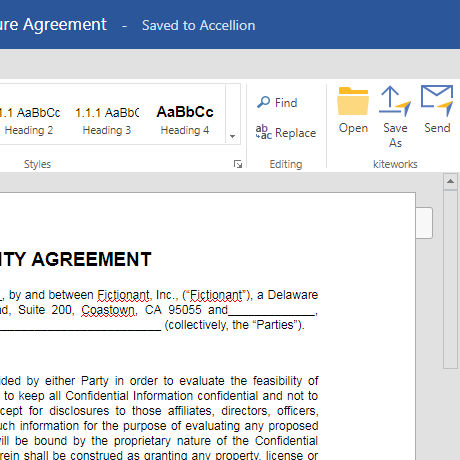
    • Microsoft Office Plugins
    • Desktop Synchronization
    • Mobile Ability
    • Group chat
    • File Filtering
    Read full review
    Cons
    Fortra
    • A reporting capability on tasks: enabled, disabled, by folder, by trigger, etc. Currently there is none.
    • An "OR" in their conditional statements - currently there is only "AND".
    • Some kind of temporary backup when changing a task - separate from the current back up/restore functionality (which works well).
    Incentivized
    Read full review
    Kiteworks
    • Encrypting our files appears to be less than 100% complete
    • Software updates cannot be scheduled to take place automatically like their old product
    • Detailed activity logging is not available to administrators. You must submit the logs to Accellion for analysis.
    Incentivized
    Read full review
    Usability
    Fortra
    It's just very easy to use, extremely versatile, and very reliable. It's hard to find use cases where it won't work.
    Incentivized
    Read full review
    Kiteworks
    No answers on this topic
    Support Rating
    Fortra
    Support is very helpful and responsive, although using the tool is very user-friendly, so I hardly use the service.
    Incentivized
    Read full review
    Kiteworks
    No answers on this topic
    Alternatives Considered
    Fortra
    Incentivized
    Read full review
    Kiteworks
    The main reason for selecting Kiteworks is that when sharing files with multiple customers, each customer has no idea who the other customers are. To do that in Teams would require users to create a private team for each customer, which would be very [time-consuming].
    Incentivized
    Read full review
    Return on Investment
    Fortra
    • It's been a net positive as AutoMate requires less eyes on specific tasks so that people can focus attention elsewhere and do more analysis.
    • Less manual work also decreases the chances of mistakes and/or missed jobs. Since Automate can schedule everything, send email notifications, etc., there is less time wasted.
    Incentivized
    Read full review
    Kiteworks
    • Before then kitework we used 3 different products. It was expensive and difficult manage.
    Read full review
    ScreenShots

    Fortra’s Automate Screenshots

    Product screenshotProduct screenshot

    Kiteworks Screenshots

    Screenshot of The CISO Dashboard: See All Sensitive Content Entering or Leaving the EnterpriseScreenshot of Send Secure Email with Ease from MS Outlook, Web or MobileScreenshot of Share Documents Securely from Word, Excel, PowerPoint and Outlook