Fortra’s Automate vs. Trellix Cloud Workload Security

Overview
ProductRatingMost Used ByProduct SummaryStarting Price
Fortra’s Automate
Score 8.0 out of 10
N/A
Fortra's Automate (formerly HelpSystems Automate) is a robotic process automation platform for desktop applications. According to the vendor, it offers the ability to automate almost any business process, and no technical expertise is required—IT and business users alike can understand the drag-and-drop interface.N/A
Trellix Cloud Workload Security
Score 6.8 out of 10
N/A
Trellix Cloud Workload Security (formerly from McAfee) to give users a real-time view of running workloads through detecting workloads and pods. This product can integrate with both public and private cloud infrastructures.N/A
Pricing
Fortra’s AutomateTrellix Cloud Workload Security
Editions & Modules
No answers on this topic
Offerings
Pricing Offerings
Fortra’s AutomateTrellix Cloud Workload Security
Free Trial
YesNo
Free/Freemium Version
NoNo
Premium Consulting/Integration Services
YesNo
Entry-level Setup FeeOptionalNo setup fee
Additional Details
More Pricing Information
Community Pulse
Fortra’s AutomateTrellix Cloud Workload Security
Best Alternatives
Fortra’s AutomateTrellix Cloud Workload Security
Small Businesses
airSlate WorkFlow
airSlate WorkFlow
Score 9.8 out of 10

No answers on this topic

Medium-sized Companies
UiPath Automation Platform
Score 8.3 out of 10
Apache Airflow
Apache Airflow
Score 8.6 out of 10
Enterprises
UiPath Automation Platform
Score 8.3 out of 10
Redwood RunMyJobs
Redwood RunMyJobs
Score 9.5 out of 10
All AlternativesView all alternativesView all alternatives
User Ratings
Fortra’s AutomateTrellix Cloud Workload Security
Likelihood to Recommend
10.0
(4 ratings)
9.0
(1 ratings)
Usability
10.0
(1 ratings)
-
(0 ratings)
Support Rating
10.0
(1 ratings)
-
(0 ratings)
User Testimonials
Fortra’s AutomateTrellix Cloud Workload Security
Likelihood to Recommend
Fortra
It's great for repetitive or regularly scheduled activities like reports or file transfers. However, it's not so good for on-demand activities. It doesn't support task shortcuts to run specific tasks. If it did it would be perfect.
Read full review
Trellix (FireEye + McAfee)
Suitable scenario: The McAfee Cloud Workload Security console has helped me a lot in saving physical resources. We no longer have to have a server and spend resources to maintain the console, everything is in the cloud. Unsuitable scenario: After the change to the cloud the McAfee Cloud Workload Security reduced many things that were made very easy when it was on a physical server. Active directory server integration with the console is a bit tricky. That should be improved and be somewhat more friendly when connecting to be able to migrate user machines.
Read full review
Pros
Fortra
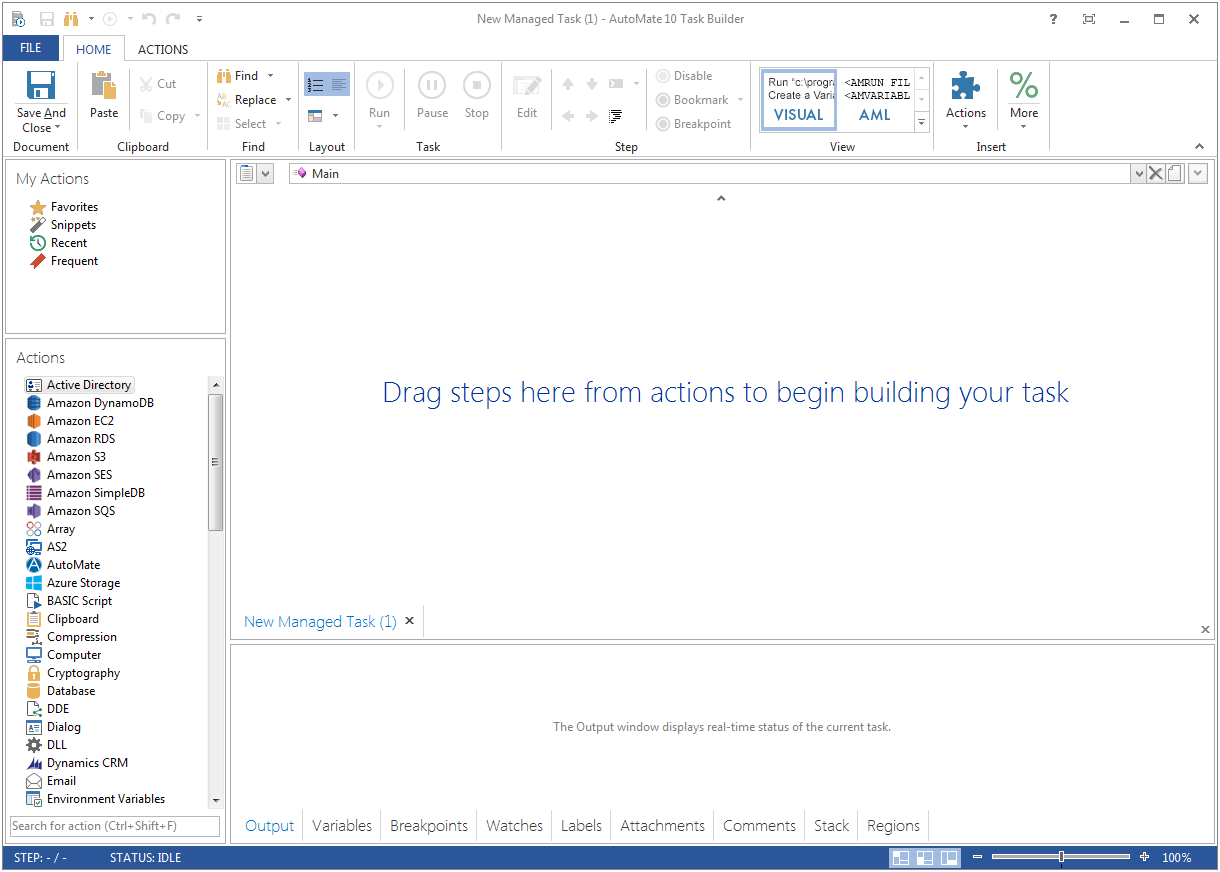
  • Very detailed task builder. Easy to read step by step a task's operation even if you don't have much programming knowledge.
  • Scheduling for automation jobs is very flexible. Allows us to create all kinds of job schedules as needed.
  • Organization of jobs, tasks, conditions is done well. Allows us to easily manage our items.
Read full review
Trellix (FireEye + McAfee)
  • Monitoring of detected threats
  • Checking the status of antivirus agents
  • Monitoring of antivirus software installed
Read full review
Cons
Fortra
  • A reporting capability on tasks: enabled, disabled, by folder, by trigger, etc. Currently there is none.
  • An "OR" in their conditional statements - currently there is only "AND".
  • Some kind of temporary backup when changing a task - separate from the current back up/restore functionality (which works well).
Read full review
Trellix (FireEye + McAfee)
  • Improve integration with windows server active directory.
  • The monitoring of the implementation of missing components of the antivirus should be improved.
Read full review
Usability
Fortra
It's just very easy to use, extremely versatile, and very reliable. It's hard to find use cases where it won't work.
Read full review
Trellix (FireEye + McAfee)
No answers on this topic
Support Rating
Fortra
Support is very helpful and responsive, although using the tool is very user-friendly, so I hardly use the service.
Read full review
Trellix (FireEye + McAfee)
No answers on this topic
Alternatives Considered
Fortra
Read full review
Trellix (FireEye + McAfee)
We use McAfee Endpoint Security on user PCs and I must say that it is an excellent antivirus. The alerts we have had have been resolved without any problem. I totally recommend it.
Read full review
Return on Investment
Fortra
  • It's been a net positive as AutoMate requires less eyes on specific tasks so that people can focus attention elsewhere and do more analysis.
  • Less manual work also decreases the chances of mistakes and/or missed jobs. Since Automate can schedule everything, send email notifications, etc., there is less time wasted.
Read full review
Trellix (FireEye + McAfee)
  • Improved resource savings in terms of physical infrastructure.
Read full review
ScreenShots

Fortra’s Automate Screenshots

Screenshot of Screenshot of