Futuramo creates SaaS apps to provide a collaborative workspace for teams. Futuramo Time Tracker is an app used to track, analyze, and manage time, free for teams of up to 3 users, and $6 per license for each additional user.
$6
per month
We360.ai
Score9.6 out of 10
Small Businesses (1-50 employees)
We360.ai is an Employee engagement tool for business leaders and managers to boost their employee productivity and engagement in their organizations by providing factual workspace analytics to make better and well informed decisions. Hosted on AWS cloud , where data is encrypted. The vendor states We360.ai can help users increase employee productivity by as much as 25%. The tool aims to make organization more transparent and agile, and is free for 7 days, no credit card…
Futuramo is best for when you're working alone on a project, or with a small team, given the glitches with the time tracker and the poor integration with Futuramo Tasks and Projects. Unless you're going to manually calculate the times spent on all tasks individually in order to know the total time spent on the project, I would not recommend using it on projects where you'd be billed per the time spent rather than a fixed amount.
A de minimis incentive was given to thank the reviewer for their time. The incentive was not used to bias or drive a particular response, nor was the incentive contingent on a positive endorsement. More Info
During the pandemic, employees were working from home and we were having trouble assessing their performance and contribution that time. When we implimented We360.ai, this problem solved instantaneously. Employees also felt that their hardwork was being recognized and appreciated by their seniors.
A de minimis incentive was given to thank the reviewer for their time. The incentive was not used to bias or drive a particular response, nor was the incentive contingent on a positive endorsement. More Info
The biggest pro of Futurama Time tracker is that it comes bundled with other tools. These are "Projects, Tasks, Virtual Tickets, Time Tracker, and Icons." This means I can track the time spent on each task within a project.
Time Tracker is easy to use, all you need to do is go to time tracker, enter the task you want to track, choose what project and clients it's under, and then click the play/start icon.
For projects that involve collaborating with others (either external freelancers I'm managing, or my staff) I can track the time spent on each task by each user. So I know how long each person spent on their task and how it related to the estimated time. This way I know if the project will take longer or shorter than estimated.
A de minimis incentive was given to thank the reviewer for their time. The incentive was not used to bias or drive a particular response, nor was the incentive contingent on a positive endorsement. More Info
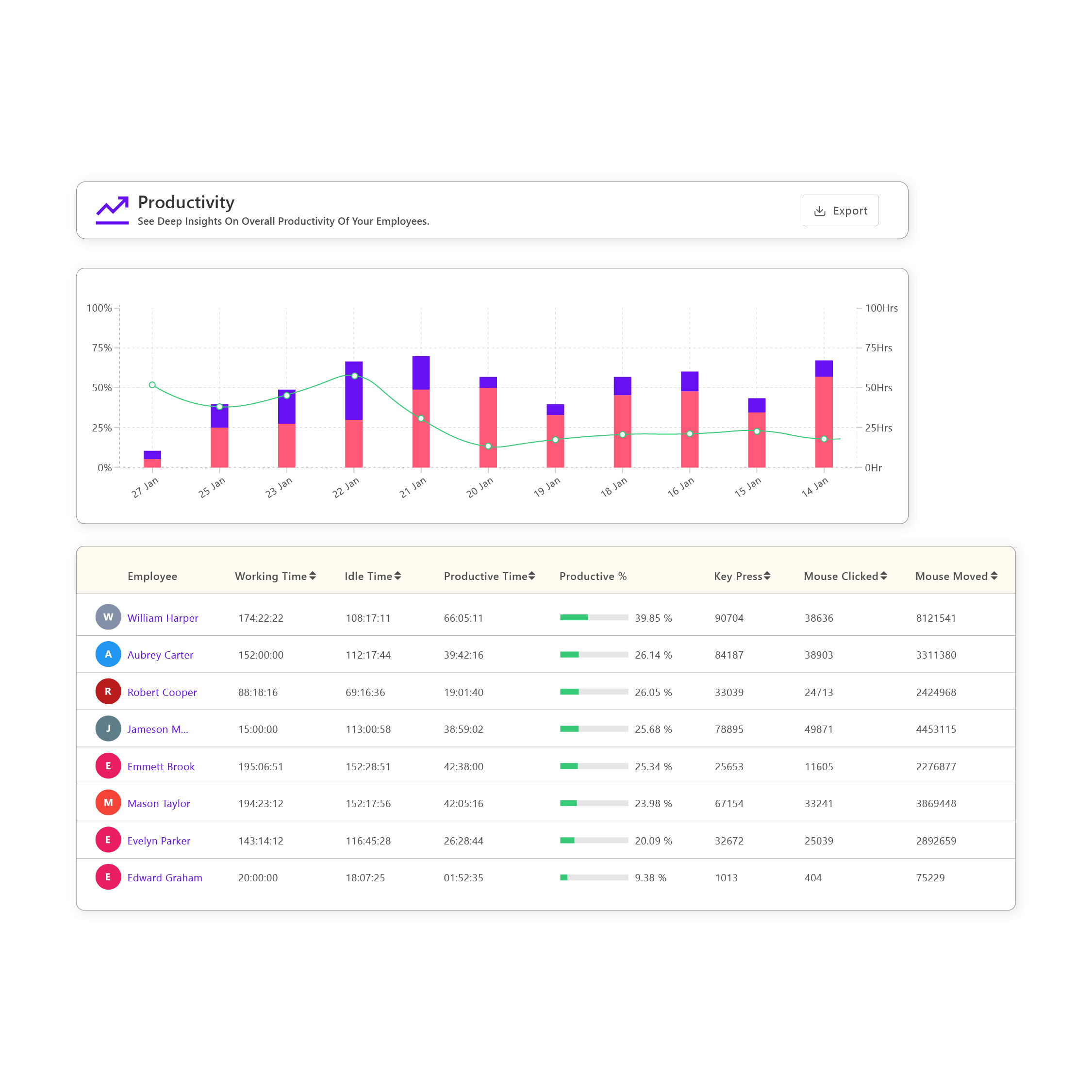
It has many Monitoring and productivity accessing features that are flawless for boosting the performance of the employees. One can have Top and bottom Users.
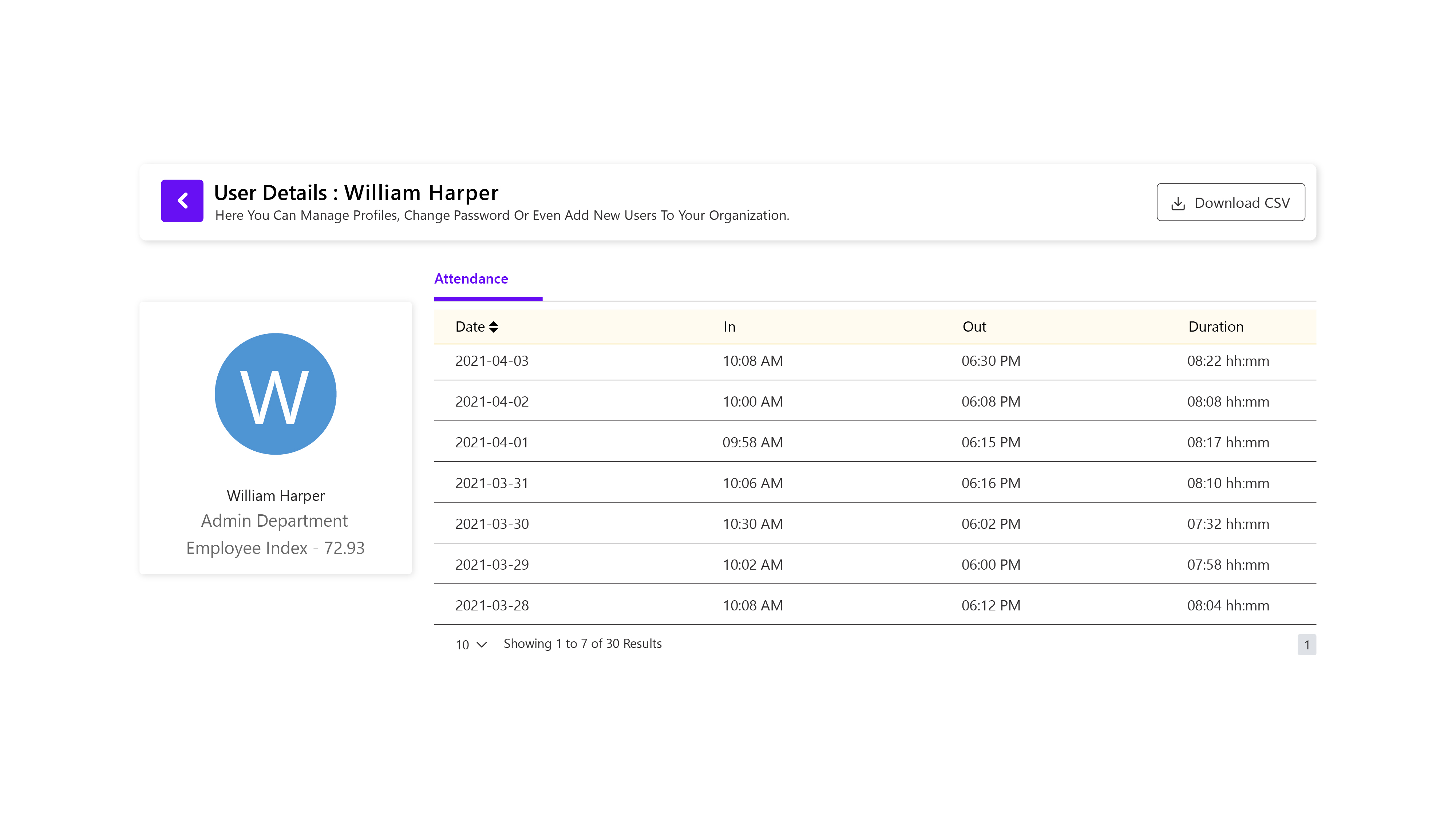
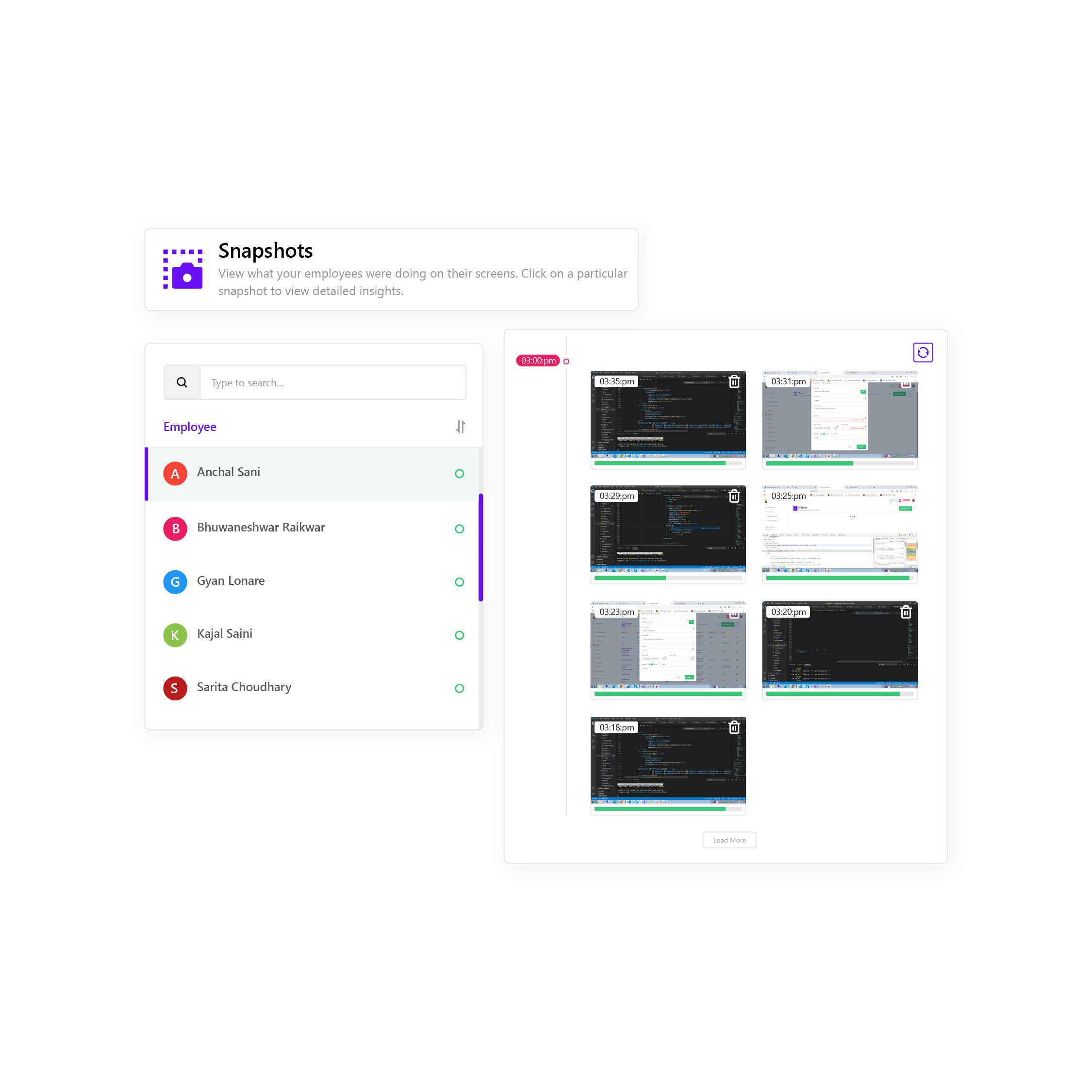
On a Dashboard Present Day Attendance, Current and Previous Activity trend in a graphical format is available. In-App Usage Section you have the analysis of employee platform usage. Even with the latest snapshots.
A de minimis incentive was given to thank the reviewer for their time. The incentive was not used to bias or drive a particular response, nor was the incentive contingent on a positive endorsement. More Info
I'ver been using Futuramo for almost 2 years, primarily because they reached out to me to be one of the first users/testers. I've also shared some glitches that could be improved but the timer glitch is still there. When I start the timer to track a project, instead of the timer to start counting, it remains at 00:00 which is worrying because it makes me feel like it's not actually tracking what I'm working on. I was once 18 mins unto a task and when I checked the tracker it said 00:16 I was so worried I ended the task. Interestingly when I ended the task, it showed the correct time which was 18 minutes. I'm happy the timer was working but I'm also frustrated and in near-panic.
Like TopTracker, I wish there was a way to take screenshots of what I'm doing, that way I can be sure that the rest of the team is actually working on the timed tasks.
In the Time Tracker section of Futuramo, where the tasks timed are listed, I wish it was possible to actually click on any of the tasks there to see things like mouse clicks and keyboard taps. Similar to how Hubstaff and Upwork tracker tracks "productivity" (I'm not sure what this is called).
If you track a task not originally in Futuramo Task but created in Time Tracker, connected to a project or client, when you go to Futuramo Task, it won't be listed there. And when you to go Futuramo Projects, you still wouldn't see it there. I would like to go to Futuramo Project and see all the tasks there, both those timed and those yet to start.
A de minimis incentive was given to thank the reviewer for their time. The incentive was not used to bias or drive a particular response, nor was the incentive contingent on a positive endorsement. More Info
If We360.ai could incorporate a feature of Payroll, then it would be a great consolation to the employers. As the Dashboard already has leave management and Attendance system, it would be helpful if the payroll process is also included in the platform.
It would be really wonderful if We360.ai had a feature that allows me to send text messages or custom notifications to an individual. That would make the tool a complete productivity enhancement, employee monitoring, and workplace collaboration tool.
A de minimis incentive was given to thank the reviewer for their time. The incentive was not used to bias or drive a particular response, nor was the incentive contingent on a positive endorsement. More Info
Since some of my employees were working in international timings , We360.ai helped me implement it completely , they even had late shits and worked overtime but ultimately helped me get the product live in 2 days! Huge respect
A de minimis incentive was given to thank the reviewer for their time. The incentive was not used to bias or drive a particular response, nor was the incentive contingent on a positive endorsement. More Info
We360.ai has enabled us to track and enhance the productivity of the workplace. We360.ai have a list of features that allowed us to drive operational and management task efficiently. With features like Activity logs, Application Usage one can track the ongoing activity of the employees. With the help of We360.ai, we are able to handle the Tasks and Projects efficiently. The Health 360 helped us to maintain a healthy and productive workplace. With its insights, we are able to allocate the task efficiently. Thus creating proper balance in the team.
Increased productivity: Futuramo Time Tracker makes it easy to know how long it'll actually take me to complete a task, and when put together, how long it'd take me to complete a project.
Track Billables: While calculating all the time spent on each task manually was exhausting, once that was done, I knew how long it took me and my team to complete a project and was able to bill my client for just that time.
A de minimis incentive was given to thank the reviewer for their time. The incentive was not used to bias or drive a particular response, nor was the incentive contingent on a positive endorsement. More Info