TrustRadius: an HG Insights company

Save this comparison

Save this comparison

Add Product

Recommended Comparisons

    Overview
    ProductRatingMost Used ByProduct SummaryStarting Price

    Ghostprompter

    N/AN/AGhostPrompter is a specialized desktop utility engineered for professionals, remote presenters, and content creators who need real-time script assistance during video calls, webinars, and live recordings. By integrating advanced customization features directly into the workspace, the software eliminates the traditional friction of public speaking and remote presentation delivery. Key Features and Differentiators Transparent Overlay: Provides a custom-configured,…

    $49

    one-time fee per installation

    Kahoot!

    Score8.8 out of 10
    N/AKahoot! is a game-based learning platform designed to make it easy to create, share and play learning games or trivia quizzes in minutes from the company of the same name headquartered in Oslo.

    $250

    to host an unlimited number of kahoots at one event

    Pricing
    GhostprompterKahoot!
    Editions & Modules
    GhostPrompter Pro
    $49
    one-time fee per installation
    Kahoot! Event Bronze
    $250
    to host an unlimited number of kahoots at one event
    Kahoot! 360 Spirit for small teams
    $500.00
    per month for 25 members (annual subscription billed monthly)
    Kahoot! Event Silver
    $500
    to host an unlimited number of kahoots at one event
    Kahoot! 360 Spirit Premium
    $625.00
    per month for 25 members annual plan billed monthly
    Kahoot! Event Gold
    $750
    to host an unlimited number of kahoots at one event
    Kahoot! 360 Spirit for large teams
    $1600.00
    per month for 100 members annual plan billed monthly
    Kahoot! 360 for Enterprises
    Contact Sales
    Offerings
    Pricing Offerings
    GhostprompterKahoot!
    Free Trial
    YesNo
    Free/Freemium Version
    NoNo
    Premium Consulting/Integration Services
    NoNo
    Entry-level Setup FeeNo setup feeNo setup fee
    Additional DetailsGhostPrompter utilizes a straightforward, accessible pricing model designed for individual creators, remote professionals, and small teams. Transparent subscription tiers ensure users only pay for the features they need to streamline their virtual presentations and video call workflows without hidden enterprise setup costs or complex licensing fees.—
    More Pricing Information
    Community Pulse
    GhostprompterKahoot!
    Considered Both Products
    GhostPrompter
    No answer on this topic
    Kahoot!
    No answer on this topic
    Key User Insights
    Would buy again
    No answers on this topic
    100%
    Would buy again
    39 Answers
    Delivers good value for the price
    No answers on this topic
    100%
    Delivers good value for the price
    31 Answers
    Happy with the feature set
    No answers on this topic
    100%
    Happy with the feature set
    39 Answers
    Lived up to sales and marketing promises
    No answers on this topic
    100%
    Lived up to sales and marketing promises
    27 Answers
    Implementation went as expected
    No answers on this topic
    100%
    Implementation went as expected
    32 Answers
    Best Alternatives
    GhostprompterKahoot!
    Small Businesses
    Adobe Presenter
    Score9 out of 10
    No answers on this topic
    Medium-sized Companies
    Microsoft Powerpoint Online
    Score7 out of 10
    Hoopla
    Score8 out of 10
    Enterprises
    Adobe Presenter
    Score9 out of 10
    No answers on this topic
    All AlternativesView all alternativesView all alternatives
    User Ratings
    GhostprompterKahoot!
    Likelihood to Recommend
    -
    (0 ratings)
    10.0
    (37 ratings)
    Usability
    -
    (0 ratings)
    10.0
    (11 ratings)
    Support Rating
    -
    (0 ratings)
    9.2
    (19 ratings)
    User Testimonials
    GhostprompterKahoot!
    Likelihood to Recommend
    GhostPrompter
    No answers on this topic
    Kahoot!
    I think it works great as a part of lesson. Sometimes teachers use it as a whole period lesson and I don't think that's effective. I also find that students like to use it to test themselves so it works well as a self study tool. I do think Kahoot! has a lot of options for responses which is great.
    Incentivized
    Read full review
    Pros
    GhostPrompter
    No answers on this topic
    Kahoot!
    • Useful for either, in-person or online classes: it can work from a projector or screen in in-person classes, or by sharing the screen in online classes.
    • Excellent to get an idea of the understanding or knowledge level of a group of people: depending on the intention of the game, the professor or person in charge of it can make and change the questions to address certain points.
    • Easy to use for both professors and students: Kahoot is intuitive, simple, and fun to use.
    • Interactive and engaging: Kahoot is a game designed to work as a tool for professors, which makes it perfect to use with students.
    Incentivized
    Read full review
    Cons
    GhostPrompter
    No answers on this topic
    Kahoot!
    • Having sometimes large classes means that I cannot use Kahoot! as it only allows a very limited amount of participants.
    • The above is the main issue and other competitor platforms (Mentimeter) do much better on this
    • There is also very limited choice with the basic account in terms of types of questions. Some sort of corporate license might help Universities purchasing the advanced subscription (which costs too much for a single professional) and have access to all the features.
    Incentivized
    Read full review
    Usability
    GhostPrompter
    No answers on this topic
    Kahoot!
    The site's currently layout feels busy. If you are not a seasoned Kahoot user, it is easy to be distracted and overwhelmed by the information presented. I would not recommend this site to a novice computer user. If the user is tech-savvy and willing to navigate the help topics provided by the site, lessons and games can be created more easily with time and practice.
    Incentivized
    Read full review
    Support Rating
    GhostPrompter
    No answers on this topic
    Kahoot!
    The information that Kahoot shares on its blog and support center is updated frequently and provides many ideas for ways to use the platform. I have personally received timely support from Kahoot for any issues I have encountered. Their dedication to their users is amazing. The company is incredibly receptive to suggestions or ideas from their community.
    Incentivized
    Read full review
    Alternatives Considered
    GhostPrompter
    No answers on this topic
    Kahoot!
    I forgot the names of the other products like Kahoot. I think that summarizes how close I am to favoring Kahoot within this category. In our field when it's webinar time we always look forward to Kahoot sessions in between or at the end of the session. It is great to have Kahoot during these times
    Incentivized
    Read full review
    Return on Investment
    GhostPrompter
    No answers on this topic
    Kahoot!
    • We use the free version so there is definitely ROI for us.
    • It provides easy access to a quiz feature without having to use complicated software.
    • So many people are using it now that some students seem to be getting a little "over it."
    Incentivized
    Read full review
    ScreenShots

    Ghostprompter Screenshots

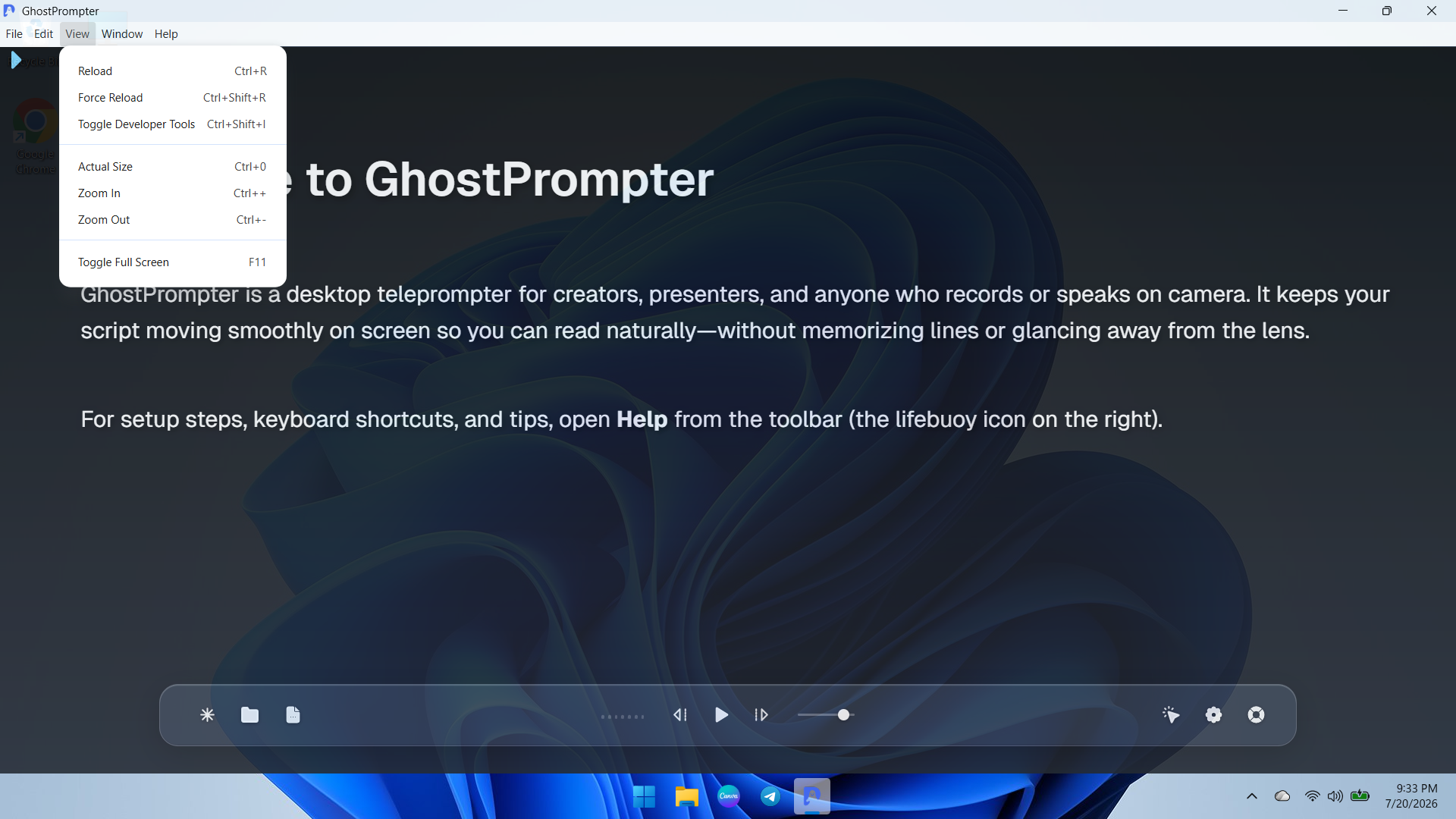
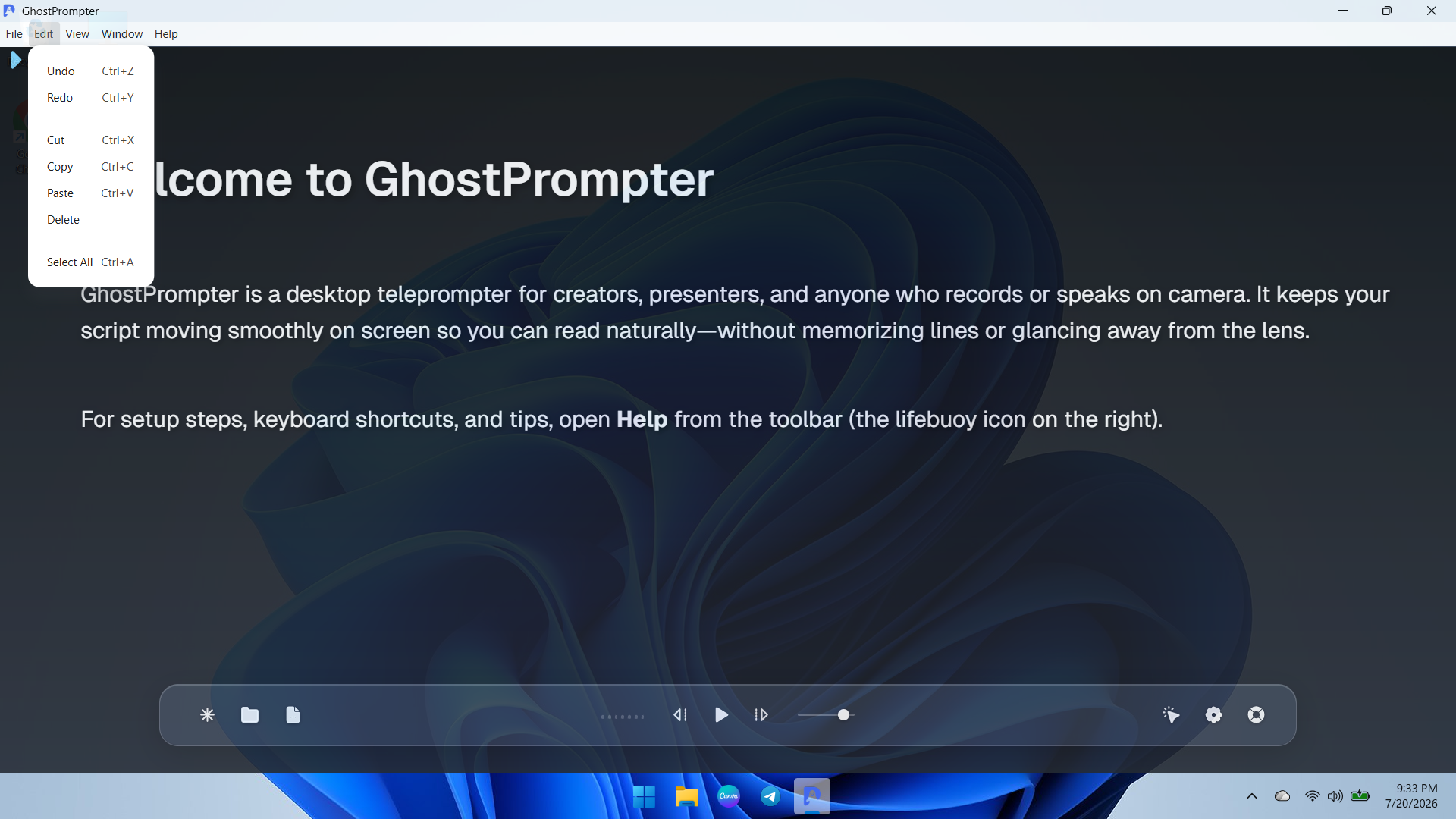
    Screenshot of an overview of the GhostPrompter desktop application showing the clean main dashboard, welcome guide, and floating control toolbar with playback options and settings icons.Screenshot of a demonstration of GhostPrompter's adjustable transparent overlay mode seamlessly blending the teleprompter text over the desktop background wallpaper for natural eye-contact presentations.Screenshot of a dropdown view of the application menu showing quick navigation and developer or reload utility options for managing the workspace.Screenshot of ext editing and clipboard management controls menu (Undo, Redo, Cut, Copy, Paste) for fast script updates directly inside the app.Screenshot of the Display Settings panel featuring font size adjustments, reading speed configuration, text color customization, and the essential Ghost Mode (Capture Protection) toggle.Screenshot of the General and General-Audio configuration tab displaying microphone input devices, global hotkeys, mouse controls, and Voice-Activated Scrolling setup.