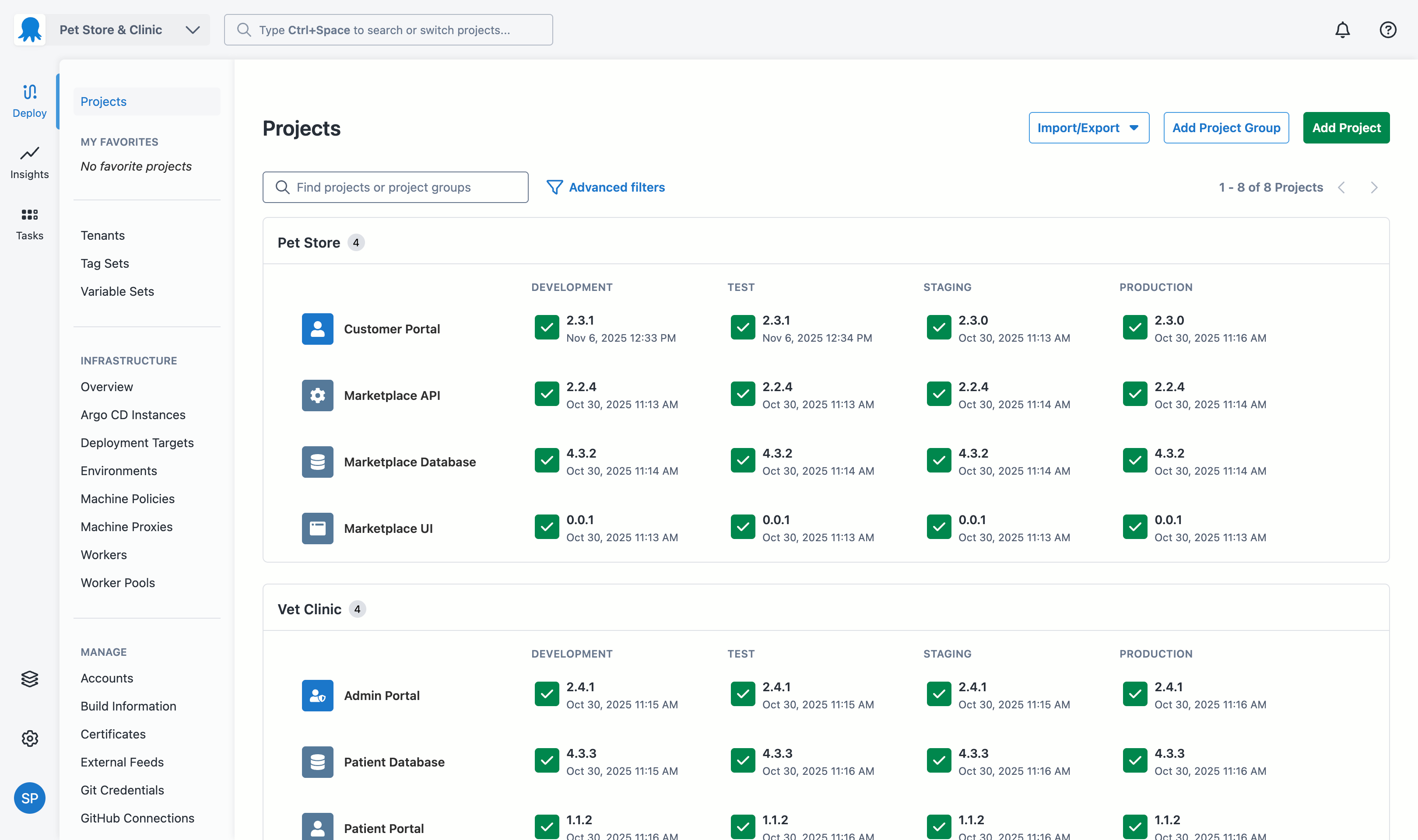
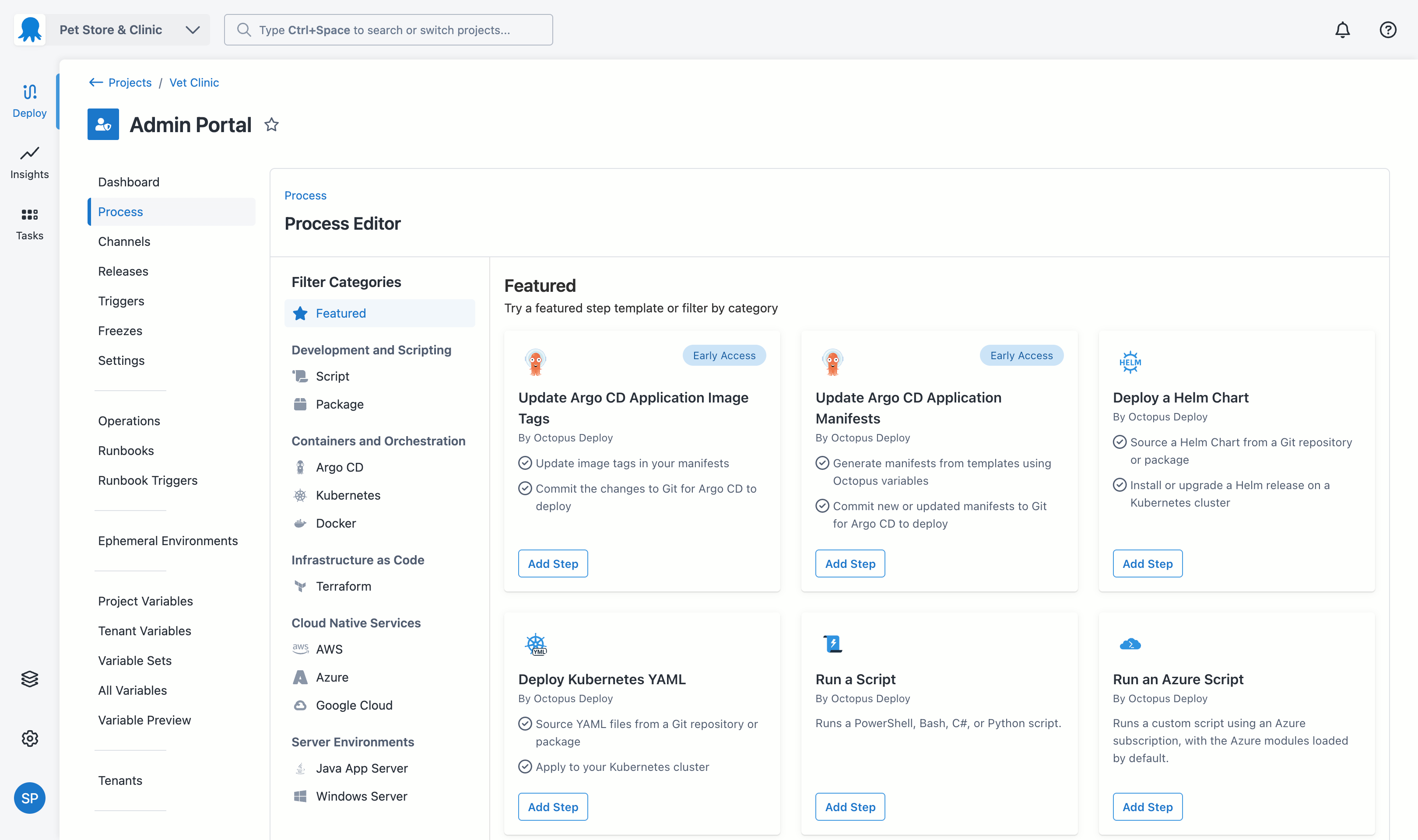
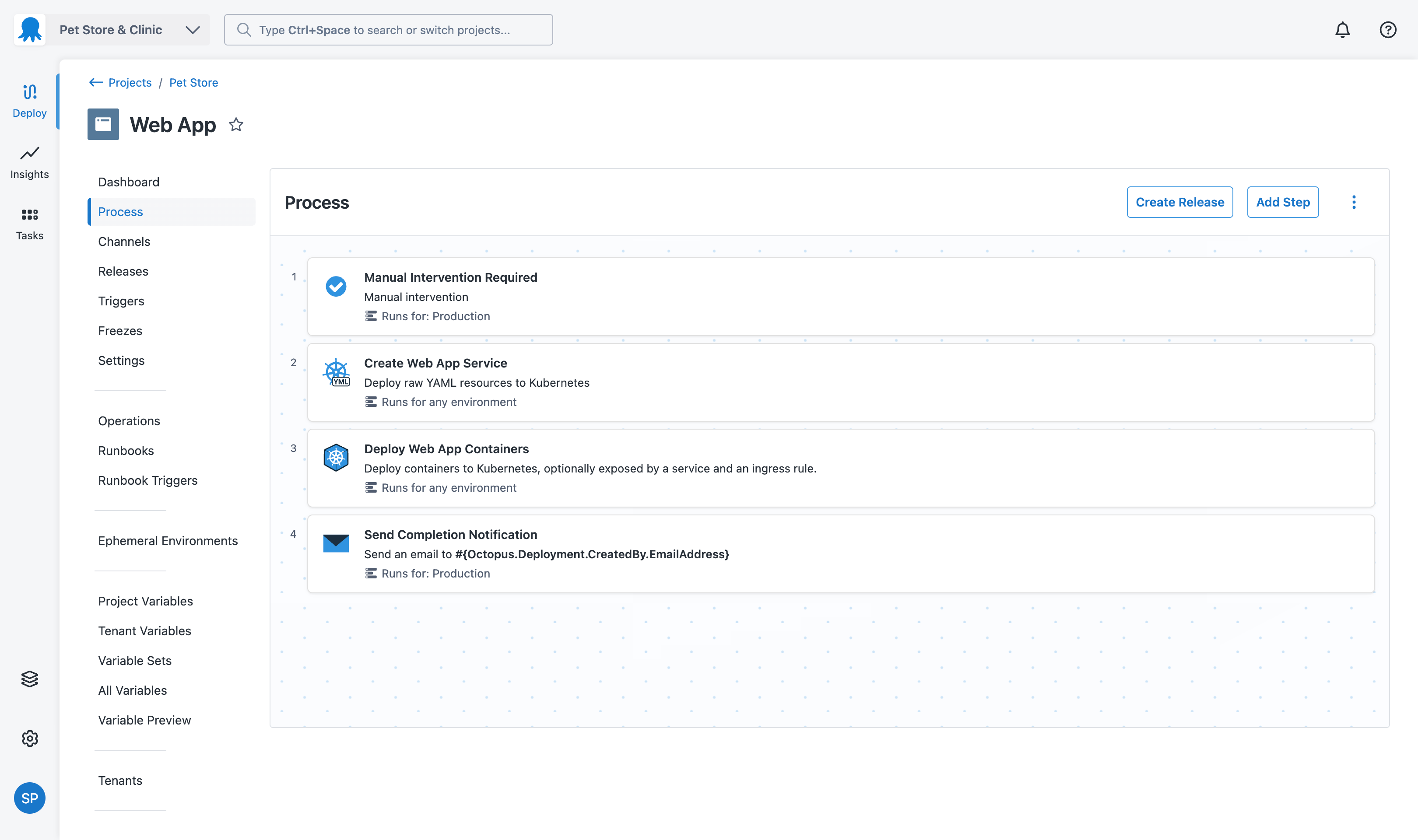
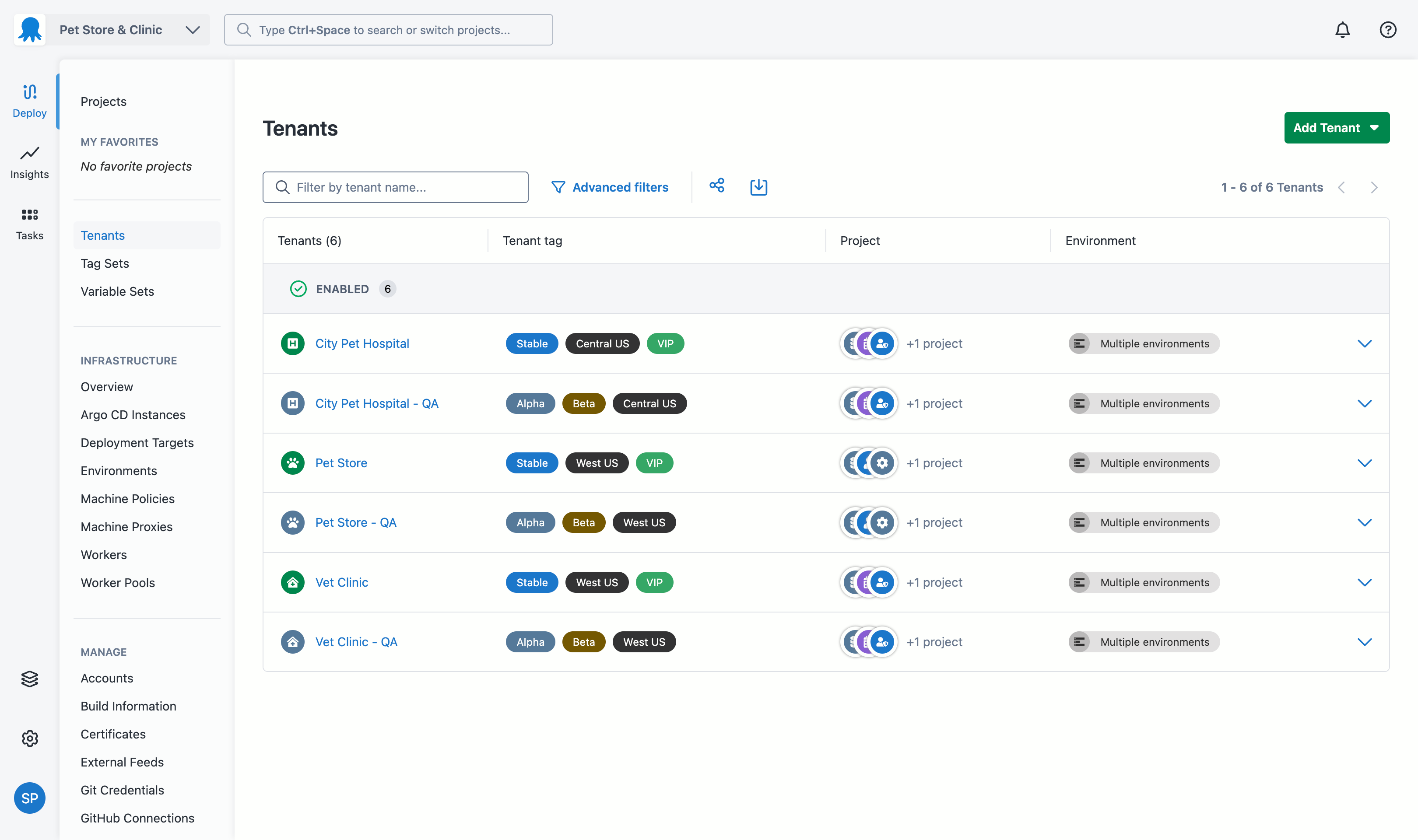
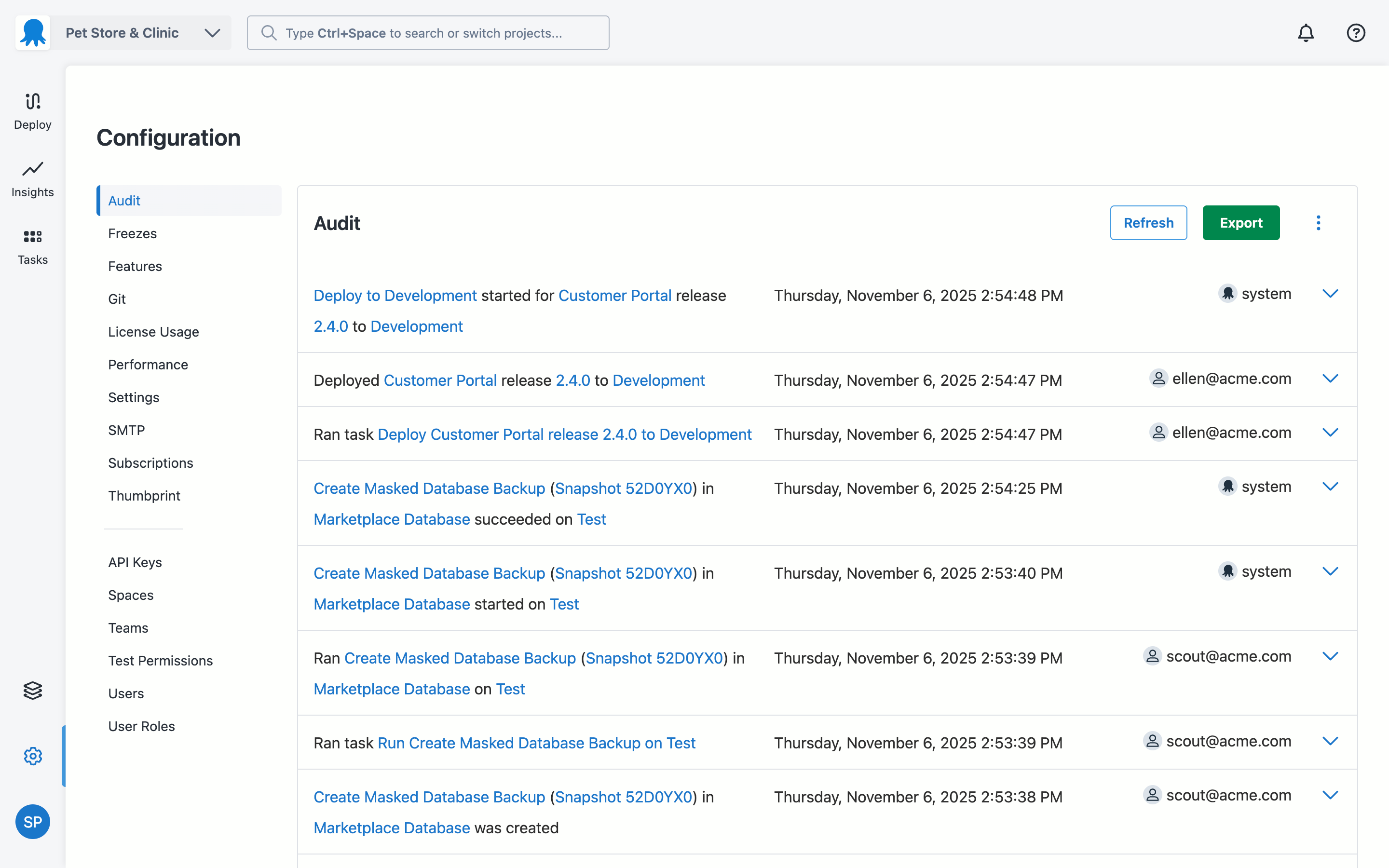
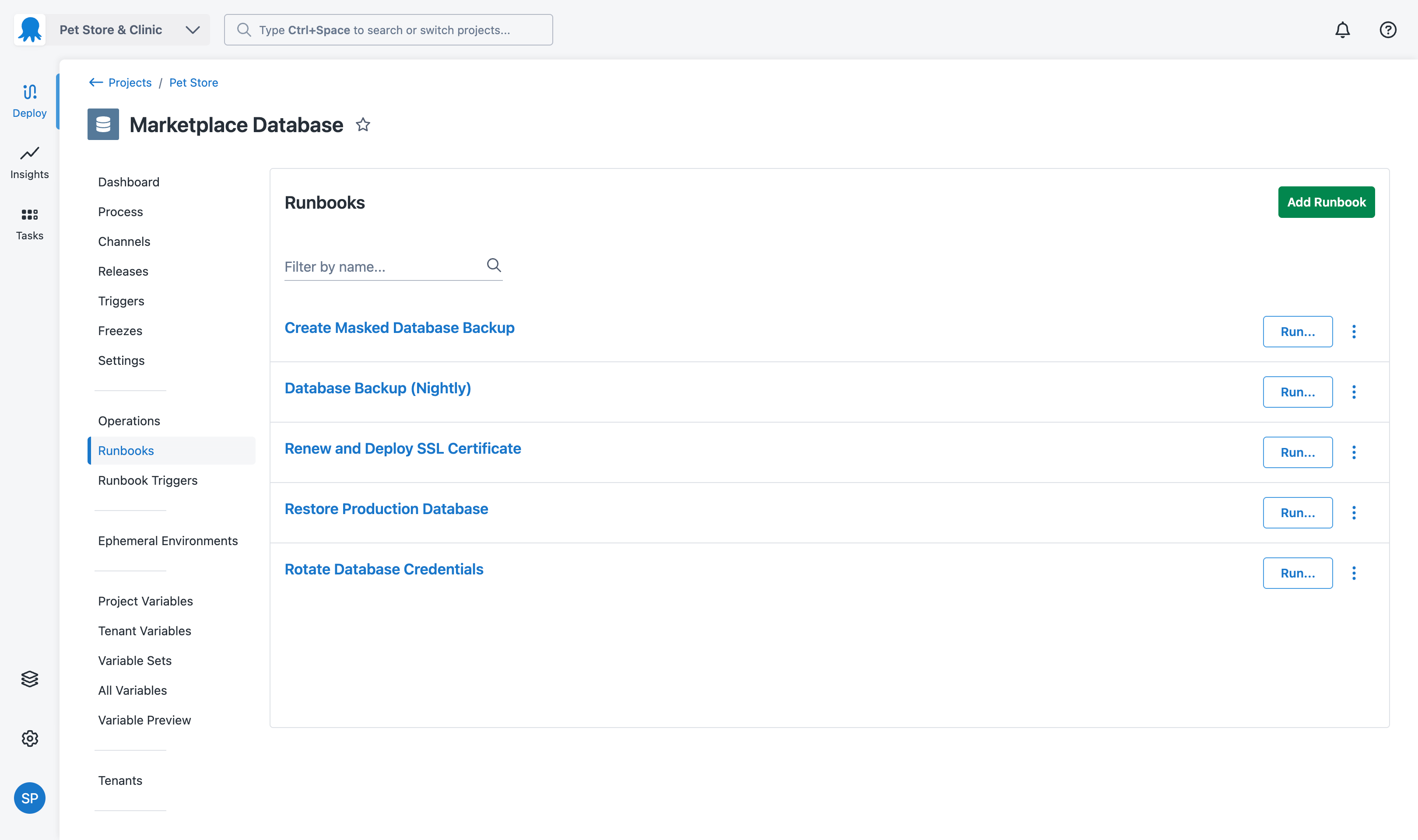
Australian company Octopus Deploy offers their eponymous automated deployment and release management software that integrates with the user's preferred CI server and adds deployment & ops automation capabilities. Octopus Deploy enables developers, release managers, and operations folks to bring all automation into a single place. The vendor states that by reusing configuration variables, environment definition, API keys, connection strings, permissions, service principals, and automation logic,…
$0
per month
Pricing
Git
Octopus Deploy
Editions & Modules
No answers on this topic
Octopus Server - Professional
$1920
per year starting with 20 projects
Octopus Cloud - Professional
$4170
per year starting with 20 projects
Octopus Server - Enterprise
$14400
per year starting with 100 projects
Octopus Cloud - Enterprise
$23400
per year starting with 100 projects
Cloud
Free
10 users/10 projects/10 tenants/10 machines
Server
Free
10 users/10 projects/10 tenants/10 machines
Offerings
Pricing Offerings
Git
Octopus Deploy
Free Trial
No
Yes
Free/Freemium Version
No
Yes
Premium Consulting/Integration Services
No
Yes
Entry-level Setup Fee
No setup fee
Optional
Additional Details
—
Octopus Deploy offers a Free tier (Cloud and Server) and a 30-day free trial of the Enterprise tier. No credit card needed.
Octopus also offers a Professional tier with 8/5 support (9 am–5 pm on weekdays). The Enterprise tier provides advanced features for teams to scale, including high availability, DevOps Insights, ServiceNow & Jira Service Management integration, unlimited instances, 24/7 support & service credits, and a dedicated Customer Success Manager.
GIT is good to be used for faster and high availability operations during code release cycle. Git provides a complete replica of the repository on the developer's local system which is why every developer will have complete repository available for quick access on his system and they can merge the specific branches that they have worked on back to the centralized repository. The limitations with GIT are seen when checking in large files.
A de minimis incentive was given to thank the reviewer for their time. The incentive was not used to bias or drive a particular response, nor was the incentive contingent on a positive endorsement. More Info
Octopus Deploy is well suited for our requirements of deploying across multiple environments with one consistent release. We are saving a lot of time by not having to package and move release files around. Our release process is more efficient and consistent with automation. There are some parts that we could probably perform with existing tools such as DevOps and there are one or two features we have to workaround to fit for our setup such as the step templates to install websites. These are minor in our opinion.
A de minimis incentive was given to thank the reviewer for their time. The incentive was not used to bias or drive a particular response, nor was the incentive contingent on a positive endorsement. More Info
A de minimis incentive was given to thank the reviewer for their time. The incentive was not used to bias or drive a particular response, nor was the incentive contingent on a positive endorsement. More Info
A de minimis incentive was given to thank the reviewer for their time. The incentive was not used to bias or drive a particular response, nor was the incentive contingent on a positive endorsement. More Info
A de minimis incentive was given to thank the reviewer for their time. The incentive was not used to bias or drive a particular response, nor was the incentive contingent on a positive endorsement. More Info
In the past has been somewhat .net focused but that has been changing in recent times
Would be great if community licenses for NFP organizations were perpetual - but in saying that I appreciate that Octopus does provide my organization with a community [license]. Not all organisations do
A de minimis incentive was given to thank the reviewer for their time. The incentive was not used to bias or drive a particular response, nor was the incentive contingent on a positive endorsement. More Info
Git has met all standards for a source control tool and even exceeded those standards. Git is so integrated with our work that I can't imagine a day without it.
A de minimis incentive was given to thank the reviewer for their time. The incentive was not used to bias or drive a particular response, nor was the incentive contingent on a positive endorsement. More Info
A de minimis incentive was given to thank the reviewer for their time. The incentive was not used to bias or drive a particular response, nor was the incentive contingent on a positive endorsement. More Info
A de minimis incentive was given to thank the reviewer for their time. The incentive was not used to bias or drive a particular response, nor was the incentive contingent on a positive endorsement. More Info
Octopus Deploy has greatly helped us to improve our reliability and frequency of our deployments and given us the confidence to deploy much more often, with a direct benefit to customers. Cross-platform support and release to Cloud require more focus on the product side.
A de minimis incentive was given to thank the reviewer for their time. The incentive was not used to bias or drive a particular response, nor was the incentive contingent on a positive endorsement. More Info
Octopus Deploy is a software that runs very effectively, is easy to use, does not require such a high learning curve, provides the necessary tools to carry out the functions it offers, making it a very flexible software, it also allows that can be configured according to the needs of the user and provides integrations with other very advantageous tools since they are carried out in a very favorable way.
A de minimis incentive was given to thank the reviewer for their time. The incentive was not used to bias or drive a particular response, nor was the incentive contingent on a positive endorsement. More Info
I am not sure what the official Git support channels are like as I have never needed to use any official support. Because Git is so popular among all developers now, it is pretty easy to find the answer to almost any Git question with a quick Google search. I've never had trouble finding what I'm looking for.
A de minimis incentive was given to thank the reviewer for their time. The incentive was not used to bias or drive a particular response, nor was the incentive contingent on a positive endorsement. More Info
Octopus Deploy support has always been there for us, even when using the free tier, we get responsive hands-on help. We haven't needed to use that level of support since the documentation is clearly written, and help is readily available within the interface itself. Using Octopus Deploy is a truly joyful experience.
A de minimis incentive was given to thank the reviewer for their time. The incentive was not used to bias or drive a particular response, nor was the incentive contingent on a positive endorsement. More Info
A de minimis incentive was given to thank the reviewer for their time. The incentive was not used to bias or drive a particular response, nor was the incentive contingent on a positive endorsement. More Info
I've used both Apache Subversion & Git over the years and have maintained my allegiance to Git. Git is not objectively better than Subversion. It's different. The key difference is that it is decentralized. With Subversion, you have a problem here: The SVN Repository may be in a location you can't reach (behind a VPN, intranet - etc), you cannot commit. If you want to make a copy of your code, you have to literally copy/paste it. With Git, you do not have this problem. Your local copy is a repository, and you can commit to it and get all benefits of source control. When you regain connectivity to the main repository, you can commit against it. Another thing for consideration is that Git tracks content rather than files. Branches are lightweight and merging is easy, and I mean really easy. It's distributed, basically every repository is a branch. It's much easier to develop concurrently and collaboratively than with Subversion, in my opinion. It also makes offline development possible. It doesn't impose any workflow, as seen on the above linked website, there are many workflows possible with Git. A Subversion-style workflow is easily mimicked.
A de minimis incentive was given to thank the reviewer for their time. The incentive was not used to bias or drive a particular response, nor was the incentive contingent on a positive endorsement. More Info
There aren't really any competitors in the land of ASP.NET. Deployment is too ad-hoc. Other tools exist that have massive downsides, like Web Deploy. Most aren't even supported anymore. You could argue that containers (Docker) are a competitor, but containers cannot be used for everything and solve a somewhat different problem. Octopus Deploy is even able to help with containers. To us, Octopus Deploy was really the only really polished solution.
A de minimis incentive was given to thank the reviewer for their time. The incentive was not used to bias or drive a particular response, nor was the incentive contingent on a positive endorsement. More Info
A de minimis incentive was given to thank the reviewer for their time. The incentive was not used to bias or drive a particular response, nor was the incentive contingent on a positive endorsement. More Info
Git has saved our organization countless hours having to manually trace code to a breaking change or manage conflicting changes. It has no equal when it comes to scalability or manageability.
Git has allowed our engineering team to build code reviews into its workflow by preventing a developer from approving or merging in their own code; instead, all proposed changes are reviewed by another engineer to assess the impact of the code and whether or not it should be merged in first. This greatly reduces the likelihood of breaking changes getting into production.
Git has at times created some confusion among developers about what to do if they accidentally commit a change they decide later they want to roll back. There are multiple ways to address this problem and the best available option may not be obvious in all cases.
A de minimis incentive was given to thank the reviewer for their time. The incentive was not used to bias or drive a particular response, nor was the incentive contingent on a positive endorsement. More Info
A de minimis incentive was given to thank the reviewer for their time. The incentive was not used to bias or drive a particular response, nor was the incentive contingent on a positive endorsement. More Info