GitHub Copilot vs. Nimbalyst

Overview
ProductRatingMost Used ByProduct SummaryStarting Price
GitHub Copilot
Score 8.6 out of 10
N/A
GitHub Copilot is presented as an AI pair programmer, that plugs into the user's editor. It then turns natural language prompts into code, offers multi-line function suggestions, speeds up test generation, filters out common vulnerable coding patterns, and blocks suggestions matching public code.
$10
per month
Nimbalyst
Score 0.0 out of 10
Small Businesses (1-50 employees)
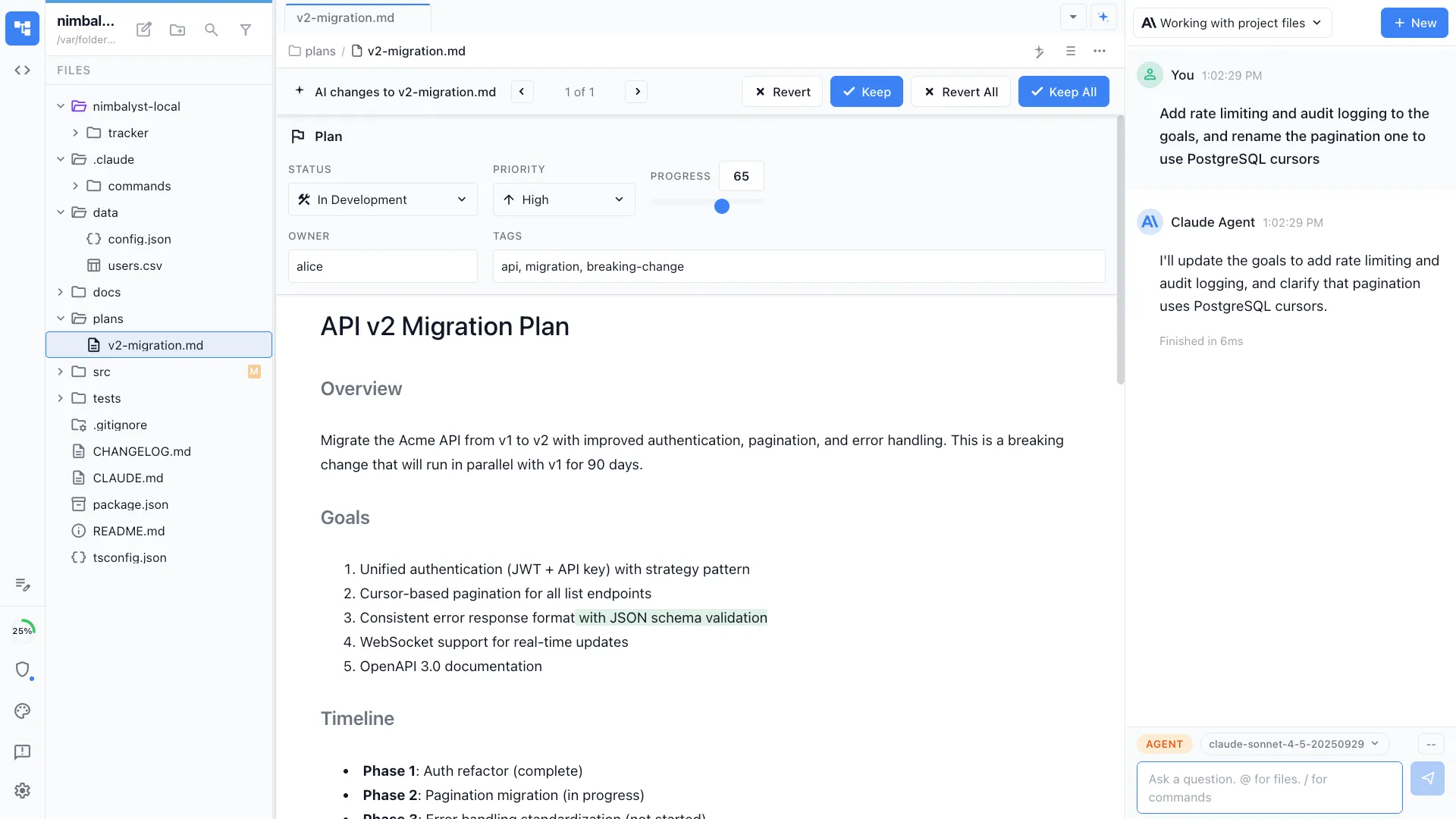
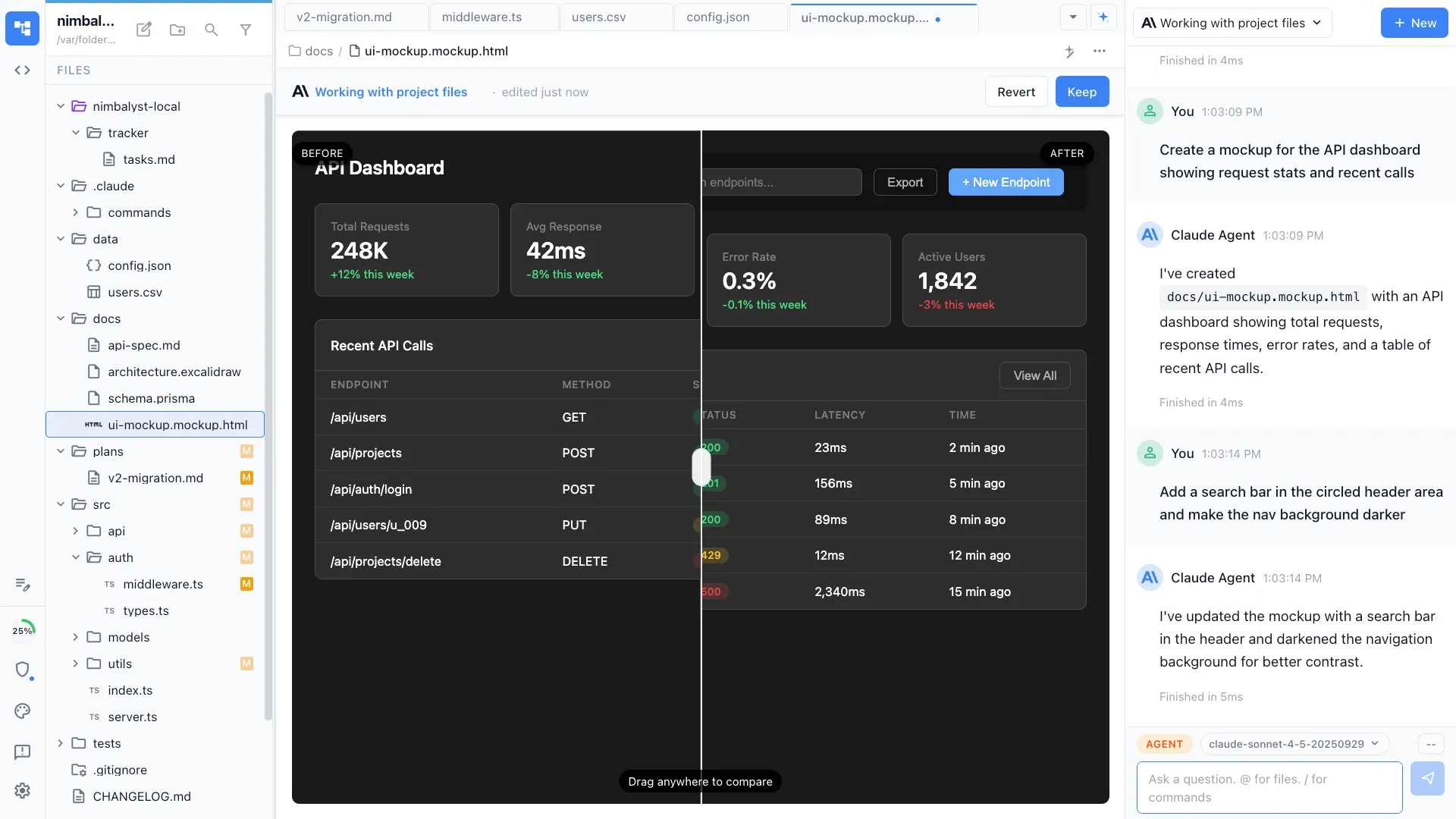
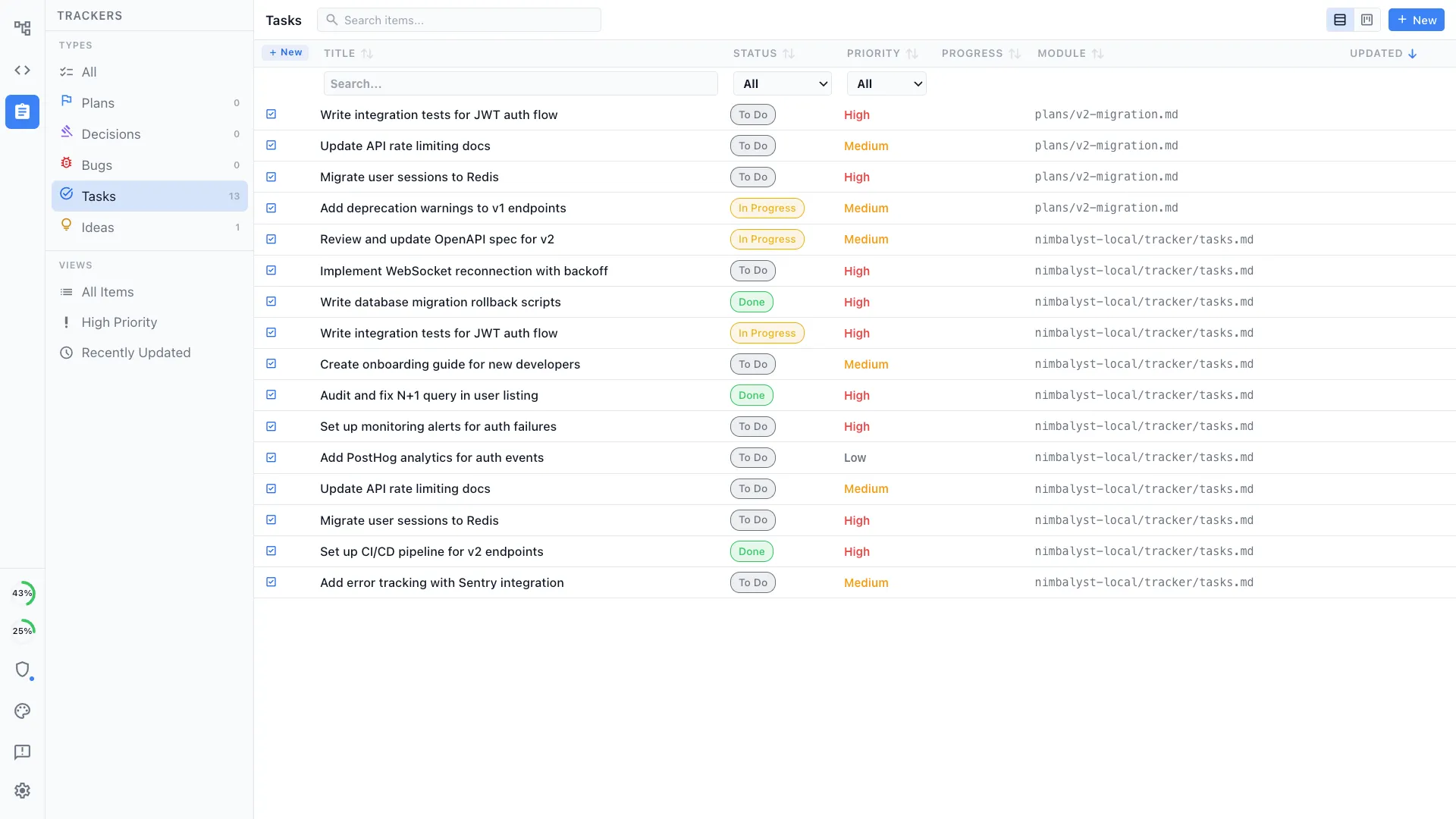
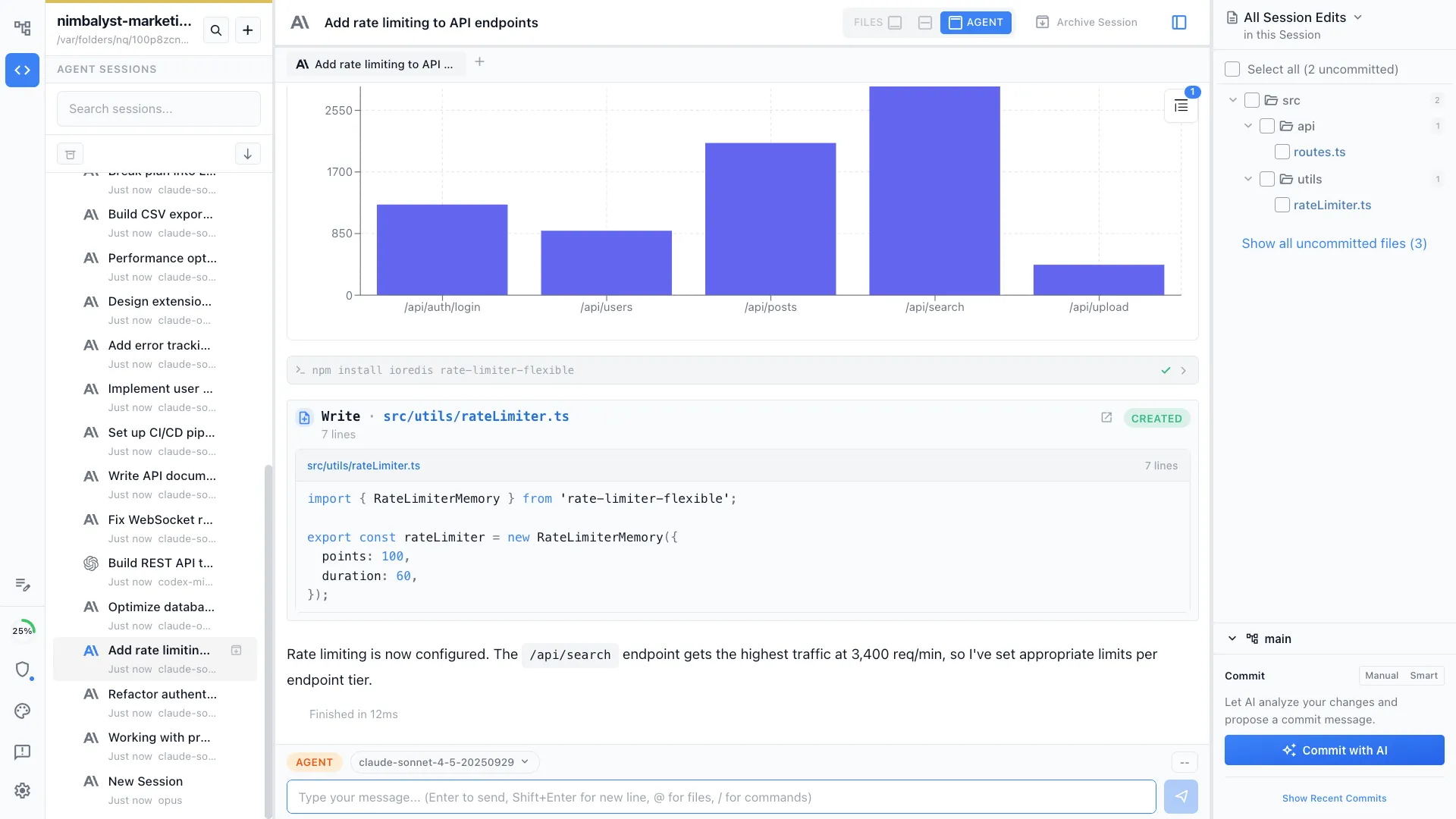
Nimbalyst is a local, visual workspace for building with Claude Code and Codex. Nimbalyst provides a session and task manager and visual editors for markdown, mockups, diagrams, drawings, csv, mcp, data-models, code, sessions, and tasks. Nimbalyst enables builders (developers, product managers, designers, and others) working with agents to achieve: Higher bandwidth: a visual workspace to collaborate with agents on sessions, files, and…
$0
per user
Pricing
GitHub CopilotNimbalyst
Editions & Modules
CoPilot for Individuals
$10
per month
CoPilot for Business
$19
per month per user
Nimbalyst Teams
$30
per month per user
Offerings
Pricing Offerings
GitHub CopilotNimbalyst
Free Trial
YesNo
Free/Freemium Version
NoYes
Premium Consulting/Integration Services
NoNo
Entry-level Setup FeeNo setup feeNo setup fee
Additional Details
More Pricing Information
User Ratings
GitHub CopilotNimbalyst
Likelihood to Recommend
8.8
(8 ratings)
-
(0 ratings)
Usability
8.8
(7 ratings)
-
(0 ratings)
User Testimonials
GitHub CopilotNimbalyst
Likelihood to Recommend
GitHub
Copilit is fantastic at the following: 1. Solving simple, well-defined problems, such as implementing an algorithm, manipulating a data structure, or string manipulation and regex. 2. Implementing simple APIs that are mainly CRUD in nature, with moderate business logic inside them, which may involve some processing or passing the data through an algorithm. 3. Implementation of well-defined activities, such as implementing a connection to an Oracle DB using Hibernate or JDBC, or implementing boilerplate code for a backend service to listen to Kafka events. It is not that great when it comes to understanding and implementing code in a proprietary DSL. It struggles when implementing a major feature across a complex codebase. I believe developers should also adopt the trust-but-verify paradigm when expecting highly secure or regulated code from GitHub Copilot.
Read full review
Nimbalyst
No answers on this topic
Pros
GitHub
  • Make code development faster and quicker.
  • Helps write better code standards for projects.
  • Provide the latest functions from the technology.
  • Notifies about the deprecated functions.
Read full review
Nimbalyst
No answers on this topic
Cons
GitHub
  • The only issue I faced is the context token size, it can be increase.
  • Sometime with agent mode it takes too much time, which can be reduced but I understand it also depends on the complexity of the given task.
Read full review
Nimbalyst
No answers on this topic
Usability
GitHub
I feel that GitHub Copilot's overall usability is good due to its tight integration with Visual Studio and the workspace. However, developers expect greater ease of use, as there is a learning curve to realize productivity gains with the tool fully. I think there is room for improvement in GitHub Copilot's UI integration within Visual Studio.
Read full review
Nimbalyst
No answers on this topic
Alternatives Considered
GitHub
It is useful that copilot integrates so well with vscode, which is a very common IDE. I used Tabnine for a little while but it was not that intuitive, and did not seem as helpful as GitHub copilot was. I have enjoyed GitHub copilot a lot, especially the ease of hitting the tab key and seeing quick progress in my tasks.
Read full review
Nimbalyst
No answers on this topic
Return on Investment
GitHub
  • Our ROI of the purchase of Copilot was met in less than a day. The timesave cannot be overstated
  • Programmer boredom/dissatisfaction is down because of less repetetive crud work.
Read full review
Nimbalyst
No answers on this topic
ScreenShots

Nimbalyst Screenshots

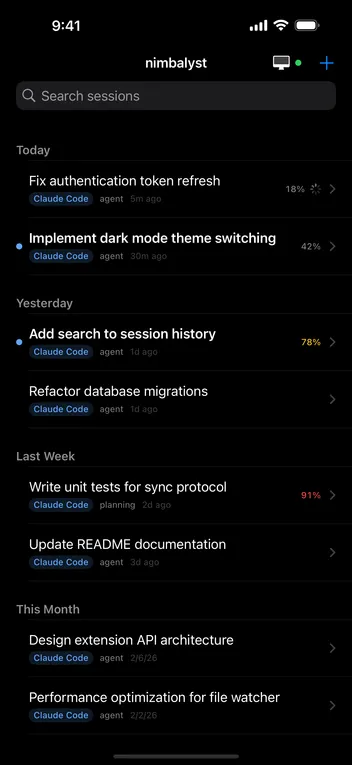
Screenshot of Markdown: Edit markdown files. Have AI agent edit markdown. Review and approve agent's changes.Screenshot of Mockup: Have your agent create mockups. Annotate them. Have agent update. Update manually. Iterate togetherScreenshot of Tasks: Manage your tasks with your agent. Manually edit, update, move. Have agent act based on the tasksScreenshot of Sessions: Visual sessions, search, find, resume sessions. Run parallel sessions.  Tie sessions to the files modified. Open those files.Screenshot of Kanban for Sessions.Screenshot of