TrustRadius: an HG Insights company

Save this comparison

Save this comparison

Add Product

Recommended Comparisons

    Overview
    ProductRatingMost Used ByProduct SummaryStarting Price

    Fortra’s Automate

    Score8 out of 10
    N/AFortra's Automate (formerly HelpSystems Automate) is a robotic process automation platform for desktop applications. According to the vendor, it offers the ability to automate almost any business process, and no technical expertise is required—IT and business users alike can understand the drag-and-drop interface.N/A

    Fortra's GoAnywhere MFT

    Score7.6 out of 10
    N/AFortra's GoAnywhere MFT is a secure file transfer solution that automates and encrypts data using industry standard protocols (e.g. OpenPGP, SFTP, HTTPS). With auditing and reporting, GoAnywhere can help organizations meet compliance regulations like PCI DSS and HIPAA. GoAnywhere can be deployed on-premises or in the cloud. As a VMware-validated product, it also runs in several virtualized environments including VMware, Amazon AWS, and Microsoft Azure. GoAnywhere exchanges batch and ad…N/A
    Pricing
    Fortra’s AutomateFortra's GoAnywhere MFT
    Editions & Modules
    No answers on this topic
    No answers on this topic
    Offerings
    Pricing Offerings
    Fortra’s AutomateFortra's GoAnywhere MFT
    Free Trial
    YesYes
    Free/Freemium Version
    NoYes
    Premium Consulting/Integration Services
    YesNo
    Entry-level Setup FeeOptionalOptional
    Additional Details——
    More Pricing Information
    Community Pulse
    Fortra’s AutomateFortra's GoAnywhere MFT
    Considered Both Products
    Fortra
    No answer on this topic
    Fortra
    No answer on this topic
    Key User Insights
    Would buy again
    No answers on this topic
    100%
    Would buy again
    7 Answers
    Delivers good value for the price
    No answers on this topic
    100%
    Delivers good value for the price
    7 Answers
    Happy with the feature set
    No answers on this topic
    100%
    Happy with the feature set
    7 Answers
    Lived up to sales and marketing promises
    No answers on this topic
    100%
    Lived up to sales and marketing promises
    6 Answers
    Implementation went as expected
    No answers on this topic
    100%
    Implementation went as expected
    7 Answers
    Best Alternatives
    Fortra’s AutomateFortra's GoAnywhere MFT
    Small Businesses
    No answers on this topic
    FileZilla
    Score9.2 out of 10
    Medium-sized Companies
    IBM Robotic Process Automation
    Score8.4 out of 10
    FileZilla
    Score9.2 out of 10
    Enterprises
    UiPath Automation Platform
    Score8.5 out of 10
    FileZilla
    Score9.2 out of 10
    All AlternativesView all alternativesView all alternatives
    User Ratings
    Fortra’s AutomateFortra's GoAnywhere MFT
    Likelihood to Recommend
    10.0
    (4 ratings)
    10.0
    (11 ratings)
    Likelihood to Renew
    -
    (0 ratings)
    10.0
    (1 ratings)
    Usability
    10.0
    (1 ratings)
    10.0
    (3 ratings)
    Availability
    -
    (0 ratings)
    9.0
    (1 ratings)
    Performance
    -
    (0 ratings)
    10.0
    (1 ratings)
    Support Rating
    10.0
    (1 ratings)
    8.6
    (6 ratings)
    Implementation Rating
    -
    (0 ratings)
    10.0
    (1 ratings)
    Configurability
    -
    (0 ratings)
    8.0
    (1 ratings)
    Product Scalability
    -
    (0 ratings)
    9.0
    (1 ratings)
    Vendor post-sale
    -
    (0 ratings)
    10.0
    (1 ratings)
    Vendor pre-sale
    -
    (0 ratings)
    10.0
    (1 ratings)
    User Testimonials
    Fortra’s AutomateFortra's GoAnywhere MFT
    Likelihood to Recommend
    Fortra
    It's great for repetitive or regularly scheduled activities like reports or file transfers. However, it's not so good for on-demand activities. It doesn't support task shortcuts to run specific tasks. If it did it would be perfect.
    Incentivized
    Read full review
    Fortra
    Go Anywhere is perfect for moving data between systems. It is great for pulling data and emailing it or sending it to another server. However, Go Anywhere is limited as an ETL tool. It is not good for large datasets. When we had to move millions of rows from one server to another, it totally choked.
    Incentivized
    Read full review
    Pros
    Fortra
    • Very detailed task builder. Easy to read step by step a task's operation even if you don't have much programming knowledge.
    • Scheduling for automation jobs is very flexible. Allows us to create all kinds of job schedules as needed.
    • Organization of jobs, tasks, conditions is done well. Allows us to easily manage our items.
    Incentivized
    Read full review
    Fortra
    • For an FTP server it is robust but very easy to use and configure.
    • For a project manager for file transfers, it allows you to do nearly anything, from simple file move to file rename, move, zip, and create a new folder location to drop the file in.
    • GoAnywhere has a gateway device that allows for securing the traffic coming from outside your network in without exposing too much of your network.
    Read full review
    Cons
    Fortra
    • A reporting capability on tasks: enabled, disabled, by folder, by trigger, etc. Currently there is none.
    • An "OR" in their conditional statements - currently there is only "AND".
    • Some kind of temporary backup when changing a task - separate from the current back up/restore functionality (which works well).
    Incentivized
    Read full review
    Fortra
    • In the beginning, when implementing, it can take a while to understand how it works thoroughly.
    • Due to the added abilities learning to configure the software can take some time.
    • Training for this product will cost extra. The training is also not excellent.
    • The software seems glitchy at times, sometimes being slow or corrupting jobs.
    Incentivized
    Read full review
    Usability
    Fortra
    It's just very easy to use, extremely versatile, and very reliable. It's hard to find use cases where it won't work.
    Incentivized
    Read full review
    Fortra
    Since using it and having time to work with it, its process and actions are growing on me and once a project is created one can implement across numerous location or platforms
    Read full review
    Support Rating
    Fortra
    Support is very helpful and responsive, although using the tool is very user-friendly, so I hardly use the service.
    Incentivized
    Read full review
    Fortra
    They would help us to identify the problem and provide a solution every time. Support also will answer questions about what the application can do and how, and it would allow you to submit enhancements requests for consideration to be included in future versions.
    Read full review
    Implementation Rating
    Fortra
    No answers on this topic
    Fortra
    Implementation was straight forward. We paid for 50 hours of professional service in case, we need help. We end using only 10 hours. I have only 1 month to convert over 120 scripts from FTP voyager to goanywhere. Old script was had written using bat files. Some of the batch file were written by some other person, who passed away. Documents for old script was not in details. With the professional service, I was able to convert all script within windows
    Read full review
    Alternatives Considered
    Fortra
    Incentivized
    Read full review
    Fortra
    At the time we were evaluating a managed file transfer system, we initially looked at Ipswitch. It did not have a web based interface and the overall price was extremely higher than GA MFT. The solutions offered by GA MFT were significantly more attractive for our needs as an organization.
    Incentivized
    Read full review
    Return on Investment
    Fortra
    • It's been a net positive as AutoMate requires less eyes on specific tasks so that people can focus attention elsewhere and do more analysis.
    • Less manual work also decreases the chances of mistakes and/or missed jobs. Since Automate can schedule everything, send email notifications, etc., there is less time wasted.
    Incentivized
    Read full review
    Fortra
    • GA has made life easier for our employees. Many processes that used to take a lot of time are now automated or semi-automated using GA.
    • GA has helped our IT team be far more productive. It would take weeks to put together code that we can do in GA in a day or less.
    Incentivized
    Read full review
    ScreenShots

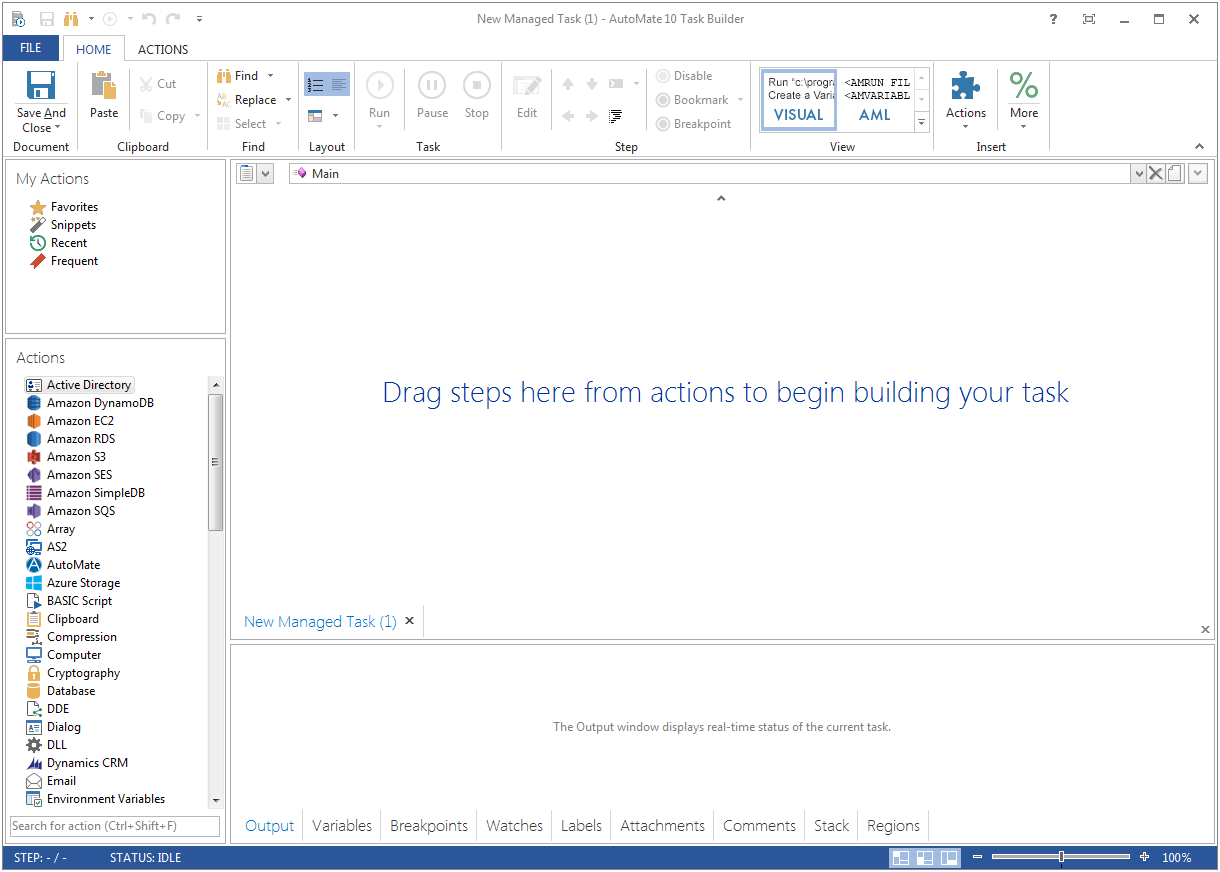
    Fortra’s Automate Screenshots

    Product screenshotProduct screenshot

    Fortra's GoAnywhere MFT Screenshots

    Screenshot of The GoAnywhere Dashboard, where users can access features and choose customizable Gadgets that display vital system statistics and file transfer activity