Google Charts provides a way to visualize data on your website - for free. From simple line charts to complex hierarchical tree maps, the chart gallery provides a large number of ready-to-use chart types. The most common way to use Google Charts is with simple JavaScript that you embed in your web page.
N/A
Mediafly
Score7.7 out of 10
N/A
Mediafly Intelligence360, based on InsightSquared's solution acquired by Mediafly in 2021, is a sales analytics and development platform that also supports demand generation analytics and SaaS reporting. It is designed for providing insights into sales processes, closing rates, pipeline and revenue forecasts, calculating KPIs, and market hiring processes.
We can easily recommend Google Charts to any company that needs a way to visually represent their data. Another great thing about Google Charts is that it is free to use and does not require any membership fees. Although it requires a skilled used to be able to use the charts, the results are great and can be beneficial to any company who is looking to make better decisions.
InsightSquared has been a great tool for quick reference dashboards for the whole organization and teams within the sales org. It presents a standardized individual dashboard for all the reps on the team. It doesn't fare well when trying to deep dive things like campaign and lead source inquiries, as well as activities associated with that opportunity.
A de minimis incentive was given to thank the reviewer for their time. The incentive was not used to bias or drive a particular response, nor was the incentive contingent on a positive endorsement. More Info
they're free with Google suite and they have backing in terms of powerful Google apps which can be plugged in to perform multiple actions like using Google sheets to import raw data into Google Charts
they're the most simple app to use when it comes to creating charts and visual dashboards
ease of customization
ease of using custom APIs from developers side to help make any types of charts and dashboards you want
A de minimis incentive was given to thank the reviewer for their time. The incentive was not used to bias or drive a particular response, nor was the incentive contingent on a positive endorsement. More Info
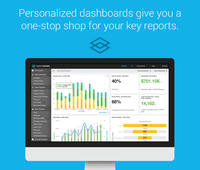
The dashboard is amazing: easily customize your view so you can view all the data that is most relevant to you at a glance
Sales metrics: see how you are comparing to your peers, from every possible angle. InsightSquared gathers all the data you need to know, want to know, and didn't even know you wanted!
Predictive statistics and the likelihood of a deal to fail or succeed is quite useful in a sales environment where time efficiency is key. Need to know what deals to focus on? You can see exactly what deals need more TLC, which ones are likely to close, and which ones to stop wasting time on.
I would like a couple more introductory videos or a live chat option for when you run into an issue. I think this is a Google-wide problem, not only linked to Google Charts.
I have run into some issues with the Dynamic Data but also admittedly could potentially dive in deeper and investigate.
It would be great if Google Charts made it possible to integrate Google Chat into the platform.
A de minimis incentive was given to thank the reviewer for their time. The incentive was not used to bias or drive a particular response, nor was the incentive contingent on a positive endorsement. More Info
I know this is something they have in process, but I would love to be able to customize reports myself. The support team is always super responsive and makes sure that we're taken care of. But, it would be great to just be able to log in and change the small things myself.
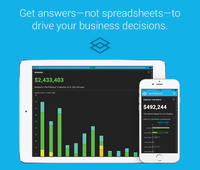
I recently downloaded the InsightSquared app to my phone, and I'd like to see more functionality there. Currently. You are only able to see dashboards that have a already been created.
Google Charts is a good product. It's widely supported with deep documentation and a large community. But for me, it wasn't customizable enough. When we started with simple charts, it was great, but as we got deeper and more complex, our needs outgrew the library. If I was going forward, I would choose a more barebones library with more freedom and extensibility.
A de minimis incentive was given to thank the reviewer for their time. The incentive was not used to bias or drive a particular response, nor was the incentive contingent on a positive endorsement. More Info
InsightSquared has been hugely beneficial to us, and to me in particular as someone outside of our sales team to gain insight into how our sales team and company is performing and how our overall health is. They offer fantastic customer support and have a great community to assist in your implementation of the product.
Google Charts is about as easy to use as the rest of their applications. The UI is very well thought out, allowing you to add what you need, and customize it to your exact liking. The default theme is actually really nice, which helps as most of the time, customizing is not needed.
A de minimis incentive was given to thank the reviewer for their time. The incentive was not used to bias or drive a particular response, nor was the incentive contingent on a positive endorsement. More Info
InsightSquared is easy to use overall. Running reports and creating dashboards is quick and easy - drag and drop functionality. All reports have multi-filter options allowing you to drill down into your data. Scorecards for employees help show how quickly a rep can start selling after they join your team. Activity ratios provide insight into what it takes from a KPI standpoint to close a deal.
As a free tool with massively powerful, infinitely customisable charts that can be dynamically updated - Google Charts is my favourite data visualisation tool. However, my hatred of JavaScript does jade my view on it. This is the price of the tool though, and I'm glad it's available for me.
A de minimis incentive was given to thank the reviewer for their time. The incentive was not used to bias or drive a particular response, nor was the incentive contingent on a positive endorsement. More Info
InsightSquared has a very responsive team, and always willing to help with reporting needs which are not able to be completed in house. They do offer a professional services team at an additional cost, so if your reporting is very complex, or you have a team that is continuously changing the type of metrics they require as a business, their support team will be an invaluable asset for you.
A de minimis incentive was given to thank the reviewer for their time. The incentive was not used to bias or drive a particular response, nor was the incentive contingent on a positive endorsement. More Info
Google Charts stacks up better since it is free and does not have the constant pressure for cost overruns, add-ons, annual maintenance and implementation services. The speed of using Google Charts is quick, saving users potentially weeks in getting up and going. For the readers of websites with limited resources, the application shows up nicely is look and feel with charts. Great way of showing data visually.
A de minimis incentive was given to thank the reviewer for their time. The incentive was not used to bias or drive a particular response, nor was the incentive contingent on a positive endorsement. More Info
I was not involved in our purchasing of this platform, so comparing it is difficult. This being said, it's most similar to constantly running reports in Salesforce, probably. SFDC offers more flexibility, obviously, but InsightSquared offers better visualization, less report updating, and more features dedicated to making analytics more enjoyable. It's worth the cost of the platform to save your admin time in reporting.
A de minimis incentive was given to thank the reviewer for their time. The incentive was not used to bias or drive a particular response, nor was the incentive contingent on a positive endorsement. More Info
A de minimis incentive was given to thank the reviewer for their time. The incentive was not used to bias or drive a particular response, nor was the incentive contingent on a positive endorsement. More Info
A de minimis incentive was given to thank the reviewer for their time. The incentive was not used to bias or drive a particular response, nor was the incentive contingent on a positive endorsement. More Info