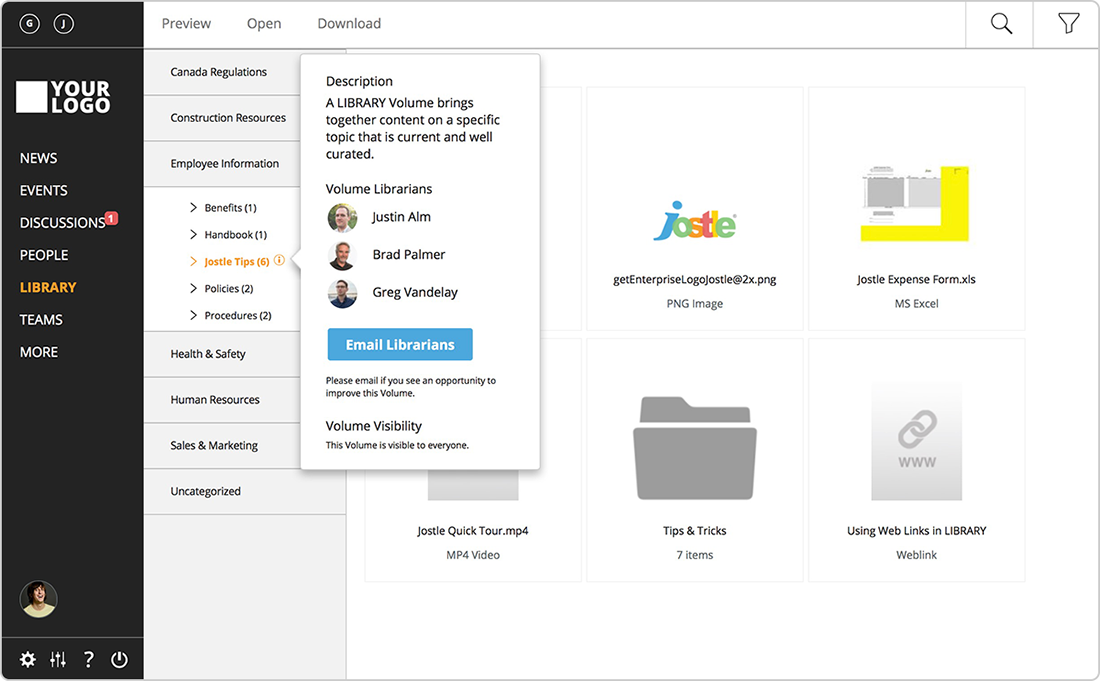
Jostle is intranet software for collaboration. Jostle is designed to make it easier to inform and connect employees to get work done. Users can share news, align teams, recognize contributions and invite participation from others. According to the vendor, Jostle can help improve employee engagement; Jostle reports engagement rates 5X higher than both traditional employee portals and social intranets. Company leaders can use Jostle to communicate plans, reinforce culture, and celebrate successes.…
N/A
Pricing
Google Classroom
Jostle
Editions & Modules
Education Fundamentals
$0
per license/per month
Google Workspace for Education Standard
$3
per student/per year
Teaching and Learning Upgrade
$4
per license/per month
Google Workspace for Education Plus
$5
per student/per year
No answers on this topic
Offerings
Pricing Offerings
Google Classroom
Jostle
Free Trial
Yes
No
Free/Freemium Version
No
No
Premium Consulting/Integration Services
No
No
Entry-level Setup Fee
No setup fee
No setup fee
Additional Details
Education Fundamentals Version - 30-day free trial for qualifying institutions.
—
More Pricing Information
Community Pulse
Google Classroom
Jostle
Features
Google Classroom
Jostle
Learning Management
Comparison of Learning Management features of Product A and Product B
Google Classroom allows teachers to post for daily lessons and assignments. It also allows teachers to be able to communicate with students easily outside of class. Students are able to stay connected and know where to find all information and resources easily in a streamlined manner for all of their classes.
I love how Jostle connects our company and allows us to celebrate milestones while also being able to share important messages. Being able to store Job Aids in the library as a resource to your team is amazing, especially when they are out in the field and they do not have a computer they can still look up how to do something.
Student-teacher communication - I love using Classroom for this because my students can always go back and check what was on Classroom by looking through the stream. This way they don't have to go dig through emails to find what they're looking for.
Posting to multiple classes - I can post the same announcement or assignment to multiple classes at once without having to repeat the process or send separate emails.
Streamlining grading - when students turn work in on Classroom, it all goes to one place and then when I'm grading I can open their documents directly from Classroom or my Drive folder. This way, I'm not looking through emails and Google Doc shared files for their assignment.
I have been using this application and I feel like this is a good solution to all the relevant problems.
Communication is key when it comes to organizations and Jostle is rightfully solving this problem so that is why I like using the software because it has many positive things.
The intranet software of Jostle offers well-balanced functions and all possible features that are important for an organization.
The biggest drawback that I have been facing for a very long time is that Jostle’s dashboard is not well designed and has all the feature that I needed on the go. I have to go through a lot of navigation panels to actually land on the right page or tool.
Secondly, needs more customization with the events function, which has to add more flexibility in operations to be able to customize the calendar. The library needs a lot of customization and a lot of features need to be added like different categories to easily access the different things.
Testing is particularly important in online learning, and Google Classroom falls far short of other learning management systems in this regard. Security is also a concern: while account control is reasonable for the account used with Google Classroom, the person controlling a particular account is often able to, for example, forward or download proprietary materials.
Simple design and seamless integration with Google tools and drive, but missing some key features. However, since it is limited in overall functions and ability to truly personalize / customize, it is quite user friendly and easy to set up and get going, other than sending out the code to your course or dropping students in via their gmail account. Users of Google Forms and sites will find the layout similar in design.
It's a wonderful product that can be used from a computer or from the ease of an app on your phone. I love that my team can have access to Job Aids from their phones while working out in the field. I have not personally had any issues while using Jostle and I highly recommend it for your business.
Since this platform is provided by Google, the technical support is better than any others, and we are not required to bother about the space constraints for adding the contents. If we have a good uninterrupted internet facility we can access Google Classroom without any delay or lag. They have app support in both Android and iPhone.
It was relatively easy to implement due to the simplicity of the platform. Even our more technology challenged teachers found it easy to get started with Google Classroom.
I haven't tested or evaluated another digital classroom website or application. I feel like Google Classroom is convenient for many reasons such as compatibility to Google docs, slides, etc. I also love the ability to link to YouTube and other sites. I don't know if there would be a site that is easier to maneuver.
Jostle is a communication-based intranet fix that is easily accessible and available in the market to resolve one of the most common problems of communication within organizations.
I like how Jostle has made all of us unite on a single platform where we can share all files and ideas as well.
Jostle has proved to me that it is the best mode for our department.