TrustRadius: an HG Insights company

Save this comparison

Save this comparison

Add Product

Recommended Comparisons

    Overview
    ProductRatingMost Used ByProduct SummaryStarting Price

    Google Tasks

    Score8.4 out of 10
    N/AGoogle Tasks, also available via a mobile app, aims to allow users to manage, capture, and edit tasks from anywhere, at anytime, with to-dos that sync across all devices. Integrates with Gmail and Google Calendar.N/A

    TaskQue

    Score9 out of 10
    N/ATaskQue is a productivity management tool. It offers auto task assignment features, different workflow templates for various industries and functional departments, and a list of collaboration tools designed to facilitate remote workers.

    $0

    up to 10 users

    Pricing
    Google TasksTaskQue
    Editions & Modules
    No answers on this topic
    Basic
    $0.00
    up to 10 users
    Business
    $5.00
    per user
    Offerings
    Pricing Offerings
    Google TasksTaskQue
    Free Trial
    NoYes
    Free/Freemium Version
    NoYes
    Premium Consulting/Integration Services
    NoYes
    Entry-level Setup FeeNo setup fee$5 per user
    Additional Details—For 10 users, its free. After that, we charge $5.00 per user.
    More Pricing Information
    Community Pulse
    Google TasksTaskQue
    Considered Both Products
    Google
    No answer on this topic
    TaskQue
    No answer on this topic
    Key User Insights
    Would buy again
    91%
    Would buy again
    21 Answers
    No answers on this topic
    Delivers good value for the price
    100%
    Delivers good value for the price
    22 Answers
    No answers on this topic
    Happy with the feature set
    87%
    Happy with the feature set
    20 Answers
    No answers on this topic
    Lived up to sales and marketing promises
    100%
    Lived up to sales and marketing promises
    14 Answers
    No answers on this topic
    Implementation went as expected
    94%
    Implementation went as expected
    17 Answers
    No answers on this topic
    Features
    Google TasksTaskQue
    Project Management
    Comparison of Project Management features of Google Tasks and TaskQue
    Feature
    Google Tasks
    -
    Ratings
    TaskQue
    7.8
    1 Ratings
    2% above category average
    Task Management00 Ratings10.01 Ratings
    Resource Management00 Ratings9.01 Ratings
    Scheduling00 Ratings9.01 Ratings
    Workflow Automation00 Ratings7.01 Ratings
    Team Collaboration00 Ratings7.01 Ratings
    Support for Agile Methodology00 Ratings7.01 Ratings
    Support for Waterfall Methodology00 Ratings7.01 Ratings
    Document Management00 Ratings8.01 Ratings
    Mobile Access00 Ratings9.01 Ratings
    Timesheet Tracking00 Ratings7.01 Ratings
    Change request and Case Management00 Ratings6.01 Ratings
    Professional Services Automation
    Comparison of Professional Services Automation features of Google Tasks and TaskQue
    Feature
    Google Tasks
    -
    Ratings
    TaskQue
    7.5
    1 Ratings
    2% below category average
    Quotes/estimates00 Ratings7.01 Ratings
    Project & financial reporting00 Ratings8.01 Ratings
    Best Alternatives
    Google TasksTaskQue
    Small Businesses
    Todoist
    Score9.3 out of 10
    Any.do
    Score8 out of 10
    Medium-sized Companies
    Todoist
    Score9.3 out of 10
    KanbanFlow
    Score7.3 out of 10
    Enterprises
    Microsoft Planner
    Score7.7 out of 10
    Microsoft To Do
    Score7.9 out of 10
    All AlternativesView all alternativesView all alternatives
    User Ratings
    Google TasksTaskQue
    Likelihood to Recommend
    7.7
    (23 ratings)
    9.0
    (1 ratings)
    Usability
    9.0
    (4 ratings)
    -
    (0 ratings)
    Support Rating
    2.0
    (1 ratings)
    9.0
    (1 ratings)
    User Testimonials
    Google TasksTaskQue
    Likelihood to Recommend
    Google
    If other google products are already in use, it is very easy to get into Google Tasks as well and everybody probably has a google account, hence, does not need another account as well. It is helpful for simple to do lists, we would not recommend for larger project planning.
    Incentivized
    Read full review
    TaskQue
    Companies that face issues due to chaos in terms of document management can really take advantage by organizing all their documents at a single place. TaskQue is inappropriate for project costing requirements in big projects.
    Read full review
    Pros
    Google
    • The best part, Google Tasks is FREE. No paywall, no ads. Just pure productivity. I was looking for some task-management app which is free, since it was difficult to get a paid one. I found that this was the perfect solution for me.
    • It's deeply integrated with other Google services like Gmail and Calendar. It can pick tasks with Gmail from emails, in the form of suggestions. It's up to you, completely. The tasks will appear in your calendar automatically, if it's time or date specific.
    • It's simple and hassle free to insert tasks and complete them. The app loads fast and hardly faces any crash. I encountered no such crashes.
    • It is present in multiple platforms. I would create a task in my phone, and would check it off on my laptop.
    • It's hassle free to add and check off tasks. It was very helpful for me in college.
    Read full review
    TaskQue
    • Workload management.
    • Auto task management.
    Read full review
    Cons
    Google
    • It may take some time & adjustments to build a workflow that covers your specific needs.
    • Need a feature to hide tasks that are weeks or even months ahead into the future.
    • Missing a full tab view where you can see all your different lists of tasks.
    Incentivized
    Read full review
    TaskQue
    • I think Gantt charts should be here to be used as a project management tool. Moreover, affiliation with productivity tools such as time-tracking tools can make it much better.
    Read full review
    Usability
    Google
    Google is simple to use and easy to understand. Having a one-click to add tasks via Google Calendar is a must for any busy business that manages multiple accounts and/or projects. Compliance and business standards are at the forefront, with notification reminders so you don't forget any of those annual certifications, for example.
    Incentivized
    Read full review
    TaskQue
    No answers on this topic
    Support Rating
    Google
    Since the app is free, we can't expect to get a great support. 1. The app does not even have a dedicated forum where other members can help each other. 2. The app only has a feedback option, which I rarely think visits the team. 3. Even after sending many feedbacks, you can't expect a reply. 4. In a nutshell, if you face any problem, you can just wait. Nothing more than that.
    Read full review
    TaskQue
    We inquired using the
    TaskQue community forum and got a timely response regarding my queries. We really
    appreciate it.
    Read full review
    Alternatives Considered
    Google
    Google Tasks is not necessarily better than its competitors and certainly not as robust or complex as most to-do applications and platforms available in the market, but because it is automatically integrated into G Suite services--our primary technology interface--this free option has precluded us from needing to explore other tools that are often "better" but not as intuitive when so much time and focus is already spent within the Google ecosystem.
    Incentivized
    Read full review
    TaskQue
    TaskQue’s most unique
    feature is the queue feature which enables you to assign tasks automatically.
    We were seriously fed up with the manual assignment of tasks.
    Read full review
    Return on Investment
    Google
    • Personally, has managed over 1280 tasks for me in the past couple of years that I have been able to check off thanks to the app
    • Has accurately allowed me personally to schedule out tasks into the future that I want to get done but don't have the mental space currently to be trying to remember or do
    Incentivized
    Read full review
    TaskQue
    • High customer retention.
    • Optimized project and task deliveries.
    Read full review
    ScreenShots

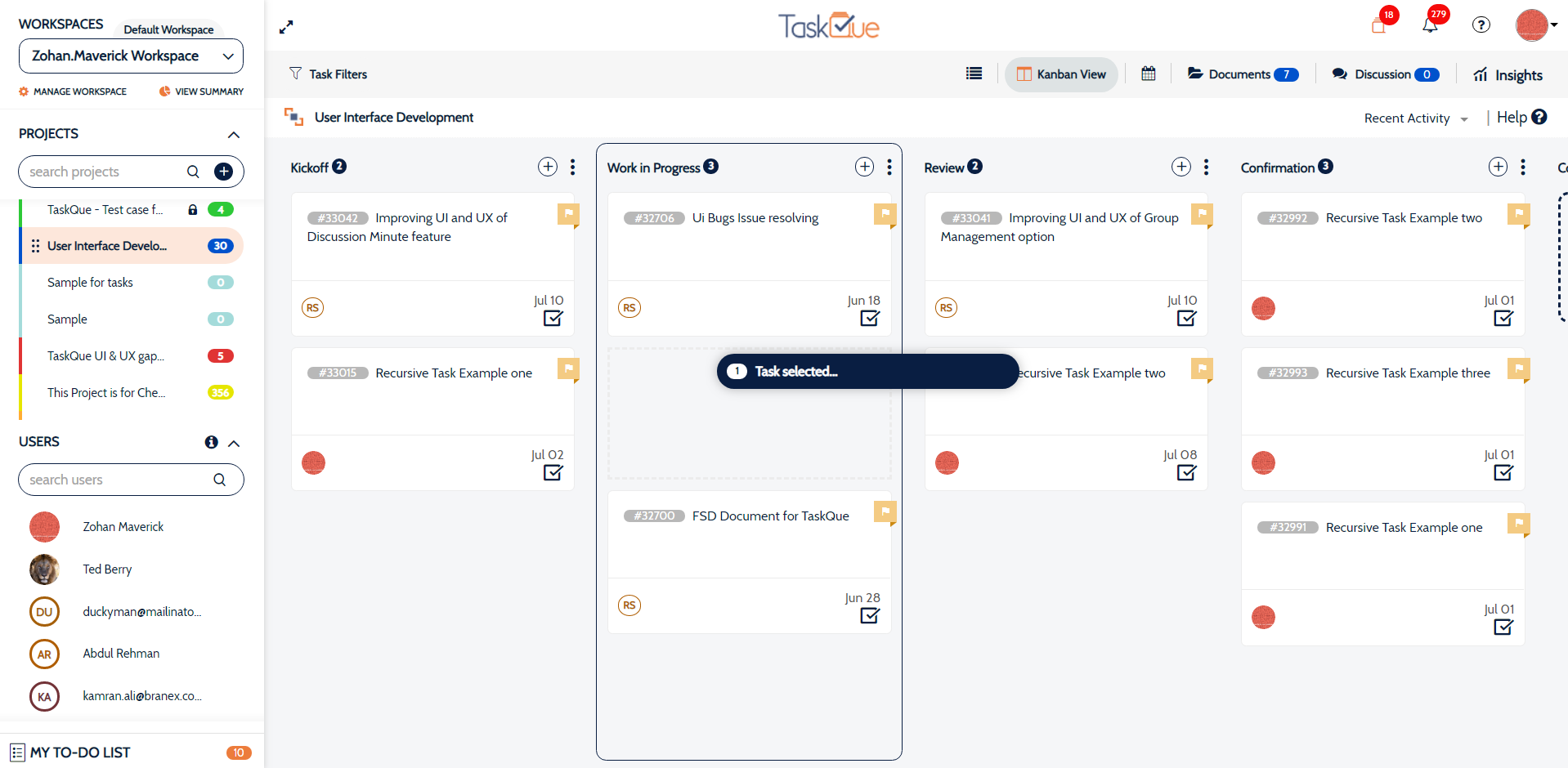
    TaskQue Screenshots

    Product screenshotProduct screenshotProduct screenshotProduct screenshot