TrustRadius: an HG Insights company

Save this comparison

Save this comparison

Add Product

Recommended Comparisons

    Overview
    ProductRatingMost Used ByProduct SummaryStarting Price

    gSignature

    N/A
    Mid-Size Companies (51-1,000 employees)
    gSignature helps businesses create professional email signatures for employees. It integrates with Google Workspace to automatically populate user information like names, titles, and contact details. Email signatures can be designed with logos, banners, disclaimers, and social media links. gSignature also offers features for managing large teams, including user acceptance of pre-installed signatures, CSV import/export for employee data, and scheduled signature updates for employees. This…

    $1

    per month per user

    WiseStamp

    Score8.7 out of 10
    Small Businesses (1-50 employees)
    WiseStamp is an enterprise email signature management platform used by organizations to centrally manage and deploy branded email signatures across Google Workspace, Microsoft 365, and Exchange with no coding or IT lift.

    $228

    per year 10 seats (minimum)

    Pricing
    gSignatureWiseStamp
    Editions & Modules
    Premium Plan
    $1
    per month per user
    Basic
    $19
    per month (billed annually) 1 admin, 5 templates
    Grow
    $49
    per month (billed annually) 5 admins, 20 templates
    Advanced
    $179
    per month (billed annually) 10 admins, unlimited templates
    Enterprise
    Contact Sales
    per month (billed annually) Unlimited admins and templates. Volume discount available.
    Offerings
    Pricing Offerings
    gSignatureWiseStamp
    Free Trial
    YesYes
    Free/Freemium Version
    NoNo
    Premium Consulting/Integration Services
    NoNo
    Entry-level Setup FeeNo setup feeNo setup fee
    Additional DetailsPremium package - Aligns employee data with the company's signature template. Supported by the automatic assignment of signatures for new hires in the company. Theconsole for central management of signatures is pay per use.Each employee costs $1. Just pick a plan, then choose number of seats.
    More Pricing Information
    Community Pulse
    gSignatureWiseStamp
    Considered Both Products
    gSignature
    No answer on this topic
    WiseStamp
    No answer on this topic
    Key User Insights
    Would buy again
    No answers on this topic
    87%
    Would buy again
    45 Answers
    Delivers good value for the price
    No answers on this topic
    88%
    Delivers good value for the price
    38 Answers
    Happy with the feature set
    No answers on this topic
    88%
    Happy with the feature set
    46 Answers
    Lived up to sales and marketing promises
    No answers on this topic
    87%
    Lived up to sales and marketing promises
    40 Answers
    Implementation went as expected
    No answers on this topic
    86%
    Implementation went as expected
    44 Answers
    User Ratings
    gSignatureWiseStamp
    Likelihood to Recommend
    -
    (0 ratings)
    9.1
    (57 ratings)
    Likelihood to Renew
    -
    (0 ratings)
    9.1
    (1 ratings)
    Usability
    -
    (0 ratings)
    9.5
    (48 ratings)
    User Testimonials
    gSignatureWiseStamp
    Likelihood to Recommend
    gSignature
    No answers on this topic
    WiseStamp
    Again, WiseStamp solved all of the problems I've had with other email signature creators in the past. The links work, the images display correctly, the design and layout remain intact, and everything I want and need for my signature is great with WiseStamp. I highly recommend WiseStamp to anyone looking for a well-crafted email signature and anyone who counts on their email signature to display as intended.
    Incentivized
    Read full review
    Pros
    gSignature
    No answers on this topic
    WiseStamp
    • Professional Email Signatures - the designs a person can create with WiseStamp are definitelt sleek and modern. They have a variety of templates with a fair amount of customisation and a possibility to design your own template for an extra fee.
    • Centralized Signature Management - WiseStamp provides a platform for organizations to manage email signatures for all employees from a single dashboard. There is customisability on how much the company hires their employees to be a part of email signature editing, which is very useful to keep the whole feel of the organization on brand as tailored as possible.
    • Social Media Integration - allows the inclusion of clickable social media icons in signatures, encouraging engagement on platforms like LinkedIn, Instagram, or Facebook. That is one of the main aspects why we chose WiseStamp as well - since these custom clickable links are very hard to create in any other way.
    • Dynamic Content - whether it is changing photos or different banners, that can be updated without modifying the signature design. This is super useful Useful for marketing campaigns, special offers, or events.
    Incentivized
    Read full review
    Cons
    gSignature
    No answers on this topic
    WiseStamp
    • I'd like to see more template options.
    • I want the logo and team photo to appear in line with each other. Currently, they appear in two different sizes.
    • I want it to be easier to change the employee photo on each signature.
    Incentivized
    Read full review
    Likelihood to Renew
    gSignature
    No answers on this topic
    WiseStamp
    I love it... Wouldn't use anything else
    Incentivized
    Read full review
    Usability
    gSignature
    No answers on this topic
    WiseStamp
    My recommendation for anyone starting with WiseStamp for the first time is to go super simple. Spend no more than 15 minutes, if even that long, throwing something together. Use that for a couple of weeks and then if you'd like to add some more tricked-out features, go for it but it really isn't necessary. While WiseStamp can do a lot, great design is in the simplicity. So, think of who is going to see the info and craft it with them in mind as more isn't always better. Remember, it's just the gist of who you are and not your resumé.
    Incentivized
    Read full review
    Alternatives Considered
    gSignature
    No answers on this topic
    WiseStamp
    CodeTwo is much more customizable and offers a wider range of integrated scenarios, so I guess it fits larger companies better. However, managing it was way too complex for us (non-IT guys). Our choice was mainly technical because they range in a similar price.
    Read full review
    Return on Investment
    gSignature
    No answers on this topic
    WiseStamp
    • I have increased my calendar bookings from outreach emails by more than 200%
    • It makes it easier for people to schedule time with me when multiple people are involved as they can see my availability by clicking the link.
    • I have had customers that have not used me for a period of time book time out of the blue by going back to one of my old emails and seeing the scheduling link there
    • I use the banner tool whenever there is a promotion or to promote some of my sponsor brands to my clients without them even realising they are getting "adverts"
    Incentivized
    Read full review
    ScreenShots

    gSignature Screenshots

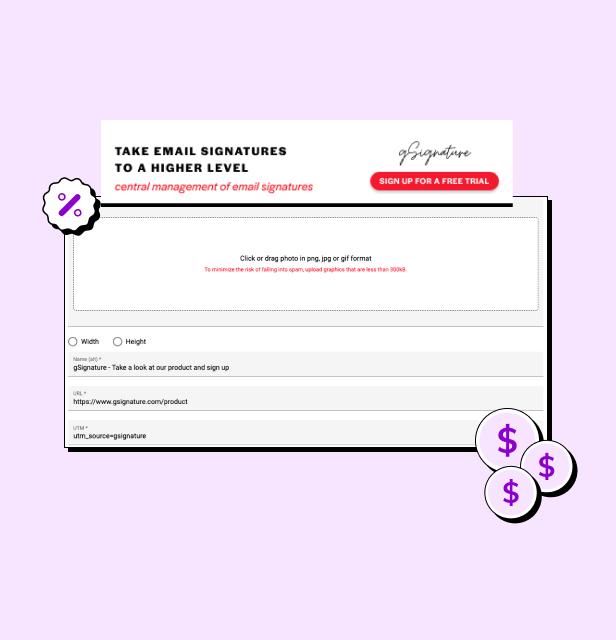
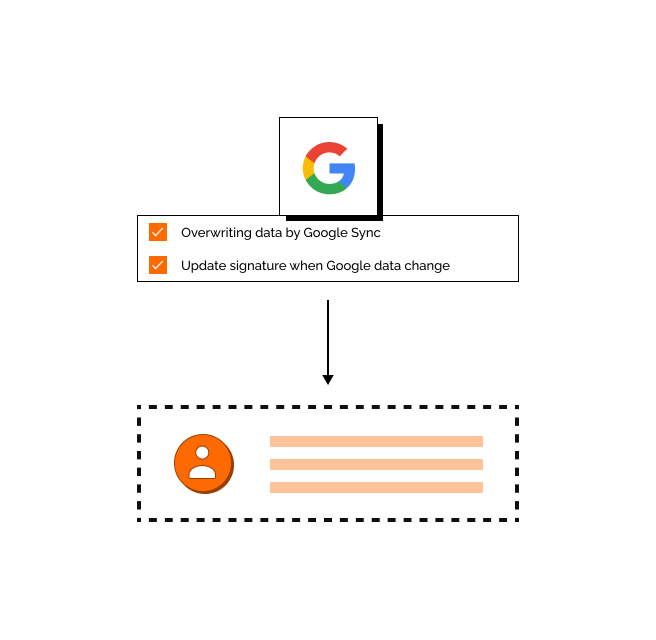
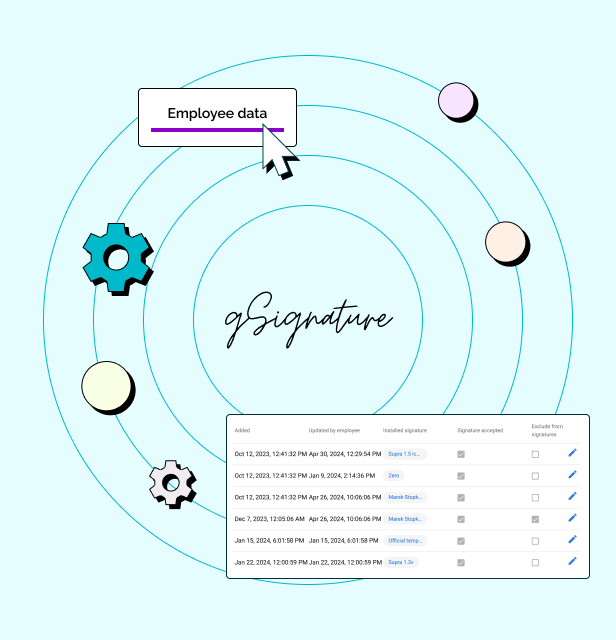
    Screenshot of an example email signatureScreenshot of the company footer, which can be used as a tool to support marketing goals.Screenshot of how changes made in the Google Workspace admin console are immediately visible in employee signatures. Each new position added to Google Workspace and its email address, will receive the default signature set by the administrator.Screenshot of how in the system, each employee receives a file with information that can be presented in the footer. If there is no complete data in Google Workspace then no problem - it can be imported in bulk from a CSV file. The IT administrator or authorized persons from other departments can manage employee data, as well as data representing the company's image.

    WiseStamp Screenshots

    Screenshot of the place to manage all employees' signatures.Screenshot of the place to manage and control employees email signatures.Screenshot of a variety of apps to add to email signatures that support the communication needs of each department.Product screenshotScreenshot of the WiseStamp drag-and-drop editor, and the signature generator used to create professional templates.Screenshot of where to track impressions, clicks, and engagement to measure the impact of every email signature campaign.