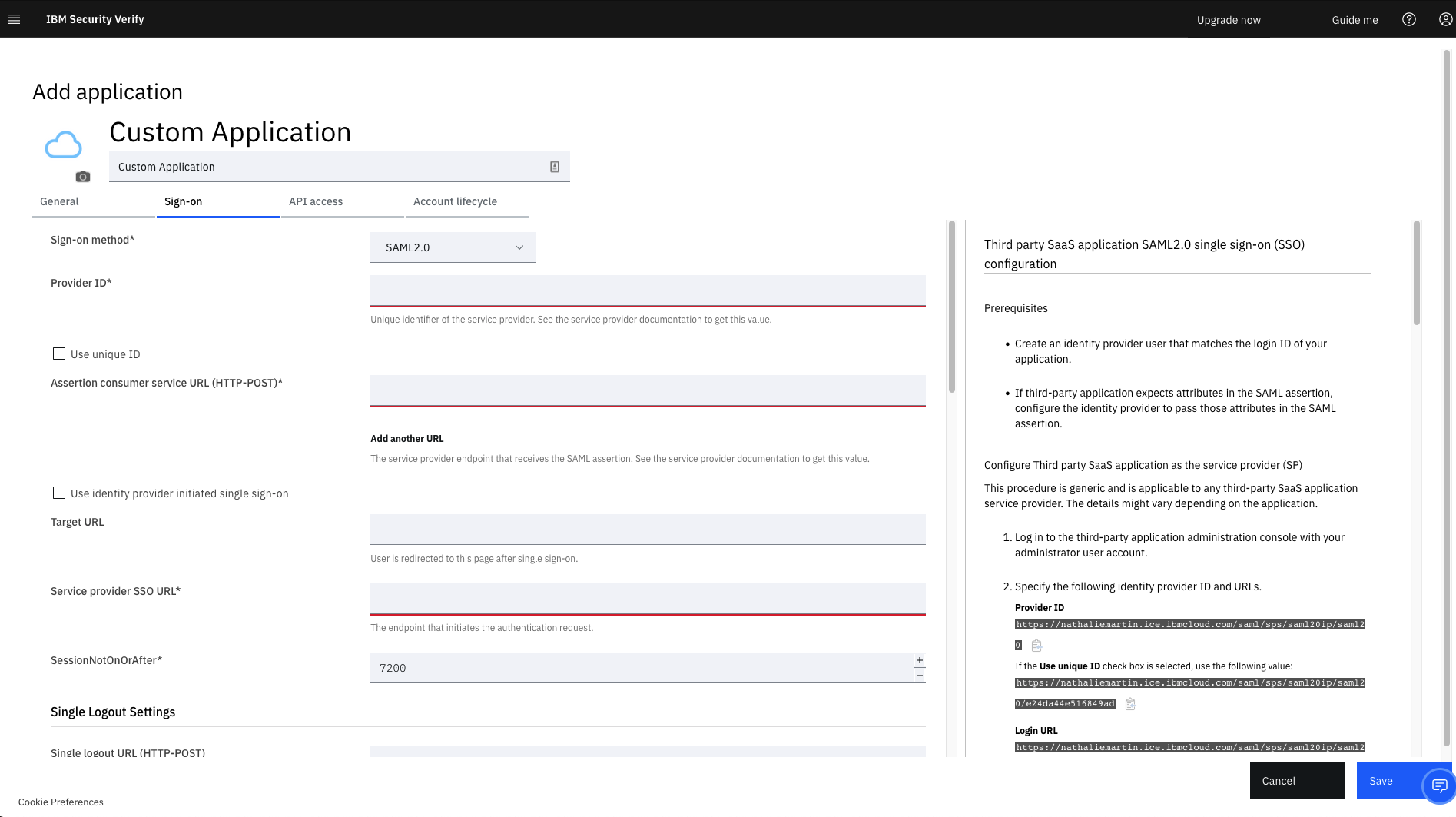
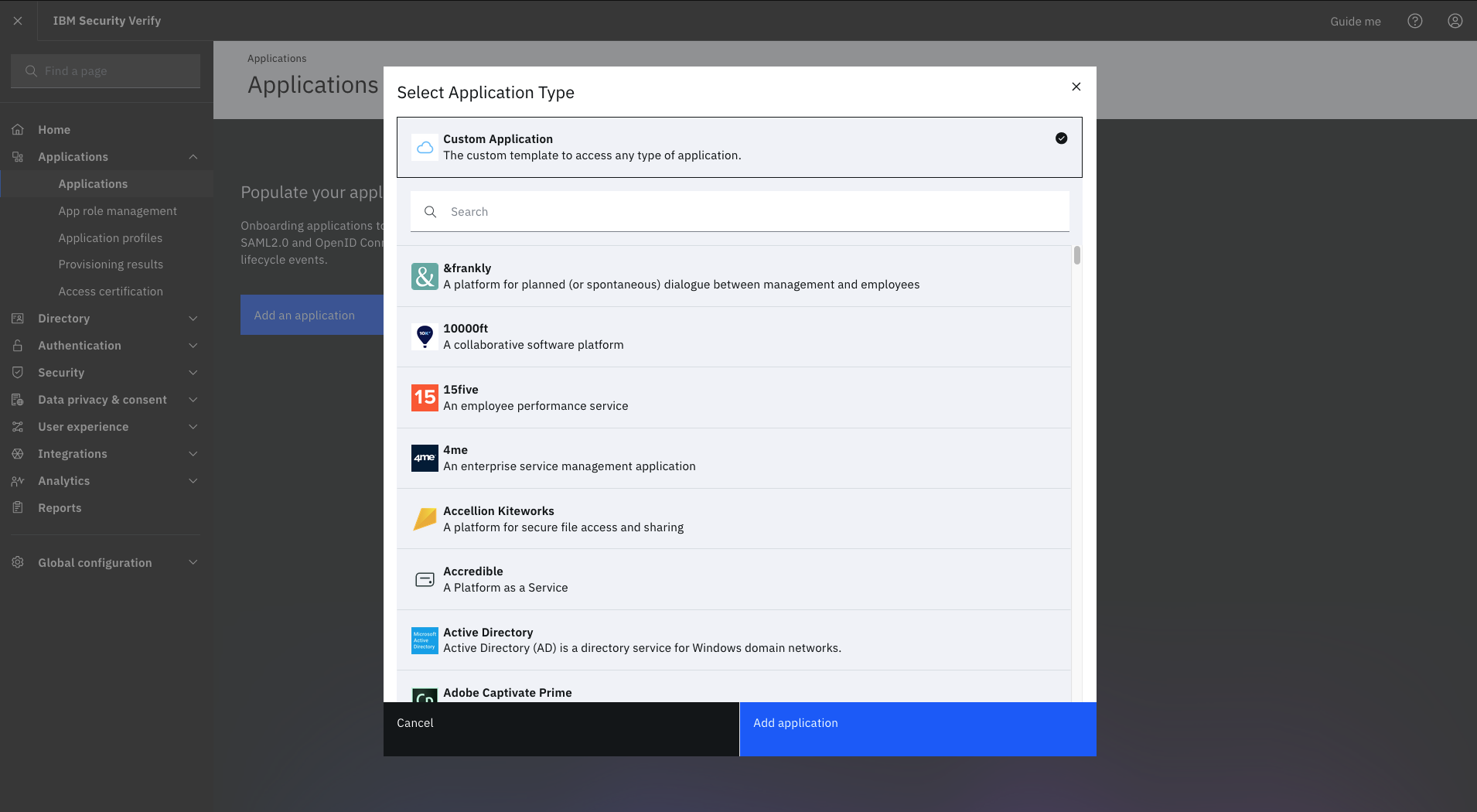
IBM Verify, formerly known as IBM Cloud Identity, is an identity-as-a-service (IDaaS) offering that aggregates dynamic user, device and environmental context to automate risk protection and continuously authenticate any user to any resource.
$1.81
per month per user
Microsoft Defender for Cloud Apps
Score7.8 out of 10
N/A
Microsoft Defender for Cloud Apps (formerly Microsoft Cloud App Security) is a multimode cloud access security broker.
N/A
Pricing
IBM Verify
Microsoft Defender for Cloud Apps
Editions & Modules
No answers on this topic
No answers on this topic
Offerings
Pricing Offerings
IBM Verify
Microsoft Defender for Cloud Apps
Free Trial
Yes
No
Free/Freemium Version
No
No
Premium Consulting/Integration Services
Yes
No
Entry-level Setup Fee
Optional
No setup fee
Additional Details
Sample Pricing Breakdown (NOTE: for competitive pricing per contract, please consult with your IBM Security Account Rep)
Users: 5,000
SSO* -- USD 1.71 per user per month
MFA* -- USD 1.71 per user per month
Adaptive Access* -- USD 1.71 per user per month
Lifecycle and provisioning** -- USD 2.01 per user per month
Identity analytics** -- USD 2.13 per user per month
* Single sign-on (SSO), multifactor authentication (MFA) and adaptive access pricing based on total active monthly users per use case. Costs decrease if users are active less than once per month.
** Lifecycle and provisioning and identity analytics pricing based on total users per use case.
It is well-suited for managing different users and roles and assigning permissions based on their defined roles. It is well-suited when one needs to add extra layers of authentication for certain roles or users, create custom rules for some users, and so on.
A de minimis incentive was given to thank the reviewer for their time. The incentive was not used to bias or drive a particular response, nor was the incentive contingent on a positive endorsement. More Info
Microsoft Defender for Cloud Apps is well suited when working with other Microsoft Applications. For example, if you are working with Microsoft Office 365 it works very well when implementing CASB features. It works when implementing monitoring or blocks on Sanctioned applications however customizing the message to users is not that great.
A de minimis incentive was given to thank the reviewer for their time. The incentive was not used to bias or drive a particular response, nor was the incentive contingent on a positive endorsement. More Info
A de minimis incentive was given to thank the reviewer for their time. The incentive was not used to bias or drive a particular response, nor was the incentive contingent on a positive endorsement. More Info
The integration to Microsoft Entra ID is seamless, which allows Conditional Access to redirect the session to Microsoft Defender for Cloud App for it to take actions (Block or Monitor).
Tracker users' activity is very good when troubleshooting or running an investigate.
Detecting risky users through tight integration with Microsoft Entra ID is a very good feature.
Detecting mass downloads and blocking the download of files from non-manage company devices is a very good feature as well.
A de minimis incentive was given to thank the reviewer for their time. The incentive was not used to bias or drive a particular response, nor was the incentive contingent on a positive endorsement. More Info
A de minimis incentive was given to thank the reviewer for their time. The incentive was not used to bias or drive a particular response, nor was the incentive contingent on a positive endorsement. More Info
It takes some time to scan and apply the policies when there is some sensitive information.
After it applies the policies, it works, but there is a delay.
It doesn't provide any way to scan Microsoft Teams when an external exchange of images is happening. You can always do the filtering on the documents during the chat, but if there is an image, then some kind of OCR capability is required to detect it. At present, there is no way [Microsoft Cloud App Security] can go and detect those kinds of images and alert us
A de minimis incentive was given to thank the reviewer for their time. The incentive was not used to bias or drive a particular response, nor was the incentive contingent on a positive endorsement. More Info
It works flawlessly, i have never faced any major issues with this. It has all the features such as Iam and security management. I think its a good investment and the benefits we reap from this software are worth the price.
A de minimis incentive was given to thank the reviewer for their time. The incentive was not used to bias or drive a particular response, nor was the incentive contingent on a positive endorsement. More Info
While setup and implementation takes work and time, the flexibility and possibilities make up for that in the long run. This is not a product you can just install and run, but if you design and implement your ruleset well, it will save you a lot of work afterwards. Just make sure that the systems you want to use it for have an existing and proven connector.
A de minimis incentive was given to thank the reviewer for their time. The incentive was not used to bias or drive a particular response, nor was the incentive contingent on a positive endorsement. More Info
The interface is pretty simple and easy to use; however, you will need to do a lot of investigative research on your own to get comfortable with it. Originally, many of the Microsoft security tools had their own seperate consoles. Overtime, they have blended into one interface which is the ideal state. In some cases it is clear Microsoft had to pick which console a certain feature or setting was going to reside in and this leads to some confusion. For example, DLP is managed through Defender for Cloud Apps but you will also need to jump into Purview. For things like reverse proxy on your M365 tenant, you will need to go into Azure and setup conditional access rules. Not a big problem and I can understand why the settings are located where they are but for someone just starting out with Defender for Cloud Apps, it will take some time to figure out.
A de minimis incentive was given to thank the reviewer for their time. The incentive was not used to bias or drive a particular response, nor was the incentive contingent on a positive endorsement. More Info
It has never let us down since its inception and installation. User credentials and secure access have always been guaranteed. Ironclad security (through single sign-on, MFA, etc.) has ensured that our user credential details are safe as is our information/data. The correct access is given to users, based on role-based access with segregation of duty and the principle of least privilege being deployed. The IBM support has also been first class and they have proactively resolved any minor issues we have encountered.
A de minimis incentive was given to thank the reviewer for their time. The incentive was not used to bias or drive a particular response, nor was the incentive contingent on a positive endorsement. More Info
The support team has always been the primary consultation base when we are faced by performance problems. From the deployment stage the team has managed to monitor the operation lifecycle and give best insights based on their observation. It works 24/7 to enhance productive service delivery to clients. The IBM Security Verify Support team has been the main player in the successful performance of this software.
A de minimis incentive was given to thank the reviewer for their time. The incentive was not used to bias or drive a particular response, nor was the incentive contingent on a positive endorsement. More Info
I have not utilized actual support but the Sales and Product teams have been super helpful in moving our implementation forward and showing us the best practices.
A de minimis incentive was given to thank the reviewer for their time. The incentive was not used to bias or drive a particular response, nor was the incentive contingent on a positive endorsement. More Info
We conducted a comparison study between IBM Verify and Okta as well as Duo Security before making our selection. IBM Verify emerged as the perfect fit because its superior capability to integrate with our current system environment surpassed competitor security solutions. IBM Verify demonstrated superior reliability through its enterprise-class scalability and fully transparent auditing mechanisms.
A de minimis incentive was given to thank the reviewer for their time. The incentive was not used to bias or drive a particular response, nor was the incentive contingent on a positive endorsement. More Info
More flexible and more features with easy integration with cloud services like Microsoft Azure and other cloud services. Overall both gives similar features but we prefer Microsoft cloud app security due to its high threat detection rate. mostly we have been able to stop the threat in very very less time.
A de minimis incentive was given to thank the reviewer for their time. The incentive was not used to bias or drive a particular response, nor was the incentive contingent on a positive endorsement. More Info
The licensing terms were favourable due to their flexibility based on the size and purpose of implementation. The billing frequency is done on quarterly basis. The vendor team has enacted best user policies that gives the company the full control of this platform. It is cost-effective as compared to most security verification tools in the market.
A de minimis incentive was given to thank the reviewer for their time. The incentive was not used to bias or drive a particular response, nor was the incentive contingent on a positive endorsement. More Info
In the case of adjustments, we were often able to carry them out completely on our own and only used professional services for new requirements. Particularly in the case of access management, it is very positive that we usually needed IBM for a task in less than an hour and then developed the solution further on our own.
A de minimis incentive was given to thank the reviewer for their time. The incentive was not used to bias or drive a particular response, nor was the incentive contingent on a positive endorsement. More Info
Use of the software has enabled us to track access to our premises and systems, which has, in turn, reduced unauthorised access.
The software has enabled us to centralize identify and access management.
IBM Verify use in our organisation has reduced security risks by ensuring compliance, streamlining, and automating all critical identity management processes.
A de minimis incentive was given to thank the reviewer for their time. The incentive was not used to bias or drive a particular response, nor was the incentive contingent on a positive endorsement. More Info
Cloud App Security saves us thousands of dollars finding and rectifying apps security issues
Identity Security Posture helps the organization identity stay in shape, saving thousands of dollars on security consultations
The cost of suffering a breach cannot be quantified, CAS helps minimize the chances of the attackers succeeding, with excellent historical logging for most operations
A de minimis incentive was given to thank the reviewer for their time. The incentive was not used to bias or drive a particular response, nor was the incentive contingent on a positive endorsement. More Info