
IBM Verify vs. Microsoft Office 2016 (discontinued)
IBM Verify vs. Microsoft Office 2016 (discontinued)
| Product | Rating | Most Used By | Product Summary | Starting Price |
|---|---|---|---|---|
 IBM Verify | N/A | IBM Verify, formerly known as IBM Cloud Identity, is an identity-as-a-service (IDaaS) offering that aggregates dynamic user, device and environmental context to automate risk protection and continuously authenticate any user to any resource. | $1.81 per month per user | |
 Microsoft Office 2016 (discontinued) | N/A | Microsoft Office 2016 is the familiar suite of Office products including applications such as Word, Excel, and PowerPoint for use on a single PC or Mac. The 2016 is no longer available for sale from Microsoft, and support is at an end since 2020. | N/A |
| IBM Verify | Microsoft Office 2016 (discontinued) | |||||||||||||||
|---|---|---|---|---|---|---|---|---|---|---|---|---|---|---|---|---|
| Editions & Modules | No answers on this topic | No answers on this topic | ||||||||||||||
| Offerings |
| |||||||||||||||
| Entry-level Setup Fee | Optional | No setup fee | ||||||||||||||
| Additional Details | Sample Pricing Breakdown (NOTE: for competitive pricing per contract, please consult with your IBM Security Account Rep) Users: 5,000 SSO* -- USD 1.71 per user per month MFA* -- USD 1.71 per user per month Adaptive Access* -- USD 1.71 per user per month Lifecycle and provisioning** -- USD 2.01 per user per month Identity analytics** -- USD 2.13 per user per month * Single sign-on (SSO), multifactor authentication (MFA) and adaptive access pricing based on total active monthly users per use case. Costs decrease if users are active less than once per month. ** Lifecycle and provisioning and identity analytics pricing based on total users per use case. | — | ||||||||||||||
| More Pricing Information | ||||||||||||||||
| IBM Verify | Microsoft Office 2016 (discontinued) |
|---|
| IBM Verify | Microsoft Office 2016 (discontinued) | ||||||||||||||||||||||||
|---|---|---|---|---|---|---|---|---|---|---|---|---|---|---|---|---|---|---|---|---|---|---|---|---|---|
| Identity Management |
|
| IBM Verify | Microsoft Office 2016 (discontinued) | |
|---|---|---|
| Small Businesses |  WatchGuard AuthPoint Score 9.0 out of 10 |  Zoho WorkDrive Score 9.3 out of 10 |
| Medium-sized Companies |  OneLogin by One Identity Score 9.4 out of 10 |  Google Workspace Score 9.1 out of 10 |
| Enterprises |  RSA Access Manager (Discontinued) Score 10.0 out of 10 |  Microsoft 365 Business Premium Score 8.9 out of 10 |
| All Alternatives | View all alternatives | View all alternatives |
| IBM Verify | Microsoft Office 2016 (discontinued) | |
|---|---|---|
| Likelihood to Recommend | 8.9 (53 ratings) | 7.5 (64 ratings) |
| Likelihood to Renew | 9.1 (2 ratings) | 5.0 (3 ratings) |
| Usability | 7.3 (16 ratings) | 7.0 (3 ratings) |
| Availability | 7.7 (20 ratings) | - (0 ratings) |
| Support Rating | 8.2 (16 ratings) | 8.0 (45 ratings) |
| Configurability | 7.1 (20 ratings) | - (0 ratings) |
| Contract Terms and Pricing Model | 7.3 (8 ratings) | - (0 ratings) |
| Professional Services | 8.3 (5 ratings) | - (0 ratings) |
| IBM Verify | Microsoft Office 2016 (discontinued) | |
|---|---|---|
| Likelihood to Recommend | IBM
| Discontinued Products
|
| Pros | IBM
| Discontinued Products
 Scott Herring Database Support Specialist |
| Cons | IBM
| Discontinued Products
 Andrew Shannon Senior System Administrator |
| Likelihood to Renew | IBM
| Discontinued Products
 Lochan Kalicharan Freelance Photographer |
| Usability | IBM
| Discontinued Products
 Michael Kim Contracts Specialist |
| Reliability and Availability | IBM
| Discontinued Products No answers on this topic |
| Support Rating | IBM
 Susan Davone Administrative Clerk | Discontinued Products
 Ricardo G Lopes English Interpreter & Translator |
| Alternatives Considered | IBM
 Nidia Marin Global Marketing & E-Commerce | Discontinued Products
|
| Contract Terms and Pricing Model | IBM
Susan Davone Administrative Clerk | Discontinued Products No answers on this topic |
| Professional Services | IBM
| Discontinued Products No answers on this topic |
| Return on Investment | IBM
| Discontinued Products
|
| ScreenShots | IBM Verify Screenshots 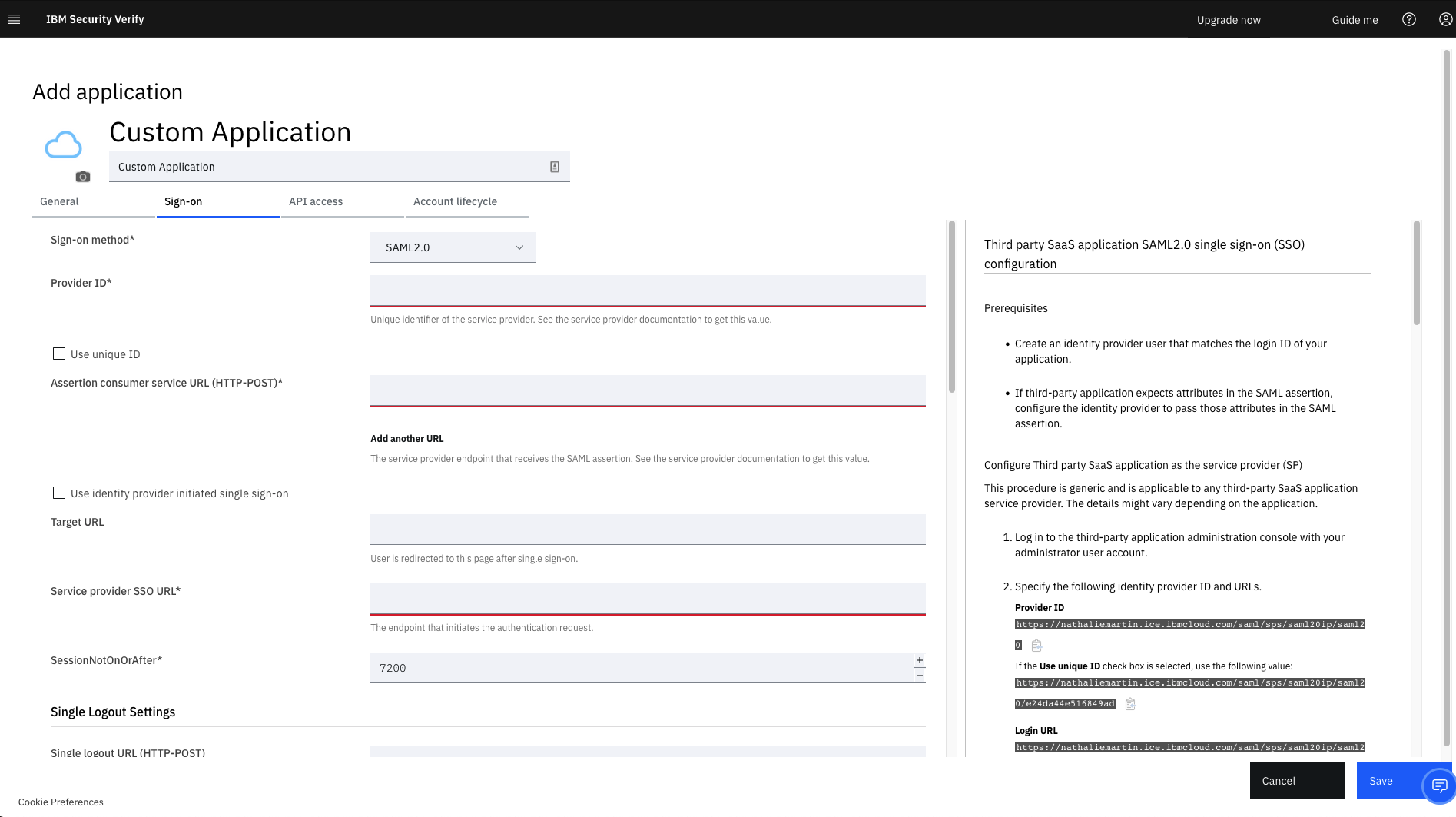 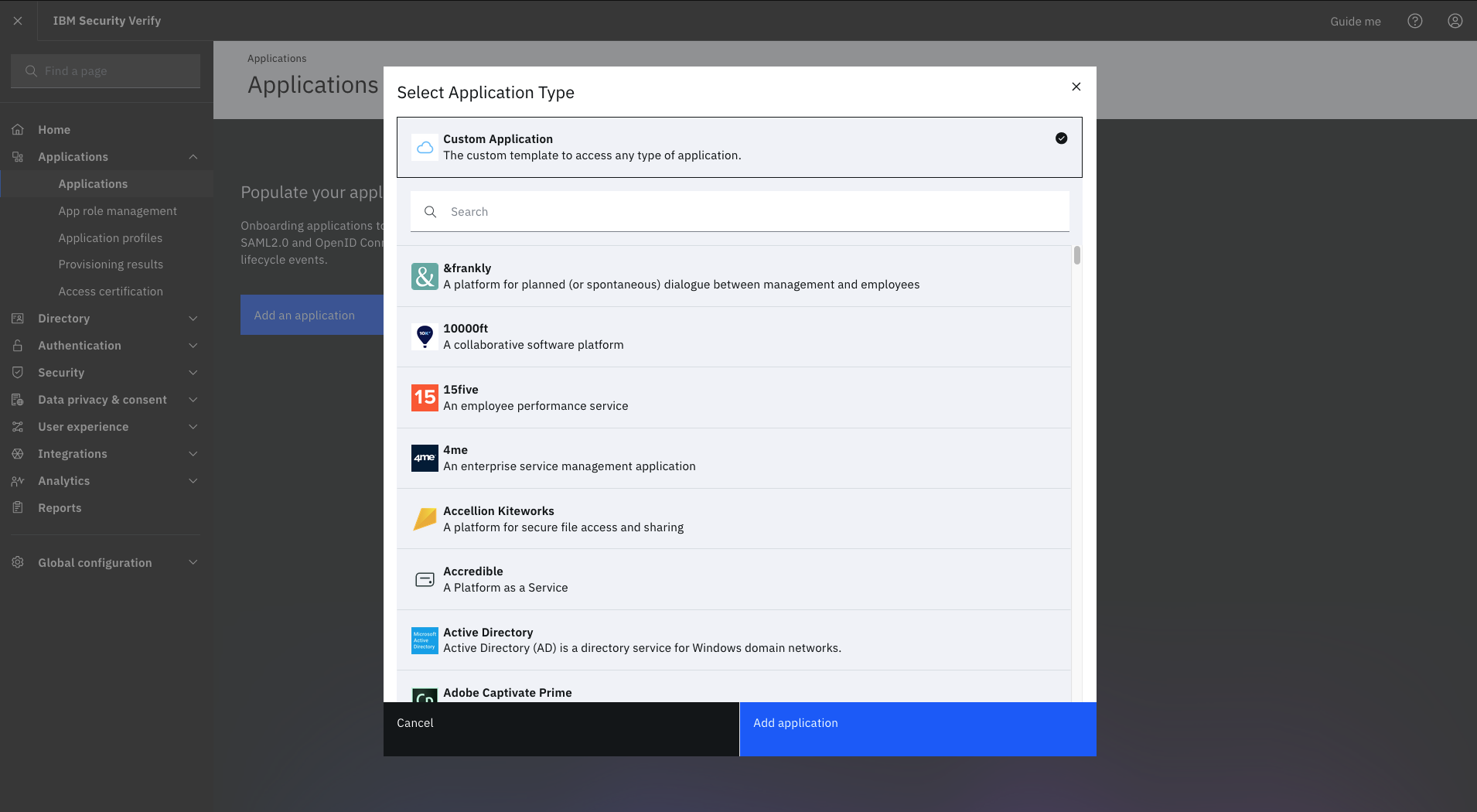  |