TrustRadius: an HG Insights company

IDERA SQL Diagnostic Manager vs. Pragmatic Workbench (discontinued)

Save this comparison

Save this comparison

Add Product

Recommended Comparisons

    Overview
    ProductRatingMost Used ByProduct SummaryStarting Price

    IDERA SQL Diagnostic Manager

    Score8 out of 10
    N/ASQL Diagnostic Manager for Microsoft SQL Server helps database administrators to find and fix Microsoft SQL Server performance problems in physical, virtual, and cloud environments. Unlike its competition, it provides effective scalability, advanced SQL query analysis and optimization, prescriptive analysis with corrective SQL scripts, powerful automated alert responses, broad PowerShell integration, complete customization, and extensive support for current and legacy Microsoft SQL Server and…

    $1,996

    per instance with first year maintenance included

    Pragmatic Workbench (discontinued)

    Score8.5 out of 10
    Enterprise companies (1,001+ employees)
    Pragmatic Workbench Enterprise was a suite that combined four Pragmatic Works products: BI xPress, DBA xPress, DOC xPress and LegiTest. It was acquired by SentryOne in April 2018, and has reached its EOL phase. After the summer of 2022 it will likely no longer be available, and unsupported.

    $2,490

    per seat

    Pricing
    IDERA SQL Diagnostic ManagerPragmatic Workbench (discontinued)
    Editions & Modules
    Standard via eCommerce
    1,996.00
    per instance with first year maintenance included
    Workbench Client Edition
    2,490
    per seat
    Workbench Server Edition
    8,995
    per server
    Workbench Enterprise Edition (Client + Server)
    9,995
    1 user / 1 server
    Offerings
    Pricing Offerings
    IDERA SQL Diagnostic ManagerPragmatic Workbench (discontinued)
    Free Trial
    YesYes
    Free/Freemium Version
    NoYes
    Premium Consulting/Integration Services
    NoYes
    Entry-level Setup FeeNo setup feeNo setup fee
    Additional Details—Workbench Enterprise combines all of the functionality within Workbench Client (local install) and Workbench Server (server install).
    More Pricing Information
    Features
    IDERA SQL Diagnostic ManagerPragmatic Workbench (discontinued)
    SQL Performance Monitoring
    Comparison of SQL Performance Monitoring features of IDERA SQL Diagnostic Manager and Pragmatic Workbench (discontinued)
    Feature
    IDERA SQL Diagnostic Manager
    8.0
    7 Ratings
    2% below category average
    Pragmatic Workbench (discontinued)
    -
    Ratings
    Performance dashboard9.07 Ratings00 Ratings
    Intelligent alerting8.07 Ratings00 Ratings
    Top SQL9.07 Ratings00 Ratings
    Historical trend data9.06 Ratings00 Ratings
    Virtualization support5.06 Ratings00 Ratings
    Database Development
    Comparison of Database Development features of IDERA SQL Diagnostic Manager and Pragmatic Workbench (discontinued)
    Feature
    IDERA SQL Diagnostic Manager
    -
    Ratings
    Pragmatic Workbench (discontinued)
    9.0
    1 Ratings
    5% above category average
    Test data generation00 Ratings9.01 Ratings
    Best Alternatives
    IDERA SQL Diagnostic ManagerPragmatic Workbench (discontinued)
    Small Businesses
    No answers on this topic
    DBeaver
    Score8.6 out of 10
    Medium-sized Companies
    SolarWinds SQL Sentry
    Score10 out of 10
    DBeaver
    Score8.6 out of 10
    Enterprises
    SolarWinds SQL Sentry
    Score10 out of 10
    DBeaver
    Score8.6 out of 10
    All AlternativesView all alternativesView all alternatives
    User Ratings
    IDERA SQL Diagnostic ManagerPragmatic Workbench (discontinued)
    Likelihood to Recommend
    9.0
    (8 ratings)
    8.0
    (1 ratings)
    Support Rating
    -
    (0 ratings)
    6.0
    (1 ratings)
    User Testimonials
    IDERA SQL Diagnostic ManagerPragmatic Workbench (discontinued)
    Likelihood to Recommend
    Idera, Inc.
    SQL Server [Business Intelligence] Manager is useful for tracking performance across SSIS, SSRS and SSA and have the data represented in dashboards. It helps improve performance and helps end users. However, several features are redundant for smaller organization that can use the tools that comes with existing Microsoft products. These features also takes time to learn and use.
    Incentivized
    Read full review
    Discontinued Products
    Workbench Enterprise is consistent across devices and users so far. It works the same, and access is easy. I have a problem with its security. If you use an enterprise password to access databases, it's very easy to click the show password on the connection page and expose the enterprise password. You shouldn't allow users to use the same accounts to access the database because that means all users are sharing the same password.
    Incentivized
    Read full review
    Pros
    Idera, Inc.
    • SQLdm does a good job of providing information at a high level, but also allows me to drill down to specific queries and events if needed. I don't always need to sift through tons of details to get the information I need. It also gives a very wide range of information from SQL specific metrics, to OS metrics, to VM metrics, all the way up to host server metrics.
    • I like how the alert and notification system can be customized. For example, if you know a certain server regularly has long-running queries, you can adjust the alert to not fire unless a query has been running for 30 minutes while the rest of the servers fire after 30 seconds. That is very helpful in not being bombarded at dinner with alerts from a server similar to, "I've been at 90% cpu for 26 milliseconds!!!!!!!...and now it's back down to 30%" Good information to know, but not something you need to literally lose sleep over.
    • I like how you can configure different servers to be monitored differently. For example, you can have a group of servers called DEVELOPMENT that you can turn on heavier monitoring on so you can test how changes in applications might affect the SQL environment, but in the PRODUCTION group, you may only want to enable the heavier analysis and logging when performance issues are actively being reported.
    Incentivized
    Read full review
    Discontinued Products
    • Querying is easy and quick.
    • Updating tables is very easy.
    • It gives us very accurate error messages.
    Incentivized
    Read full review
    Cons
    Idera, Inc.
    • Windows client has some issues. When you have small time intervals for your data collection, it can cause the client to become unresponsive and require you to restart it.
    • It takes more time to get the web client running than it does to get the windows client running.
    • The visualizations have been the same for the last eight years--could use a little bit of a refresh.
    Incentivized
    Read full review
    Discontinued Products
    • It has autocompleted, but I find it difficult to use or get to use.
    • It doesn't automatically complete table names or field names.
    Incentivized
    Read full review
    Support Rating
    Idera, Inc.
    No answers on this topic
    Discontinued Products
    Our team does the support for us. Sometimes we see download related issues that can easily be fixed by our team. Most issues you will see with one user in your org will probably happen to others, so keep a log and track those issues. Then have a fix for them somewhere that everyone has access to. This will save you a lot of time troubleshooting.
    Incentivized
    Read full review
    Alternatives Considered
    Idera, Inc.
    IDERA SQL Diagnostic Manager for SQL, Redgate SQL, and MonitorLogicMonitor are similar products to each other. We decided on IDERA SQL Diagnostic Manager for SQL because our experience with locating heavy queries has been very good and it provides real-time monitoring of all servers and databases. It also allows you to have a large volume of historical data which allows you to analyze trends in the databases.
    Incentivized
    Read full review
    Discontinued Products
    No answers on this topic
    Return on Investment
    Idera, Inc.
    • Allows us to quickly set up ETL processes as soon as we installed SQL Server.
    • There's a lot of free/paid resources available online, decreasing development time.
    • A tool with plenty of experienced developers.
    Incentivized
    Read full review
    Discontinued Products
    • I personally like Workbench Enterprise, and I can do everything I need to do using it.
    Incentivized
    Read full review
    ScreenShots

    IDERA SQL Diagnostic Manager Screenshots
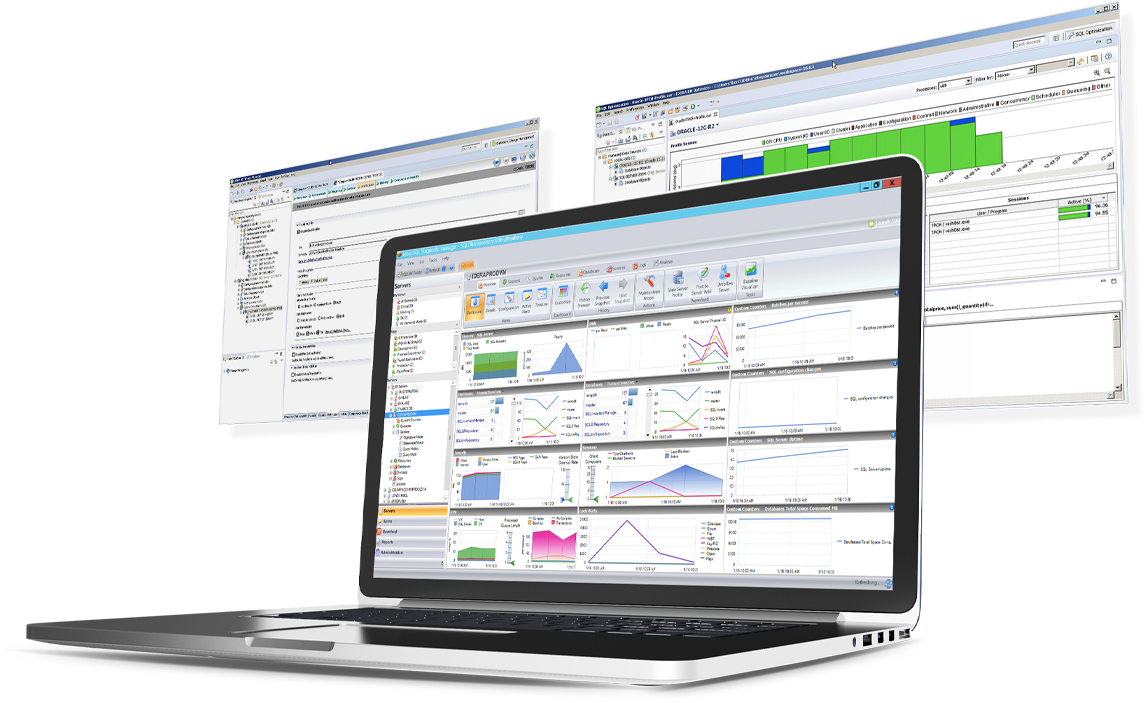
    Screenshot of SQL Diagnostic Manager for SQL Server

    Pragmatic Workbench (discontinued) Screenshots
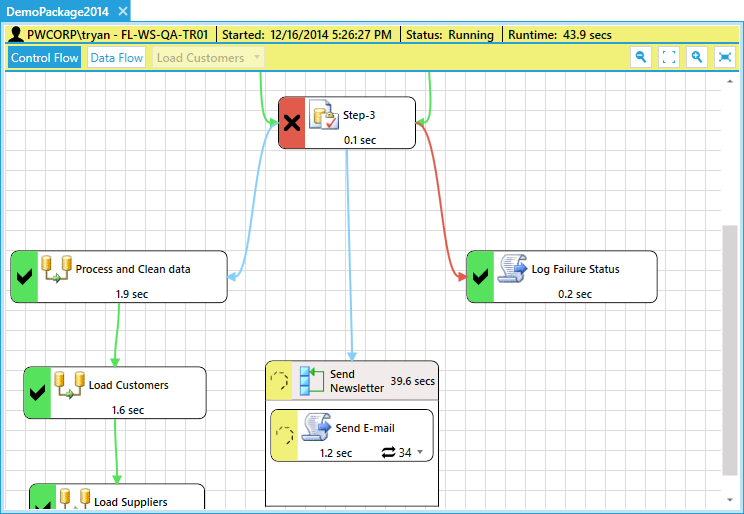
    Screenshot of Real-Time SSIS Execution DiagramScreenshot of Visual Object LineageScreenshot of Data Validation Testing DesignerScreenshot of Data Validation Testing -  Performance DashboardScreenshot of Workbench Launch Dashboard