Lightning Forms is a SharePoint list form design tool that aims to enable users to improve the logic, layout and styling of responsive SharePoint Forms. Lightning Forms offers cascading lookups, customized buttons with actions, repeating lists integration, tab controls, styling and conditional control formatting, calculations, and expressions. These features help users to build business forms within SharePoint and offers an alternative to InfoPath Forms.
$2,200
per year per installation
Delighted by Qualtrics
Score8 out of 10
Small Businesses (1-50 employees)
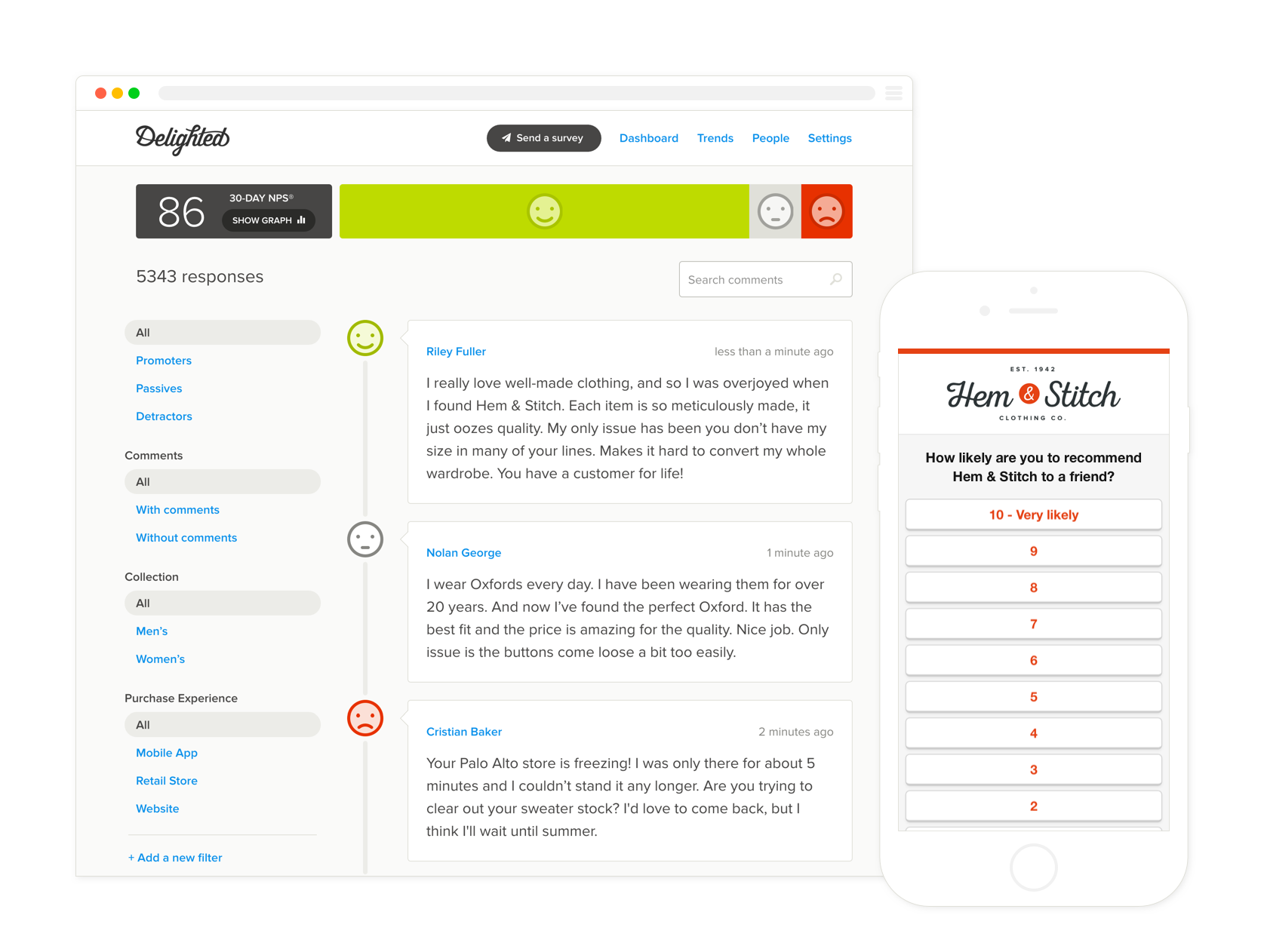
Delighted is a tool for gathering real time, actionable feedback from customers via email, web or SMS. Delighted uses the Net Promoter System to measure the customer journey, and takes care of aspects of the customer feedback process from collection and analysis, through notification and distribution. Delighted aims to be the single source to manage surveys for customers, partners, vendors and employees. This is to enable organizations of all sizes to create a customer-centric organization, …
$25
Pricing
Lightning Tools Lightning Forms
Delighted by Qualtrics
Editions & Modules
Lightning Forms OnPrem
From $2000
per year per installation
Lightning Forms Plus OnPrem
From $3500
per year per installation
Lightning Forms OnPrem Enterprise Edition
POA
per year per installation
Lightning Forms (Online)
From $2200
per year per installation
Form Designer Suite (Online)
From $4000
per year per installation
Lightning Forms Enterprise Edition (Online)
POA
per year per installation
Survey 100 people/month
$25
Survey 750 people/month
$49
Survey 2500 people/month
$99
Survey 5000 people/month
$149
Survey 10,000 people/month
$249
Offerings
Pricing Offerings
Lightning Tools Lightning Forms
Delighted by Qualtrics
Free Trial
Yes
Yes
Free/Freemium Version
No
Yes
Premium Consulting/Integration Services
Yes
No
Entry-level Setup Fee
No setup fee
No setup fee
Additional Details
Prices stated are minimum per installation for "stock" products.
$2.2 & $4.00 per user/year for each product ion top of base price.
Enterprise editions can be amended to suit business needs if deemed necessary, additional costs incurred and TBD.
All packages include free technical support.
Free upgrades available to latest versions of tool as they are released. (online versions)
10% discount with annual payment. Contact the vendor at hello@delighted.com for custom pricing.
More Pricing Information
Features
Lightning Tools Lightning Forms
Delighted by Qualtrics
Survey Format & Appearance
Comparison of Survey Format & Appearance features of Lightning Tools Lightning Forms and Delighted by Qualtrics
Feature
Lightning Tools Lightning Forms
8.2
1 Ratings
2% above category average
Delighted by Qualtrics
-
Ratings
Custom logo/branding
8.21 Ratings
00 Ratings
Survey Content
Comparison of Survey Content features of Lightning Tools Lightning Forms and Delighted by Qualtrics
Feature
Lightning Tools Lightning Forms
8.6
1 Ratings
1% above category average
Delighted by Qualtrics
-
Ratings
Changes to live survey
9.11 Ratings
00 Ratings
Multiple question types
8.21 Ratings
00 Ratings
Survey Reporting & Analytics
Comparison of Survey Reporting & Analytics features of Lightning Tools Lightning Forms and Delighted by Qualtrics
Feature
Lightning Tools Lightning Forms
9.1
2 Ratings
11% above category average
Delighted by Qualtrics
-
Ratings
Data export
9.12 Ratings
00 Ratings
Standard reports
9.11 Ratings
00 Ratings
Survey Administration & Security
Comparison of Survey Administration & Security features of Lightning Tools Lightning Forms and Delighted by Qualtrics
Overall, there are many use cases for which Lightning Forms provides a slick, easy to develop and extremely useful solution. Request forms that need to be actioned and inspection forms are the scenarios that we have used them for so far, which have seen a lot of success. We have decided that other scenarios that are perhaps more sensitive, for instance forms that may contain special category data relating to our customers, are less appropriate given the permissions/licensing constraints of both SharePoint and Lightning Forms.
Delighted is best suited for organizations starting off with their Customer Experience journey. Off the bat, you want to start with a platform that's affordable and easy to set up. Once you've gotten the hang of running a Customer Experience program, you can move up to a more advanced platform like Qualtrics. Luckily, Qualtrics acquired Delighted a couple of years back so transitioning should be frictionless.
A de minimis incentive was given to thank the reviewer for their time. The incentive was not used to bias or drive a particular response, nor was the incentive contingent on a positive endorsement. More Info
Simple user interface - users of the forms intuitively aware of how/where to input information. This is in part due to being able to show or hide different questions or areas of the form, and making them required or not, based on previous answers.
Low/simple code - building complex forms with automation and multiple dependencies or lookups is relatively easy once you get started. You have the power of JavaScript to use and do some quite clever things if you can get to grips with it - a lot of solutions are only a Google away.
As it is based on SharePoint, it integrates perfectly with the rest of the M365 suite. Things like PowerAutomate enhance its functionality even further.
A de minimis incentive was given to thank the reviewer for their time. The incentive was not used to bias or drive a particular response, nor was the incentive contingent on a positive endorsement. More Info
The styling of the form can sometimes be slightly awkward to use depending on what you're looking to do. For instance, if I was looking to highlight fields that users have missed (left empty), I would need to set up a validation for that question and then set a style for that particular field for when it is invalid. When you have a large and complex form with lots of dependencies, this is awkward.
Support for complex and niche issues is slightly lacking in my experience. I submitted a helpdesk ticket for help with a strange issue I couldn't figure out, which took several weeks to get a response to. Because it is niche, it's more difficult to find an answer by searching the internet. Luckily, knowing there is likely to always be a fix if you find the right place/use the right formula, I manage to resolve the issue with some trial and error.
It is disappointing that Lightning Forms does not integrate with the MS Lists app. Having the ability to access the form through the list app would add in a lot of useful functionality, including a better experience for users when taking photos to add as attachments.
Having the ability to add in additional questions (more of a survey) would be helpful.
I wish there was a way to ask questions that would categorize the areas in which we need to improve. ie. "this is related to_____" and then have a drop down with different departments.
A de minimis incentive was given to thank the reviewer for their time. The incentive was not used to bias or drive a particular response, nor was the incentive contingent on a positive endorsement. More Info
It is very user friendly both to me who is building the content (with little background knowledge of coding etc., other than what I have picked up from using products like PowerAutomate, PowerBI, a bit of html etc.) and to end users of varying levels of IT proficiency. This has been extremely important as we have used the forms to make relatively large process changes, and need to have our users on board and seeing that it is actually easier than it was before.
We run surveys every single day and have the responses fed directly into our Slack instance. Everyone in the organization (not just CX) can view and resolve any issues customers bring up without needing for them to reach out to our Customer Support team. Truly, Delighted has made the organization more customer centric by delivering the feedback right where everyone is (no PowerPoint presentations required).
A de minimis incentive was given to thank the reviewer for their time. The incentive was not used to bias or drive a particular response, nor was the incentive contingent on a positive endorsement. More Info
Some support has been okay, but in one instance of a fairly complex problem, the support team were not able to provide me with a fix within a few weeks, before I was able to find a workaround myself.
I have nothing but good things to say about Delighted's Concierge team. They have been quick to respond and have been able to make a lot of our customization requests a reality. They're also very open to product requests and suggestions and have been quick in churning out new features ever so often.
A de minimis incentive was given to thank the reviewer for their time. The incentive was not used to bias or drive a particular response, nor was the incentive contingent on a positive endorsement. More Info
We were using Microsoft Forms, SharePoint Lists and PowerAutomate to attempt to do much of what we are currently doing. Functionality is very limited in comparison. The ability to make questions required based on previous answers was a massive improvement from normal SharePoint List forms and has greatly improved the quality of data. Also just the very visual display and customisation is much better.
I chose Delighted because it offered an affordable price point to get started, yet with plenty of room to grow. We started with 2,500 contacts per month, which is more generous than competitors offer at a similar price. I also saw that Delighted could integrate with Salesforce and Intercom (plus API capabilities), so I knew we wouldn't outgrow Delighted quickly. Since Delighted has been acquired by Qualtrics, I expect that its capabilities will only increase.
A de minimis incentive was given to thank the reviewer for their time. The incentive was not used to bias or drive a particular response, nor was the incentive contingent on a positive endorsement. More Info
We changed the process by which site colleagues report repairs on behalf of customers. Instead of emailing them into a shared inbox, they now report them using a lightning form. We have seen a great improvement in the time taken for our team to log the repair issue from the time is arrives with them.
We anticipate that streamlining our void property reletting process by using a SharePoint kanban board view with lightning forms (providing a single platform for all things void) will reduce avoidable days vacant and therefore reduce our void loss.
Our organization is focused on providing outstanding customer service, and we use Delighted to survey our customers and find out how they feel we are doing. We have been able to identify problems and hiccups in our service from customer responses with Delighted, and have been able to correct and improve on those.
As I mentioned earlier, Delighted is on the expensive side, and we have explored cheaper options. But the ease of use for our customers, and the easy to digest reporting has kept us with Delighted.
A de minimis incentive was given to thank the reviewer for their time. The incentive was not used to bias or drive a particular response, nor was the incentive contingent on a positive endorsement. More Info