
LightningCAD vs. PTC Creo
| Product | Rating | Most Used By | Product Summary | Starting Price |
|---|---|---|---|---|
 LightningCAD | N/A | N/A | Integrating CAD functionality with CPQ (Configure, Price, Quote) system logic, LightningCAD is a configurable solution designed for design and product configuration organizations. LightningCAD codifies business rules into a platform that facilitates standardized design and enforces end-to-end process specifications, allowing CAD Designers to focus on complex modeling tasks while sales teams perform on-site configuration or clients utilize self-service design… | N/A |
 PTC Creo | Score7.6 out of 10 | N/A | PTC offers Creo, the company's line of computer-aided design (CAD) products that support the product lifecycle management (PLM) process with 2D and 3D design kits (Creo Elements and Creo Direct), an augmented reality module, Creo Illustrate for technical illustrations, Creo Sketch, Creo Schematics and Creo View for diagramming and sharing information, Creo simulate for running simulations, and other modules. | $2,480 |
| LightningCAD | PTC Creo | |||||||||||||||
|---|---|---|---|---|---|---|---|---|---|---|---|---|---|---|---|---|
| Editions & Modules | No answers on this topic |
| ||||||||||||||
| Offerings |
| |||||||||||||||
| Entry-level Setup Fee | Required | No setup fee | ||||||||||||||
| Additional Details | The price is dependant on the amount of customization required per application. The development is based on an iterative process, and there are two options for pricing. The first is a revenue-sharing structure, where users pay a percentage of their revenue from using the software per month. The second option is customization plus licensing. The user pays the customization fee upfront as development is happening and then simply pays a monthly licensing fee. | — | ||||||||||||||
| More Pricing Information | ||||||||||||||||
| LightningCAD | PTC Creo | |
|---|---|---|
| Considered Both Products | No answer on this topic | No answer on this topic |
| Key User Insights | ||
| Would buy again | ||
No answers on this topic | 90% Would buy again 9 Answers | |
| Delivers good value for the price | ||
No answers on this topic | 80% Delivers good value for the price 8 Answers | |
| Happy with the feature set | ||
No answers on this topic | 80% Happy with the feature set 8 Answers | |
| Lived up to sales and marketing promises | ||
No answers on this topic | 100% Lived up to sales and marketing promises 5 Answers | |
| Implementation went as expected | ||
No answers on this topic | 100% Implementation went as expected 7 Answers | |
| LightningCAD | PTC Creo | ||||||||||||||||||||||||||||
|---|---|---|---|---|---|---|---|---|---|---|---|---|---|---|---|---|---|---|---|---|---|---|---|---|---|---|---|---|---|
| Computer-Aided Design Software |
| ||||||||||||||||||||||||||||
| LightningCAD | PTC Creo | |
|---|---|---|
| Small Businesses |  Onshape Score6.4 out of 10 | Onshape Score6.4 out of 10 |
| Medium-sized Companies | Onshape Score6.4 out of 10 | Onshape Score6.4 out of 10 |
| Enterprises | PTC Creo Score7.6 out of 10 |  Rhino Score8.7 out of 10 |
| All Alternatives | View all alternatives | View all alternatives |
| LightningCAD | PTC Creo | |
|---|---|---|
| Likelihood to Recommend | - | 2.2 |
| Support Rating | - | 8.0 |
| LightningCAD | PTC Creo | |
|---|---|---|
| Likelihood to Recommend | No answers on this topic |
|
| Pros | No answers on this topic |
|
| Cons | No answers on this topic |
|
| Support Rating | No answers on this topic |
|
| Alternatives Considered | No answers on this topic |
|
| Return on Investment | No answers on this topic |
|
| ScreenShots | LightningCAD Screenshots     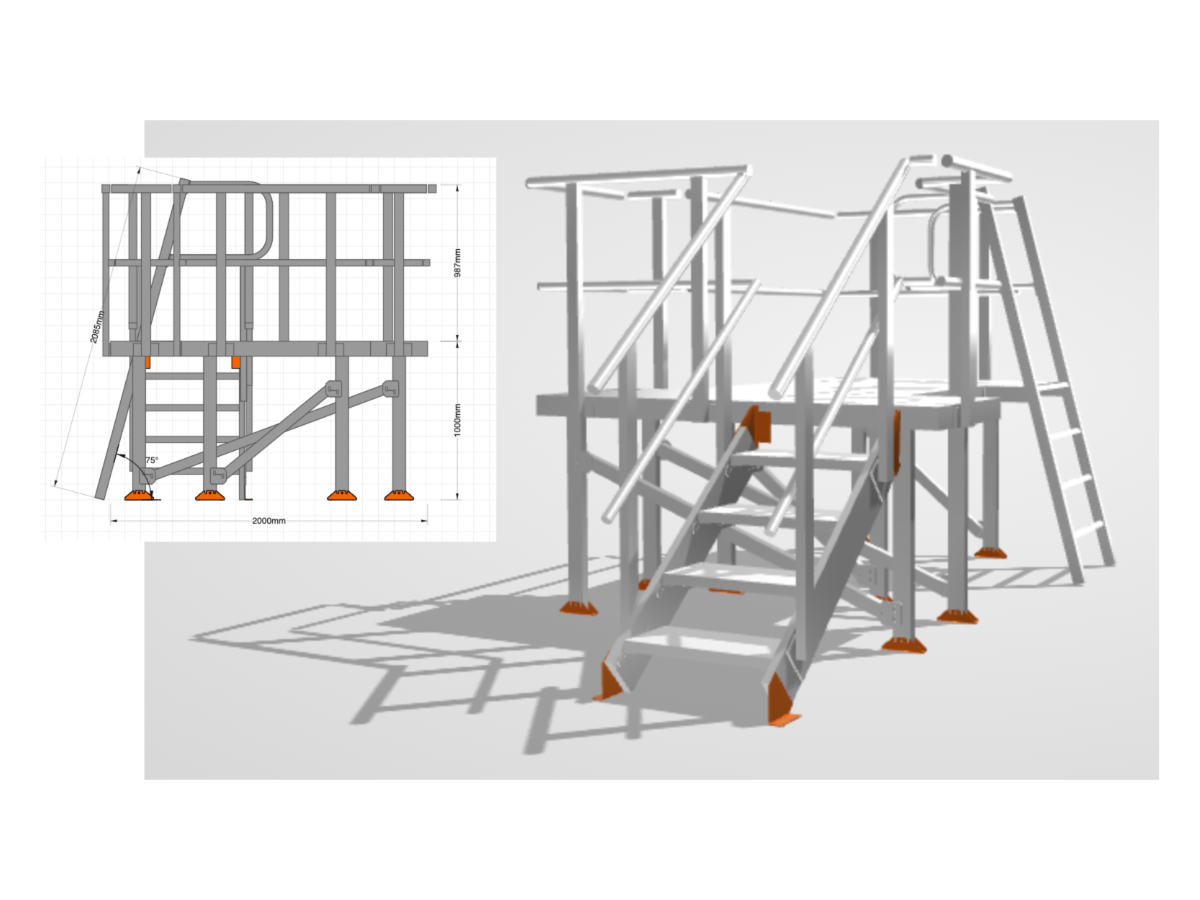 |


