Looker Studio vs. Powerslide

Overview
ProductRatingMost Used ByProduct SummaryStarting Price
Looker Studio
Score 8.1 out of 10
N/A
Looker Studio is a data visualization platform that transforms data into meaningful presentations and dashboards with customized reporting tools.
$9
per month per user per project
Powerslide
Score 9.5 out of 10
N/A
Created in 2019, Powerslide is a data storytelling and data visualization solution. This software helps business users to create usages around data. Powerslide is a solution for data analysis, visualization and presentation. Interactive and collaborative, Powerslide aims to answer data issues in a simple, practical and design interface, and help users simplify the analysis and communication of…N/A
Pricing
Looker StudioPowerslide
Editions & Modules
Looker Studio Pro
$9
per month per user per project
Looker Studio
No charge
No answers on this topic
Offerings
Pricing Offerings
Looker StudioPowerslide
Free Trial
NoYes
Free/Freemium Version
YesNo
Premium Consulting/Integration Services
NoNo
Entry-level Setup FeeNo setup feeOptional
Additional DetailsOur rates are flexible and adapt to the size and use of your organization. Contact us and let’s discuss about it.
More Pricing Information
Community Pulse
Looker StudioPowerslide
Features
Looker StudioPowerslide
BI Standard Reporting
Comparison of BI Standard Reporting features of Product A and Product B
Looker Studio
7.6
55 Ratings
6% below category average
Powerslide
8.8
2 Ratings
8% above category average
Pixel Perfect reports7.339 Ratings8.52 Ratings
Customizable dashboards8.254 Ratings9.02 Ratings
Report Formatting Templates7.353 Ratings9.02 Ratings
Ad-hoc Reporting
Comparison of Ad-hoc Reporting features of Product A and Product B
Looker Studio
8.1
54 Ratings
4% above category average
Powerslide
9.5
2 Ratings
20% above category average
Drill-down analysis8.946 Ratings9.52 Ratings
Formatting capabilities8.350 Ratings00 Ratings
Integration with R or other statistical packages5.625 Ratings00 Ratings
Report sharing and collaboration9.653 Ratings9.52 Ratings
Report Output and Scheduling
Comparison of Report Output and Scheduling features of Product A and Product B
Looker Studio
8.7
54 Ratings
6% above category average
Powerslide
9.2
2 Ratings
11% above category average
Publish to Web8.148 Ratings9.02 Ratings
Publish to PDF9.747 Ratings9.52 Ratings
Report Versioning8.335 Ratings9.01 Ratings
Report Delivery Scheduling8.337 Ratings00 Ratings
Delivery to Remote Servers9.020 Ratings00 Ratings
Data Discovery and Visualization
Comparison of Data Discovery and Visualization features of Product A and Product B
Looker Studio
6.5
53 Ratings
18% below category average
Powerslide
9.0
2 Ratings
15% above category average
Pre-built visualization formats (heatmaps, scatter plots etc.)8.453 Ratings00 Ratings
Location Analytics / Geographic Visualization8.250 Ratings9.02 Ratings
Predictive Analytics5.027 Ratings00 Ratings
Pattern Recognition and Data Mining4.63 Ratings00 Ratings
Best Alternatives
Looker StudioPowerslide
Small Businesses
Supermetrics
Supermetrics
Score 9.9 out of 10
Supermetrics
Supermetrics
Score 9.9 out of 10
Medium-sized Companies
Supermetrics
Supermetrics
Score 9.9 out of 10
Supermetrics
Supermetrics
Score 9.9 out of 10
Enterprises
IBM Analytics Engine
Score 8.5 out of 10
IBM Analytics Engine
Score 8.5 out of 10
All AlternativesView all alternativesView all alternatives
User Ratings
Looker StudioPowerslide
Likelihood to Recommend
8.7
(56 ratings)
9.5
(2 ratings)
Likelihood to Renew
9.0
(1 ratings)
-
(0 ratings)
Usability
8.5
(7 ratings)
-
(0 ratings)
Support Rating
6.7
(10 ratings)
-
(0 ratings)
User Testimonials
Looker StudioPowerslide
Likelihood to Recommend
Google
Looker Studio is well-suited for those wanting to analyze web/site data and performance quickly. It is simple enough to learn/use for quick report-building or drilling into data. Looker Studio is easier to use/understand than the GA4 console and thus has a better UI/UX. It is an efficient tool for fast, simple data needs—especially for team members with limited analytical capabilities and knowledge.
Read full review
Datarocks
It has allowed us as an organization to clearly deliver our numbers to our collaborators, but above all to the heads of our teams and company. Not being entirely professional, it is easy to use for someone who does not understand the function of these numbers or hard data.
Read full review
Pros
Google
  • Self-service
  • Easy to use, point and click
  • Little to no training required
  • Easy to share internally and externally
  • Rich visualizations
  • Canned reports
  • Easy to copy/paste/dupe existing reports
  • Ability to join data sets
  • Easy integration with various data sources
  • Flexible data integrations, including lowest common denominator (CSV, XLS, G-Sheets)
  • Wide range of APIs
  • Secure / authentication via Google SSO
  • Easy to share / re-assign ownership of reports and data sources
Read full review
Datarocks
  • Collaborative fractures helped a lot.
  • Dashboards are really unique.
Read full review
Cons
Google
  • Few functionalities are very exclusive only for data studio.
  • It's time taking to load data and at the same time only single Data source can be connected.
  • When editing the reports you have to switch between Edit and View mode to see how does the change looks like.
Read full review
Datarocks
  • Increase the variety of fonts
  • Make templates less serious or business
Read full review
Likelihood to Renew
Google
It is the simplest and least expensive way for us to automate our reporting at this time. I like the ability to customize literally everything about each report, and the ability to send out reports automatically in emails. The only issue we have been having recently is a technical glitch in the automatic email report. Sadly, there is almost no support for this tool from Google, but is also free, so that is important to take into consideration
Read full review
Datarocks
No answers on this topic
Usability
Google
It is not ideal and requires time and dedication to understand how to work with it. Also, it has a lot of limitations around data it can accept. But in most cases, this tool is sufficient for everyday tasks of product and marketing departments. I wouldn't say that the interface is very user-friendly, but for people who regularly work with analytical tools, it must be ok.
Read full review
Datarocks
No answers on this topic
Support Rating
Google
I give it a lower support rating because it seems like our Dev team hasn't gotten the support they need to set up our database to connect. Seems like we hit a roadblock and the project got put on pause for dev. That sucks for me because it is harder to get the dev team to focus on it if they don't get the help they need to set it up.
Read full review
Datarocks
No answers on this topic
Alternatives Considered
Google
The free version of Looker Studio is still better than the leading enterprise-embedded BI tools, despite its weaknesses. The leading embedded BI platforms have terrible visualizations that can be spotted a mile away. They are also primarily locked to a grid, making it very hard to fully customize. The price point is also a major deterrent, since users end up paying for lots of features they might never use. Looker Studio has weaknesses on the blending and modeling side, but we've been able to get by via connection to GBQ and transformation done in dbt.
Read full review
Datarocks
Powerslide stands out for having templates that help you easily organize hard data and more delicate information such as numbers and statistics. By having many ways to present and edit it in one place, it makes this a page with variety and empathy with its user.
Read full review
Return on Investment
Google
  • Free, so the only investment is time
  • Because it doesn't have native support of non-Google sources, it can cost more money than Tableau
  • The time spent formatting the templates or building connectors can have a negative impact on ROI
  • As a agency, charging for the reporting service is profitable after the first month or two after building the dashboard.
Read full review
Datarocks
  • Our collaborators do not get bored in meetings and even if it is a lot of information, seeing it in an interesting design makes them pay attention and like to be informed of the numbers they manage to obtain with their work.
Read full review
ScreenShots

Powerslide Screenshots

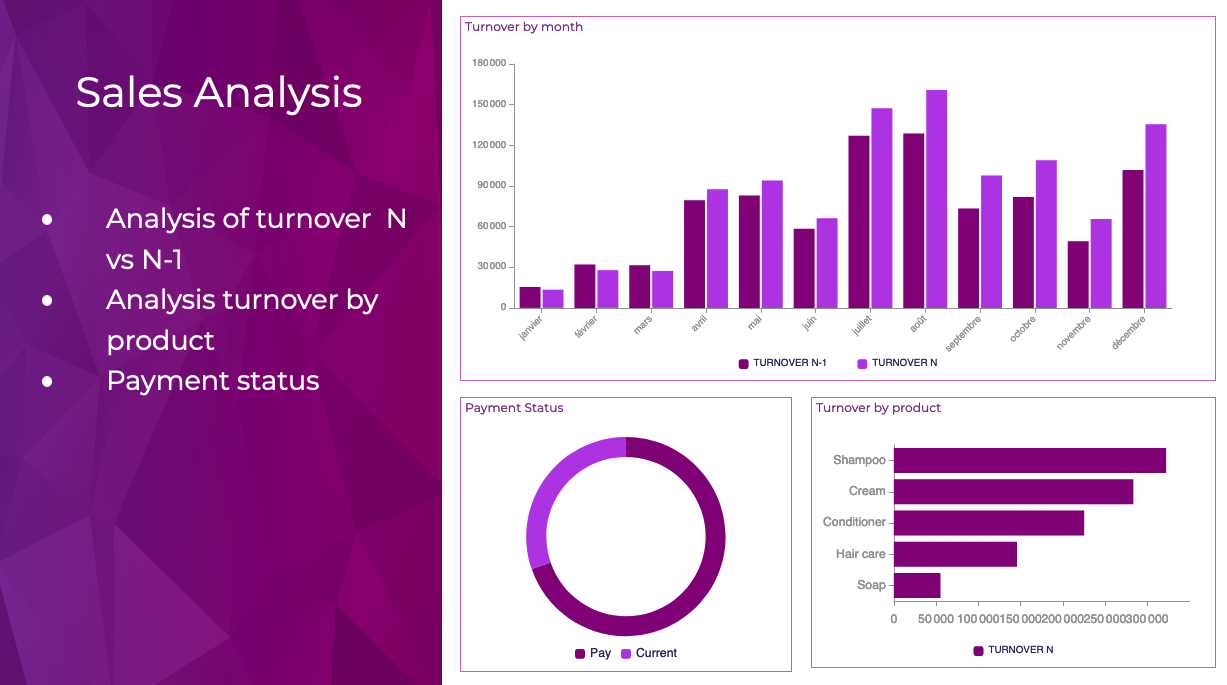
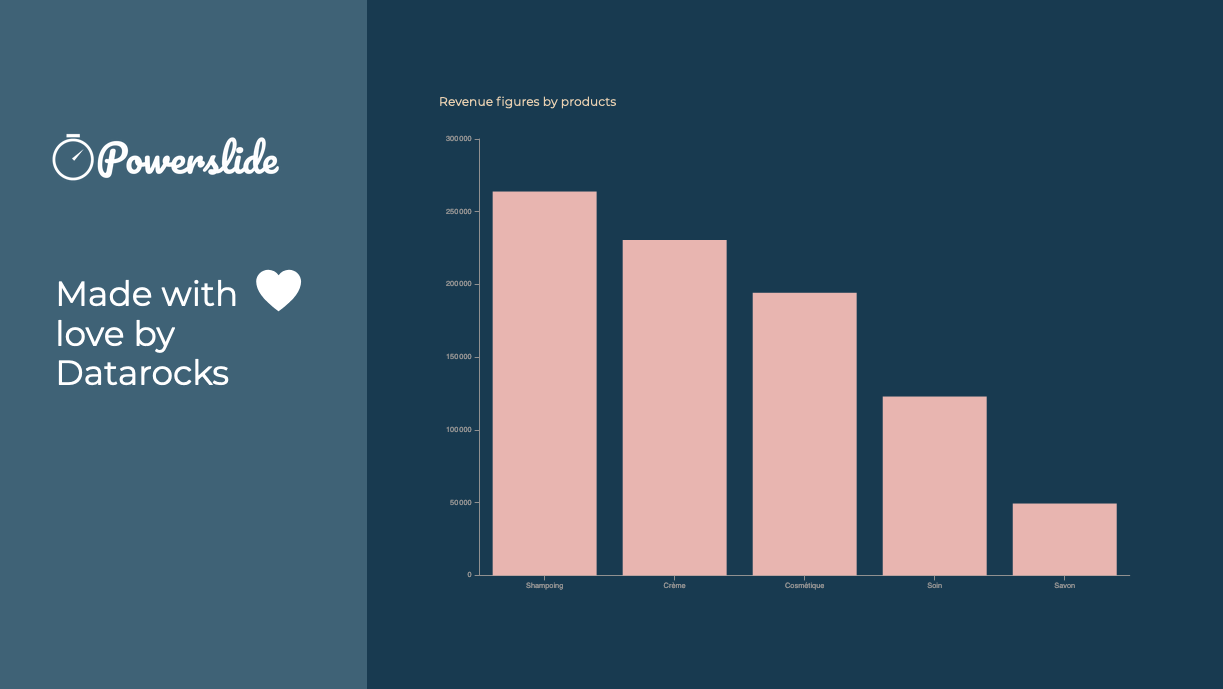
Screenshot of Reporting and dashboards have never been easier to achieve. Interactive, Powerslide takes you to the heart of your data and helps you take better decisions. Simple to use, you can build your graphics in seconds with drag-and-drop and let our suggestion algorithms guide you.Screenshot of Powerslide complies to your graphic chart. Define your color palette and Powerslide takes care of the rest.Screenshot of Powerslide is THE solution provided with love by DatarocksScreenshot of Take advantage of real-time collaboration to work as a team on the same project. Time-saving and flexibility await you !