MatchCraft AdVantage vs. Moz Local

Overview
ProductRatingMost Used ByProduct SummaryStarting Price
MatchCraft
Score 10.0 out of 10
N/A
MatchCraft Advantage is a search engine marketing (SEM) platform for managing many paid advertising campaigns at once, ideally for agencies managing campaigns for a number of small to midsize businesses with their local marketing efforts. To that end it automates many elements of running Google Adwords and Bing Ads campaigns and offers bidding suggestions via Matchcraft's proprietary algorithms. AdVantage Display is a built in set of tools for targeted display ads, and AdVantage Remarketing…N/A
Moz Local
Score 8.9 out of 10
N/A
Moz Local is a Listing Management & Distribution software solution that enables users to actively manage location data to optimize local search performance. The solution also enables users to respond to reviews and analyze review sentiment on the most popular sites without having to visit them individually, delete duplicate listings, and engage with consumers to share news, offers, and updates across Google, Facebook and other directories.
$20
per month
Pricing
MatchCraft AdVantageMoz Local
Editions & Modules
No answers on this topic
Lite
$20
per month
Preferred
$30
per month
Elite
$40
per month
Offerings
Pricing Offerings
MatchCraftMoz Local
Free Trial
NoNo
Free/Freemium Version
NoNo
Premium Consulting/Integration Services
NoNo
Entry-level Setup FeeNo setup feeNo setup fee
Additional DetailsDiscounts are available for annual billing. Add-ons like Reviews AI and Listings AI are available on certain plans. A discount of up to 20% is available for annual billing.
More Pricing Information
Community Pulse
MatchCraft AdVantageMoz Local
Best Alternatives
MatchCraft AdVantageMoz Local
Small Businesses
WordStream
WordStream
Score 6.9 out of 10
LocaliQ
LocaliQ
Score 8.7 out of 10
Medium-sized Companies
WordStream
WordStream
Score 6.9 out of 10
LocaliQ
LocaliQ
Score 8.7 out of 10
Enterprises
Adobe Advertising Cloud
Score 8.7 out of 10
Yext
Yext
Score 7.9 out of 10
All AlternativesView all alternativesView all alternatives
User Ratings
MatchCraft AdVantageMoz Local
Likelihood to Recommend
8.0
(1 ratings)
10.0
(1 ratings)
User Testimonials
MatchCraft AdVantageMoz Local
Likelihood to Recommend
Matchcraft
If you have multiple campaigns running at the same time, you need your campaign setups to be quick and easy, or you have multiple users managing campaigns, then MatchCraft Advantage is right for you. It also performs well with both small and large budgets. If you want to do re-targeting but don't want/know how to implement the tag, MatchCraft has built-in features for that. However if you want to run video campaigns and campaigns in specific mobile apps, then for now MatchCraft will not work for you
Read full review
iContact
Moz Local is a great alternative as well as a compliment to Yext. The service has a smaller network but is just as powerful. The dashboard is super easy to load your location information into and allows the product to do the work by distributing the data across platforms. Issues are easily identifiable and can easily be corrected. Depending on your service level package, you also can have access to reviews and be able to monitor those as you see fit. I would strongly recommend this service to anyone who has a local business they are looking to get seen across the web. For a larger business, I'd consider a larger company with a bigger network.
Read full review
Pros
Matchcraft
  • Automated bid adjustments for PPC campaigns. Manual bid strategies can be tedious to manage. MatchCraft's bidding system helps improve click throughs while keeping the click costs pretty low.
  • The report generation features of the platform MatchCraft platform are easy to use and provide actionable data from campaigns. PDF reports require only a few clicks and there is also an interactive dashboard that gives all the key metrics in a graphical format. Both features are customizable.
  • User management is a breeze in the MatchCraft platform. You can add, edit, activate, deactivate, and change the permissions as needed.
Read full review
iContact
  • Distribution of location data.
  • Dashboard super easy to use.
  • Low cost option that gets the job done.
Read full review
Cons
Matchcraft
  • Not all Google/Bing features are available through the MatchCraft platform. Since they are limited to what is available in the API some features like video campaign management and specific app targeting are missing.
  • Customized report scheduling is not yet available for each campaign and the automated reports can only be sent to one email address. Additional recipients have to be sent their's manually.
  • Reports can take a little time to be generated. Not more than 1 minute but it can slow you down if you have multiple reports to send.
Read full review
iContact
  • Expansion of network.
  • Needs to be easier to access, too many clicks within Moz suite.
  • Generally speaking, they are solid.
Read full review
Alternatives Considered
Matchcraft
The interface on MatchCraft is much easier to get started with than the native PPC provider interfaces. MatchCraft finds ways of maximizing ROI within current spend target rather than recommending 'increased budget' as the fix for all issues. the reporting dashboard is also easier to use and report generation takes only a few clicks. The main downside is that MatchCraft is limited to what the PPC providers allow through the APIs
Read full review
iContact
Moz is just as good as Yext, the only major difference is the size of the network.
Read full review
Return on Investment
Matchcraft
  • It has allowed the company to handle a higher volume of campaigns at the same time.
  • Click costs have been reduced across almost all campaigns while click rates have increased.
  • Budget management (under/overspending) has been improved.
Read full review
iContact
  • Information has been published which has helped ensure we are trusted amongst our customers.
Read full review
ScreenShots

Moz Local Screenshots

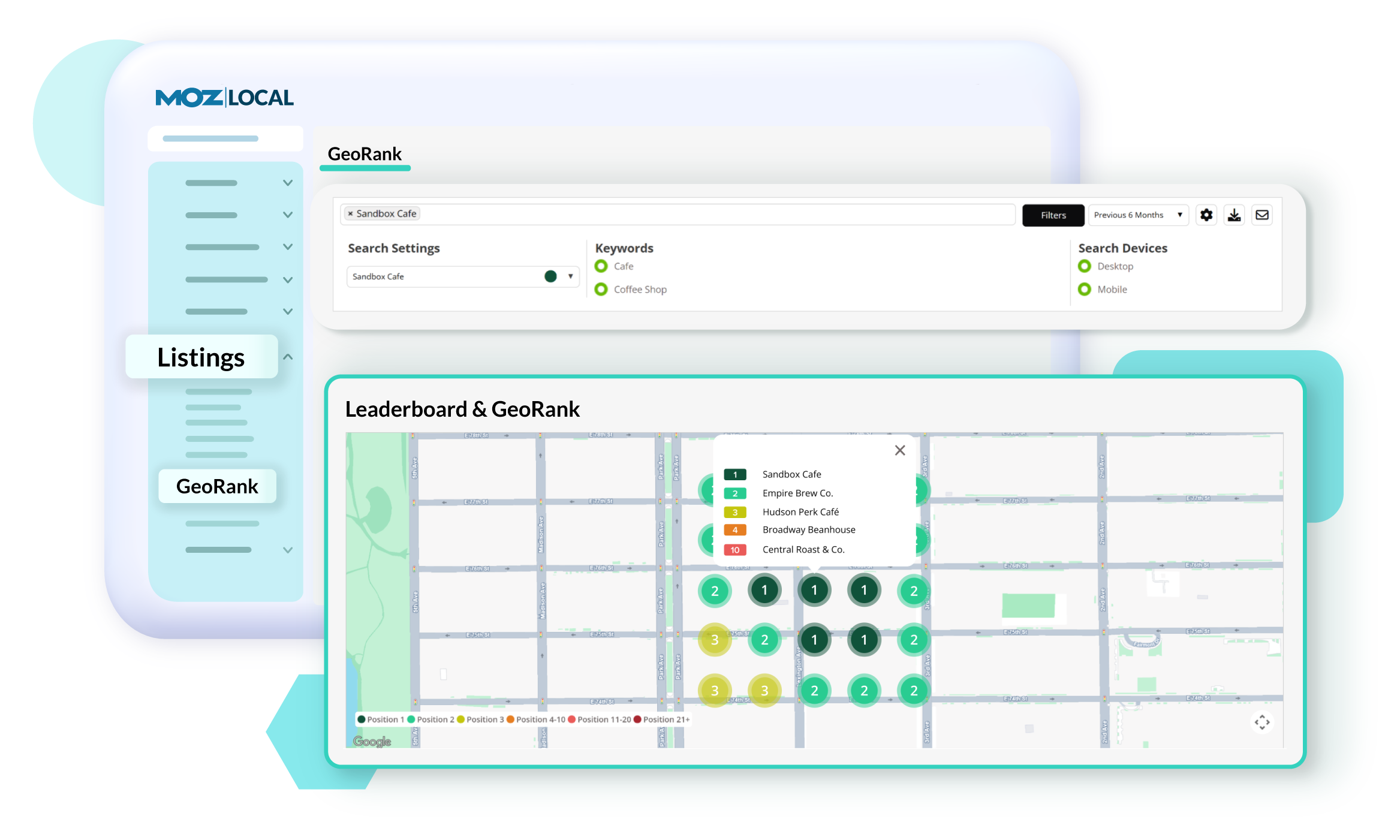
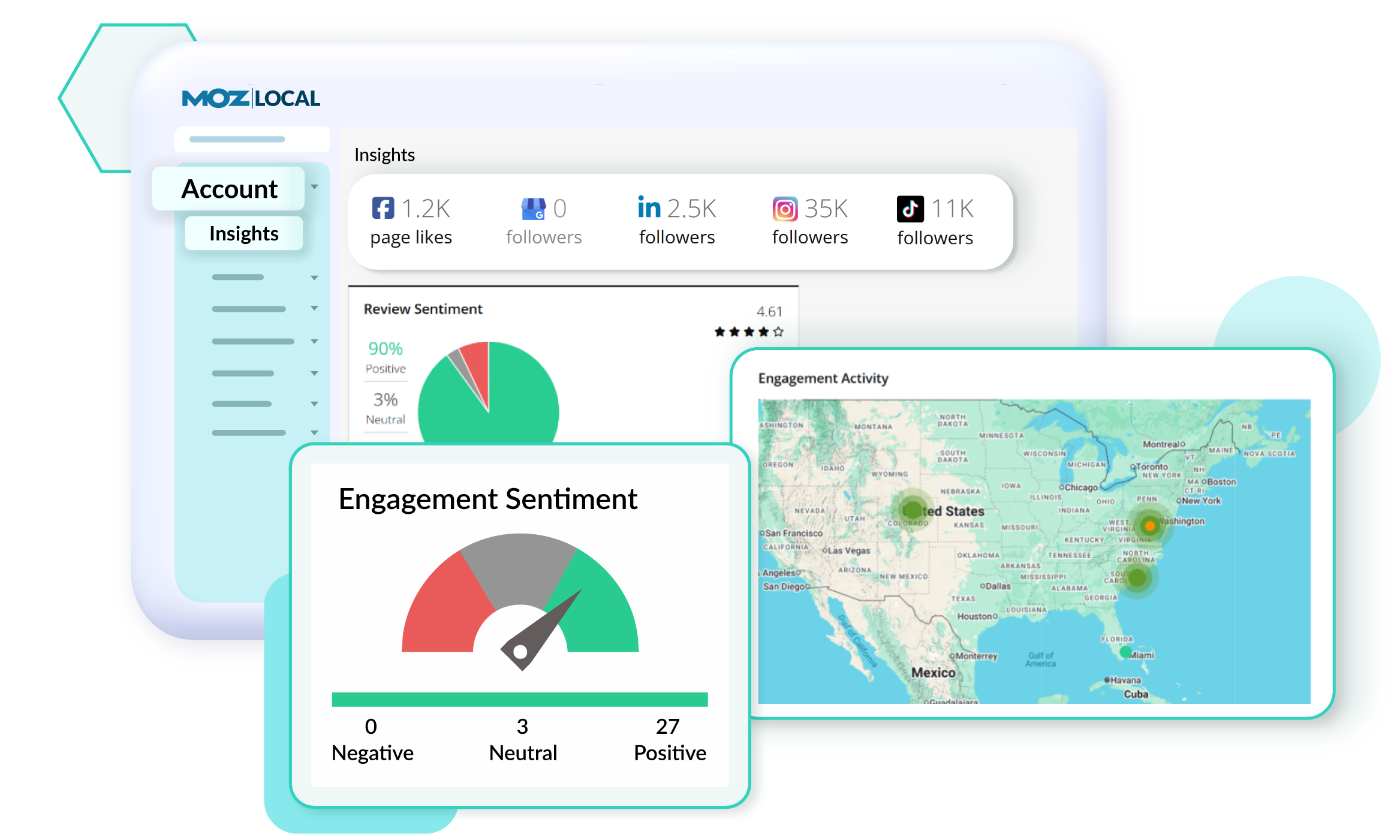
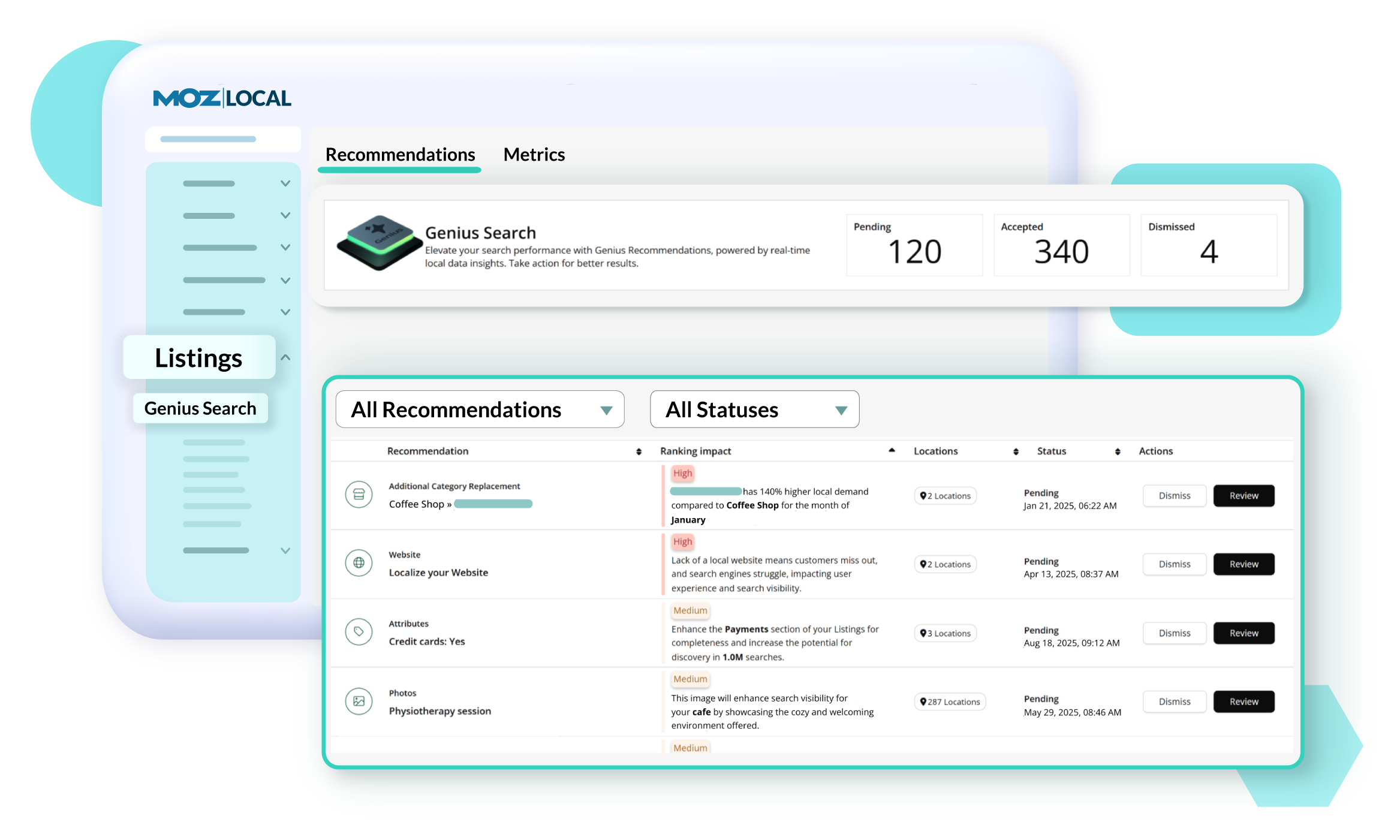
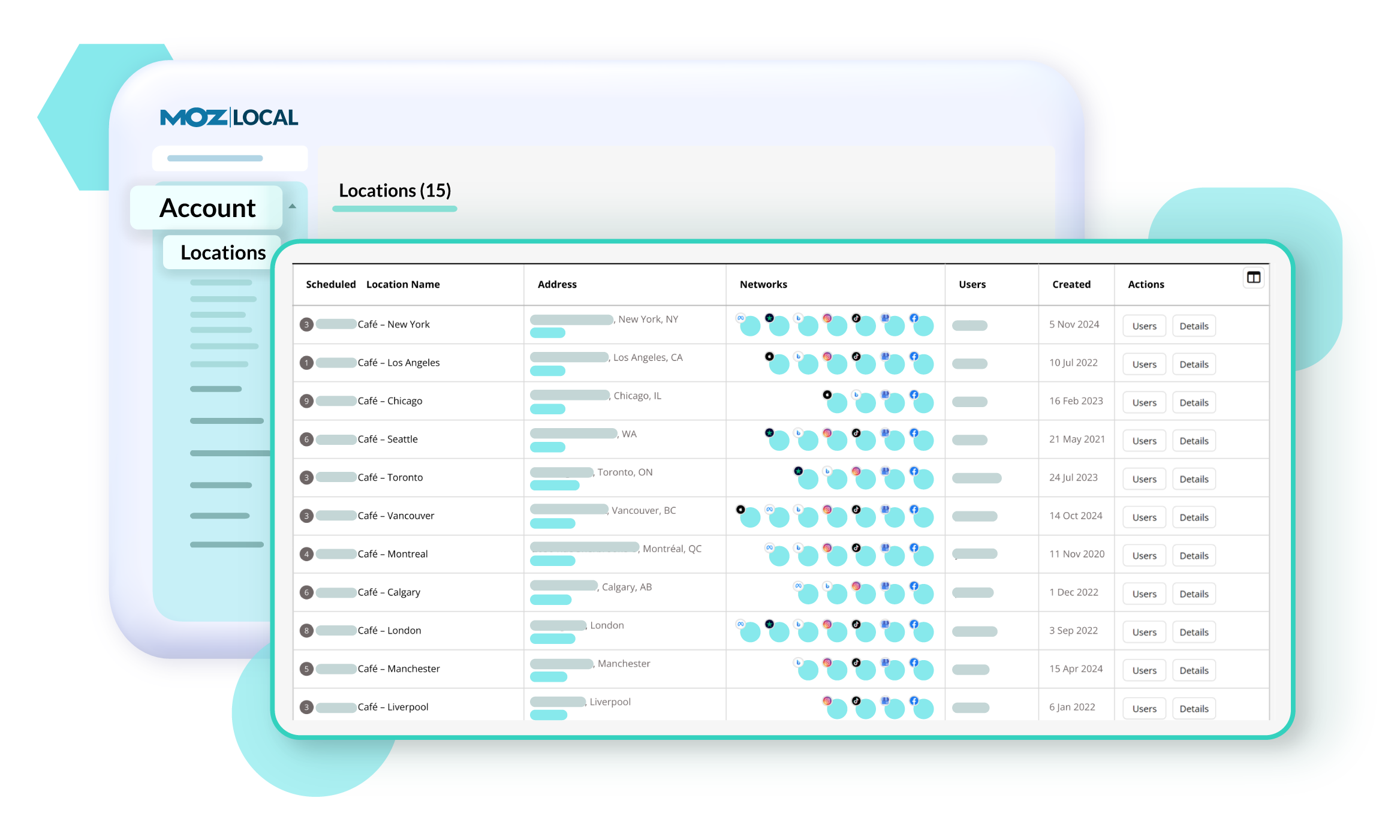
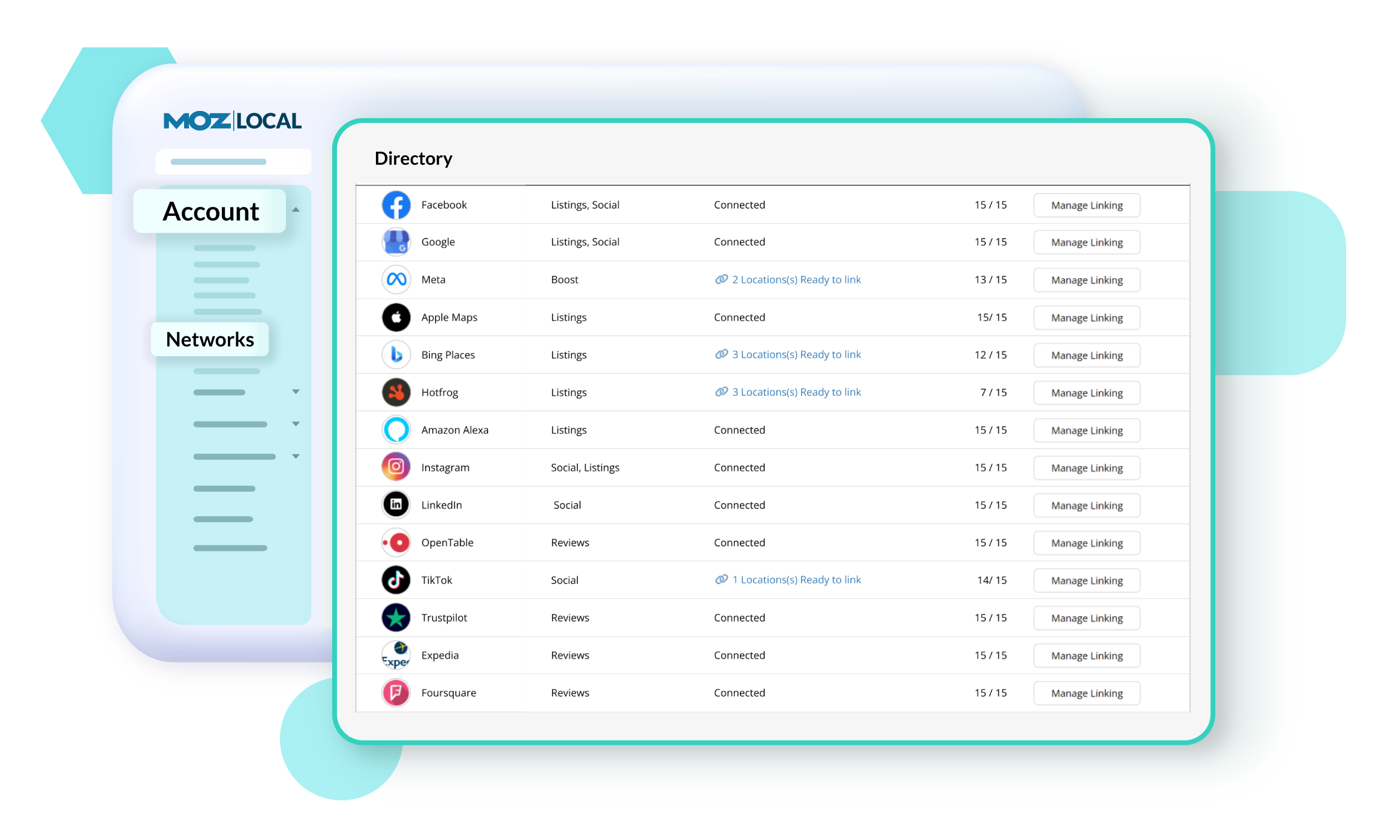
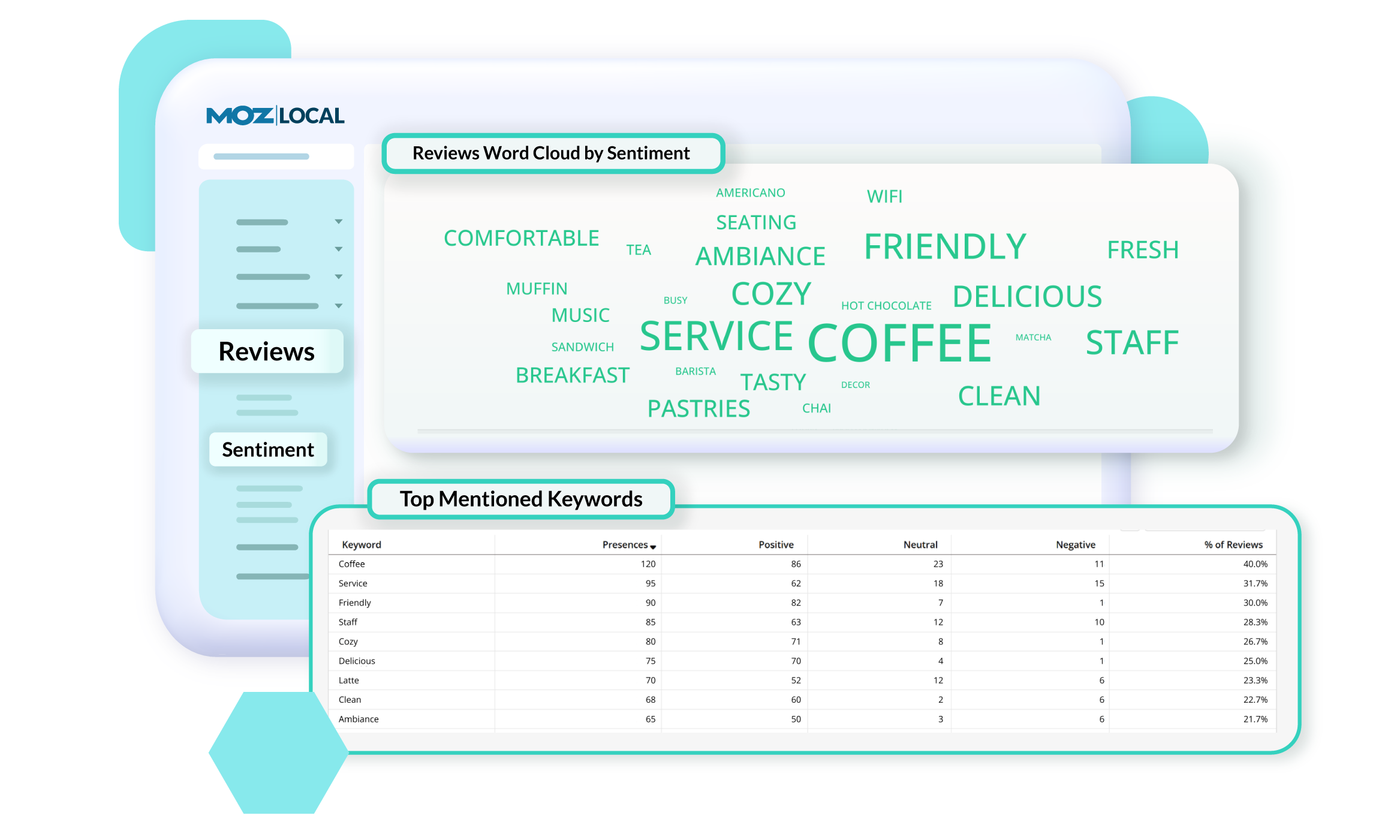
Screenshot of GeoRank, which offers a precise view of how a business and competitors rank in Google’s local search results across different neighborhoods. Because search results change based on a person’s location, traditional rank tracking doesn’t show the full picture. With GeoRank, you can set grids around your service area, track keyword rankings at multiple points, and visualize performance on interactive maps. See where you’re winning, where competitors outrank you, and how your visibility changes over time. GeoRank helps uncover opportunities to strengthen local SEO and expand a brand's reach.Screenshot of Insights in Moz Local, which connect directly with a Google Business Profile to show how customers are finding and engaging with a business. Track key actions like website clicks, direction requests, and phone calls to understand how listing drives leads over time. See which search keywords bring people to a profile, spot trends, and uncover opportunities to improve visibility. Insights offer a deeper look at customer behavior.Screenshot of Listings AI, which helps to keep a business's listings optimized as markets, competitors, and customer behaviors change. By analyzing reviews, engagement signals, keywords, and competitor data, it generates tailored recommendations that follow SEO best practices and align with local search trends. You’ll see suggestions for categories, services, and attributes—each with clear impact metrics—so you know which updates will boost visibility. It is available with Elite plans (or as an add-on for Lite and Preferred).Screenshot of Locations in Moz Local, where users manage and update business details to keep listings accurate and consistent across the web. From one dashboard, you can edit core information like name, address, hours, services, categories, and attributes, as well as upload images and add custom fields. Auto-sync ensures changes are pushed to directories automatically, saving you time and preventing errors. You can also view edit history, set warnings to avoid duplicate content, and group locations for easier management.Screenshot of Networks in Moz Local. which offers a centralized view of all the directories, social platforms, and review sites a business can connect to. From here, you can see which locations are linked, ready to link, or need updates, and quickly manage connections across platforms like Google, Facebook, and Yelp. The Networks table shows linking status and highlights any missing data or issues.Screenshot of Reviews Sentiment in Moz Local, which helps understand how customers feel about a business by analyzing the language used in their reviews. Track sentiment trends over time, see top keywords driving positive or negative feedback, and explore interactive word clouds to quickly spot themes. With color-coded insights and keyword-level detail, you can identify what customers love, uncover areas for improvement, and take action to strengthen your reputation. Sentiment reports can be filtered, shared, or exported, so marketing teams stay aligned on customer feedback and business impact.