McGraw-Hill Connect vs. Synap

Overview
ProductRatingMost Used ByProduct SummaryStarting Price
McGraw-Hill Connect
Score 8.1 out of 10
N/A
McGraw-Hill Connect is an e-learning platform offered by McGraw-Hill Education. Features include course and assignment creation, grading, learning aides, e-books, and student portals.N/A
Synap
Score 0.0 out of 10
N/A
Synap is an online exam and assessment platform designed to provide a seamless experience for both administrators and candidates. It supports a range of assessment formats and offers customisable exam settings to meet the specific needs of educational institutions and organisations. Synap’s integrated proctoring tools help maintain academic integrity through configurable rules and monitoring options. Its analytics dashboards deliver real-time insights into learner…
$179
per month 30 active users
Pricing
McGraw-Hill ConnectSynap
Editions & Modules
No answers on this topic
Standard - per active user
starting at $179
per month 30 active users
Pro - per active user
starting at $455
per month 100 active users
Business - per active user
starting at $1000
per month 100 active users
Business - per assessment
starting at $9600
per year 1000 annual credits
Pro - per assessment
starting at $4200
per year 500 annual credits
Standard - per assessment
starting at $1440
per year 500 annual credits
Offerings
Pricing Offerings
McGraw-Hill ConnectSynap
Free Trial
NoYes
Free/Freemium Version
NoNo
Premium Consulting/Integration Services
NoNo
Entry-level Setup FeeNo setup feeRequired
Additional Details
More Pricing Information
Community Pulse
McGraw-Hill ConnectSynap
Best Alternatives
McGraw-Hill ConnectSynap
Small Businesses
Renaissance Accelerated Reader
Score 9.9 out of 10
Renaissance Accelerated Reader
Score 9.9 out of 10
Medium-sized Companies
Renaissance Accelerated Reader
Score 9.9 out of 10
Renaissance Accelerated Reader
Score 9.9 out of 10
Enterprises
Renaissance Accelerated Reader
Score 9.9 out of 10
Renaissance Accelerated Reader
Score 9.9 out of 10
All AlternativesView all alternativesView all alternatives
User Ratings
McGraw-Hill ConnectSynap
Likelihood to Recommend
8.1
(12 ratings)
-
(0 ratings)
Usability
6.7
(2 ratings)
-
(0 ratings)
Support Rating
2.9
(4 ratings)
-
(0 ratings)
User Testimonials
McGraw-Hill ConnectSynap
Likelihood to Recommend
McGraw-Hill Education
For institutions and students who do not want to own books or engage in a majority of in-class only lecture material. Ideally it makes course material cheaper as digital assets, but some people still prefer the more tangible assets. Participants will like the product if they want a more online learning experience.
Read full review
Synap
No answers on this topic
Pros
McGraw-Hill Education
  • Integration with Canvas is seamless and easy to use.
  • Assignment completion, for students, is straightforward and easy to use.
  • The SmartBook allows students to read as they are tested with questions and this helps them learn the material easily without having first trying to read, memorize a chapter and then answer questions.
Read full review
Synap
No answers on this topic
Cons
McGraw-Hill Education
  • The ebook is not a real ebook, it's really just a web page, or a series of webpages. It can only be accessed through MH Connect, therefore, when logging into the system. A real eBook would be able to be accessed as such-- on a Kindle or other e-Reader, or on a desktop eBook reader. The interface for this is also not very dynamic, just kind of obnoxious and Web 1.0.
  • Limited learning tools beyond simple exercises, at least from what I saw.
  • Terrible customer service. Long wait times with representatives who do not seem to understand their own product and cannot seem to answer very basic questions.
  • Hard to get resolution for basic problems.
Read full review
Synap
No answers on this topic
Usability
McGraw-Hill Education
There is quite a steep learning curve in effectively navigating the site and using the resources. MGH seems to discourage integration with other sites, by only allowing links to their site rather than full assignment integration with grade pass back. Resources for teachers and students is good, but presentation format is different than many other programs, forcing both to learn another system.
Read full review
Synap
No answers on this topic
Support Rating
McGraw-Hill Education
Personally, I did not encounter McGraw-Hill support. However, I worked with colleagues who needed support and were able to receive in a timely manner. Overall, McGraw Hill Connect is user-friendly (at least from teacher interface) and easy to navigate, which minimizes the need to reach out for support. The help button is useful and provides plenty of immediate support.
Read full review
Synap
No answers on this topic
Alternatives Considered
McGraw-Hill Education
McGraw-Hill is the most user-friendly and teacher-friendly for students and teachers. McGraw-Hill provided the online portion of learning that helped teachers provide the resources to students that were needed. Additionally, even though McGraw-Hill is wordy in its descriptions in the workbooks it was the least "wordy" of the other options provided to teachers, such as, Go Math.
Read full review
Synap
No answers on this topic
Return on Investment
McGraw-Hill Education
  • Improved efficiency from analysts looking to speed up the time it takes to do certain tasks.
  • Less waste on searching and researching how to do certain concepts.
  • Negative impact is use by individuals that can learn better through other methods that don't require activities.
Read full review
Synap
No answers on this topic
ScreenShots

Synap Screenshots

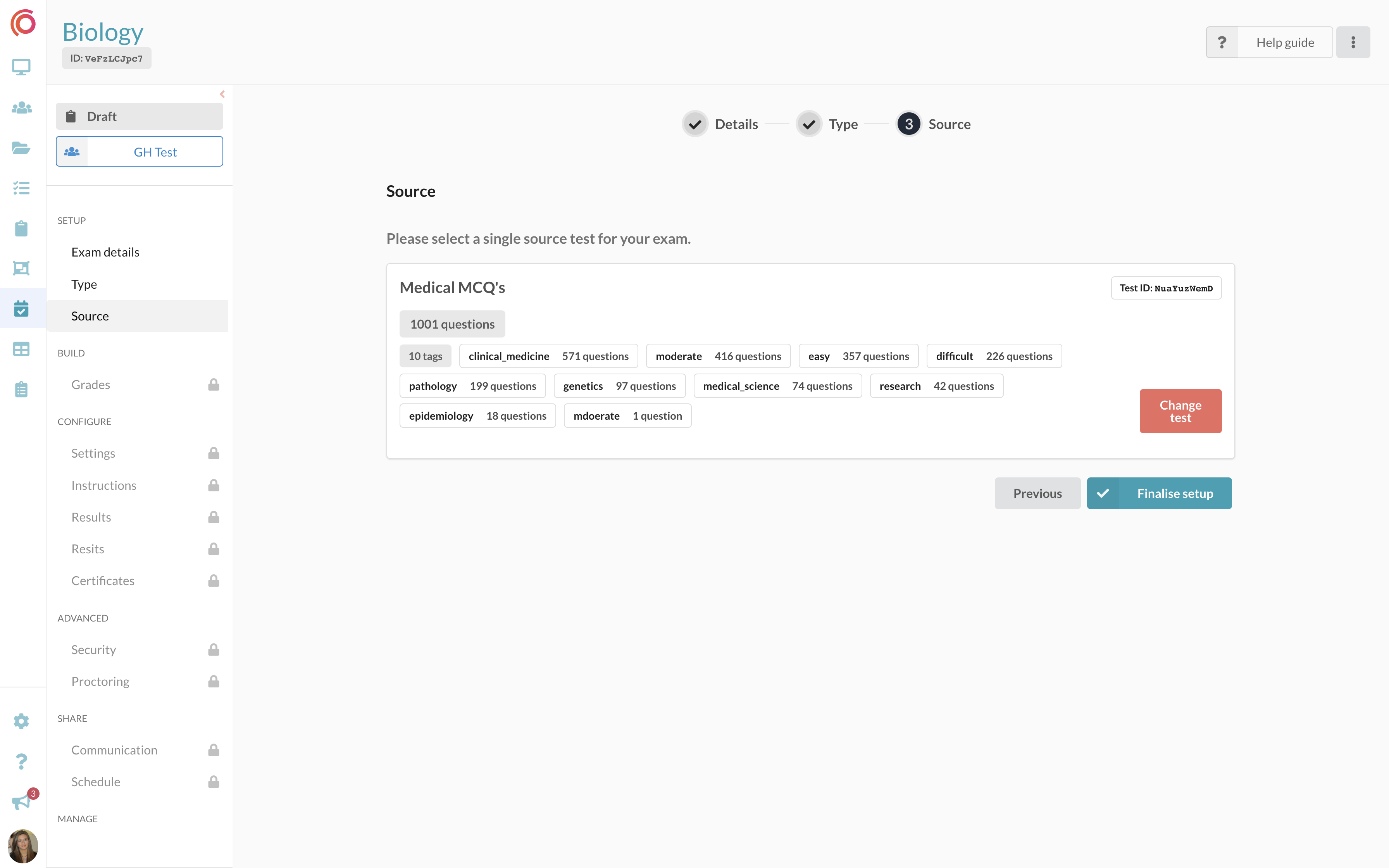
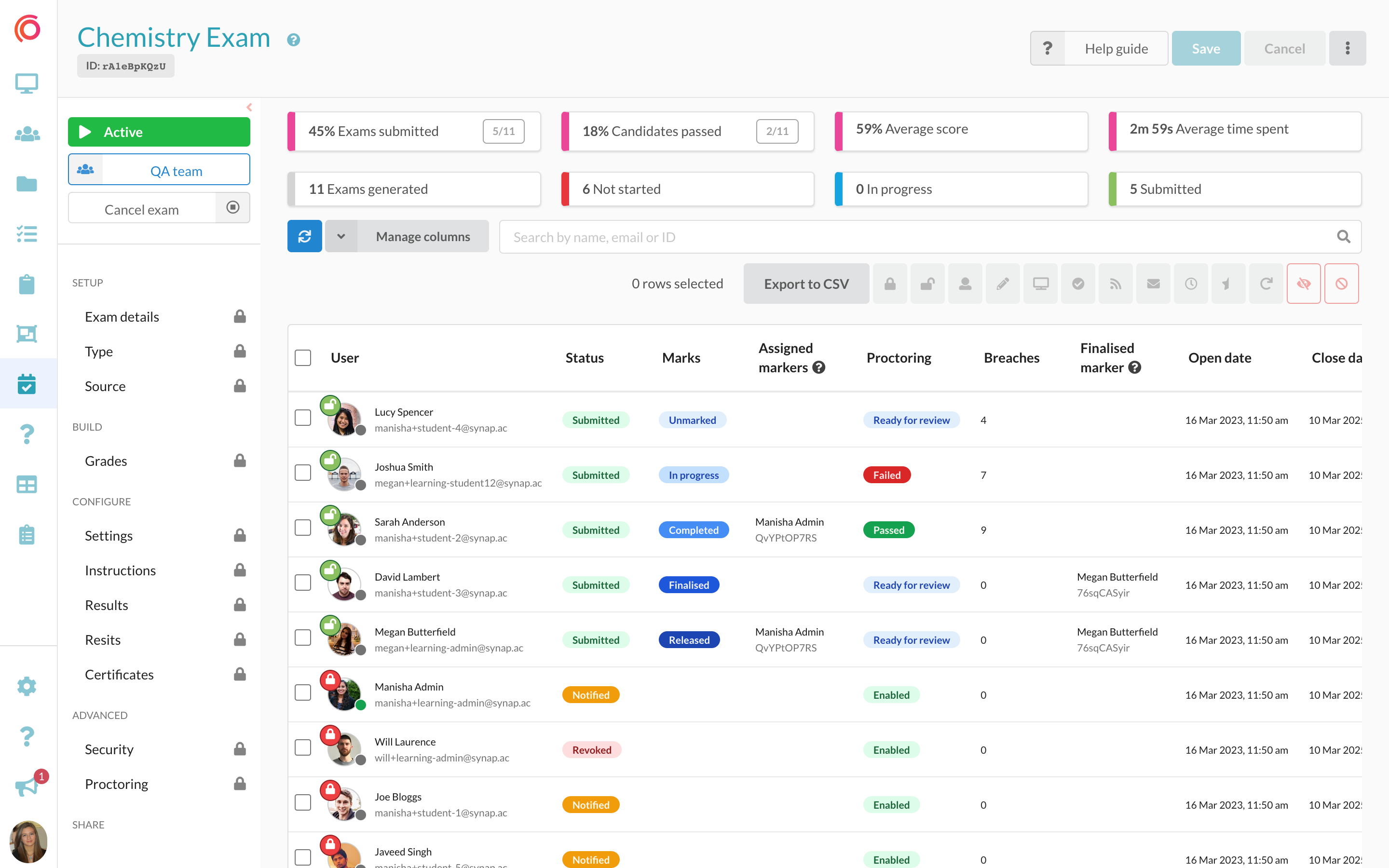
Screenshot of an interface for students taking an exam, featuring an image-based multiple-choice question (MCQ). The UI is designed to improve navigation and readability.Screenshot of question banks that can be imported along with their existing tags for dynamic exam creation. Tags enable users to customise exams based on specific themes or topics.Screenshot of the exam dashboard, where users create, schedule and monitor exam progress, and manage assessments.Screenshot of the exam users table, to manage user exam attempts. Administrators can lock/unlock attempts, assign markers, review proctoring footage, and access the on-platform marking modal.