Milanote vs. Workflowy

Overview
ProductRatingMost Used ByProduct SummaryStarting Price
Milanote
Score 9.2 out of 10
N/A
Milanote is a visual Collaboration and Note-taking platform built on an Infinite Canvas architecture. The platform enables the spatial organization of diverse media types, including text, images, and files, to facilitate non-linear creative workflows and project planning.
$12.50
per month
Workflowy
Score 9.6 out of 10
N/A
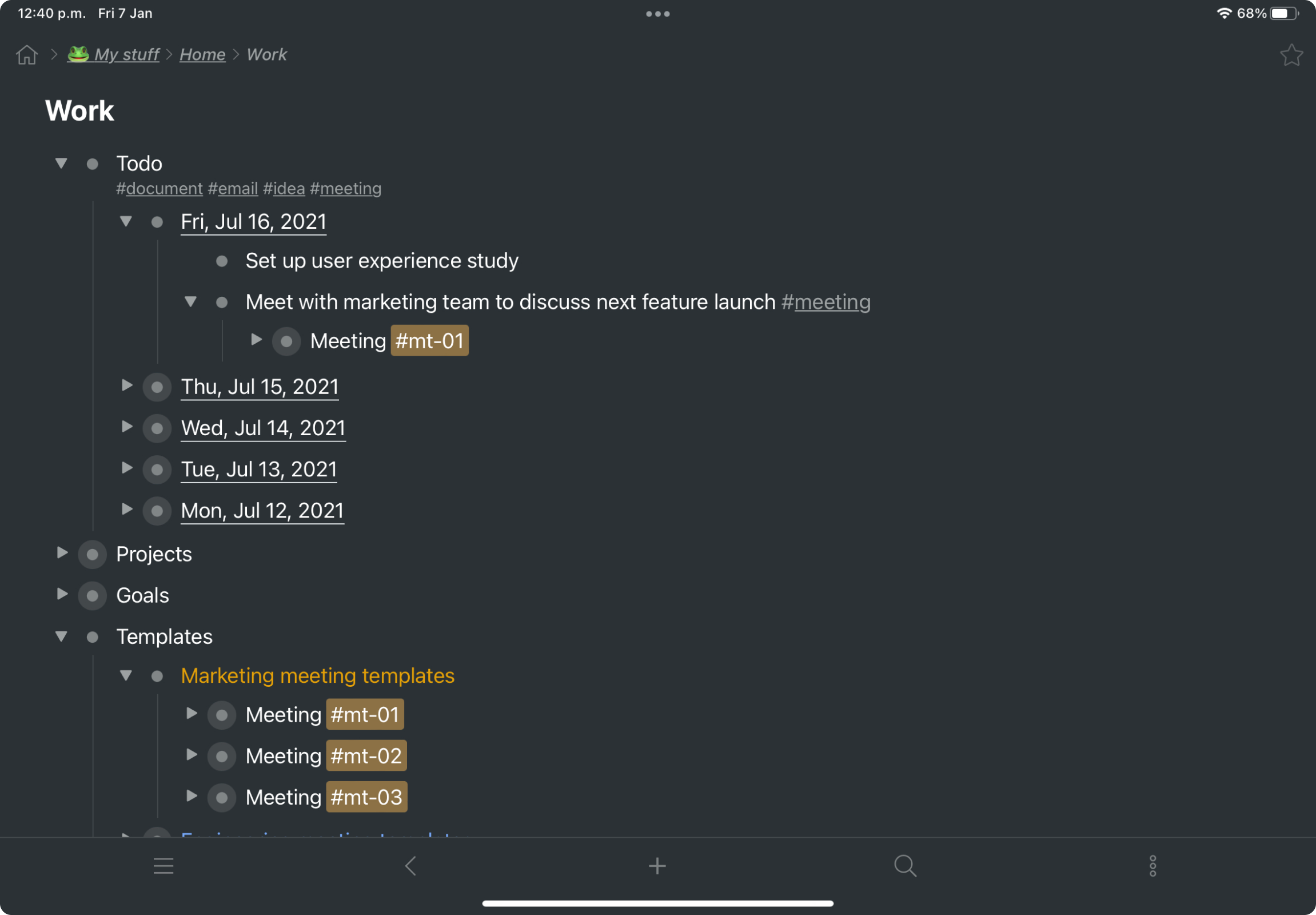
Workflowy is a note-taking and organizational tool designed to help users manage their tasks, notes, and projects. Its simplicity and features make it a choice for individuals and teams looking to streamline their workflow. Infinite Nesting Structure: Workflowy allows users to create lists within lists to an infinite degree, enabling a detailed and structured way to organize information Global Search: Its search function is used to search through all their…
$8.99
per month per user
Pricing
MilanoteWorkflowy
Editions & Modules
Pay per person billed annually
$9.99
per month
Pay per person billed monthly
$12.50
per month
Upgrade your team for up to 10 people
$49
per month
Upgrade your team for up to 50 people
$99
per month
Use Milanote for free
Free
Workflowy basic
$0
per user
Workflowy pro - Monthly
$8.99
per month per user
Workflowy pro - Yearly
$83.88
per year per user
Offerings
Pricing Offerings
MilanoteWorkflowy
Free Trial
NoYes
Free/Freemium Version
YesYes
Premium Consulting/Integration Services
NoNo
Entry-level Setup FeeNo setup feeNo setup fee
Additional Details
More Pricing Information
User Ratings
MilanoteWorkflowy
Likelihood to Recommend
10.0
(2 ratings)
9.6
(3 ratings)
Usability
10.0
(1 ratings)
9.0
(3 ratings)
User Testimonials
MilanoteWorkflowy
Likelihood to Recommend
Milanote
Milanote works great for scheduling work-related trips, events and/or photoshoots. Photoshoots in particular are easier to coordinate with Milanote because of the ability to build a board that functions like a calendar with multiple boards and links inside. The level of collaboration helps my team to organize events and check items off of our checklists in a timely manner.
Read full review
Workflowy
For my money, it is best to use Workflowy for all areas of focus in my daily life. When I start to separate information, notes, convo's that's when I run into trouble. By using Workflowy for everything, I keep my sanity and my effectiveness. I cannot think of any environment where the Workflowy app would not work out extremely well!
Read full review
Pros
Milanote
  • Mindmapping
  • Creative Presentations
  • Marketing Plans
  • Moodboards
Read full review
Workflowy
  • searching
  • storing information
  • organizing information
Read full review
Cons
Milanote
  • More visually appealing (color + recommended options)
  • Sound desktop notifications when a new task is assigned
  • Slack integration
Read full review
Workflowy
  • Insert a more affordable Tier between Pro and Free
  • Provide the capability to add separate files for different projects and areas of focus
Read full review
Usability
Milanote
Milanote is extremely user friendly and easy to learn. I have been able to add new users to our plan with little to no training and they were able to easily integrate themselves into the program. Once a user has been able to navigate through the software in its entirety, they are able to use it with little to no training.
Read full review
Workflowy
I now have 12+ years of notes stored in Workflowy - everything from song lyrics to book outlines to classroom notes. It makes it VERY easy to find, VERY easy to sort, and VERY easy to organize.
Read full review
Alternatives Considered
Milanote
I think Milanote stacks pretty well. Lucidchart is great for outlining processes, whereas Milanote is excellent for creative mind-mapping and marketing presentations.
Read full review
Workflowy
Workflowy seems to have less constraints than those other products. It is easier to use and more versatile.
Read full review
Return on Investment
Milanote
  • The positive impact is the ability to outline projects that I share with the team as it saves time from having to use PowerPoint.
Read full review
Workflowy
  • I estimate that Workflowy easily saves me 1.5 - 2 hours each day in streamlined productivity. That calculates, for my organization approximaely $500.00 a month!
Read full review
ScreenShots

Workflowy Screenshots

Screenshot of a kanban board in Workflowy, used to organize files and images.Screenshot of the interface to draft complex documents and artistic works while keeping everything organized.Screenshot of Workflowy's task management interface, where boards boards and lists can be managed and combined.Screenshot of item highlighting, with search by highlight color.Screenshot of tags, used to find anything in an account, no matter where it is.