Netmon 1U Server Appliance vs. OpenText Network Node Manager i (NNMi)

Overview
ProductRatingMost Used ByProduct SummaryStarting Price
Netmon 1U Server Appliance
Score 0.0 out of 10
Mid-Size Companies (51-1,000 employees)
Netmon is an all-in-one network monitoring appliance solution featuring real-time packet sniffing technology, device performance monitoring, syslog & event log monitoring and custom alerting in a centralized platform. With this solution, users can monitor their entire network with no device limits or per device license fees.
$5,995
Installation
OpenText Network Node Manager i (NNMi)
Score 8.1 out of 10
N/A
OpenText Network Node Manager i is a network management platform acquired by Micro Focus from Hewlett-Packard Enterprise, and now supported by OpenText.N/A
Pricing
Netmon 1U Server ApplianceOpenText Network Node Manager i (NNMi)
Editions & Modules
Netmon Software Edition (Netmon-VM-250)
$5,995.00
Installation
Netmon 1U Server Appliance
$9,995.00
Appliance
No answers on this topic
Offerings
Pricing Offerings
Netmon 1U Server ApplianceOpenText Network Node Manager i (NNMi)
Free Trial
YesNo
Free/Freemium Version
NoNo
Premium Consulting/Integration Services
NoNo
Entry-level Setup FeeRequiredNo setup fee
Additional DetailsNetmon Maintenance Package - Appliance Edition - $1,595 /USD - Annual Subscription: Toll Free Technical Support, Software Upgrades, Software Updates and Patches, Limited Hardware Warranty Netmon Maintenance Package - Appliance Edition - $1,095 /USD - Annual Subscription: Toll Free Technical Support, Software Upgrades, Software Updates and Patches
More Pricing Information
Community Pulse
Netmon 1U Server ApplianceOpenText Network Node Manager i (NNMi)
Considered Both Products
Netmon 1U Server Appliance

No answer on this topic

OpenText Network Node Manager i (NNMi)
Chose OpenText Network Node Manager i (NNMi)
NNMi is best suited for enterprise-grade, large to very large infrastructure. You have fewer servers to install the product and manage all your devices through a single server, which also enhances ease of use.
Chose OpenText Network Node Manager i (NNMi)
Even though there are many products in the market such as from Solarwinds, CA Spectrum (no DX Spectrum), PRTG that offers similar or even with more flexibility the fault and performance monitoring still Micro Focus is a very nice tool when it comes to Scalability and Stability …
Chose OpenText Network Node Manager i (NNMi)
Micro Focus comes with in built database for store its raw polled data from network devices and hence it is preferred tool compared to others since other tools requires additional efforts and cost involved as compared to Micro Focus. Also the stability of the product is vey …
Best Alternatives
Netmon 1U Server ApplianceOpenText Network Node Manager i (NNMi)
Small Businesses

No answers on this topic

No answers on this topic

Medium-sized Companies
Cisco Meraki Dashboard
Score 9.0 out of 10
Cisco Meraki Dashboard
Score 9.0 out of 10
Enterprises
Cisco Meraki Dashboard
Score 9.0 out of 10
Cisco Meraki Dashboard
Score 9.0 out of 10
All AlternativesView all alternativesView all alternatives
User Ratings
Netmon 1U Server ApplianceOpenText Network Node Manager i (NNMi)
Likelihood to Recommend
-
(0 ratings)
8.0
(0 ratings)
Usability
-
(0 ratings)
8.0
(0 ratings)
Support Rating
-
(0 ratings)
1.0
(0 ratings)
User Testimonials
Netmon 1U Server ApplianceOpenText Network Node Manager i (NNMi)
Likelihood to Recommend
No answers on this topic
[Micro Focus Network Node Manager i (formerly HP Network Node Manager)] is like you implement it, setup monitoring and alerting and forget it forever until any major activity is there and that is possible because of the product's stability. Another reason for product stability is less features as compared to other vendor tools and its own inbuilt database.
Read full review
Pros
No answers on this topic
  • Network infrastructure monitoring.
  • Interface monitoring.
Read full review
Cons
No answers on this topic
  • Most customers would like to see NNM get away from using some Java applets.
  • In environments where we see more than 10 different network device vendors in production, we see issues with L2 mapping. Different vendors use different L2 protocols. This can cause an issue with L2 discovery and mapping.
Read full review
Usability
No answers on this topic
NNMi's user interface is described as well-designed and intuitive, making it easy for users to navigate and perform tasks quickly, thereby enhancing the overall user experience. The system offers a powerful network discovery mechanism that maps out your network's physical and virtual topology, enabling you to visualize connections between devices and identify potential issues. Fault monitoring is at its best. NNMi provides a unified environment for viewing faults, availability, and performance data, consolidating essential information into a single platform.
Read full review
Support Rating
No answers on this topic
Support is long and arduous and often are unable to help resolve the issue. We often have to do escalations or duty manager to get things moved. Even with a technical account manager, we do not see much improvement from a support point of view. This is an area where Micro Focus has a lot of improvement to do.
Read full review
Alternatives Considered
No answers on this topic
NNMi is best suited for enterprise-grade, large to very large infrastructure. You have fewer servers to install the product and manage all your devices through a single server, which also enhances ease of use.
Read full review
Return on Investment
No answers on this topic
  • Improved Network Monitoring Experience
  • Business stability has increased by using this product due to proactive monitoring capabilities
  • Capacity Planning has improved due to out of the box reports availability
Read full review
ScreenShots

Netmon 1U Server Appliance Screenshots
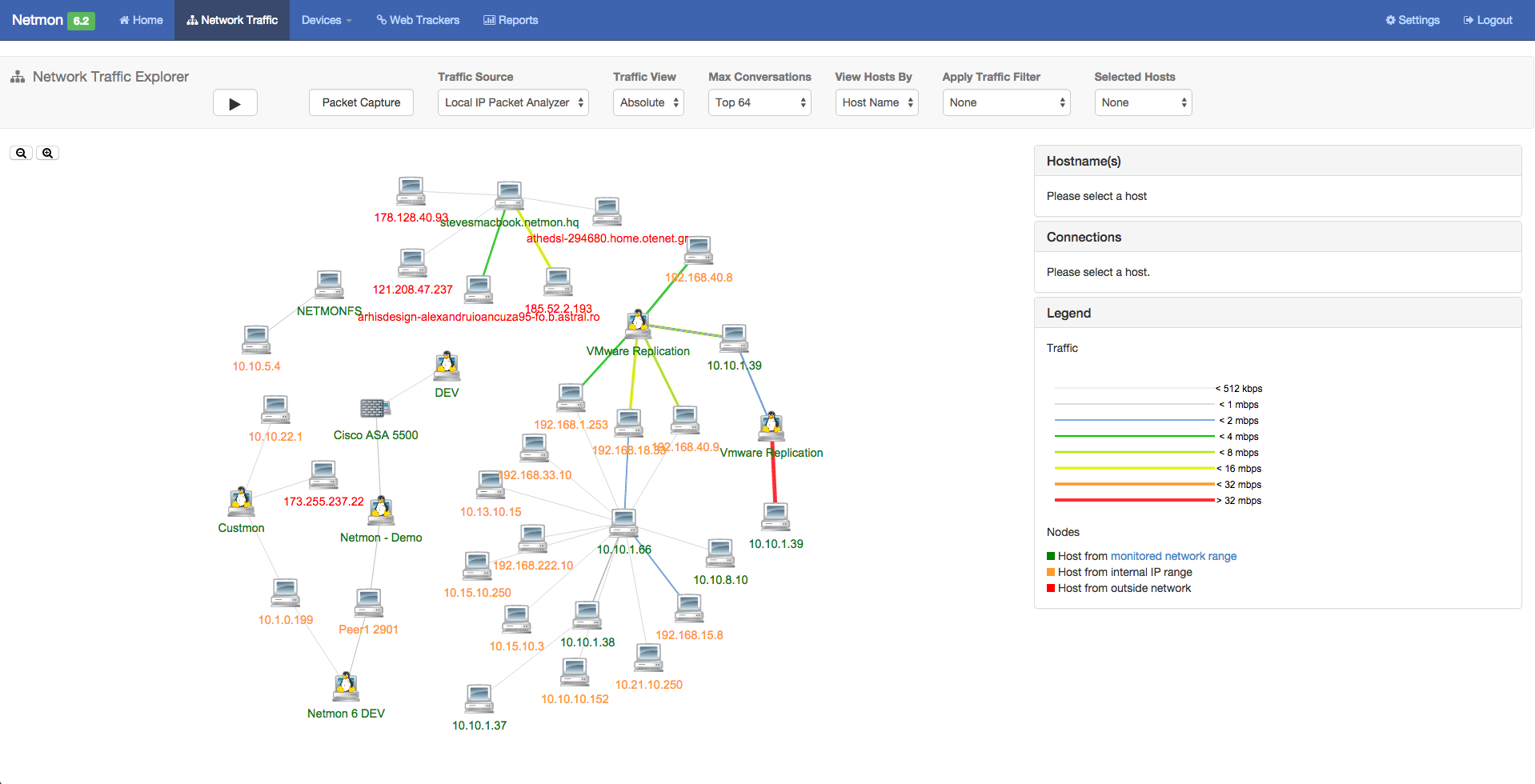
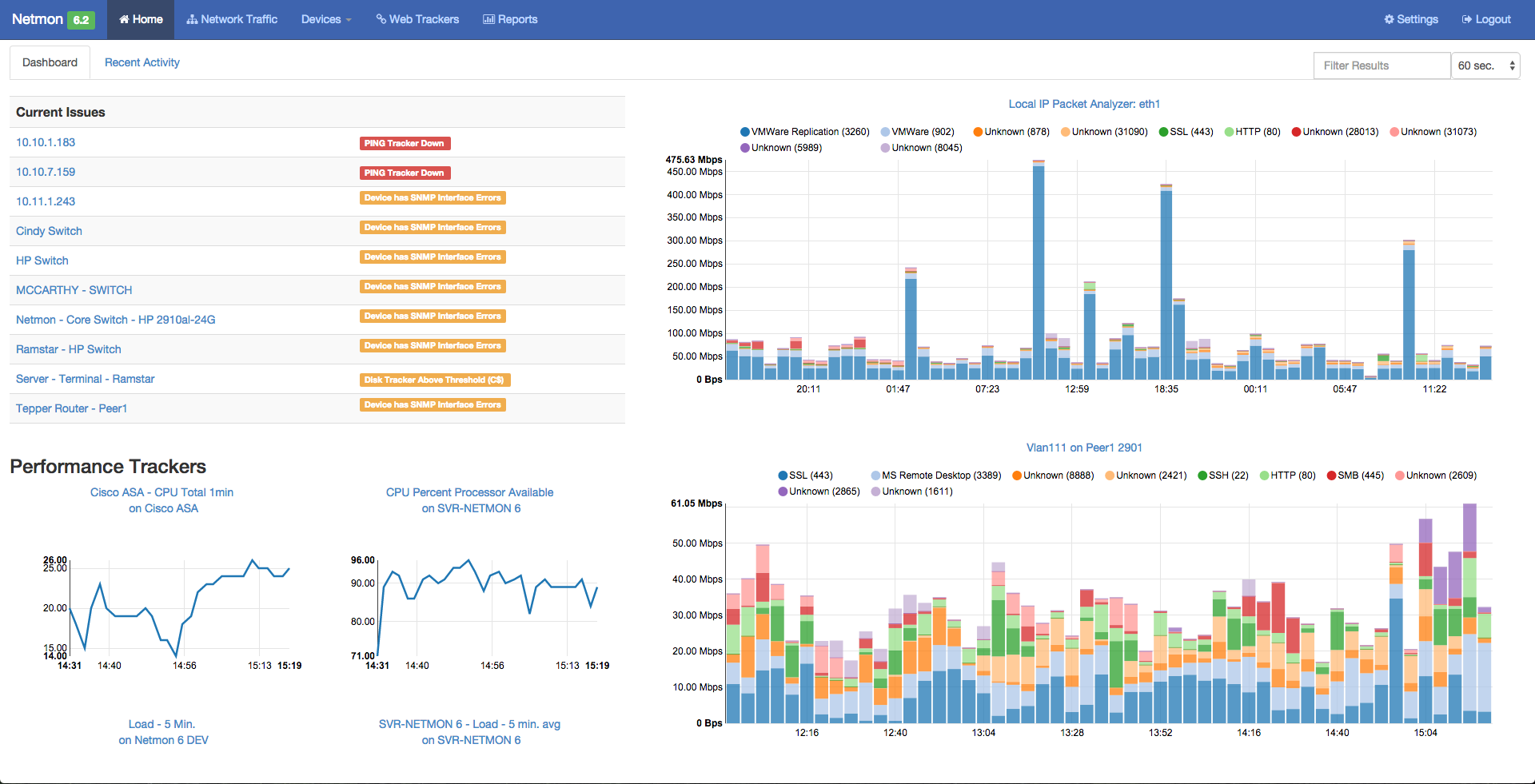
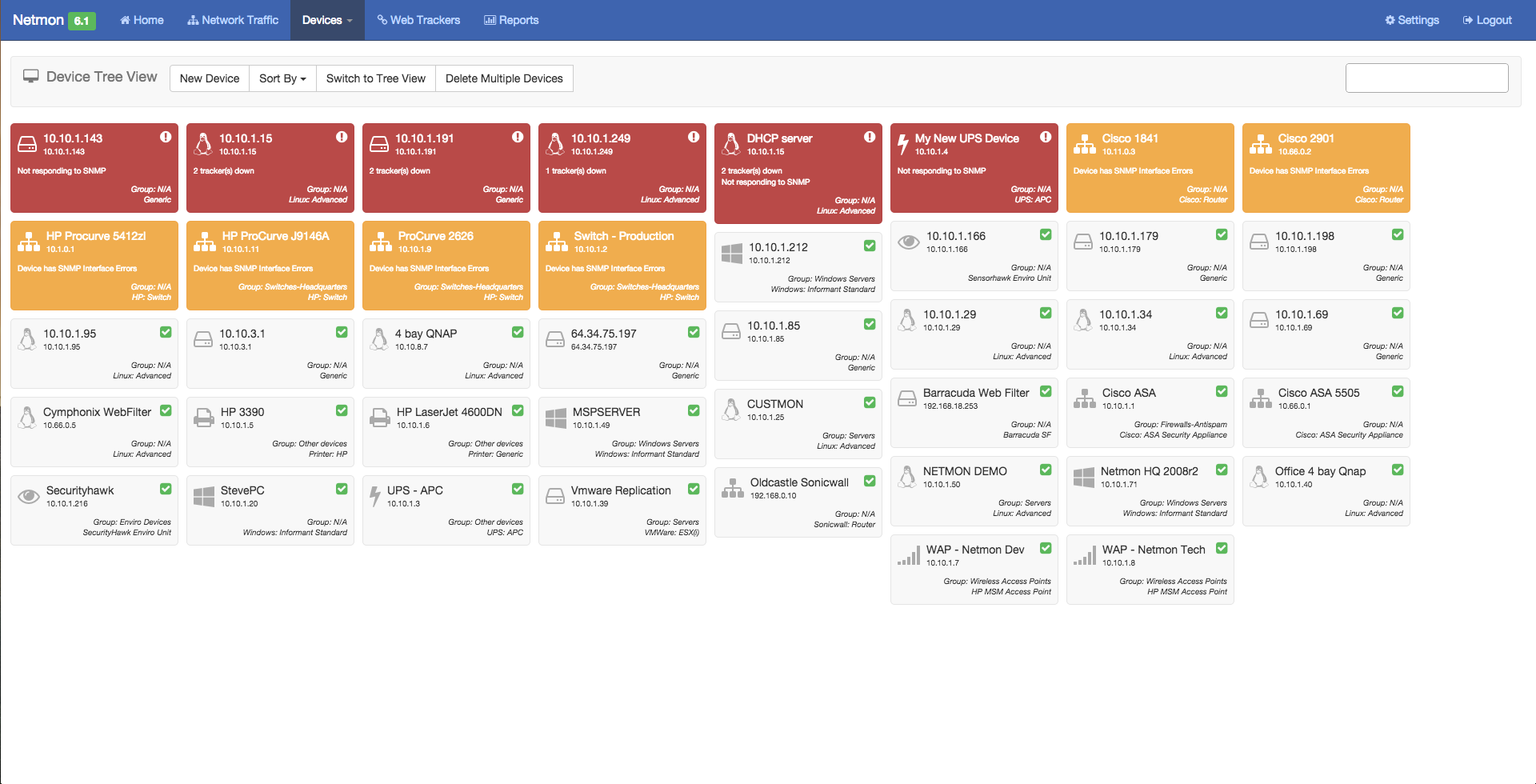
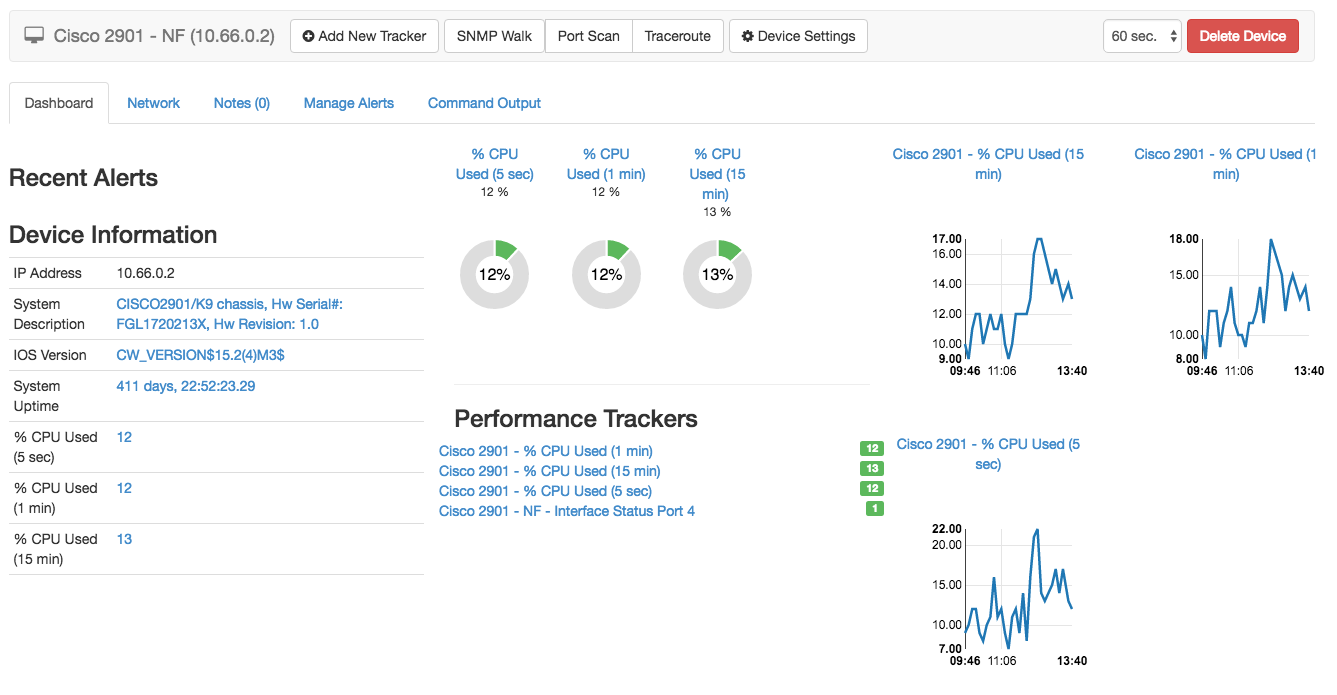
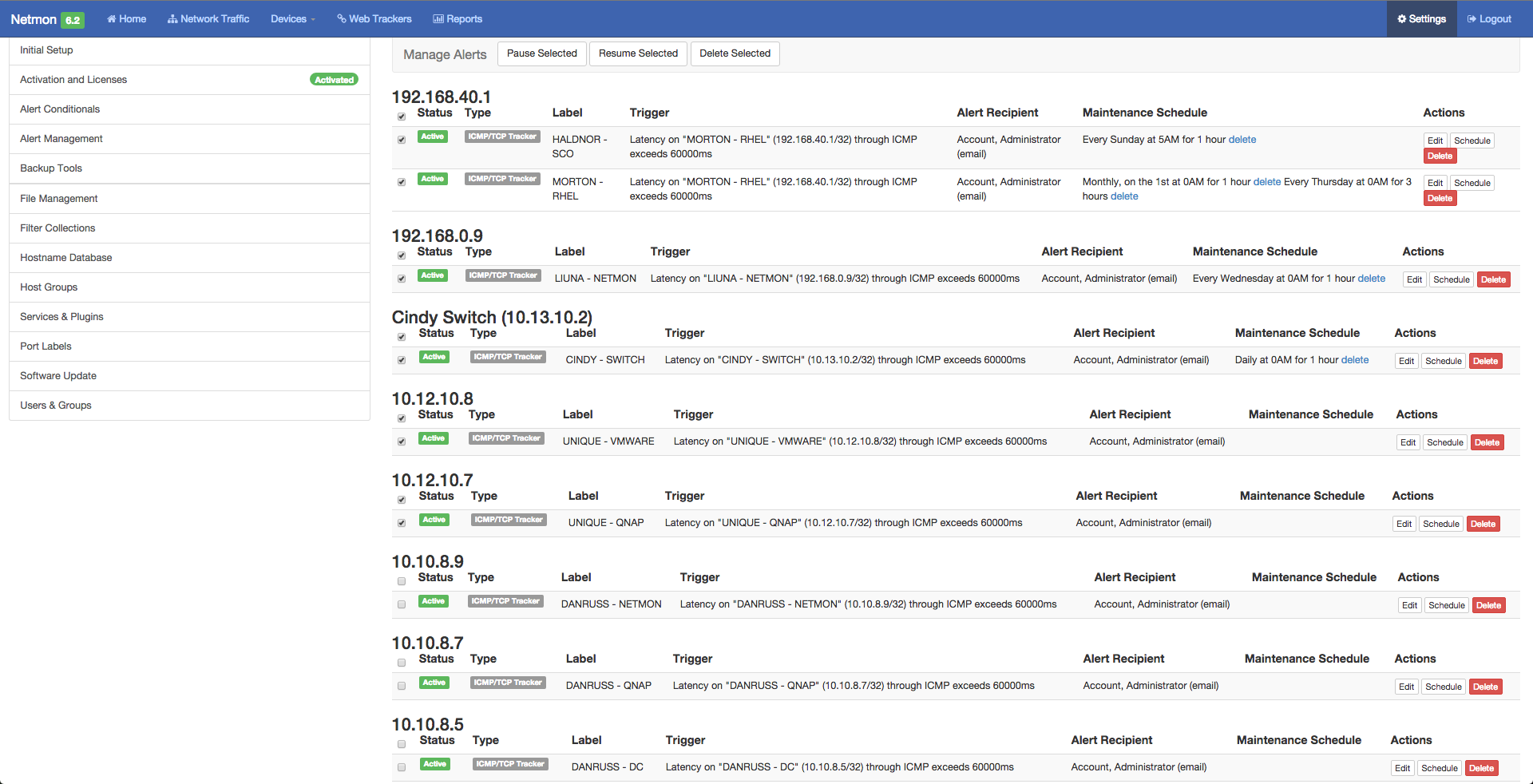
Screenshot of Netmon 6.2 - Home Dashboard - Showing  (Left) Alerts, Device Performance and (Right) Network Traffic AnalyzerScreenshot of Netmon 6.2 - Visual Network Explorer (VNE) - Showing Real-Time Internal and External Network Conversations and Bandwidth UsageScreenshot of Netmon 6.2 - Network Activity Report - Showing Source, Destination, Bandwidth Used and Ports.Screenshot of Netmon 6.2 - Network Devices Dashboard -Widget View - Showing Device Name, Type, Status and Alerts.Screenshot of Netmon 6.2 - Device Performance Dashboard - Showing Device information, CPU & RAM utilization, server processes & servicesScreenshot of Netmon 6.2 - Alert Management - Showing Centralized Alert Management View allows full network alert management with flexible and recurring scheduling.