OmniFocus is a project management platform for iOS: Mac, iPad, and iPhone. It has features such as task management, Siri capture, and workflow automation.
$4.99
per month
ProProfs Project
Score8.3 out of 10
Mid-Size Companies (51-1,000 employees)
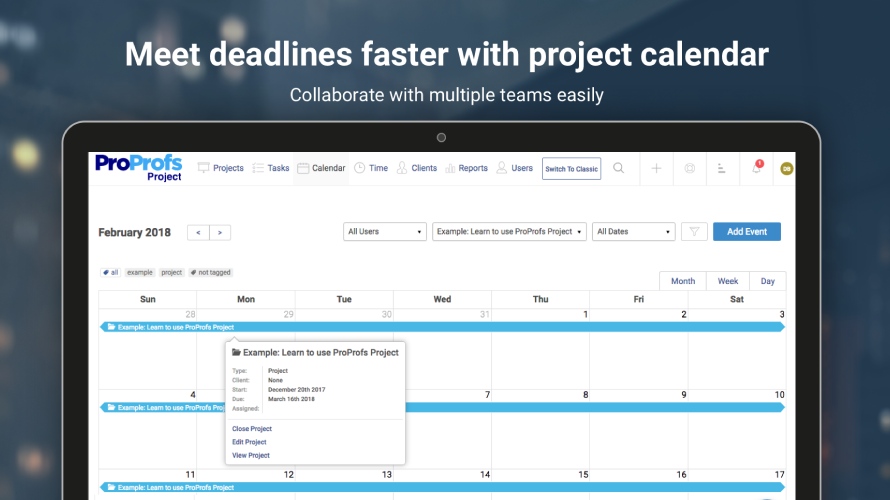
ProProfs Project is an online project management software for managing both teams and multiple projects on one dashboard. From creating project goals and objectives to tracking work progress, this PM tool aims to allow users to meet project deadlines efficiently. The PM tool allows users to communicate with in-house or remote teams - anytime, anywhere. Moreover, the vendor says users can generate insightful reports and accurate invoices in just a few clicks. Along with these features,…
1) Great for managing your work and personal activities. 2) One of the best implementations of the Getting Things Done method. 3) Not really suited for collaborative work management; OmniFocus is managed on a per-user basis so you can't share/assign tasks.
A de minimis incentive was given to thank the reviewer for their time. The incentive was not used to bias or drive a particular response, nor was the incentive contingent on a positive endorsement. More Info
If you’re executing creative projects, this tool will offload a lot of your work. It lets you clearly define the assignees and the associated timelines. You can even extract insightful reports to monitor team performance and project progress on the go.
Ease of viewing what tasks need to be done at the present moment and the sorting of those tasks by availability, due date, start date, needed resources, and project.
The visual interface is really nice to work with, the UX/UI is intelligent and intuitive.
It's the most extensible software I've used. There is a community of people that publish compatible scripts for Omnifocus at no charge.
The code is robust and I've almost never had a bug or a glitch that resulted in issues.
The software syncs in the cloud between MacOS and iOS seamlessly and faster than other To-Do software. The sync aspect is available free of charge.
The development team at Omnifocus is on top of bugs and they have been adding releases regularly to increase functionality and performance.
While OmniFocus adheres to the GTD (Getting things done) principles, it can be used in almost any manner and you aren't stuck with just that methodology.
A de minimis incentive was given to thank the reviewer for their time. The incentive was not used to bias or drive a particular response, nor was the incentive contingent on a positive endorsement. More Info
A de minimis incentive was given to thank the reviewer for their time. The incentive was not used to bias or drive a particular response, nor was the incentive contingent on a positive endorsement. More Info
I would really like to see graphic presentations of how I allocate my time, what categories of tasks don't get accomplished, etc.
I would like to see OmniFocus include Gantt chart functionality, such as allowing me to see how long it took me to accomplish a task from start to finish. Allowing me to actually input time spent, and seeing it on a Gantt chart, would be icing on the cake.
A de minimis incentive was given to thank the reviewer for their time. The incentive was not used to bias or drive a particular response, nor was the incentive contingent on a positive endorsement. More Info
A de minimis incentive was given to thank the reviewer for their time. The incentive was not used to bias or drive a particular response, nor was the incentive contingent on a positive endorsement. More Info
OmniFocus has excellent user forums. They're active as well as mature, since the product has been around for years. I've never needed to actually contact customer support because OmniFocus is popular enough that I've always been able to find an answer in the forums, or in an article, or in a YouTube video.
A de minimis incentive was given to thank the reviewer for their time. The incentive was not used to bias or drive a particular response, nor was the incentive contingent on a positive endorsement. More Info
I personally have not had to contact ProProfs Project Customer Support. I know that our media / marketing manager has used this tool for a while and is very comfortable with it. He has never expressed any issues or frustrations that I know of. The product is simple and easy to use and does not seem to require much support.
A de minimis incentive was given to thank the reviewer for their time. The incentive was not used to bias or drive a particular response, nor was the incentive contingent on a positive endorsement. More Info
OmniFocus is built for the user with a lot going on - consequently, it does a great job at organizing lots of things in a manageable workload. It's perfect for taking a project and breaking it down into small tasks for yourself or teams. Once you get past the learning curve, it's quick at adding new tasks. Overall, it's an excellent product.
A de minimis incentive was given to thank the reviewer for their time. The incentive was not used to bias or drive a particular response, nor was the incentive contingent on a positive endorsement. More Info
I think Project Bubble is way more streamlined than the others mentioned, as well as way more cost-effective! It is simple enough for my clients to access and keep track of their status, without having to explain or train them in the process. For value of money, customer support, and ease of use, I give it my highest recommendation.
A de minimis incentive was given to thank the reviewer for their time. The incentive was not used to bias or drive a particular response, nor was the incentive contingent on a positive endorsement. More Info
OmniFocus keeps our tasks moving forward. Using a free script you can search all your current projects for projects that have no next step assigned to it to ensure nothing falls through the cracks.
When we serve our clients, the attention to detail we are able to give them comes from accurate tracking of what we need to deliver.
We complete projects 25% faster than before and we can see where the bottlenecks are immediate. We have also been forced to document tasks in a more concrete manner which allows for better execution.
A de minimis incentive was given to thank the reviewer for their time. The incentive was not used to bias or drive a particular response, nor was the incentive contingent on a positive endorsement. More Info