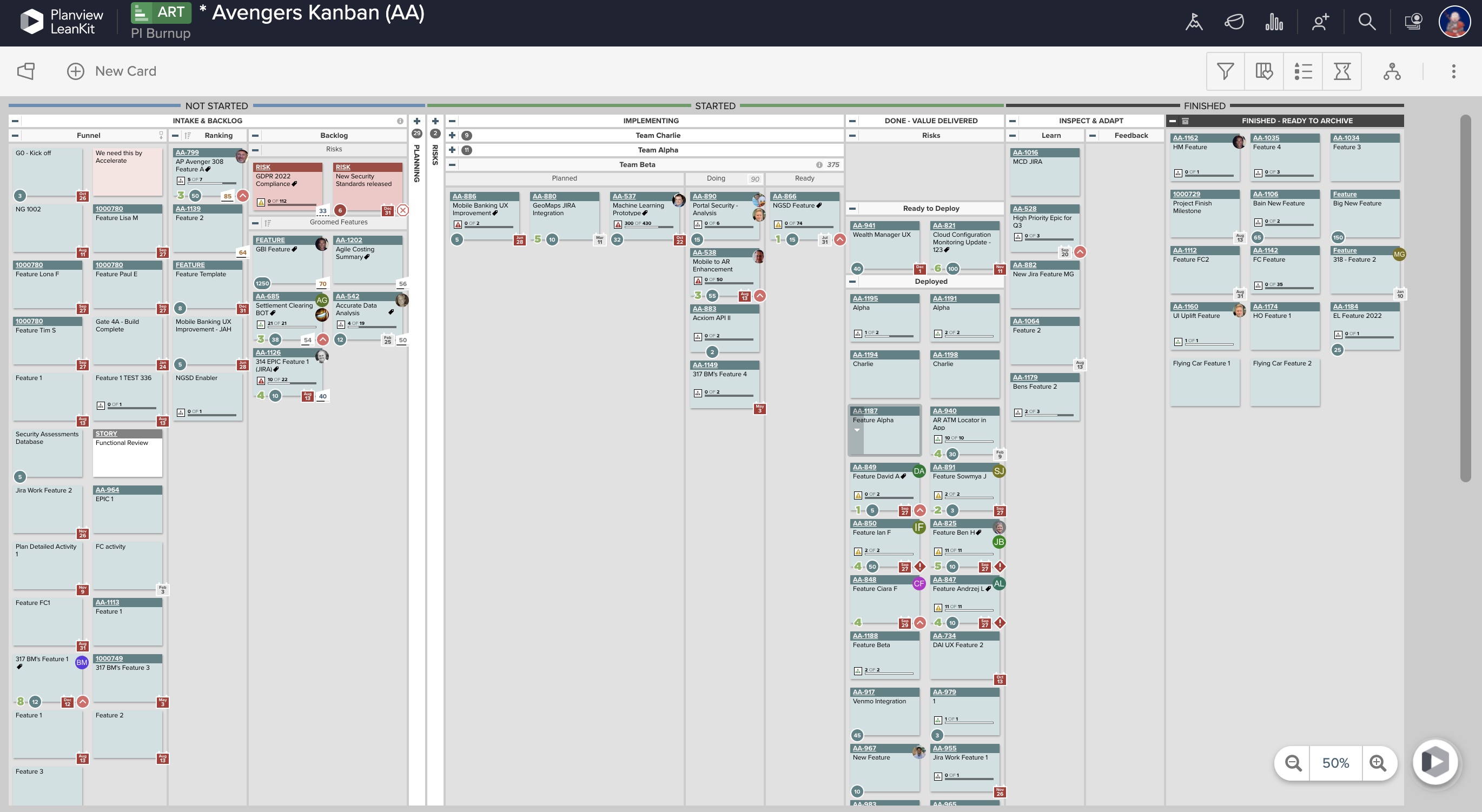
AgilePlace is a project management solution built around flexibility, data-driven analytics, and workflow automation. The software was acquired by Planview in December 2017 to expand that company's capabilities.
$19
per user, per month
Planview Hub
Score 8.4 out of 10
N/A
Planview Hub provides scalable, sophisticated near real-time integrations to help IT leaders and their teams eliminate inefficiencies.
This tool enables the visual management needed in many offshore teams to easily and quickly see the pending work, work in progress and completed work.For teams that work with a waterfall methodology and do not have AGILE internalized, I believe there are other solutions from Planview or other providers.
Planview TaskTop Hub is very well suited to implement the integrations to synchronise data such as requirement, task, bugs. We have very good experience with the integration between Jama and Jira as well as between two Jama instances. In the context test management, related to Test steps in a test case, it's quite complicated. Test Case synchronization between two Jama instances works with Steps. But we aren't able to implement the synchronisation of Test Cases including Steps to such Plugin of Jira like Xephyr.
Ability to add more than 1 visual cue to the card. We use custom icons and sometimes more than 1 is appropriate but you have to choose which is most important since only 1 can be applied.
Better visibility to board access from the user administration screens. Currently have to run 1-2 reports to see this information. Would like to be able to click on a user within Configure Users and see what boards they have access to quickly.
LeanKit isn't the best designed Kanban system I've seen, but overall it's pretty usable. The boards I've used are pretty complex, so it can be difficult to find things. I found that searching and filtering for specific cards was somewhat of a challenge. Dragging a card from one lane to another is kind of a fun way to get things done though.
A great integration tool, which comes with a wide range of supported end tools. Planview TaskTop Hub works with an integration concept that maximizes the scalability and flexibility of integrations across more than just two tools. For example, from our experience, we started with the integration between Jama Connect and Jira. We were able to extend our integration concept to a new tool, Pro Cloud Server, by ourselves. The element was synced within 10 minutes.
We're hosting Planview TaskTop Hub by ourselves. The availability was good until now. A part of that, we have a strict plan for the quality control on any update of both Hub and End tools to avoid as much as possibily any disruptions.
Planview TaskTop Hub does generate traffic for some end tools. It is still in an acceptable range. For certain kind of retry to resolve issue in synchronizing relationships, an additional manual attention was required.
Every time I have reached out to the AgilePlace support team I have received a timely response in addition to professional & personal feedback. Their consultants are knowledgeable and the management team is happy to jump in and help when needed.
I was considering giving a rating between 9 and 10. Overall, the support has been very good so far. However, I have noticed that the members of the support team have varying levels of know-how about Planview TaskTop Hub. When a ticket about a complex technical issue reaches a member such as Christoph T., Sr. Customer Engineer, the analysis is done thoroughly, and a sustainable solution is provided. With other members of the support team, the experience might be different.
We had a very good collaboration with the enabling team from Tasktop in 2018. The enablement program was adequately structured, starting with building an integration concept based on use cases of the synchronized data. The training provided a good foundation for us to operate and maintain the tool. The tool administration and architecture were straightforward.
Originally, we had evaluated two other tools next to Planview LeanKit: Kanbantool and Kanbanflow. The latter was a close contestant for productive use, as it was also very customizable and a joy to work with and look at. It also had lower user fees and a mobile integration. In the end, we picked Planview LeanKit because of several reasons: Aesthetics: The look was much more clean and professional. Reporting: It was obvious from the start that we could use Planview LeanKit as a tool for improvement. API: We needed to integrate the Kanban into our central systems and Planview LeanKit API was (and still is) a way to do it. Card Headers: This sounds like a simple thing, but the headers above the titles fit our work perfectly and looked perfect, which helped the decision.
Jira Align does not synch items outside of JIRA and Azure Dev Ops; TT Hub is specifically utilized to address connections to various other SDLC application.