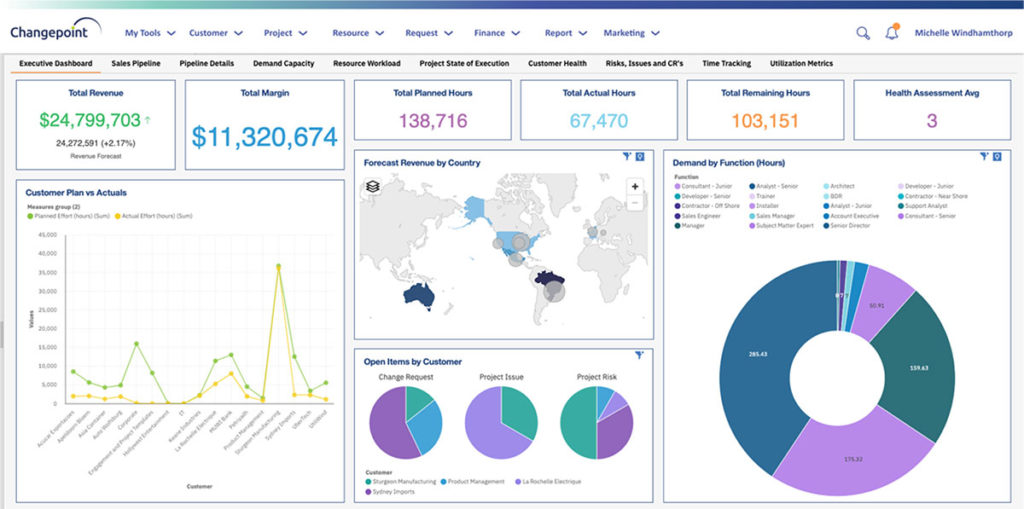
Planview Changepoint is a platform that marries professional services automation (PSA), project portfolio management (PPM) and business analytics to provide managers broad operational visibility and control over their strategic business portfolios.
N/A
Projectworks
Score 9.0 out of 10
N/A
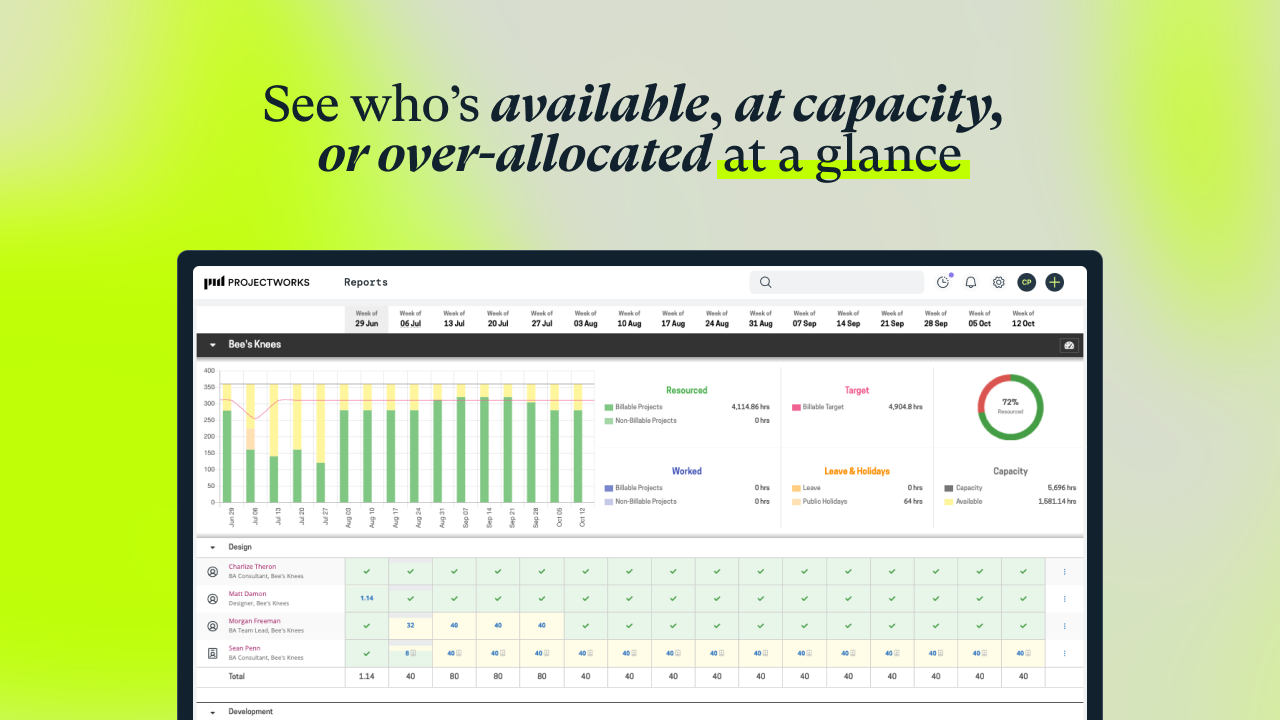
Projectworks is a cloud-based Professional Services Automation (PSA) software suite designed for consulting and professional services organizations. The platform consolidates resource scheduling, time tracking, expense management, project accounting, and financial forecasting to streamline the service delivery lifecycle. Key Capabilities Resource Management: Provides real-time visibility into staff Availability, Resource Utilization, and Capacity Planning to…
$19
per month per user
Pricing
Planview ChangePoint
Projectworks
Editions & Modules
No answers on this topic
Build
$19
per month per user
Scale
$27
per month per user
Unleash
$45
per month per user
Offerings
Pricing Offerings
Planview ChangePoint
Projectworks
Free Trial
No
Yes
Free/Freemium Version
No
No
Premium Consulting/Integration Services
No
No
Entry-level Setup Fee
No setup fee
$1,000 one-time fee (starting cost for implementation)
Additional Details
—
The minimum number of users is 10. There is a 10% discount for annual pricing.
Planview Changepoint helps us to understand our key customers enabling us to capitalize on every financial opportunity and helps us to forecast demand against the capacities required for new opportunities, and also it automates and monitors contractual terms and conditions. It …
Changepoint was selected for its cost and what it can do. I was not involved in the decision to purchase Changepoint, but it appears to be a good decision.
The system predates me as I was not working for the company when the solution was chosen - I understand this may have been an 'overpromise, underdeliver' scenario. However, we are now moving towards replacing it with Supportworks - and having seen Supportworks in action I …
We believed that Changepoint matched up well, had better support and provided a better pricing structure that worked better for our budget constraints over time. The team was willing to work with us on the design of the tool for our needs and it wasn't going to break the bank …
We selected Changepoint as our PPM tool over ten years ago. We made this selection based upon their 'completeness of vision' and allowing us to develop our PMO processes with a single footprint. Changepoint has been very successful with product enhancements and maintains their …
n/a to me, we used to use spread sheets and a sharepoint site to house all the project related information and documents before we went to Changepoint.
Changepoint is well-suited for consulting firms and other companies that charge clients for their time and have a need for significant project-management capabilities along with reporting and invoicing. It is not well-suited for companies that want a more basic solution to time reporting and expense reimbursement. The key questions to ask during the selection process revolve around this basic question: how are you going to use this software? Though it has a lot of functionality, the learning curve is steep and basic functionality is not as easy as one would expect.
There are lots of reporting options. Once you figure out how to work the parameters of a report, the system is able to provide detailed and accurate compilations of data. There are also many custom reports than can be setup, as well. In my experience, we have told Changepoint PSA administrators what kind of report we were needed and they set it up for us, available in a 'custom reports' folder.
You can have several things open at once -- 'portals'. These are up at the top of the screen, much like how Google Chrome has tabs at the top. This is useful.
The site could become slow with high volumes of traffic. This may have been due to the way that our infrastructure was setup.
Analytic reporting was not available in the version that we used. We created external reports to slice and dice the data and view it as the business demanded.
Sometimes the decision to renew boils down to an old adage "if it isn't broken don't fix it". Previous to moving to Changepoint, it was obvious that we needed a better project management tool. Projects we completed on time but the time zone difference between the teams and several iterations of back and forth caused a number of communication issues with projects. The difference is night and day.
The system predates me as I was not working for the company when the solution was chosen - I understand this may have been an 'overpromise, underdeliver' scenario. However, we are now moving towards replacing it with Supportworks - and having seen Supportworks in action I genuinely cannot wait to switch from Changepoint and move on...
Our ability to maintain a global IS Scorecard helped us to maintain a focus on completing projects on time and within budget.
Having a single instance of Changepoint with projects aligned to specific portfolios helps senior management to maintain a focus on the investment of IS resources. It is foundational to our governance processes.