TrustRadius: an HG Insights company

Save this comparison

Save this comparison

Add Product

Recommended Comparisons

    Overview
    ProductRatingMost Used ByProduct SummaryStarting Price

    Pomodizer

    N/AN/AN/A

    $2.99

    per month

    TimeCamp

    Score7.3 out of 10
    Small Businesses (1-50 employees)
    TimeCamp is cloud based, multi-platform (Windows, Mac, Linux, iOS, Android) time tracking and invoicing software.

    $5.49

    per month per user

    Pricing
    PomodizerTimeCamp
    Editions & Modules
    Basic
    $2.99
    per month
    Free
    $0
    free with limited features.
    Starter
    $5.49
    per month per user
    Premium
    $9.99
    per month per user
    Ultimate
    $13.99
    per month per user
    Enterprise
    Custom
    Offerings
    Pricing Offerings
    PomodizerTimeCamp
    Free Trial
    YesYes
    Free/Freemium Version
    NoYes
    Premium Consulting/Integration Services
    NoYes
    Entry-level Setup FeeNo setup feeNo setup fee
    Additional DetailsDiscount available for annual billing. The free plan encompass all basic time tracking features for unlimited users.
    More Pricing Information
    Community Pulse
    PomodizerTimeCamp
    Considered Both Products
    Pomodizer
    No answer on this topic
    TimeCamp
    No answer on this topic
    Key User Insights
    Would buy again
    No answers on this topic
    90%
    Would buy again
    18 Answers
    Delivers good value for the price
    No answers on this topic
    100%
    Delivers good value for the price
    14 Answers
    Happy with the feature set
    No answers on this topic
    95%
    Happy with the feature set
    19 Answers
    Lived up to sales and marketing promises
    No answers on this topic
    94%
    Lived up to sales and marketing promises
    15 Answers
    Implementation went as expected
    No answers on this topic
    94%
    Implementation went as expected
    15 Answers
    Best Alternatives
    PomodizerTimeCamp
    Small Businesses
    Todoist
    Score9.3 out of 10
    Time Doctor
    Score8 out of 10
    Medium-sized Companies
    Google Tasks
    Score8.6 out of 10
    Toggl Track
    Score9 out of 10
    Enterprises
    Google Tasks
    Score8.6 out of 10
    Hubstaff
    Score9.4 out of 10
    All AlternativesView all alternativesView all alternatives
    User Ratings
    PomodizerTimeCamp
    Likelihood to Recommend
    -
    (0 ratings)
    8.1
    (26 ratings)
    Usability
    -
    (0 ratings)
    7.9
    (7 ratings)
    Support Rating
    -
    (0 ratings)
    8.0
    (1 ratings)
    User Testimonials
    PomodizerTimeCamp
    Likelihood to Recommend
    Pomodizer
    No answers on this topic
    TimeCamp
    It is well suited for a company like ours, where we have different clients and can track hours per client/project. We charge hourly as well, so this is very important I wouldn't recommend it if you don't need to really track time of each task and that you are allowed to take your time with your daily tasks.
    Incentivized
    Read full review
    Pros
    Pomodizer
    No answers on this topic
    TimeCamp
    • Accurate time tracking running in the background without hiding the user's display.
    • Detailed reports for all users, with clear differentiation between billable and non-billable tasks, are top-notch.
    • Comprehensive billing plan which suits small businesses as well as enterprises.
    • Good sales and support.
    Incentivized
    Read full review
    Cons
    Pomodizer
    No answers on this topic
    TimeCamp
    • The interface is pretty good, but it could be better with some slight restructuring.
    • One thing that can be a bit annoying is the "Task" bar that displays on the screen showing the task and time. It is there to help you to remember to stop time when you end a task. It is needed but it would be nice if there were some design aspects to it so it could be made smaller.
    Incentivized
    Read full review
    Usability
    Pomodizer
    No answers on this topic
    TimeCamp
    No complaints on this. It's easy to use on a daily basis. The manual is very easy to read; the Excel report is convenient for tracking. The PDF is the best to send to the client. It separates different reports for internal or external purposes. Easy to connect with your calendar.
    Incentivized
    Read full review
    Support Rating
    Pomodizer
    No answers on this topic
    TimeCamp
    I am giving support a rating of 8 but that is quite arbitrary. Honestly, we have never had the need to contact support for any reason. There has not been a situation where we became stuck and could not figure out how to work through it. Sign up was easy and billing is like clockwork so there has been no need to contact billing support. I think this is a testament to the ease of use of TimeCamp.
    Incentivized
    Read full review
    Alternatives Considered
    Pomodizer
    No answers on this topic
    TimeCamp
    Ultimately I selected Clockify instead of TimeCamp. As previously mentioned, I believe that TimeCamp wasn't that intuitive, and too many things were behind pay walls. Clockify offered the same features mostly for free. Although TimeCamps UX was sleeker than Clockify's I found that Clockify was a better fit for me.
    Incentivized
    Read full review
    Return on Investment
    Pomodizer
    No answers on this topic
    TimeCamp
    • TimeCamp is customizable in the sense that it can measure computer usage and provide insight into each employee's productivity.
    • TimeCamp can be used to send automated weekly emails summarizing work completed, time wasted, productive hours, and time-consuming website lists.
    • When you use TimeCamp, you can increase efficiency and profitability while determining where your time is spent throughout business operations.
    • Employees can use TimeCamp to track their productivity and see how much time they lose due to various omissions.
    Incentivized
    Read full review
    ScreenShots

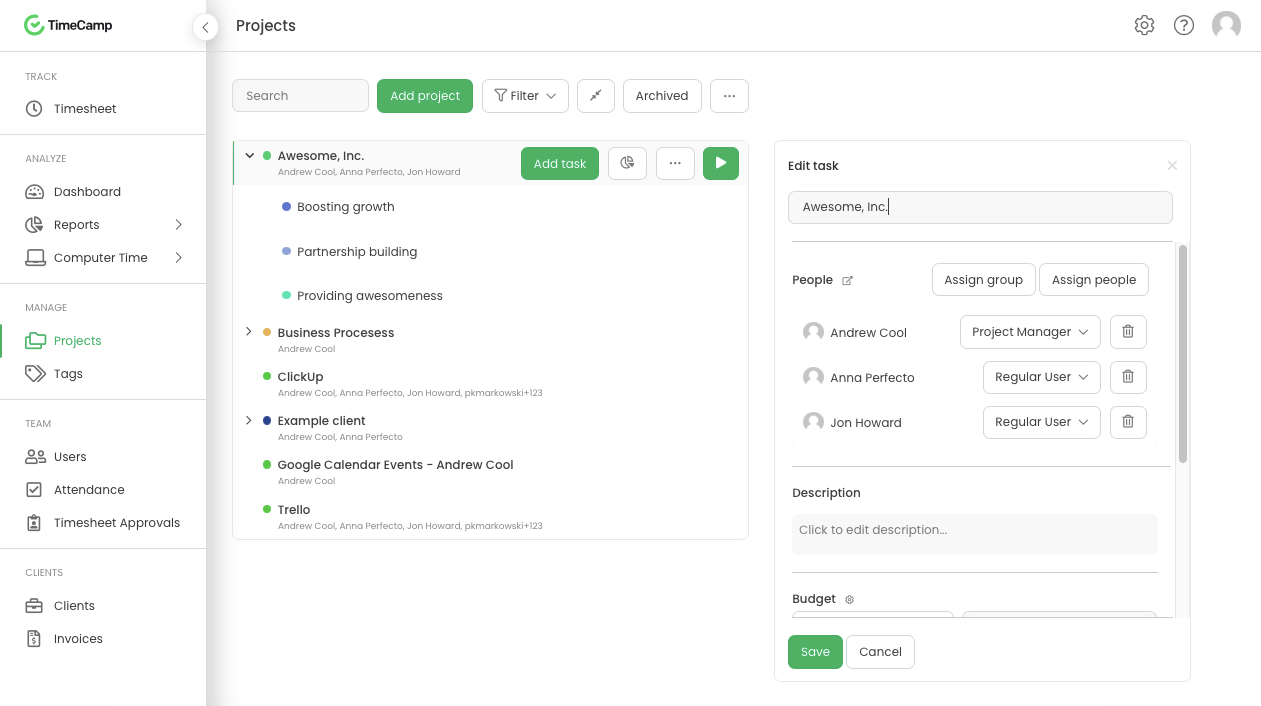
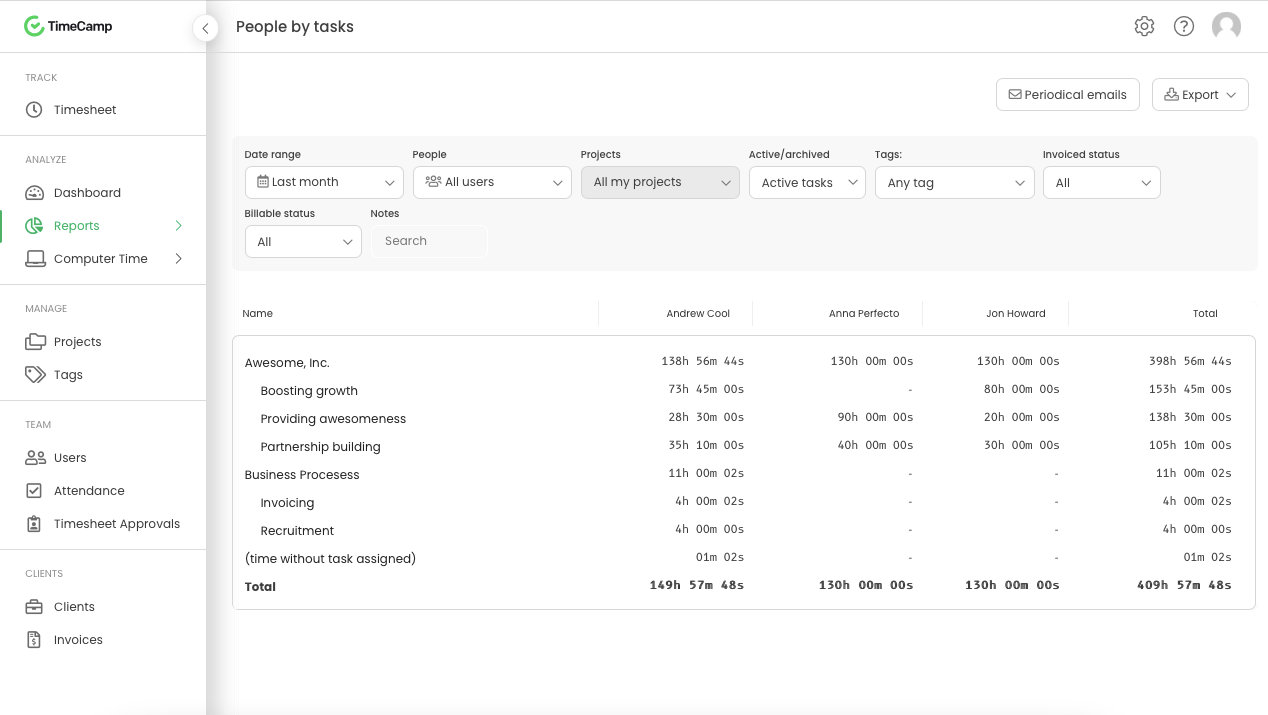
    TimeCamp Screenshots

    Screenshot of Daily timesheet viewScreenshot of Weekly timesheet viewScreenshot of ProjectsScreenshot of People by task reportScreenshot of Attendance