Postman, headquartered in San Francisco, offers their flagship API development and management free to small teams and independent developers. Higher tiers (Postman Pro and Postman Enterprise) support API management, as well as team collaboration, extended support and other advanced features.
$0
PractiTest
Score8 out of 10
N/A
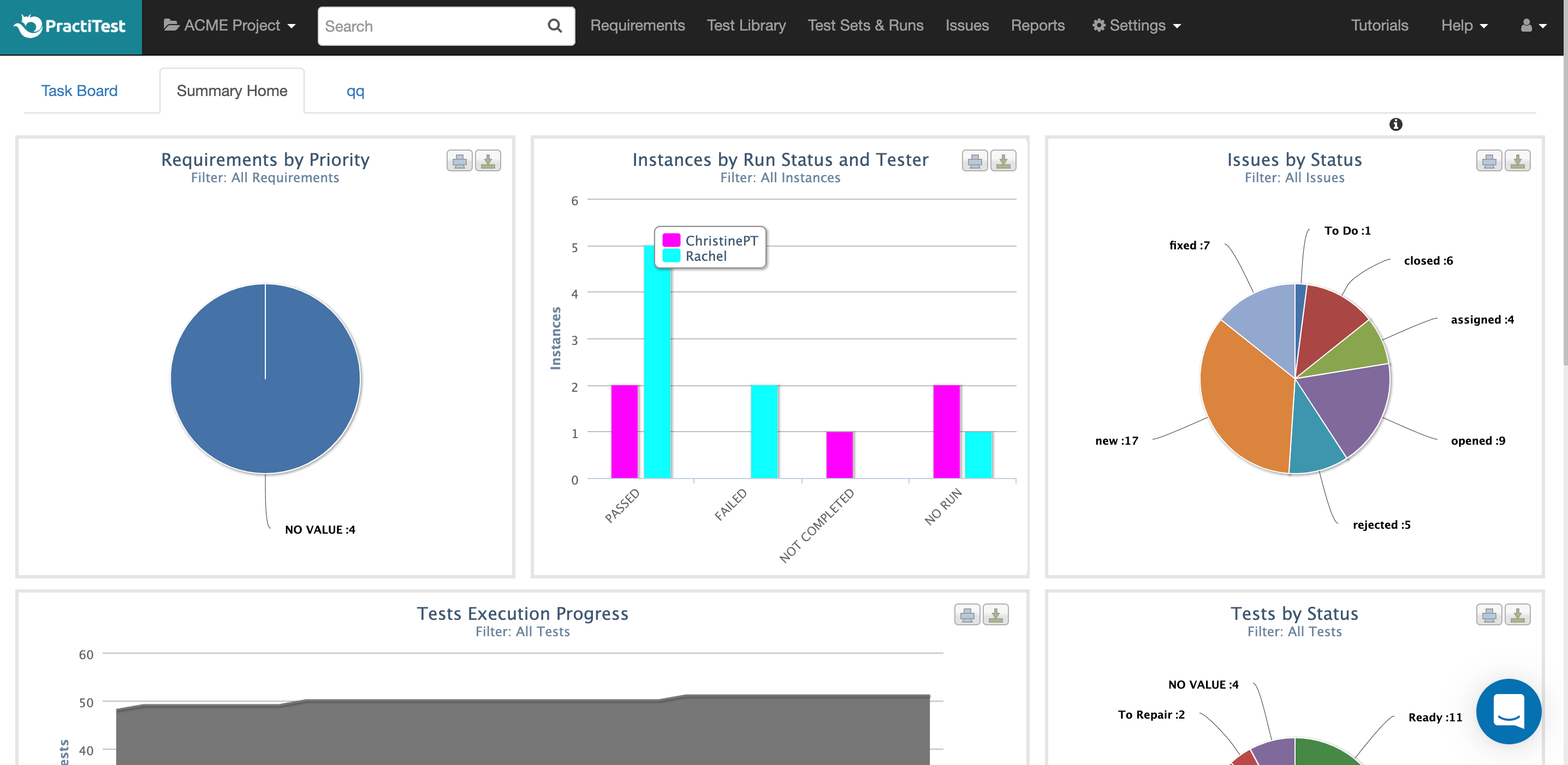
PractiTest is presented as a cloud-based test management tool that provides its customers with an end-to-end system to meet testing and QA needs. It is described by the vendor as flexible but methodological, enabling organizations to ensure visibility and communication at all levels. The solution aims to help users and project development teams streamline and manage their testing processes, while providing management with a clear and simple view of their project status at all times.
$39
user
Pricing
Postman
PractiTest
Editions & Modules
Postman Free Plan
$0.00 US Dollars
Postman Basic Plan
$12 US Dollars
per month per user
Postman Professional Plan
$29 US Dollars
per month per user
Postman Enterprise Plan
$99 US Dollars
per month per user
Professional
$39.00
user
Enterprise
$49.00
user
Offerings
Pricing Offerings
Postman
PractiTest
Free Trial
No
Yes
Free/Freemium Version
Yes
No
Premium Consulting/Integration Services
No
No
Entry-level Setup Fee
No setup fee
Optional
Additional Details
1. Postman Free plan: Start designing, developing, and testing APIs at no cost for teams of up to three people.
2. Postman Basic plan: Collaborate with your team to design, develop, and test APIs faster; $12/month per user, billed annually
3. Postman Professional plan: Centrally manage the entire API workflow; $29/month per user, billed annually
4. Postman Enterprise plan: Securely manage, organize, and accelerate API-first development at scale; $99/month per user, billed annually
Senior Business Consultant in Quality Assurance at Perficient (Information Technology & Services, 51-200 employees)
Chose PractiTest
I've used many different Test Case Repository tools, and while each of them has its perks, I like the capabilities of PractiTest best. When creating a test in qTest for example, you can only input information into the fields provided, and you have everything set up in a folder …
A de minimis incentive was given to thank the reviewer for their time. The incentive was not used to bias or drive a particular response, nor was the incentive contingent on a positive endorsement. More Info
Postman is good for organising your API credentials, vendor settings, environments etc. It's also a good way of getting stared with APIs as you get to use a GUI which can help you understand what we mean by a 'body' or 'bearer token'. I think people generally gravitate towards GUI tools for getting started in a new technology area.
A de minimis incentive was given to thank the reviewer for their time. The incentive was not used to bias or drive a particular response, nor was the incentive contingent on a positive endorsement. More Info
PractiTest works GREAT as a test case repository. It is very easy to gather metrics, filter, and sort based on custom fields. We were able to work with the API to pull our automation results in as well. The support team is always very quick with their responses and monitors the "in-app chat." They are very open to answering questions, providing best practice materials, and looking for additional feedback. If you already have a central location for all of your test cases and testing needs, then I guess you probably wouldn't need to add another. However, PractiTest has high capability and potential, so if it's set up properly you can easily save time managing your tests.
A de minimis incentive was given to thank the reviewer for their time. The incentive was not used to bias or drive a particular response, nor was the incentive contingent on a positive endorsement. More Info
It has opened a door for me to explore more out of it, as it is associated with so many APIs that I never felt any difficulty in finding the right API template, which are well organized and easily available.
It is very secure to use and provides great services which are user-friendly.
Due to this software I have got rid of the excessive emails and the slack channels, Now I am using my own private API and even it give me an option to produce my personal Postman’s API Builder from its Private API Network and this features has shared my excessive workload.
A de minimis incentive was given to thank the reviewer for their time. The incentive was not used to bias or drive a particular response, nor was the incentive contingent on a positive endorsement. More Info
A de minimis incentive was given to thank the reviewer for their time. The incentive was not used to bias or drive a particular response, nor was the incentive contingent on a positive endorsement. More Info
A de minimis incentive was given to thank the reviewer for their time. The incentive was not used to bias or drive a particular response, nor was the incentive contingent on a positive endorsement. More Info
1. Friendly user friendly - when I started using Postman, I was a beginner to the API world, and it gave me a friendly view to begin its usage 2. Postman offers many features, including API testing, monitoring, documentation, and mock servers 3. Environment variables simplify testing across multiple environments (dev, prod) without repetitive configuration.
A de minimis incentive was given to thank the reviewer for their time. The incentive was not used to bias or drive a particular response, nor was the incentive contingent on a positive endorsement. More Info
There is a lot of in-depth documentation for Postman available online, including detailed guides with screenshots and videos. They provide example APIs for new users to explore while learning how to use the tool. Generally, bugs in the client are quickly addressed through frequent free updates. Community and professional support options are available - most of the time, the free/community level support is adequate
A de minimis incentive was given to thank the reviewer for their time. The incentive was not used to bias or drive a particular response, nor was the incentive contingent on a positive endorsement. More Info
The chat button is available to anyone who logs into PractiTest. In my experience, the support has always been very quick, very friendly, and very thorough. They make sure that your question is answered in a way that you understand it. They also provide documentation of best practices so you are never left hanging on what to do next.
A de minimis incentive was given to thank the reviewer for their time. The incentive was not used to bias or drive a particular response, nor was the incentive contingent on a positive endorsement. More Info
Previous to using Postman, I would either use browser tools directly, or write an in-house tool to send requests. Postman eliminates that need while providing a much better experience and more features. At the base level, Postman is as simple as typing in the address as you would in a browser. Authentication can be provided simply as well.
A de minimis incentive was given to thank the reviewer for their time. The incentive was not used to bias or drive a particular response, nor was the incentive contingent on a positive endorsement. More Info
I've used many different Test Case Repository tools, and while each of them has its perks, I like the capabilities of PractiTest best. When creating a test in qTest for example, you can only input information into the fields provided, and you have everything set up in a folder tree structure. With PractiTest, we are able to create custom fields and filter our tests based on those fields to provide more accurate information in a readily available format while quickly searching for the filter instead of through a folder tree. TestRail did not appear to meet our needs as a company. It just didn't have the potential that we found with PractiTest. Zephyr for example worked seamlessly with Jira, which is really nice since that is what we use for the most part. However since we cater to many different clients, we needed an external Test Case repository so we could use something that wasn't tied to 1 Jira instance.
A de minimis incentive was given to thank the reviewer for their time. The incentive was not used to bias or drive a particular response, nor was the incentive contingent on a positive endorsement. More Info
Postman is free (although there's a paid tier that offers more features) so using it for testing APIs comes with little to no risk (besides learning curve).
The learning curve is a little steep for non-developer users, but developers should find it easy to pick up and use right out of the box, so to speak.
A de minimis incentive was given to thank the reviewer for their time. The incentive was not used to bias or drive a particular response, nor was the incentive contingent on a positive endorsement. More Info
A de minimis incentive was given to thank the reviewer for their time. The incentive was not used to bias or drive a particular response, nor was the incentive contingent on a positive endorsement. More Info