Chose PractiTest
Jira Software

| Product | Rating | Most Used By | Product Summary | Starting Price |
|---|---|---|---|---|
 PractiTest | N/A | PractiTest is presented as a cloud-based test management tool that provides its customers with an end-to-end system to meet testing and QA needs. It is described by the vendor as flexible but methodological, enabling organizations to ensure visibility and communication at all levels. The solution aims to help users and project development teams streamline and manage their testing processes, while providing management with a clear and simple view of their project status at all times. | $39 user | |
 Tricentis qTest | N/A | Tricentis qTest (formerly QASymphony) provides enterprise-level agile testing tools giving businesses visibility and control needed to ensure application quality in fast-paced development environments. Tricentis and QASymphony merged in summer 2018. | N/A | |
 Tuskr | N/A | Tuskr is a cloud-based test management software. Users can manage test cases, conduct test runs and integrate with bug and time tracking tools. Tuskr is available via a free plan, and with a 30-day free trial of paid tier features. | $9 per month per user |
| PractiTest | Tricentis qTest | Tuskr | ||||||||||||||||||||||
|---|---|---|---|---|---|---|---|---|---|---|---|---|---|---|---|---|---|---|---|---|---|---|---|---|
| Editions & Modules |
| No answers on this topic |
| |||||||||||||||||||||
| Offerings |
| |||||||||||||||||||||||
| Entry-level Setup Fee | Optional | Optional | No setup fee | |||||||||||||||||||||
| Additional Details | — | — | 16% discount for annual pricing. | |||||||||||||||||||||
| More Pricing Information | ||||||||||||||||||||||||
| PractiTest | Tricentis qTest | Tuskr | |
|---|---|---|---|
| Considered Multiple Products |  PractiTest  Michael Walkowski Senior Business Consultant Chose PractiTest I've used many different Test Case Repository tools, and while each of them has its perks, I like the capabilities of PractiTest best. When creating a test in qTest for example, you can only input information into the fields provided, and you have everything set up in a folder … |  Tricentis qTest  Ketal Parikh Principal Consultant Chose Tricentis qTest As I am not the actual decision maker of which tool to purchase. I have always liked the Tricentis qTest tool. Decision has been made by the top management, The tool has proven is value and for the Same reason it is still being used.  Mahathee Dandibhotla Project Lead Quality Chose Tricentis qTest Extensive integration options with various third-party tools, enabling seamless integration into existing workflows. Allows for flexibility and customization of workflows, fields, and permissions to adapt to unique testing requirements. Supports robust requirements traceability, …  Nikhil Puniyani Senior Software Engineer In Test Chose Tricentis qTest - It was not our decision to use qTest as a tool, as this was a management decision. - Since I have used many Test Management Tools I can compare for e.g The Reporting and Statistics in qTest is very impressive.  KUMAR PRANAY PATRA QA ENGINEER Chose Tricentis qTest I have worked on JIRA, but i found it more difficult interface to handle. It was not user friendly. The defect management was also not impressive. qTest experience actually helped me to take decision while evaluating. |  Tuskr  Felicia Bently Business Analyst Chose Tuskr I have not worked with related testing suite before but Tuskr has been the favorite platform for running test suites. It has generated positive leads from the company data by offering the necessary testing support. It is easy to integrate with other applications to suit …  Courtney Plaizier Software Engineer Chose Tuskr Tuskr is the suitable product that I have used to run test cases. The cost of deployment and maintenance is efficient for both small and large scale business enterprises. The dashboards have unique interface that displays project progress. The data management provides charts …  Dominic Clawson Project Manager Chose Tuskr Tuskr has introduced best approach of test cases that used to give us problems. I have not worked with similar testing tool before but our center of interest in test cases have been solved by Tuskr. It has full package for carrying out all the test tasks that operates across …  Prajwal Aher Quality Assurance Engineer Chose Tuskr Its very difficult to maintain test cases on google sheets as compared to Tuskr which has test suites and sections to organize the test cases. Also there are no test runs in google sheets to keep a track of the progress while testing.  Duc Minh Nguyen President Chose Tuskr Overall, I'd say that Tuskr has a much nicer interface than Jenkins, it does a great job to show your test results and additional information regarding it (errors, warnings, etc...). Even though it does take time to learn how to use the software, it is somewhat easier to learn … |
| PractiTest | Tricentis qTest | Tuskr | |||||||||||||||||||||||
|---|---|---|---|---|---|---|---|---|---|---|---|---|---|---|---|---|---|---|---|---|---|---|---|---|---|
| Test Management |
|
| PractiTest | Tricentis qTest | Tuskr | |
|---|---|---|---|
| Small Businesses |  BrowserStack Score 8.4 out of 10 | BrowserStack Score 8.4 out of 10 | BrowserStack Score 8.4 out of 10 |
| Medium-sized Companies |  OpenText ALM/Quality Center Score 9.2 out of 10 | OpenText ALM/Quality Center Score 9.2 out of 10 | OpenText ALM/Quality Center Score 9.2 out of 10 |
| Enterprises | OpenText ALM/Quality Center Score 9.2 out of 10 | OpenText ALM/Quality Center Score 9.2 out of 10 | OpenText ALM/Quality Center Score 9.2 out of 10 |
| All Alternatives | View all alternatives | View all alternatives | View all alternatives |
| PractiTest | Tricentis qTest | Tuskr | |
|---|---|---|---|
| Likelihood to Recommend | 8.7 (0 ratings) | 8.8 (0 ratings) | 9.5 (0 ratings) |
| Likelihood to Renew | - (0 ratings) | 6.0 (0 ratings) | 8.2 (0 ratings) |
| Usability | - (0 ratings) | 7.7 (0 ratings) | 9.2 (0 ratings) |
| Support Rating | 10.0 (0 ratings) | 1.0 (0 ratings) | - (0 ratings) |
| Implementation Rating | - (0 ratings) | 5.0 (0 ratings) | - (0 ratings) |
| PractiTest | Tricentis qTest | Tuskr | |
|---|---|---|---|
| Likelihood to Recommend |
 DHIRAJ PATEL Trainee - Software Engineer |
|
|
| Pros |
|
|
Prajwal Aher Quality Assurance Engineer |
| Cons |
Michael Walkowski Senior Business Consultant |
|
|
| Likelihood to Renew | No answers on this topic |
|
|
| Usability | No answers on this topic |
|
 Vickash Chetry Finance & Ops |
| Support Rating |
Michael Walkowski Senior Business Consultant |
 Nick Larsen Quality Assurance Manager - Application Development & Support | No answers on this topic |
| Implementation Rating | No answers on this topic |
Nick Larsen Quality Assurance Manager - Application Development & Support | No answers on this topic |
| Alternatives Considered |
Michael Walkowski Senior Business Consultant |
|
Felicia Bently Business Analyst |
| Return on Investment |
|
KUMAR PRANAY PATRA QA ENGINEER |
|
| ScreenShots | PractiTest Screenshots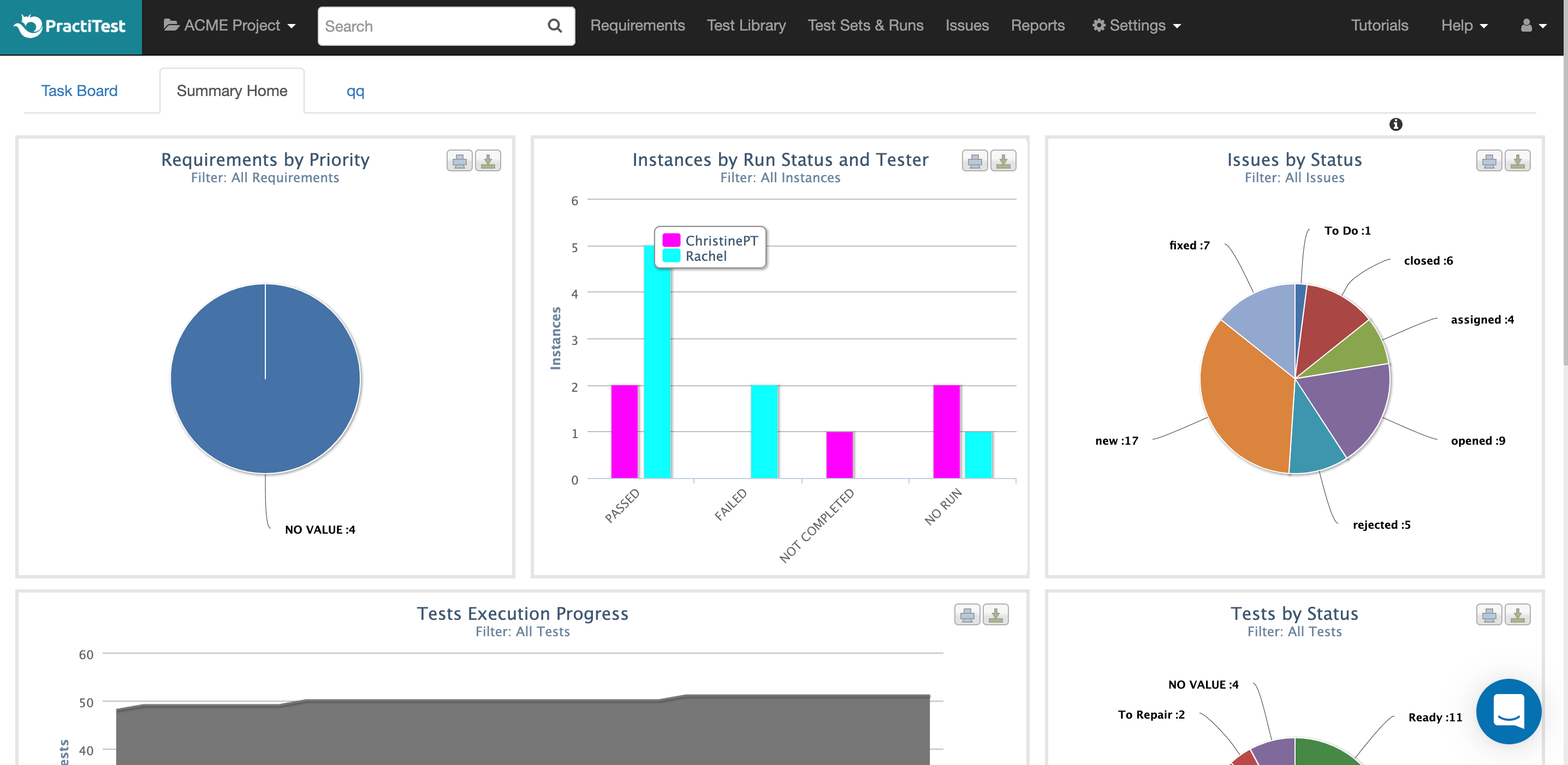    | Tricentis qTest Screenshots   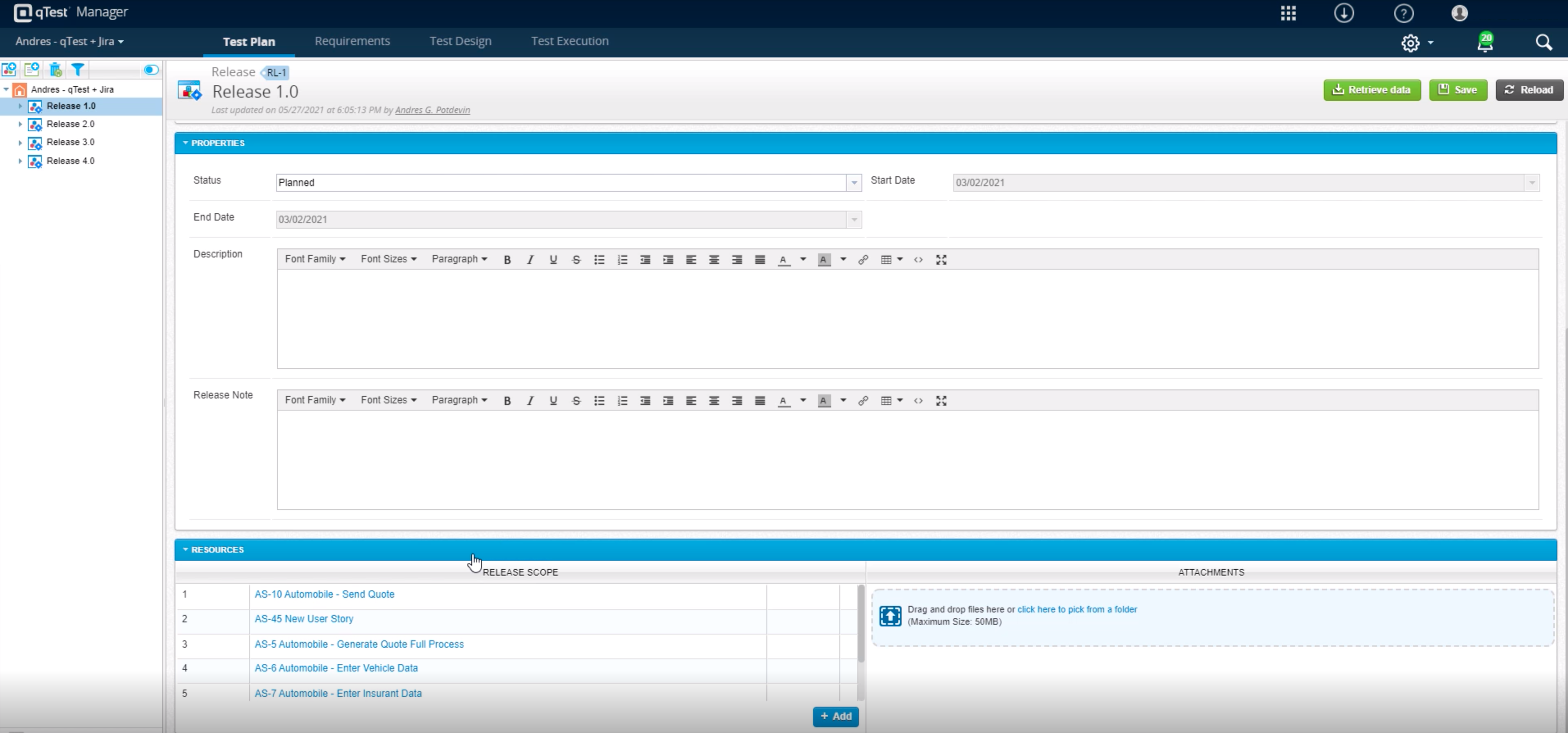   | Tuskr Screenshots   |