Pulseway vs. Snow Device Manager

Overview
ProductRatingMost Used ByProduct SummaryStarting Price
Pulseway
Score 6.9 out of 10
Mid-Size Companies (51-1,000 employees)
Pulseway is an IT monitoring and management solution that enables users to monitor, manage and control all systems and servers from a smartphone, tablet or browser. For system administrators, Pulseway sends a notification, so they can see an issue and sort it in seconds. Pulseway features: Automation: Auto-remediation workflows, so that IT issues are fixed before users even notice them. Mobile Access: Customers can monitor, manage, connect with…
$0.80
per month per installation
Snow Device Manager
Score 8.0 out of 10
N/A
Swedish company Snow Software offers Snow Device Manager, a mobile device management (MDM) application scalable to complete UEM with Snow ancillary products and capabilities.N/A
Pricing
PulsewaySnow Device Manager
Editions & Modules
Enterprise
$0.80
per month per installation
No answers on this topic
Offerings
Pricing Offerings
PulsewaySnow Device Manager
Free Trial
YesNo
Free/Freemium Version
YesNo
Premium Consulting/Integration Services
YesNo
Entry-level Setup FeeNo setup feeNo setup fee
Additional DetailsNo hidden fees or contracts. Term-based discounts.
More Pricing Information
Community Pulse
PulsewaySnow Device Manager
Best Alternatives
PulsewaySnow Device Manager
Small Businesses
Action1
Action1
Score 9.5 out of 10
NinjaOne
NinjaOne
Score 9.0 out of 10
Medium-sized Companies
Action1
Action1
Score 9.5 out of 10
Cisco Meraki SM
Cisco Meraki SM
Score 9.7 out of 10
Enterprises
TeamViewer
TeamViewer
Score 8.6 out of 10
Cisco Meraki SM
Cisco Meraki SM
Score 9.7 out of 10
All AlternativesView all alternativesView all alternatives
User Ratings
PulsewaySnow Device Manager
Likelihood to Recommend
6.2
(13 ratings)
9.0
(1 ratings)
Usability
7.7
(4 ratings)
-
(0 ratings)
Support Rating
9.6
(2 ratings)
-
(0 ratings)
User Testimonials
PulsewaySnow Device Manager
Likelihood to Recommend
Kaseya
If you have to manage a large number of computers, especially spread over multiple clients or a large physical area. This is one of the main products that allows us to act as a Managed Service Provider (MSP) and actually manage our clients devices and not just react to issues as clients call them in. Clients really love the proactive approach it allows us to take. Sadly as we became more familiar with options out there we found this area lacking and what was actually holding us back.
Read full review
Flexera
Once we had got 20k plus users to blacklist. The data was too big. We wanted the results within some hours. When we used SDM and did all in one shot. It hardly took 2 hours. The same we presented to the clients in our weekly call. Got appreciation as well for that. Yes, just to summarize, even though we have huge datas, this helps us to fetch the results too easily. Thanks.
Read full review
Pros
Kaseya
  • It monitors computers and notifies us of any issues with any computer.
  • It allows remote control of computers, such as requesting a computer to reboot itself.
  • It is very highly configurable to monitor exactly what we need to monitor. For example, on server, we can have it notify us any time the server is shutdown or rebooted. On the other hand, for a desktop computer, we don't have to be bothered with notifications when a user decides to reboot his computer.
Read full review
Flexera
  • It handles software and the applications in all the platforms. It is very much useful for us when we have got many projects.
  • We also blacklist the applications that creates any risk when triggered incident for us.
  • It is a very convenient for us to handle as it gives an excellent security, even if we run any queries in the background.
Read full review
Cons
Kaseya
  • It would be nice if they increased their scope of supported third-party apps.
  • It would be great if they would create an ios app for their ticket system.
  • If they could possibly build in a location service for tracking devices, that would be helpful.
  • If they had two-factor authentication, it would be nice.
Read full review
Flexera
  • At times whitelisting the applications creates a problem, now it has been improved more.
  • No editable option once the data saved.
  • License issue has been occurred initially. Even though license was there, we couldn't use it properly. Slow it recovered.
Read full review
Usability
Kaseya
The tool is easy to use however it is can be daunting with the amount of features available in it. Last I checked, their knowledge base was not very expansive and they relied a lot on the changelog for how to do some stuff. This can make it hard to learn how to do some more advanced things like the automation.
Read full review
Flexera
No answers on this topic
Support Rating
Kaseya
I have never had to use the support for Pulseway. However, when initially starting out, we would receive emails every so often asking how we are doing and if there is any support that they can provide. I would imagine that any request would be supplied with the same great support!
Read full review
Flexera
No answers on this topic
Alternatives Considered
Kaseya
Pulseway has the most features, the best looking app with the best design and better usability than any others we evaluated. We liked the uniformity of the app design across all platforms (Windows, Android, Apple) and the notifications displayed on each platform. The price was a major contributor to our selection of Pulseway compared to the competition.
Read full review
Flexera
As I said, we can do the task in bulk which is the added advantage in this. At times alerts gets triggered in multiple like 1000 plus. We can't do it manually as it kills time. But by using this, we can do it on bulk within hours. So likewise, we also did in the same way. We can pull reports also from this (excel files). We showcased to clients wherein we got the appreciation also. Really liked. Thanks team!
Read full review
Return on Investment
Kaseya
  • Problems can be dealt with more rapidly because I have access to systems from anywhere. I don't have to carry a computer with me nor do I have to find a location with potentially non-secure wifi to gain access to my systems.
  • I can handle 99% of my system admin tasks using Pulseway and never have to touch a system or connect to the console.
  • Pulseway gives so much control over a system that I don't need to spend extra money on other software to perform management tasks.
Read full review
Flexera
  • Pros: blacklist the applications that creates any risk when triggered incident for us. Cons: unable to whitelist as it is creating bug
  • It is a very convenient for us to handle as it gives an excellent security, even if we run any queries in the background.
  • Cons : NA
Read full review
ScreenShots

Pulseway Screenshots

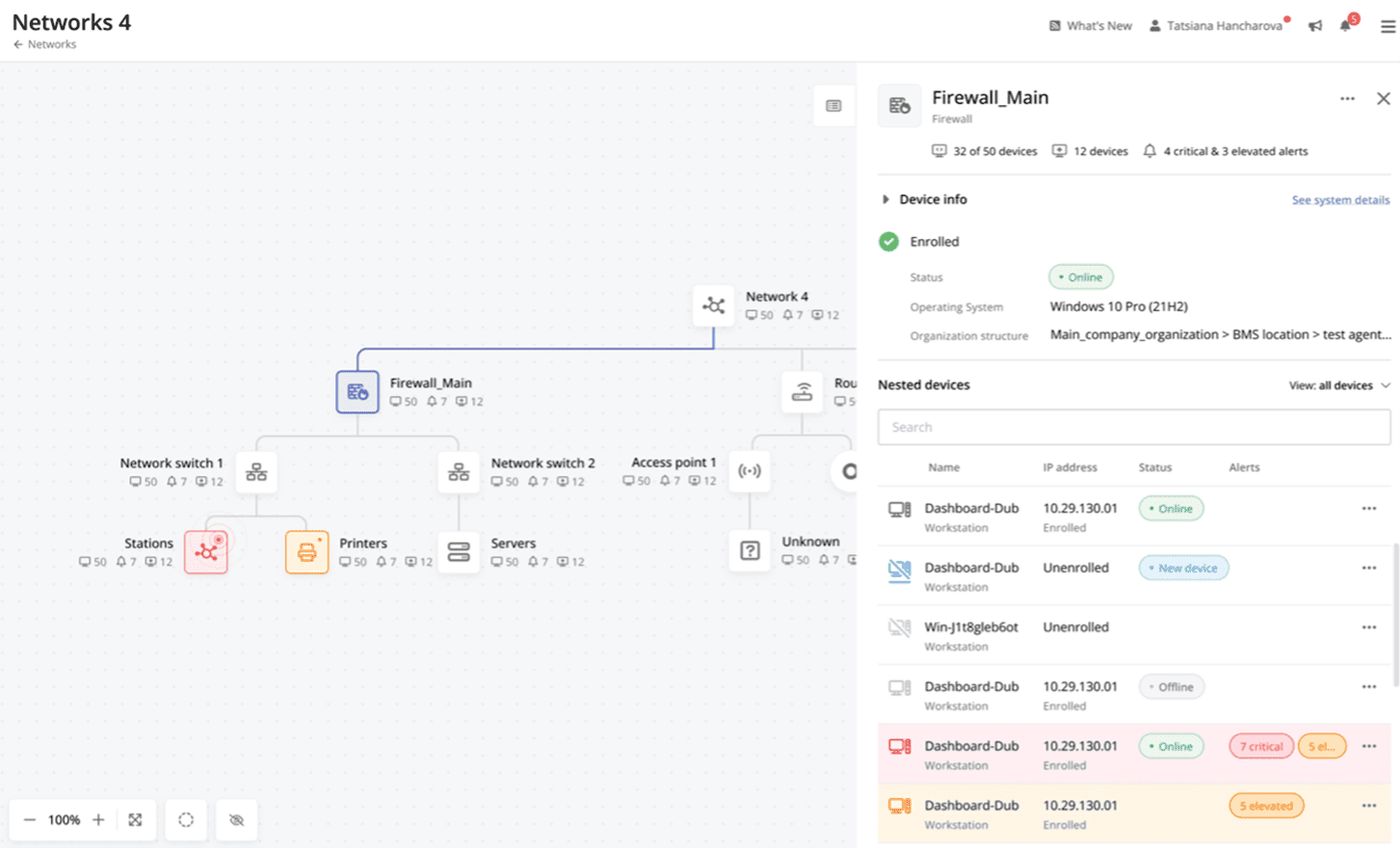
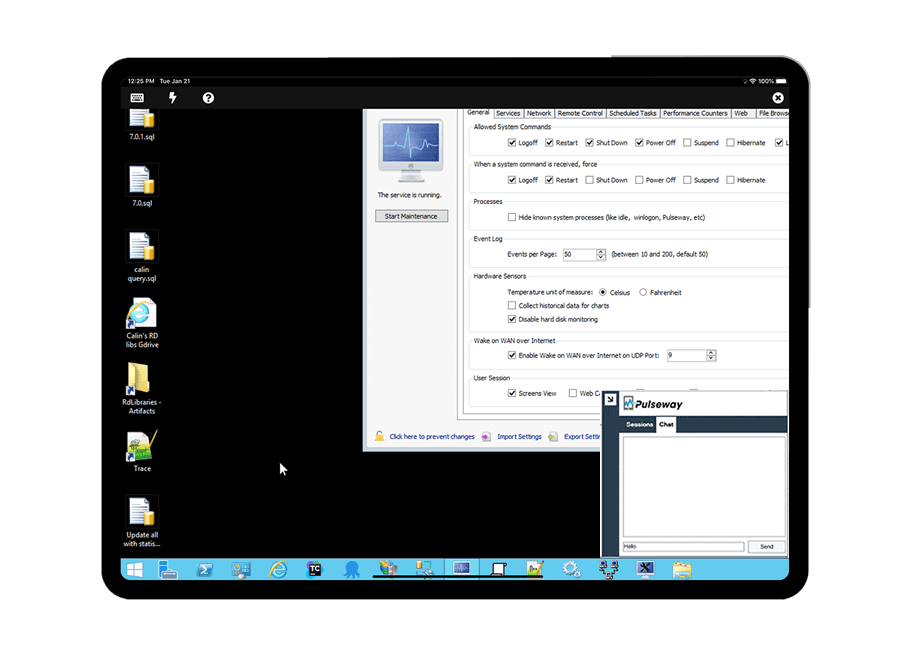
Screenshot of Cross-device functionalityScreenshot of Auto-Remediate IT IssuesScreenshot of Visibility Across the Entire NetworkScreenshot of Remote Control to Any SystemScreenshot of Systems and Application patchingScreenshot of Detailed Custom Report