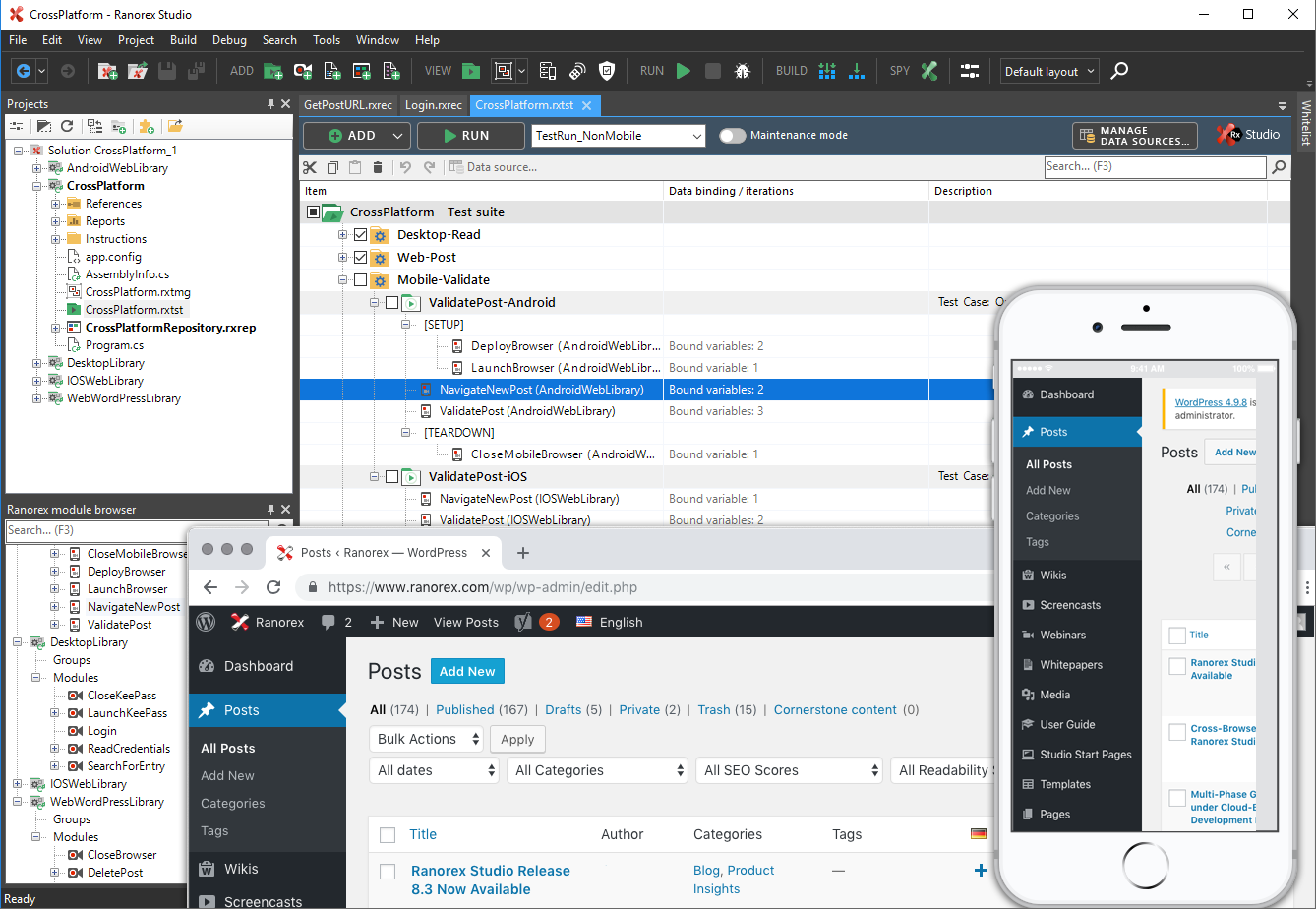
Over 14,000+ users worldwide automate tests with Ranorex Studio, which promises to enable rapid delivery of high-quality desktop, mobile, and web applications. The vendor says that with over 10 years in test automation, Ranorex Studio supports automating functional UI tests for even the most challenging technologies, from legacy applications to the latest web and mobile platforms. Ranorex Studio is an all-in-one tool that empowers everyone on the team. Key benefits and…
$890
per additional endpoint
Selenium
Score 8.4 out of 10
N/A
Selenium is open source software for browser automation, primarily used for functional, load, or performance testing of applications.
N/A
Pricing
Ranorex
Selenium
Editions & Modules
Runtime Floating Licnse
$890
per additional endpoint
Premium Node-Locked License
$2,990
per installation
Premium Floating License
$4,990
per concurrent user
No answers on this topic
Offerings
Pricing Offerings
Ranorex
Selenium
Free Trial
Yes
No
Free/Freemium Version
No
No
Premium Consulting/Integration Services
Yes
No
Entry-level Setup Fee
Optional
No setup fee
Additional Details
All licenses are perpetual and include 12 months of maintenance and email support. A runtime floating license requires at least one premium license for test creation. Please contact our sales team for information about possible volume discounts and options for enterprise support. Consulting, integration and training services are available from our partners worldwide.
—
More Pricing Information
Community Pulse
Ranorex
Selenium
Considered Both Products
Ranorex
No answer on this topic
Selenium
Verified User
Consultant
Chose Selenium
UFT is a paid tool from microfocus and able to automated alomsts all platforms but there is Fee for licensed versions software. TOSCA is also a paid tool from Tricentis which does not require coding skills from tester and implements mode based automation. where as selenium is …
Personally I rate it a 10 from my own experience, but from a company perspective, I would drop that to perhaps an 8. This is because while I have fun while finding it extremely easy to use and comprehensive enough, there have been times that relative to the project currently in works, Ranorex has not performed due to its shortcomings. If asked though I would certainly fully recommend Ranorex to a potential user, especially to someone less skilled in this field.
When you have to test the UI and how it behaves when certain actions are performed, you need something that can automate the browsers. This is where Selenium comes to the rescue. If you have to test APIs and not the frontend (UI), I would recommend going with other libraries that support HTTP Requests. Selenium is good only when you have no choice but to run the steps on a browser.
Language support is limited, c# and Vb.net only if i remember correctly compared to other tools which allow many more. This addition would certainly be appreciated if added on in a company like mine with a variety of differently skilled individuals
Paid license. This is not always preferred. A free version without a limited trial but maybe limited features would be appreciated.
Selenium is pretty user-friendly but sometimes tests tend to flake out. I'd say roughly one out of twenty tests yields a false positive.
Selenium software cannot read images. This is a minor negative because a free plug-in is available from alternate sources.
Slowness may be a minor factor with Selenium, though this is an issue with basically any testing software since waiting on a site to execute JavaScript requires the browser to wait for a particular action.
We love this product mainly because of its high customization abilities and the ease of use. Moreover, its free and can be learned easily through online communities and videos. The tests are more consistent and reliable as compared to Manual tests. It has enabled us to test a large number of features all in one go, which would have impossible through manual tests. The reports generated at the end of the tests are really helpful for the QA and the development teams to get a fair view of the application.
For those who are unfamiliar with coding, there is a bit of a learning curve. There is plenty of helpful documentation and resources but it can take a little time to get the software up and running. Once you get the hang of how Selenium works, and what it can do, you realize how many things you can use it for, and how many processes you can automate.
I suppose my experience is sort of mixed. Help documents are substantially helpful. I personally have not got the quickest responses from Ranorex support but at the same time, they are pretty good with updating their users frequently with info about their product/s and features. The community is really where I find support and I suppose that could look to be an extension of the product itself.
The Selenium app has a pretty fat community of users. For the problems we are experiencing, we are primarily receiving support from these communities. In addition, there is widespread service support. Instant support is given to the problems we experience when we need Online support. We and our team are happy to provide this support, especially before important deployment processes
We did everything we needed to use it. Now we can execute our tests on different operational systems and browsers running few tests simultaneously. We also implemented Appium framework to execute our tests on mobile devices, such as iPhones, iPads, Android phones and tablets. We use SauceLabs for our test execution and Jenkins for continuous integration.
At the time of adoption, there were not many other alternatives that were even close to being competitive when it comes to browser testing. As far as I know now to this day, there is still little competition to Selenium for what it does. Any other browser-based testing still utilises Selenium to interact with the browser.