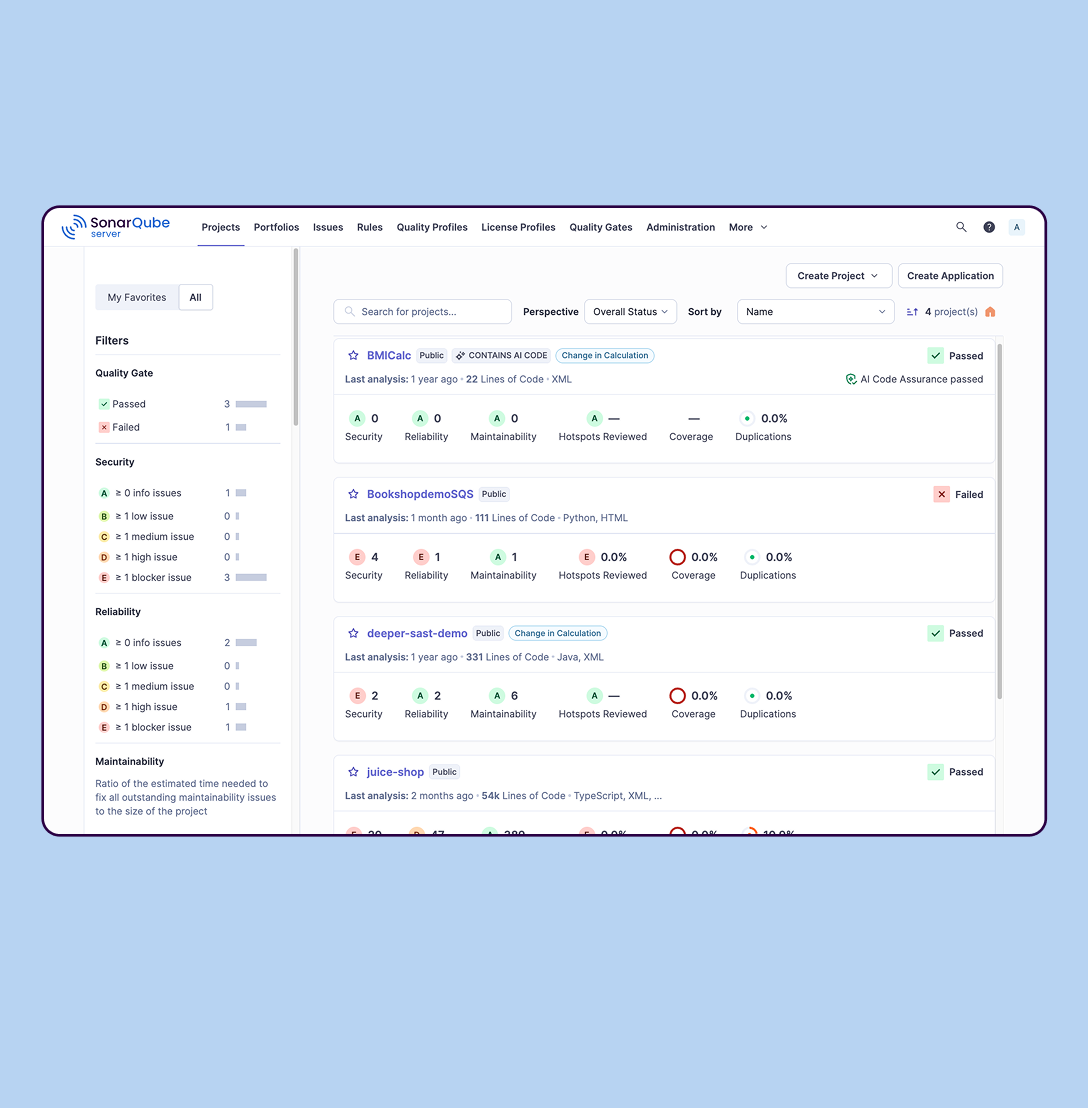
SonarQube is an automated code review solution, serving as the verification layer for code quality and SDLC security. SonarQube is used to ensure that code is secure, reliable, and maintainable. It is available through SaaS or self-managed deployment.
$34
per month Recommended for teams <50 developers
Sonatype Platform
Score 8.7 out of 10
Enterprise companies (1,001+ employees)
Sonatype secures the software supply chain and protects organizations' vital software development lifecycle(SDLC). The platform unites security teams and developers to accelerate digital innovation without sacrificing security or quality across the SDLC. With users among more than 2,000 organizations and 15 million software developers, Sonatype tools and guidance help users to deliver and maintain exceptional and secure software.
$0
for use of the Sonatype Nexus Repository Community Edition
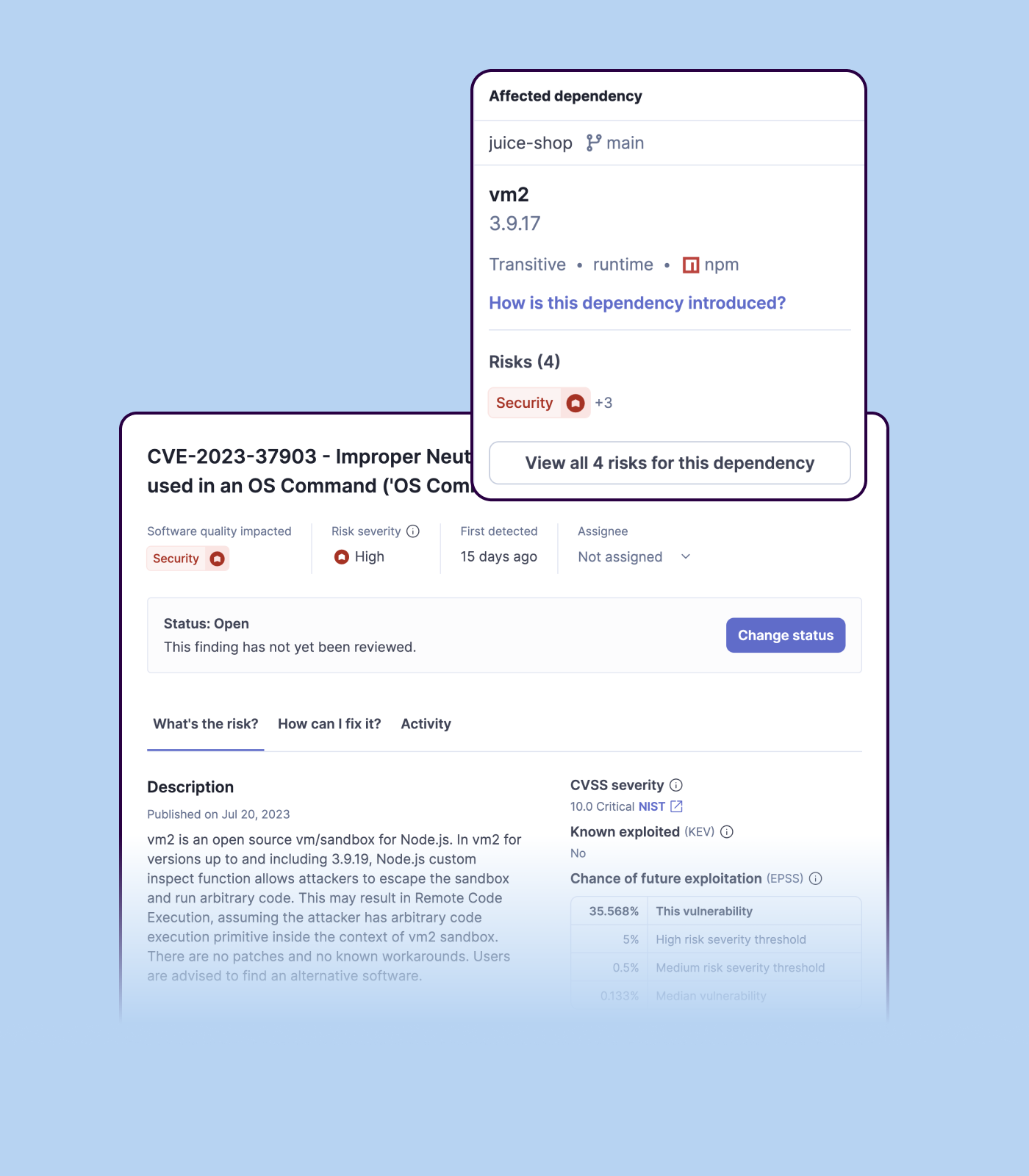
Sonatype Platform is complete tool for Software Composition Analysis. Allows policy enforcement at full SDLC which helps organizations identify and manage open-source components and dependencies, along with policy for licenses and also has additional feature for firewall. But …
Verified User
Manager
Chose Sonatype Platform
JFrog is a very strong competitor for the Sonatype Platform and in some areas beats Sonatype's configuration, for example on the default options for retention, cleanup and backups. However, Sonatype Platform has easy integration at Enterprise scale, is transparant on it's …
SonarQube is excellent if you start using it at the beginning when developing a new system, in this situation you will be able to fix things before they become spread and expensive to correct. It’s a bit less suitable to use on existing code with bad design as it’s usually too expensive to fix everything and only allows you to ensure the situation doesn’t get worse.
- Guidance on remediation is very good - Vulnerability detection is very good - Support is very good - Ability to ask PMs/POs open questions at Office Hours every month is very good - Support for languages is lacking (TIOBE Index Top20) - Some features are un-neededly hidden and make the usage more complex then it needs to be
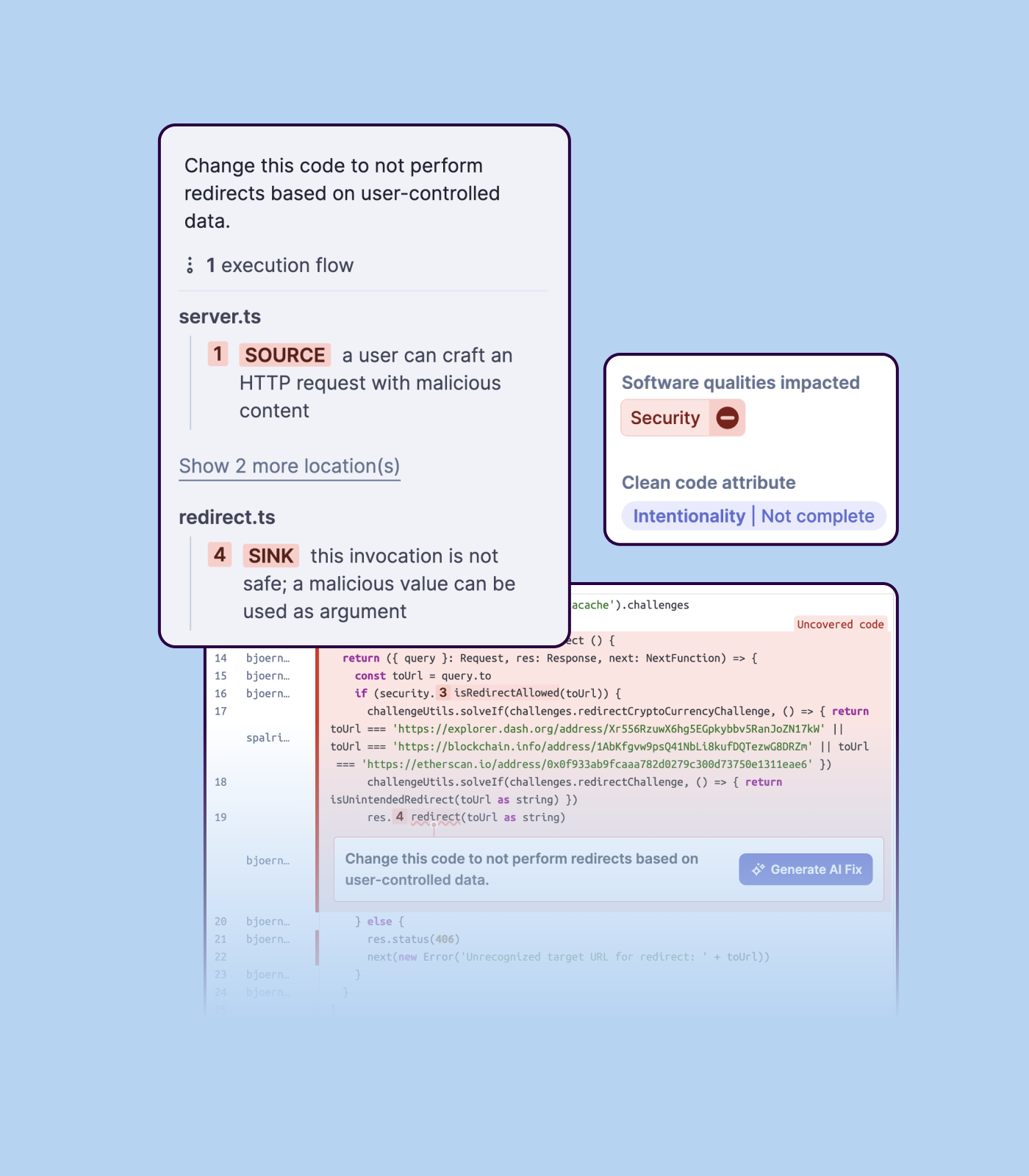
Detecting bugs and vulnerabilities: SonarQube can identify a wide range of bugs and vulnerabilities in code, such as null pointer exceptions, SQL injection, and cross-site scripting (XSS) attacks. It uses static analysis to analyze the code and identify potential issues, and it can also integrate with dynamic analysis tools to provide even more detailed analysis.
Measuring code quality: SonarQube can measure a wide range of code quality metrics, such as cyclomatic complexity, duplicated code, and code coverage. This can help teams understand the quality of their code and identify areas that need improvement.
Providing actionable insights: SonarQube provides detailed information about issues in the code, including the file and line number where the issue occurs and the severity of the issue. This makes it easy for developers to understand and address issues in the code.
Integrating with other tools: SonarQube can be integrated with a wide range of development tools and programming languages, such as Git, Maven, and Java. This allows teams to use SonarQube in their existing development workflow and take advantage of its powerful code analysis capabilities.
Managing technical debt: SonarQube provides metrics and insights on the technical debt on the codebase, enabling teams to better prioritize issues to improve the quality of the code.
Compliance with coding standards: SonarQube can check the code against industry standards like OWASP, CWE and more, making sure the code is compliant with security and coding standards.
Nexus firewall is a great feature enabled for all our proxy repositories which are used to download the third-party opensource packages.
Nexus IQ is integrated with build stage to analyze the component against evaluation policy. This helps to figure out the application security standards.
Nexus IQ is also having a feature to scan container images before it uploads to our private repository. This is great feature for container platforms.
Importing a new custom quality profile on SonarQube is a bit tricky, it can be made easier
Every second time when we want to rerun the server, we have to restart the whole system, otherwise, the server stops and closes automatically
When we generate a new report a second time and try to access the report, it shows details of the old report only and takes a lot of time to get updated with the details of the new and fresh report generated
Sonatype supports more than 200 dev(s). It proves with the repository to store the artifacts. Allows for governance of open source software used by the different teams. It is used by security teams to scan for vulnerabilities in software(s) and in the deployed containers. It helps ensure code quality.
Overall experience is great with the Platform; however, I see some opportunity with upgrading the platform as it is missing with data of historical scans to allow reviewer to get view of trend how the application/product development team is considering fixing the issues.
Sonatype products are great value as I said but a few areas like how products use underlying resources in order to make it further lightweight, is something I would like them to consider.
We we easily able to integrate the SonarQube steps into our TFS process via the Microsoft Marektplace, we didn't have the need to call SonarQube support. We've used their online documentation and community forum if we ran into any issues.
SonarQube is an open-source. It's a scalable product. The costs for this application, for the kind of job it does, are pretty descent. Pipeline scan is more secured in SonarQube. Its a very good tool and its support multiple languages. Its main core competency is of static code analysis and that is why SonarQube exists and it does it exceedingly well. The quality of scan on code convention, best practices, coding standards, unit test coverage etc makes them one of the best competent tool in the market
Out of other products we evaluated before choosing Sonatype, the later looked far more user friendly, easy to understand and work with. This was key for us, as the tool needs to be used by many engineers that don't have security as their main focus. Having a tool that is easy to understand and work with, makes the process of evaluating open source dependencies much easier and appealing for developers.
Positive ROI from the standpoint of flagging several issues that would have otherwise likely been unaddressed and caused more time to be spent closer to launch
Slightly positive ROI from time-saving perspective (it's an automated check which is nice, but depending on the issues it finds, can take developers time to investigate and resolve)