Microsoft's SQL Server Integration Services (SSIS) is a data integration solution.
N/A
IBM Turbonomic
Score8.5 out of 10
Enterprise companies (1,001+ employees)
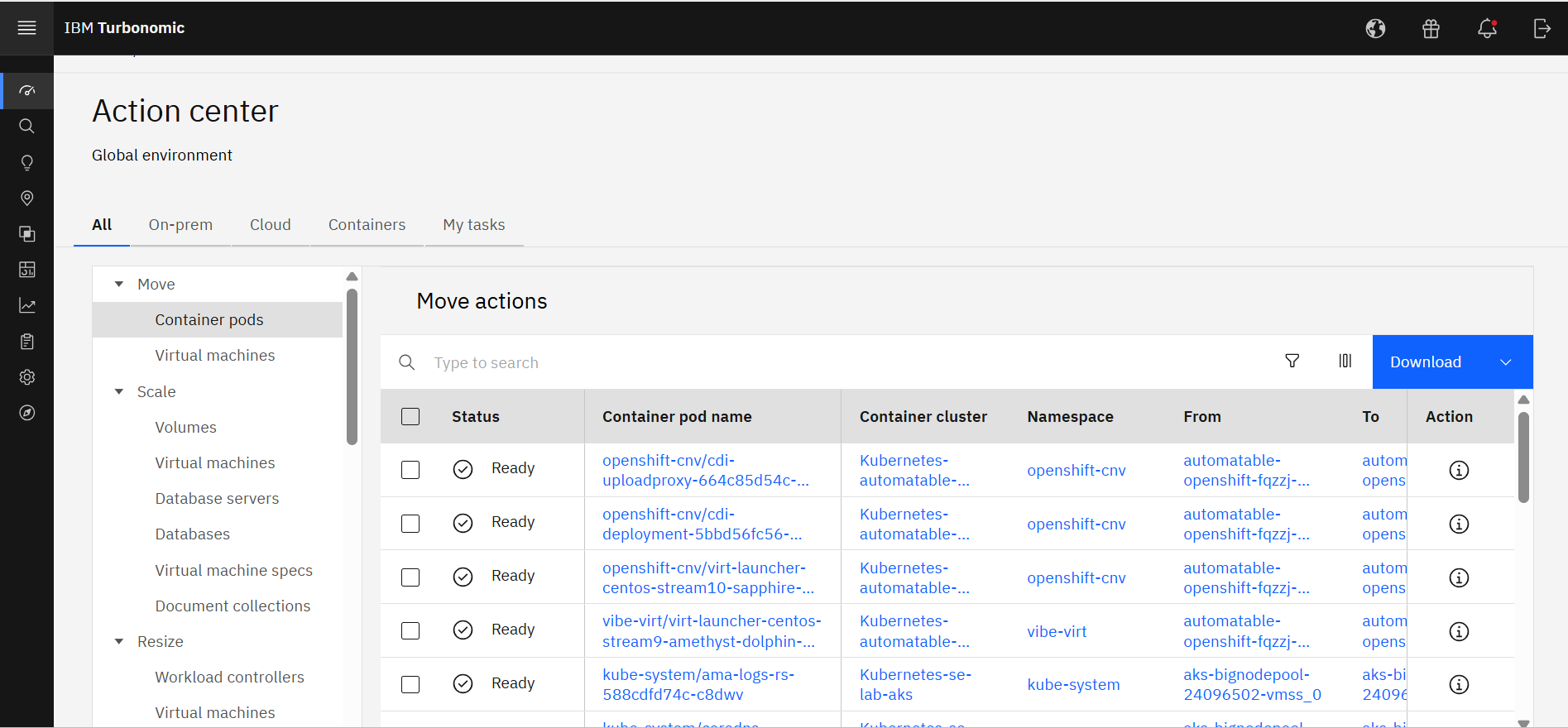
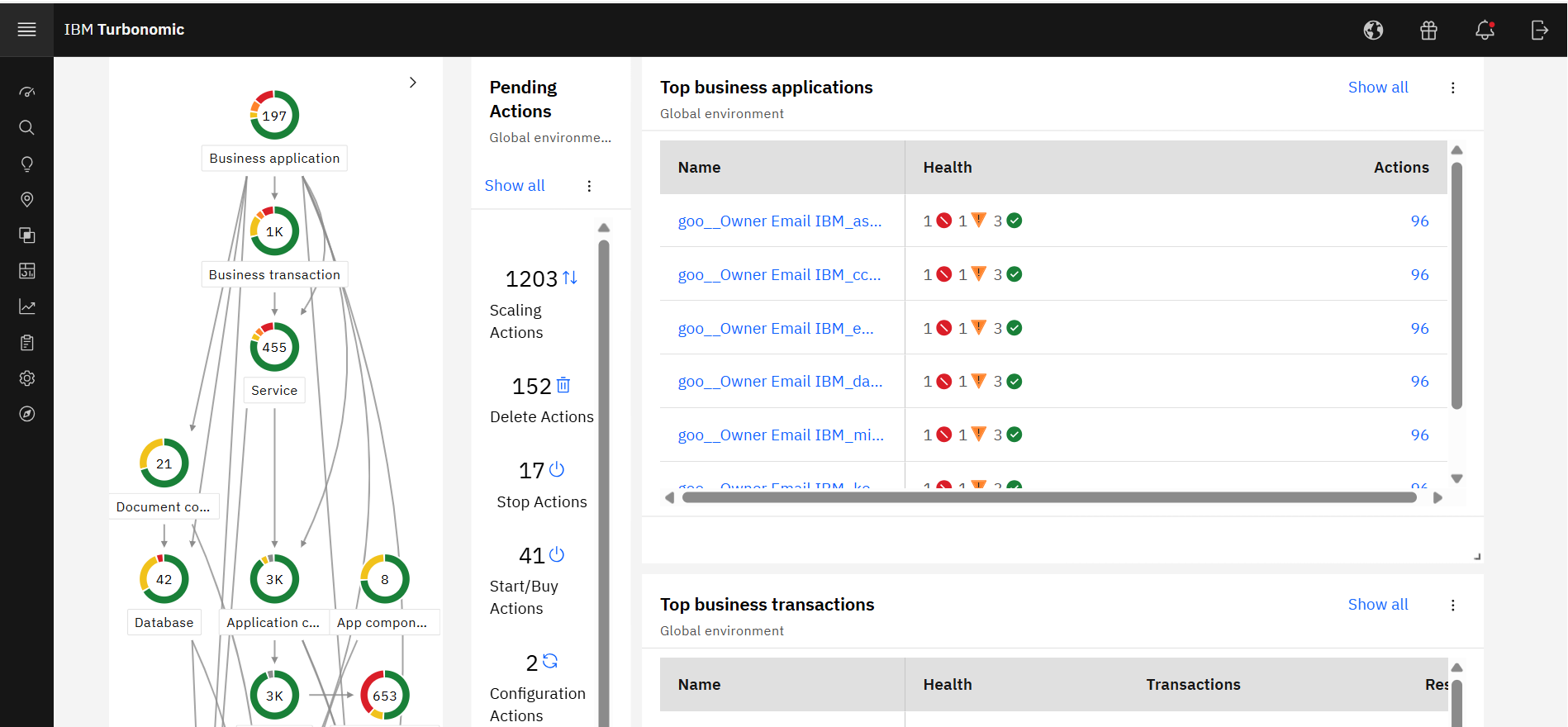
IBM Turbonomic, now part of the Concert platform, is a performance and cost optimization platform for public, private, and hybrid clouds used by cloud, infrastructure operations, and architecture to assure application performance while eliminating inefficiencies by dynamically resourcing applications through automated actions. One of the key features of IBM Turbonomic is its ability to continuously adjust…
N/A
Pricing
SSIS
IBM Turbonomic
Editions & Modules
No answers on this topic
IBM® Turbonomic On-Prem
Varies - Request a Quote
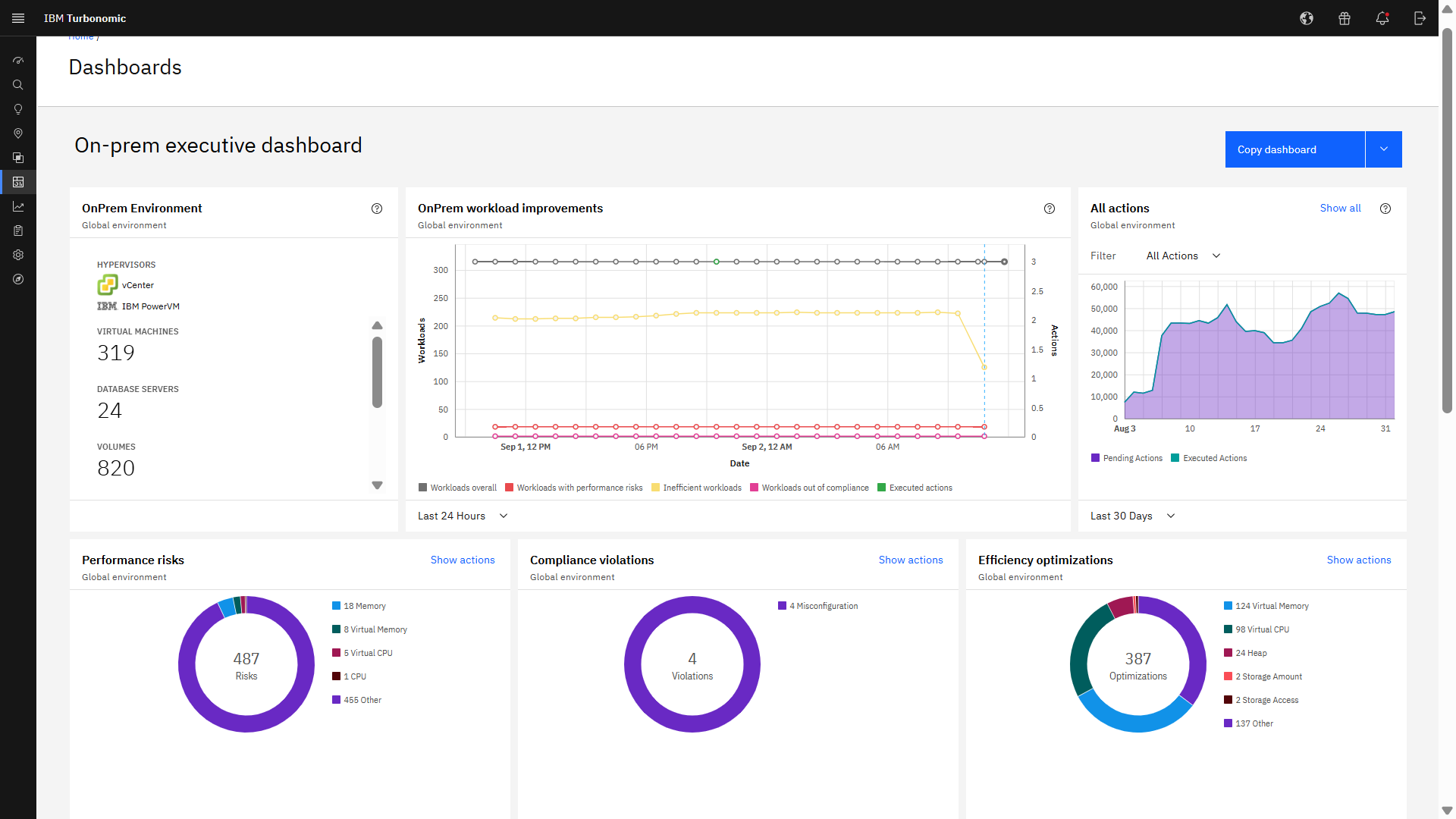
per month IBM Turbonomic On-prem optimizes data center resources in real time, ensuring app performance at the lowest cost by aligning infrastructure supply with dynamic application demand.
IBM® Turbonomic Cloud Standard
Varies - Request a Quote
per month For customers with more than USD 1.6 million in annual cloud spend or 50 Managed Virtual Servers (MVS) or greater
IBM® Turbonomic Hybrid Standard
Varies - Request a Quote
per month Advanced hybrid cloud optimization capabilities for customers with 200 managed virtual servers (MVS) or more
As I mentioned earlier SQL Server Integration Services is suitable if you want to manage data from different applications. It really helps in fetching the data and generating reports. Its automation make it very easy and time efficient. It works well with large database as well. But it doesn't work well with real time data, it will take some time to gather the real time data. I would not recommend using it in a real time/fast-paced environment.
A de minimis incentive was given to thank the reviewer for their time. The incentive was not used to bias or drive a particular response, nor was the incentive contingent on a positive endorsement. More Info
Datacenter Consolidation and Hardware Optimization: This scenario is relevant to you as a hardware manager. It applies when you have physical servers (like Power or System z) and want to maximize virtual machine density. Why it works: IBM Turbonomic analyzes the peak usage times of each VM. If VM "A" is active during the day and VM "B" at night, it places them on the same physical host. Ideal scenario: Data migration projects or when you're told, "[...], there's no budget for more servers this year, make everything fit on what we have." Consolidación de Datacenters y Optimización de Hardware,Este escenario te toca de cerca como encargado de Hardware. Cuando tienes servidores físicos (como los Power o System z) y quieres maximizar la densidad de máquinas virtuales.Por qué funciona: IBM Turbonomic analiza las horas pico de cada VM. Si la VM "A" es activa de día y la VM "B" de noche, las coloca en el mismo host físico.Escenario ideal: Proyectos de migración de datos o cuando te dicen: "[...], no hay presupuesto para más servidores este año, haz que quepa todo en lo que tenemos". This review was originally written in Spanish and has been translated into English using a third-party translation tool. While we strive for accuracy, some nuances or meanings may not be perfectly captured.
A de minimis incentive was given to thank the reviewer for their time. The incentive was not used to bias or drive a particular response, nor was the incentive contingent on a positive endorsement. More Info
A de minimis incentive was given to thank the reviewer for their time. The incentive was not used to bias or drive a particular response, nor was the incentive contingent on a positive endorsement. More Info
A de minimis incentive was given to thank the reviewer for their time. The incentive was not used to bias or drive a particular response, nor was the incentive contingent on a positive endorsement. More Info
Connection managers for online data sources can be tricky to configure.
Performance tuning is an art form and trialing different data flow task options can be cumbersome. SSIS can do a better job of providing performance data including historical for monitoring.
Mapping destination using OLE DB command is difficult as destination columns are unnamed.
Excel or flat file connections are limited by version and type.
A de minimis incentive was given to thank the reviewer for their time. The incentive was not used to bias or drive a particular response, nor was the incentive contingent on a positive endorsement. More Info
It would be nice if the UI included a break-down of features that are both licensed as well as un-licensed. That way, you could not only see what you have, but what you don't.
The right-sizing recommendations are great, but very little info is given about why the recommendation is being made. More info would not only increase understanding, but would also help drive decision-making.
A de minimis incentive was given to thank the reviewer for their time. The incentive was not used to bias or drive a particular response, nor was the incentive contingent on a positive endorsement. More Info
Some features should be revised or improved, some tools (using it with Visual Studio) of the toolbox should be less schematic and somewhat more flexible. Using for example, the CSV data import is still very old-fashioned and if the data format changes it requires a bit of manual labor to accept the new data structure
A de minimis incentive was given to thank the reviewer for their time. The incentive was not used to bias or drive a particular response, nor was the incentive contingent on a positive endorsement. More Info
We are certainly happy with Turbonomic as a whole and have invested quite a bit of time and effort into learning the ins and outs of the product. We have our reporting setup the way we want it and have gained definite value from these features. I will say though that many products nowadays are offering more native monitoring, reporting, and alerting features which may eventually steer us away from this product
A de minimis incentive was given to thank the reviewer for their time. The incentive was not used to bias or drive a particular response, nor was the incentive contingent on a positive endorsement. More Info
SSIS is a great tool for most ETL needs. It has the 90% (or more) use cases covered and even in many of the use cases where it is not ideal SSIS can be extended via a .NET language to do the job well in a supportable way for almost any performance workload.
A de minimis incentive was given to thank the reviewer for their time. The incentive was not used to bias or drive a particular response, nor was the incentive contingent on a positive endorsement. More Info
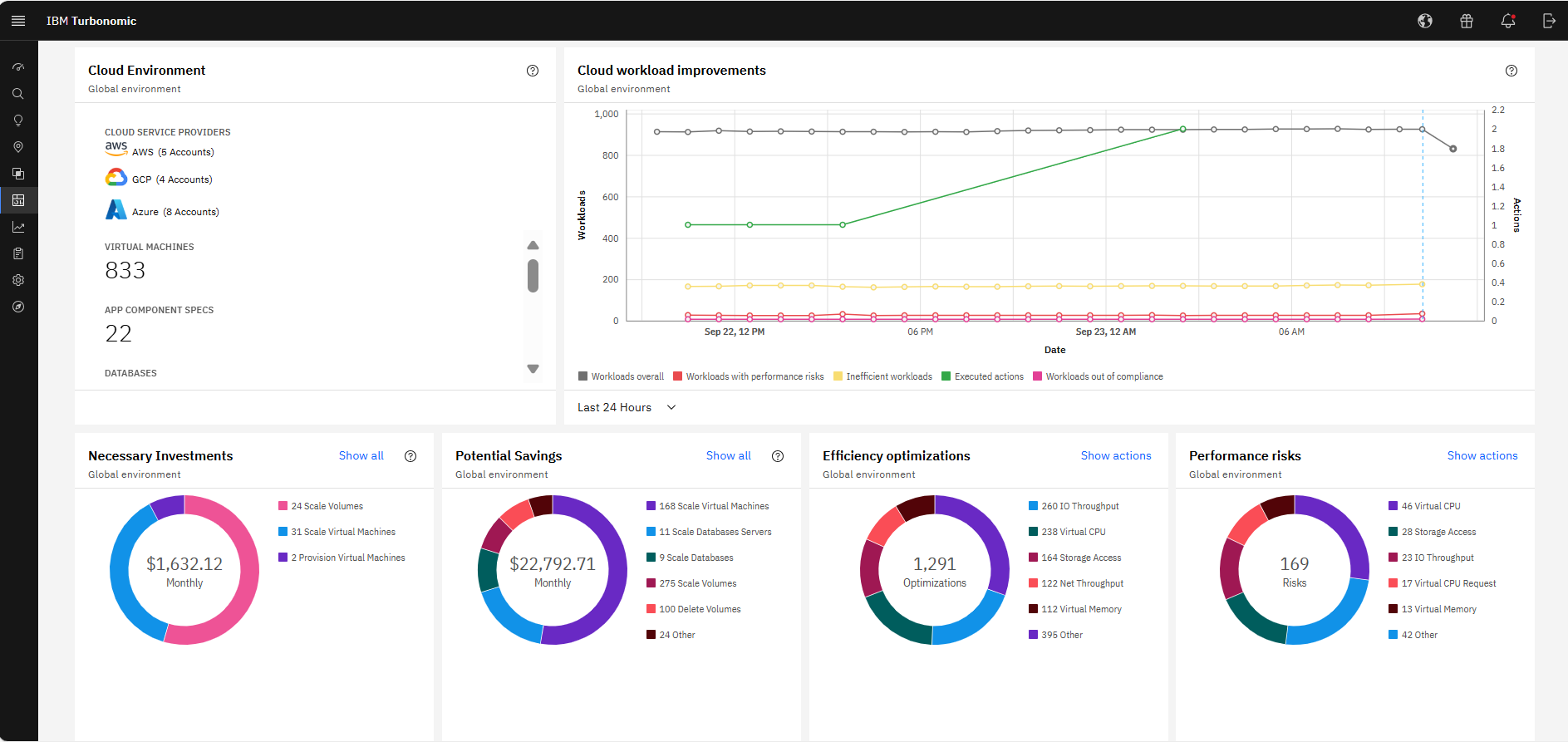
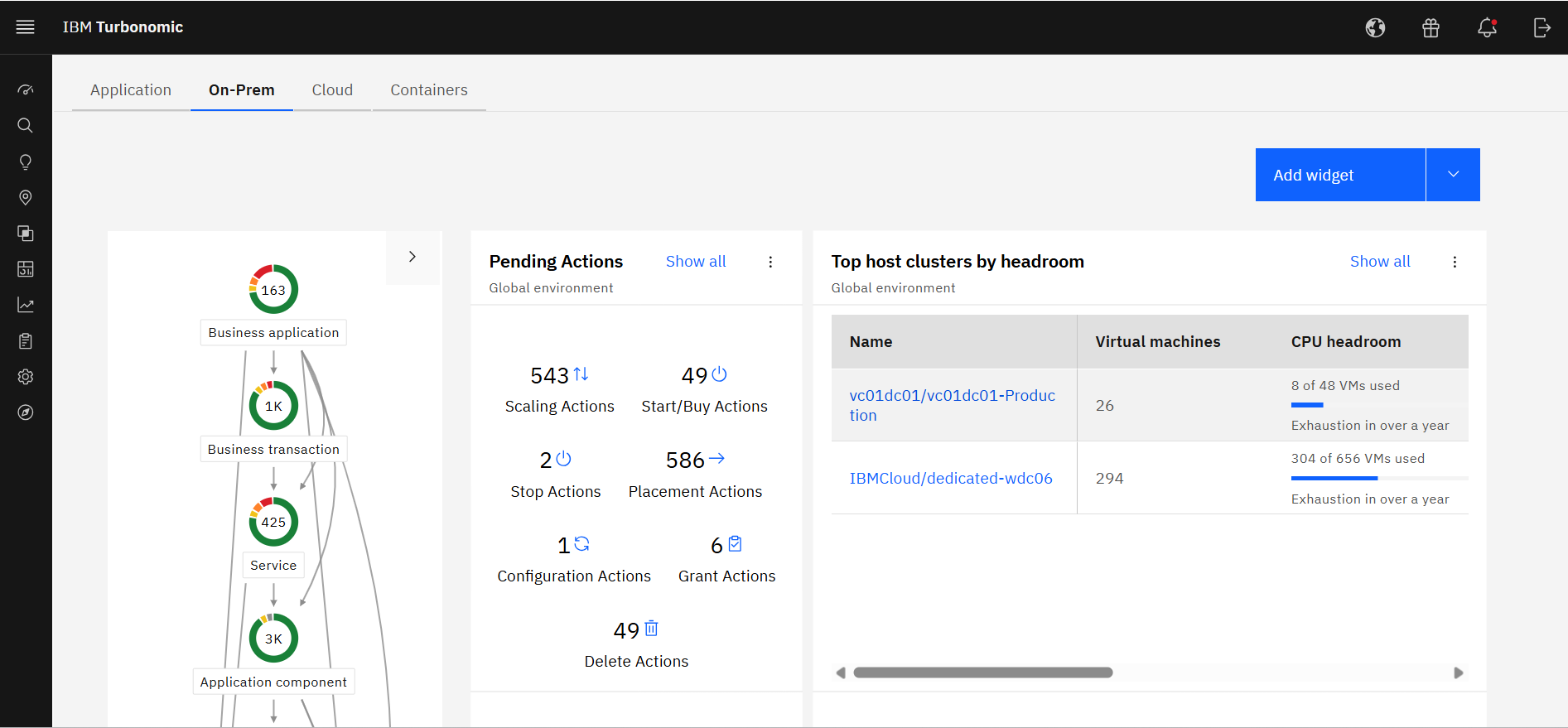
Excellent approach to larger VM organizational management. They have an very clean integrated dashboard that allows us to see everything in our environment and what that is doing in real-time. It works on multiple hyper-visors really well and integrates capacity planning on my local site as well as my cloud locations.
A de minimis incentive was given to thank the reviewer for their time. The incentive was not used to bias or drive a particular response, nor was the incentive contingent on a positive endorsement. TR verified that a representative sample of customers was invited. More Info
A de minimis incentive was given to thank the reviewer for their time. The incentive was not used to bias or drive a particular response, nor was the incentive contingent on a positive endorsement. TR verified that a representative sample of customers was invited. More Info
SQL Server Integration Services performance is dependent directly upon the resources provided to the system. In our environment, we allocated 6 nodes of 4 CPUs, 64GB each, running in parallel. Unfortunately, we had to ramp-up to such a robust environment to get the performance to where we needed it. Most of the reports are completed in a reasonable timeframe. However, in the case of slow running reports, it is often difficult if not impossible to cancel the report without killing the report instance or stopping the service.
A de minimis incentive was given to thank the reviewer for their time. The incentive was not used to bias or drive a particular response, nor was the incentive contingent on a positive endorsement. More Info
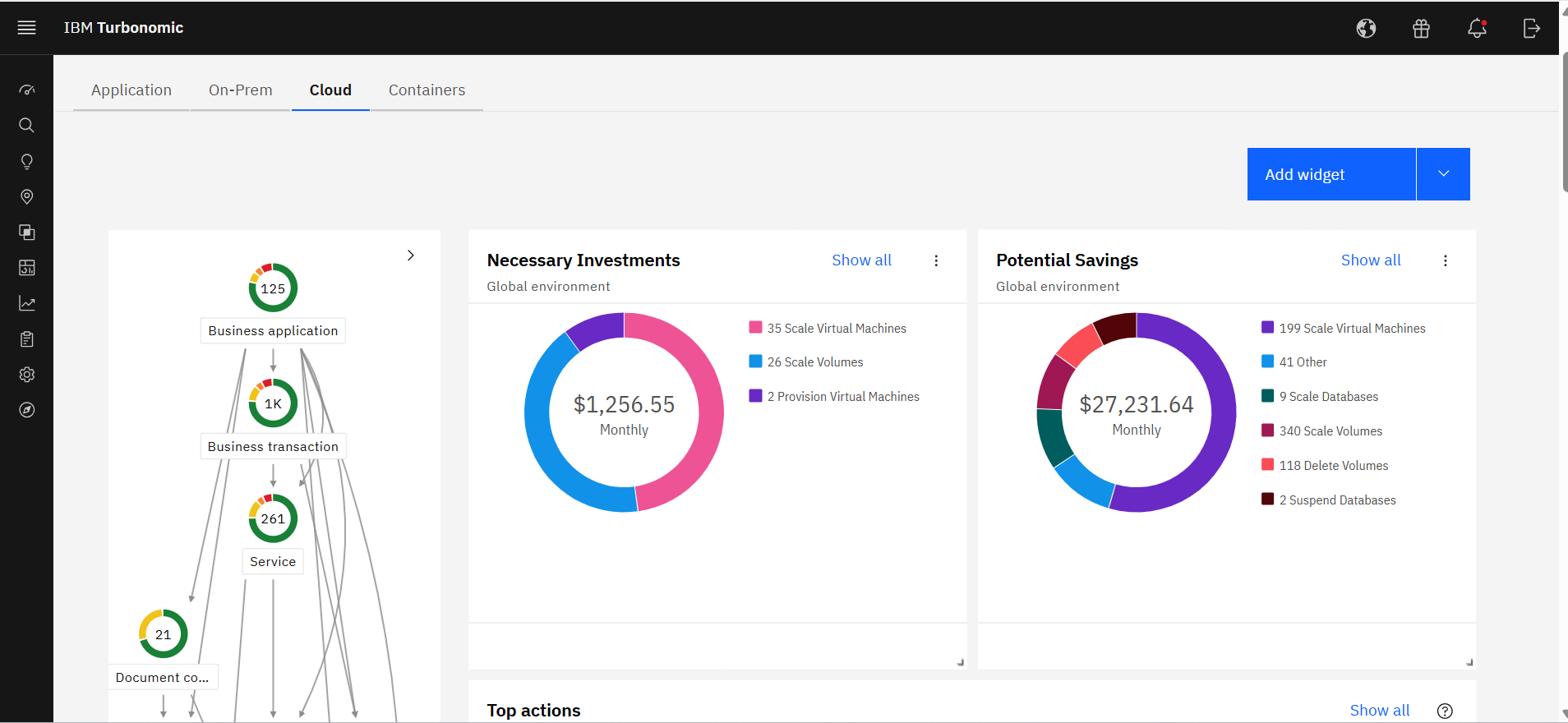
It allocates resources among applications by showing more on the cost breakdown by cloud service, with metrics on cloud provider information like Azure Management, Identity, Networking, Storage with costs per day, and total services costs. This then could facilitate and show the corresponding actions thereafter upon scaling.
A de minimis incentive was given to thank the reviewer for their time. The incentive was not used to bias or drive a particular response, nor was the incentive contingent on a positive endorsement. More Info
The support, when necessary, is excellent. But beyond that, it is very rarely necessary because the user community is so large, vibrant and knowledgable, a simple Google query or forum question can answer almost everything you want to know. You can also get prewritten script tasks with a variety of functionality that saves a lot of time.
A de minimis incentive was given to thank the reviewer for their time. The incentive was not used to bias or drive a particular response, nor was the incentive contingent on a positive endorsement. More Info
When I contact support I get a quick response and they are able to solve my problem quickly. I also get a sense that they want to make sure that we are getting value from the product and walk me through whatever steps are needed to accomplish my goals.
A de minimis incentive was given to thank the reviewer for their time. The incentive was not used to bias or drive a particular response, nor was the incentive contingent on a positive endorsement. TR verified that a representative sample of customers was invited. More Info
Alex (from VMTurbo) has worked with the product for years and helped develop the product. He was very knowledgeable and was able to provide our support team with details knowledge on how to get our deployment configured correctly as well as help with another VMTurbo POC within another customers environment.
A de minimis incentive was given to thank the reviewer for their time. The incentive was not used to bias or drive a particular response, nor was the incentive contingent on a positive endorsement. TR verified that a representative sample of customers was invited. More Info
After buying VMTurbo Operations Manager, I was invited to an online user training event. I felt this training was effective and dug just deep enough to be informative yet still keep my attention. Additionally, the webinar was free.
A de minimis incentive was given to thank the reviewer for their time. The incentive was not used to bias or drive a particular response, nor was the incentive contingent on a positive endorsement. TR verified that a representative sample of customers was invited. More Info
The implementation may be different in each case, it is important to properly analyze all the existing infrastructure to understand the kind of work needed, the type of software used and the compatibility between these, the features that you want to exploit, to understand what is possible and which ones require integration with third-party tools
A de minimis incentive was given to thank the reviewer for their time. The incentive was not used to bias or drive a particular response, nor was the incentive contingent on a positive endorsement. More Info
The implementation was very simple. Just upload an OVA file and power on the VM. Once it comes up enter some networking information and you can then access the web interface. From there, just begin configuring the system for your environment by adding you license and the various virtual environments and storage through the inventory tab
A de minimis incentive was given to thank the reviewer for their time. The incentive was not used to bias or drive a particular response, nor was the incentive contingent on a positive endorsement. TR verified that a representative sample of customers was invited. More Info
I think SQL Server Integration Services is better suited for on-premises data movement and ADF is more suited for the cloud. Though ADF has more connectors, SQL Server Integration Services is more robust and has better functionality just because it has been around much longer
A de minimis incentive was given to thank the reviewer for their time. The incentive was not used to bias or drive a particular response, nor was the incentive contingent on a positive endorsement. More Info
Ease of Deployment Turbonomic is straightforward to implement compared to other platforms that require complex configuration. This reduces time‑to‑value and accelerates adoption.Fast Visualization of Results The platform provides clear, real‑time dashboards and recommendations. Unlike competitors that may require manual report building, Turbonomic delivers immediate visibility into resource utilization and cost impacts.Native Kubernetes Integration Turbonomic integrates directly with Kubernetes, enabling automated scaling and resource optimization at the container level. This native capability is a differentiator, as many tools rely on external connectors or partial integrations.
A de minimis incentive was given to thank the reviewer for their time. The incentive was not used to bias or drive a particular response, nor was the incentive contingent on a positive endorsement. More Info
A de minimis incentive was given to thank the reviewer for their time. The incentive was not used to bias or drive a particular response, nor was the incentive contingent on a positive endorsement. More Info
Professional services were always there to guide us in our transformation to the cloud. They understood our business model and then were able to provide guidance on what we needed from the tool.
A de minimis incentive was given to thank the reviewer for their time. The incentive was not used to bias or drive a particular response, nor was the incentive contingent on a positive endorsement. More Info
Without this, we would have to manually update a spreadsheet of our SQL Server inventory
We would also have poor alerting; if an instance was down we wouldn't know until it was reported by a user
We only have one other person who uses SQL Server Integration Services , he's the expert. It would fall to me without him and I would not enjoy being responsible for it.
A de minimis incentive was given to thank the reviewer for their time. The incentive was not used to bias or drive a particular response, nor was the incentive contingent on a positive endorsement. More Info
Application performance has been a big one. With Turbonomic keeping everything running at top performance, it can make changes when extra resources are need, quicker than somebody being notified and then making the necessary changes.
Turbonomic has been a great cost savings for us on multiple occasions. We use it every time we are improving servers.
With the planning feature we get the best performance form new hardware purchases
A de minimis incentive was given to thank the reviewer for their time. The incentive was not used to bias or drive a particular response, nor was the incentive contingent on a positive endorsement. More Info