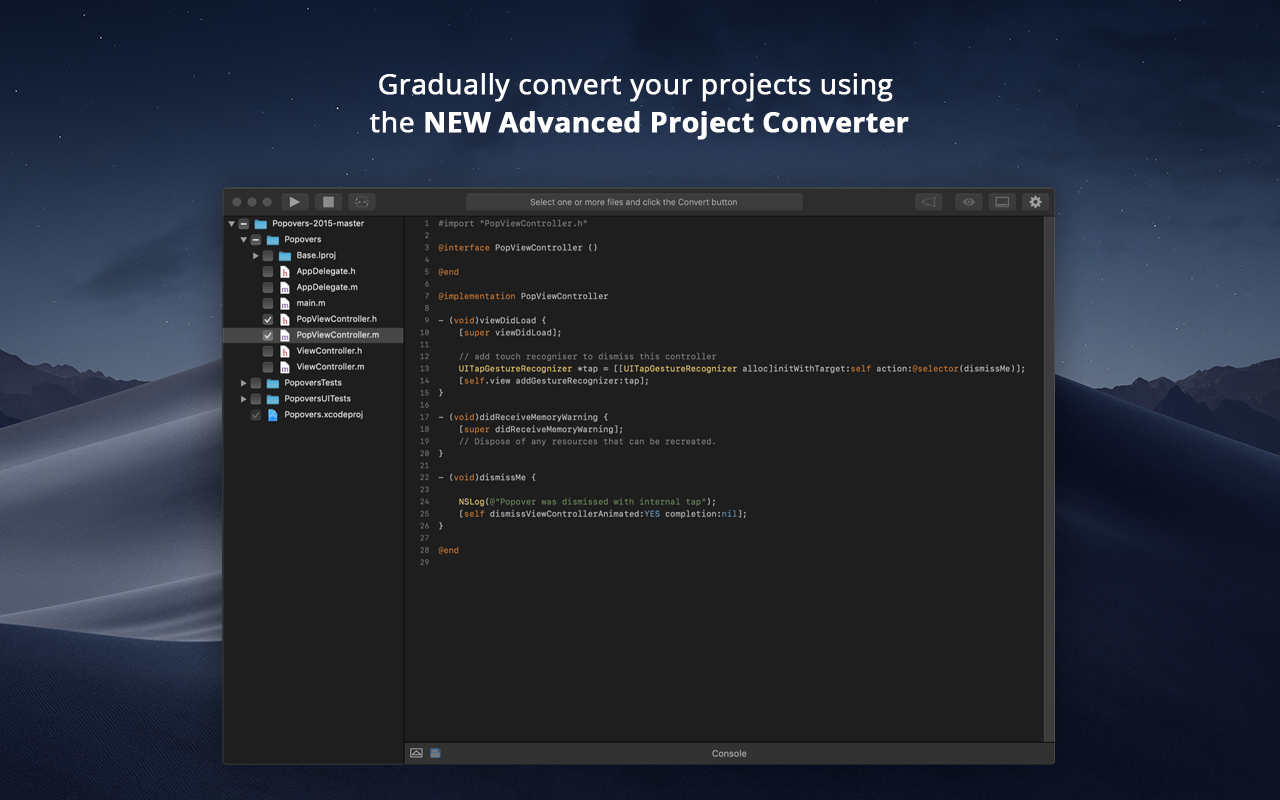
When Apple rolled out Swift back in 2014, Objective-C was set to be replaced. Even nowadays, however, there are plenty of apps and projects that still use Objective-C, and developers are faced with the prospect of either starting again from scratch or attempting to convert them to Swift. Swiftify for Xcode is designed to automate much of the conversion process, handling the task of replacing syntax while letting you focus on other aspects of migrating your project to…
It is recommended to use Swiftify in any situation that requires iOS development because even if you develop just in Swift or just in Objective-C, it could be helpful for researching and investigating purposes. Additionally, if you need to convert big quantities of code from Objective-C to Swift, this tool will optimise that work. It will not translate a whole class of 2000 lines perfectly, but after converting it you can review the code and modify the lines that have not been properly converted, making you save more than the 50% of the time in that case. I've not been able to test it properly as I only used the trial version and it is really limited.
If you are required to develop applications that are cross-platformed, Xamarin is a great tool to use. It will help save time and effort from your development team to be able to build applications seamlessly for android, IOS, Windows, and web on a single platform instead of requiring multiple tools to get the job done.
Xamarin allows you to write cross platform code. This allows companies to build apps more quickly by writing less code. Having code abstracted and reused across multiple platforms allows for more testing and less issues overall.
The ability to use Visual Studio is a huge plus. Visual Studio is one of the best IDE's available and being able to write cross platforms apps while in a great IDE makes everything less painful.
Xamarin is now free with a large company backing. This means that bugs on the platform get fixed more quickly and there is a large community of developers.
Xamarin has been great for developing different projects efficiently and effectively. It's nice to reuse the core business logic across different platforms so that there are less to maintain and little replications are needed. The biggest benefit is that C# programmers do not have to learn a different language to do mobile development.
If you are required to develop applications that are cross-platformed, Xamarin is a great tool to use. It will help save time and efforts from your development team to be able to build applications seamlessly for android, IOS, windows, and web on a single platform instead of requiring multiple tools to get the job done
I never had to contact support for any help. Most of the problems we ran into, we were able to identify and use peer support through blogs and other internet sources to resolve the problems. There are plenty of sources online which provide tutorials, discuss problems, etc. Example: StackOverflow
Just with any programming tasks, have a plan first. Design out the system, spend time to build it correctly the first time and have plenty of testing and user acceptance opportunities. Xamarin was easy to implement for a C# programmer. However, you need to do tutorials to realize the platform's capabilities.
There's not much to compare - we haven't found any proprietary like it. Existing OpenSource solutions are unmaintained and Swiftify supports the latest versions of Swift.
Xamarin runs natively on MacOS, and the debugger and other integration and auto-complete tools are far better than Eclipse for C# .NET. It also carries much of the plugin/add-on capabilities that are so desirable on Atom. Eclipse is a better for generalized software development, provided a developer is comfortable switching between the IDE the command line for certain parts of their workflow, like building, package management, or debugging. But for C# .NET development on MacOS specifically, Xamarin is the best product I've used for the job.
For now the impact has been small, considering that I used the trial version, it was helpful for small conversions. Summarising: Saving time on researching process