Trymata vs. Usersnap

Overview
ProductRatingMost Used ByProduct SummaryStarting Price
Trymata
Score 3.4 out of 10
N/A
Trymata (formerly TryMyUI) is a remote usability testing platform that offers cross-platform services for testing and improving the user experience. The product allows the user to watch videos of real people using a website or app to see where (and why) users get frustrated, lost, or confused.
$299
10 test credits/2 seats
Usersnap
Score 7.5 out of 10
N/A
Collect in-product feedback, measure customer satisfaction and learn how you can improve. Get ratings, visitor's screen view and sentiment feedback from customers now.
$98
per month
Pricing
TrymataUsersnap
Editions & Modules
Team Plan
$299.00
10 test credits/2 seats
Enterprise Plan
$1,200.00+
30 credits/5 seats
Startup
$99
per month
Company
$189
per month
Premium
$329
per month
Enterprise
$2,379
per month
Offerings
Pricing Offerings
TrymataUsersnap
Free Trial
YesYes
Free/Freemium Version
NoNo
Premium Consulting/Integration Services
NoNo
Entry-level Setup FeeNo setup feeNo setup fee
Additional DetailsDiscount available for annual pricing.
More Pricing Information
Community Pulse
TrymataUsersnap
Best Alternatives
TrymataUsersnap
Small Businesses
Smartlook
Smartlook
Score 8.6 out of 10
Sogolytics
Sogolytics
Score 8.5 out of 10
Medium-sized Companies
Optimal
Optimal
Score 9.1 out of 10
CustomerSuccessBox
CustomerSuccessBox
Score 9.5 out of 10
Enterprises
Optimal
Optimal
Score 9.1 out of 10
Verint Voice of the Customer
Score 9.3 out of 10
All AlternativesView all alternativesView all alternatives
User Ratings
TrymataUsersnap
Likelihood to Recommend
-
(0 ratings)
8.4
(2 ratings)
Support Rating
-
(0 ratings)
7.0
(1 ratings)
User Testimonials
TrymataUsersnap
Likelihood to Recommend
Trymata (TryMyUI)
No answers on this topic
Usersnap GmbH
Definitely a great tool that is way better than just recording web QA feedback in a Google Doc or via email. Everything goes straight into a queue and it is easy to tag what you are talking about with the tool. Leaves less room for misinterpretation and keeps a record of all feedback so nothing gets missed. Filtering within the feedback queue and search functionality to avoid duplicates would be helpful.
Read full review
Pros
Trymata (TryMyUI)
No answers on this topic
Usersnap GmbH
  • Organize customer feedback.
  • Provide an easy to use, feature-rich widget that allows users to highlight, comment and even draw on a screenshot of your application.
  • Screenshots that are sent to you include meta-data like the browser user agent, browser console data, screen resolution, etc.
Read full review
Cons
Trymata (TryMyUI)
No answers on this topic
Usersnap GmbH
  • When you go into the list of Usersnap feedback you have submitted, there isn't search functionality or filtering so that you can see the feedback of a certain type at a time, or see if you submitted that feedback already.
Read full review
Support Rating
Trymata (TryMyUI)
No answers on this topic
Usersnap GmbH
I am unsure how to rate the support of Usersnap as I did not contact support yet. The tool works well as is. The agency we work with that used the tool didn't need to contact Usersnap support as well. I'm sure the user support on the tool is adequate.
Read full review
Alternatives Considered
Trymata (TryMyUI)
No answers on this topic
Usersnap GmbH
Prior to Usersnap we looked at and even tried to bring up Bugzilla, but it requires a lot of maintenance and customization in my opinion. We needed something that was ready to use out of the box, which Usersnap certainly was. The other problem with Bugzilla is that it's mostly for software development bugs, that is, bugs submitted by developers, not really end users. Yes, it can be used by end-users, but not as intuitively as Usersnap.
Read full review
Return on Investment
Trymata (TryMyUI)
No answers on this topic
Usersnap GmbH
  • Usersnap has allowed us to implement a solution that allows end-users to communicate with us with very little effort.
Read full review
ScreenShots

Trymata Screenshots

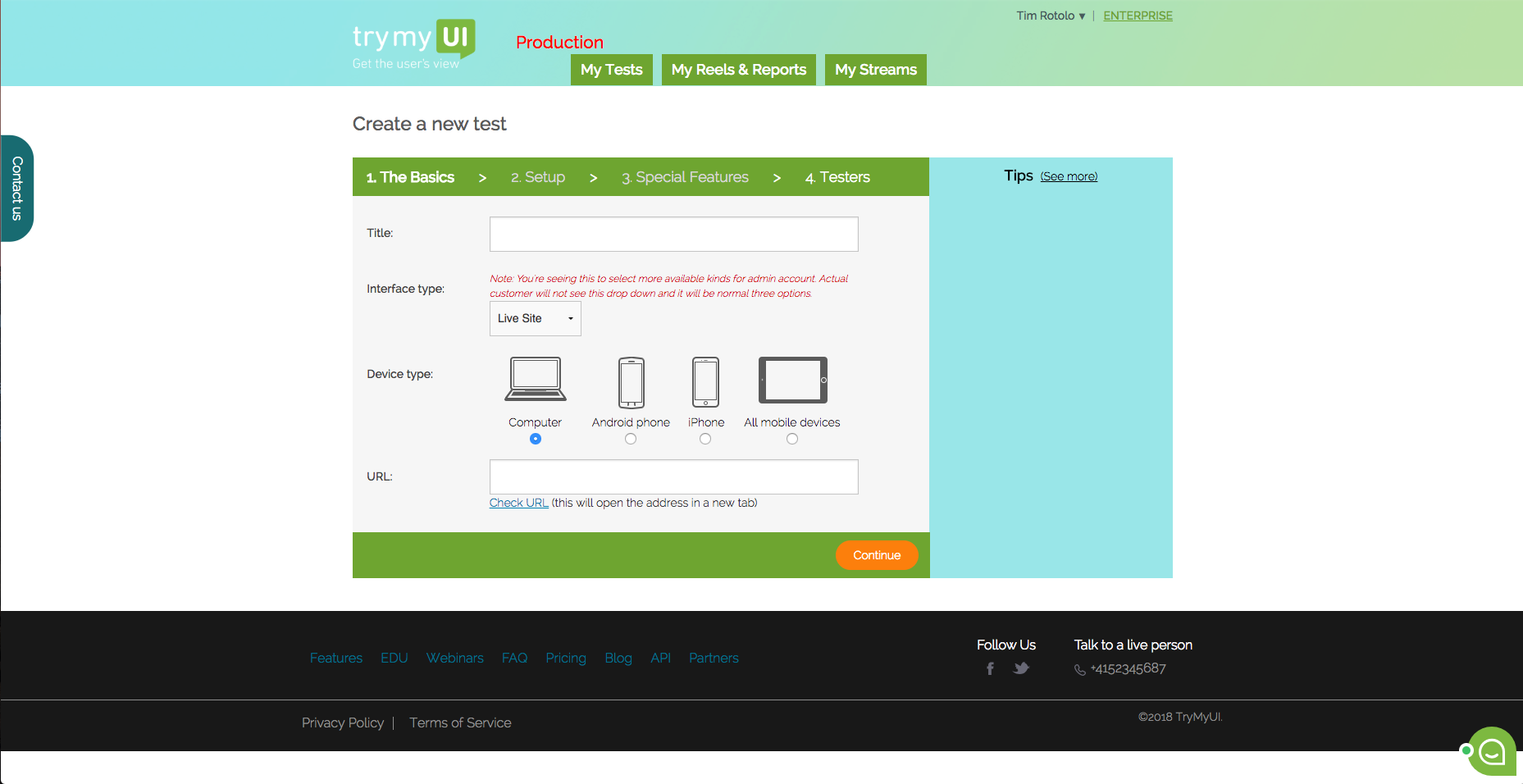
Screenshot of This is the dashboard where you can see your current and past test. You can also create a new test from here.Screenshot of TryMyUI’s quantitative UX Diagnostics measures your product’s overall usability with psychometrics, and map usability fluctuations along the user’s journey with task usability scores, task completion rates, and task duration data.Screenshot of The UXCrowd is a crowdsourced solution that helps you plan and prioritize your usability fixes with scaled-up insights from large tester pools. Using a weighted voting system, testers indicate their opinions on the best and worst parts of the product, creating a sorted diagnosis list that clarifies at a glance what your next steps should be.Screenshot of This is the first step in creating your test. You can test live websites, prototypes/wireframes, mobile apps on both Andriod and iOS.