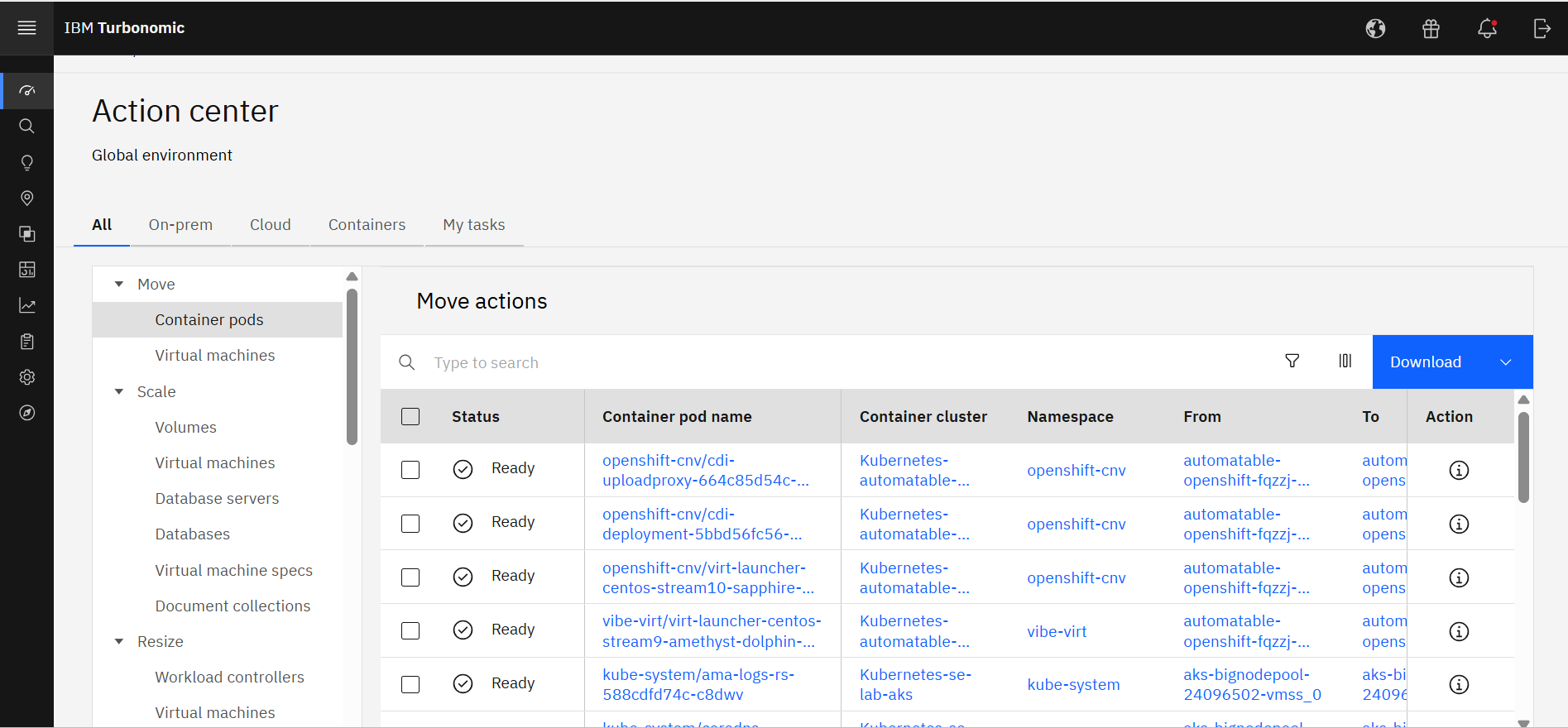
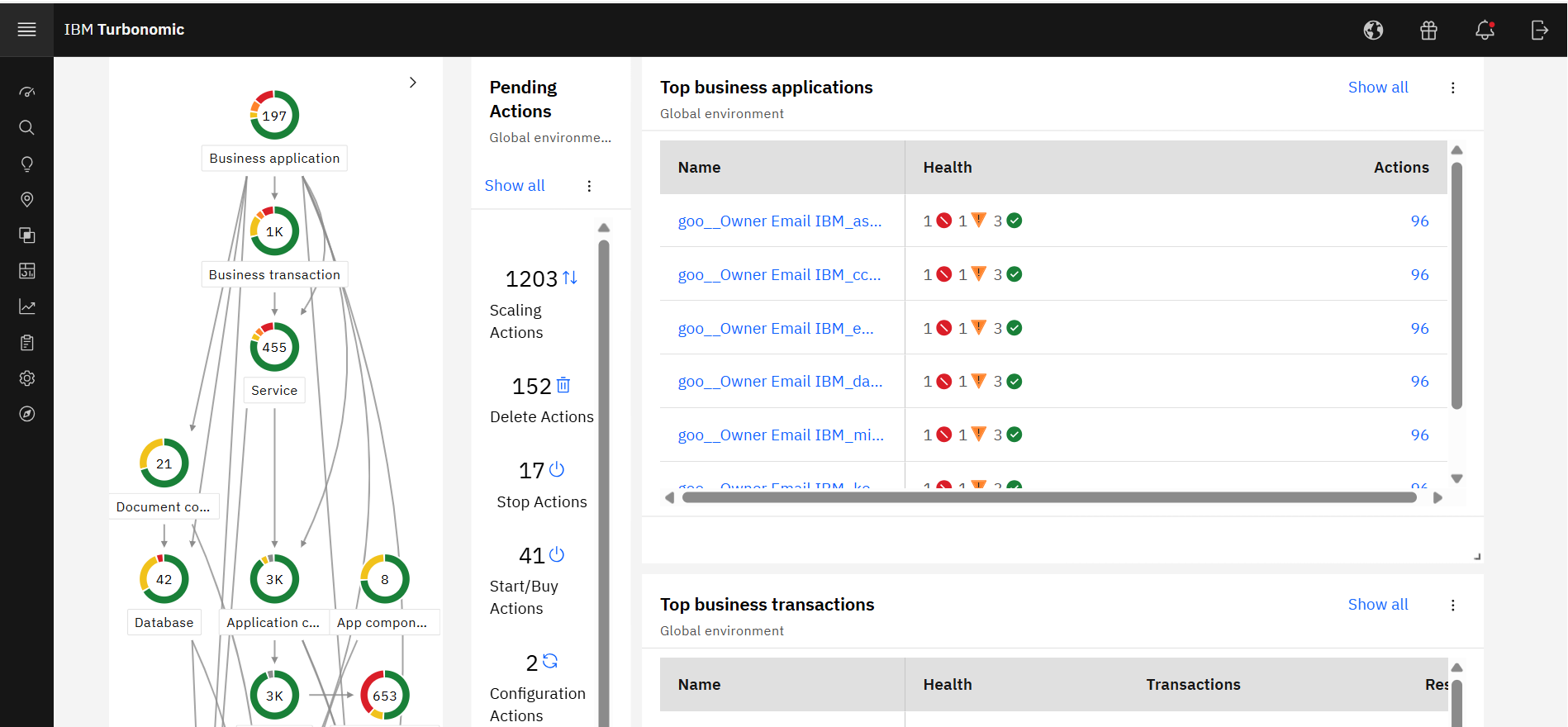
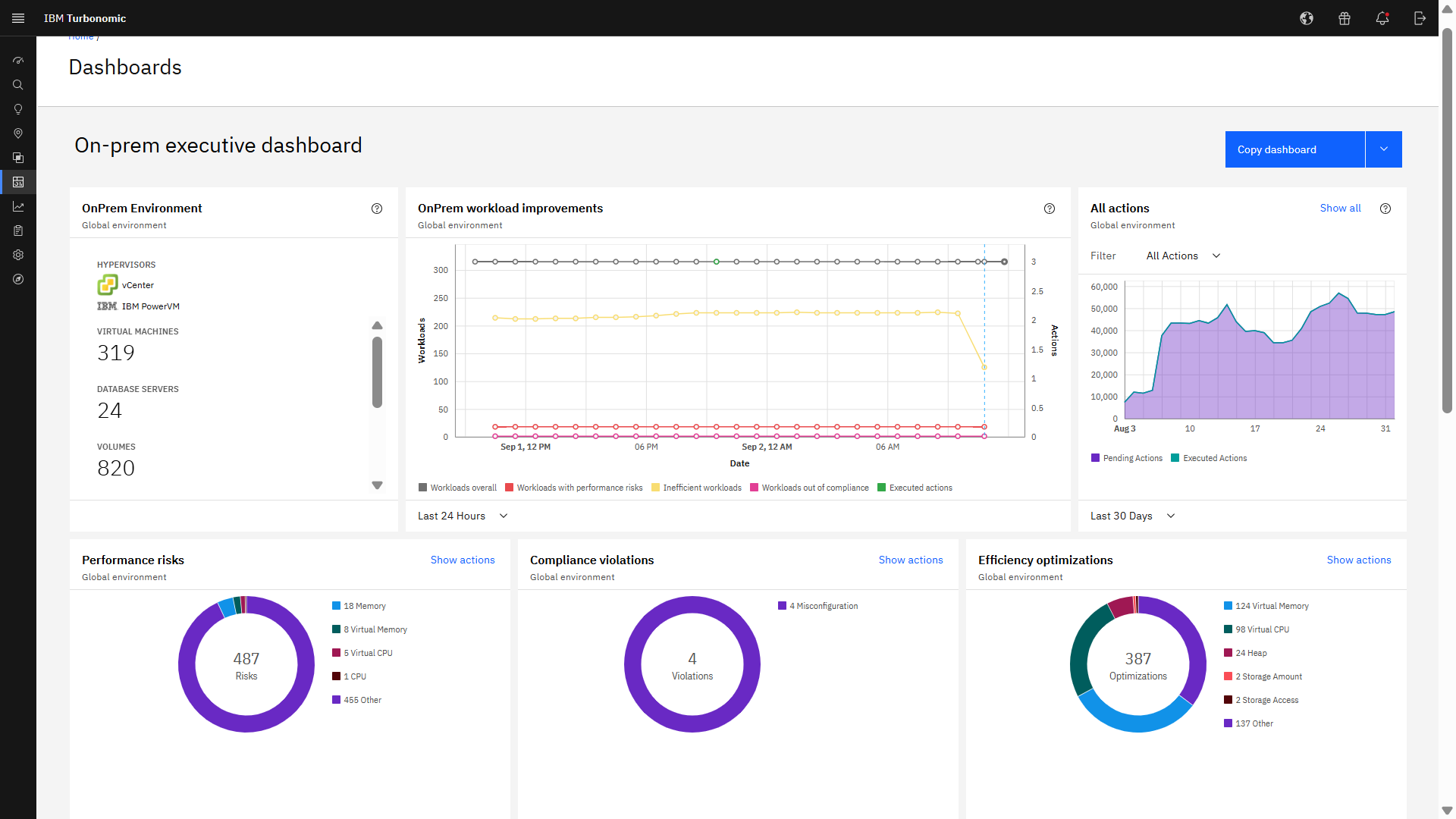
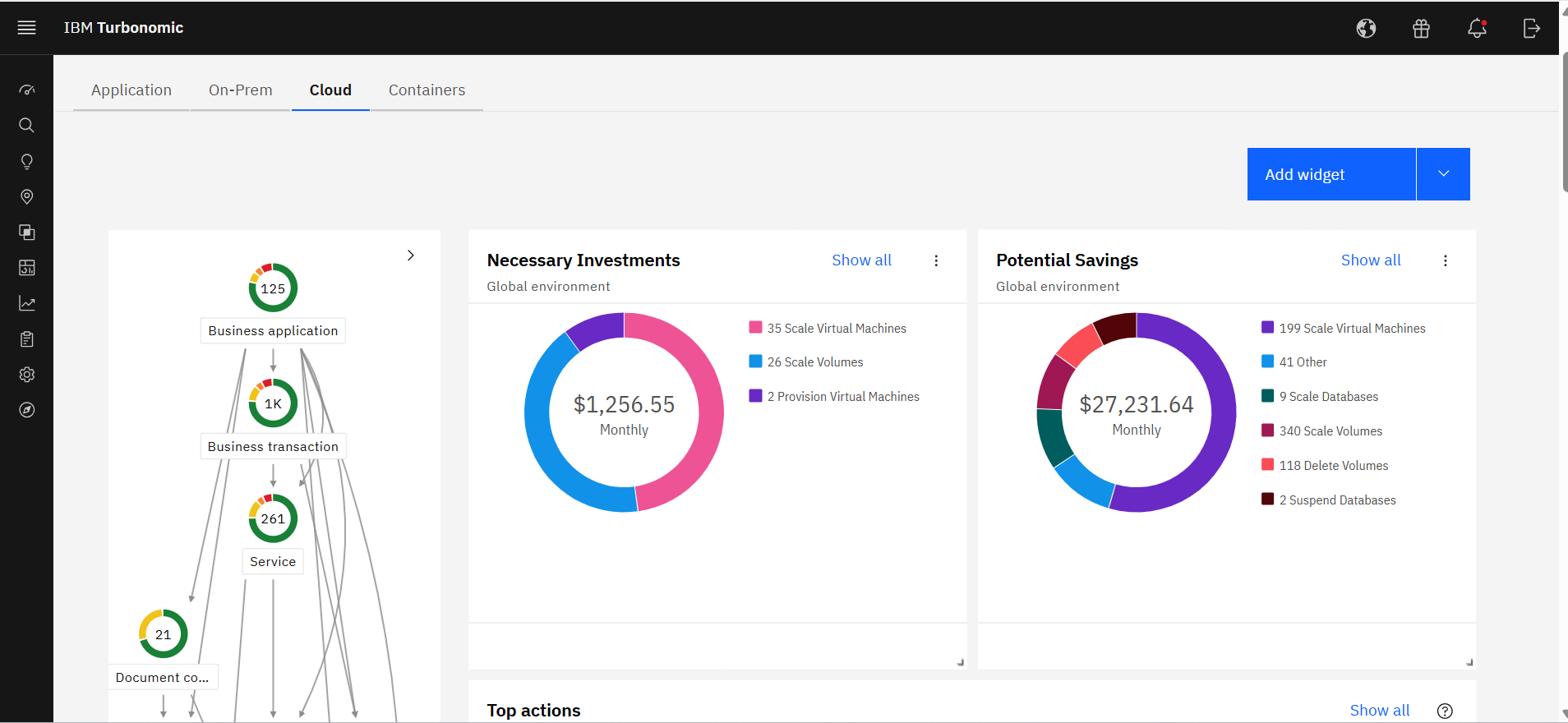
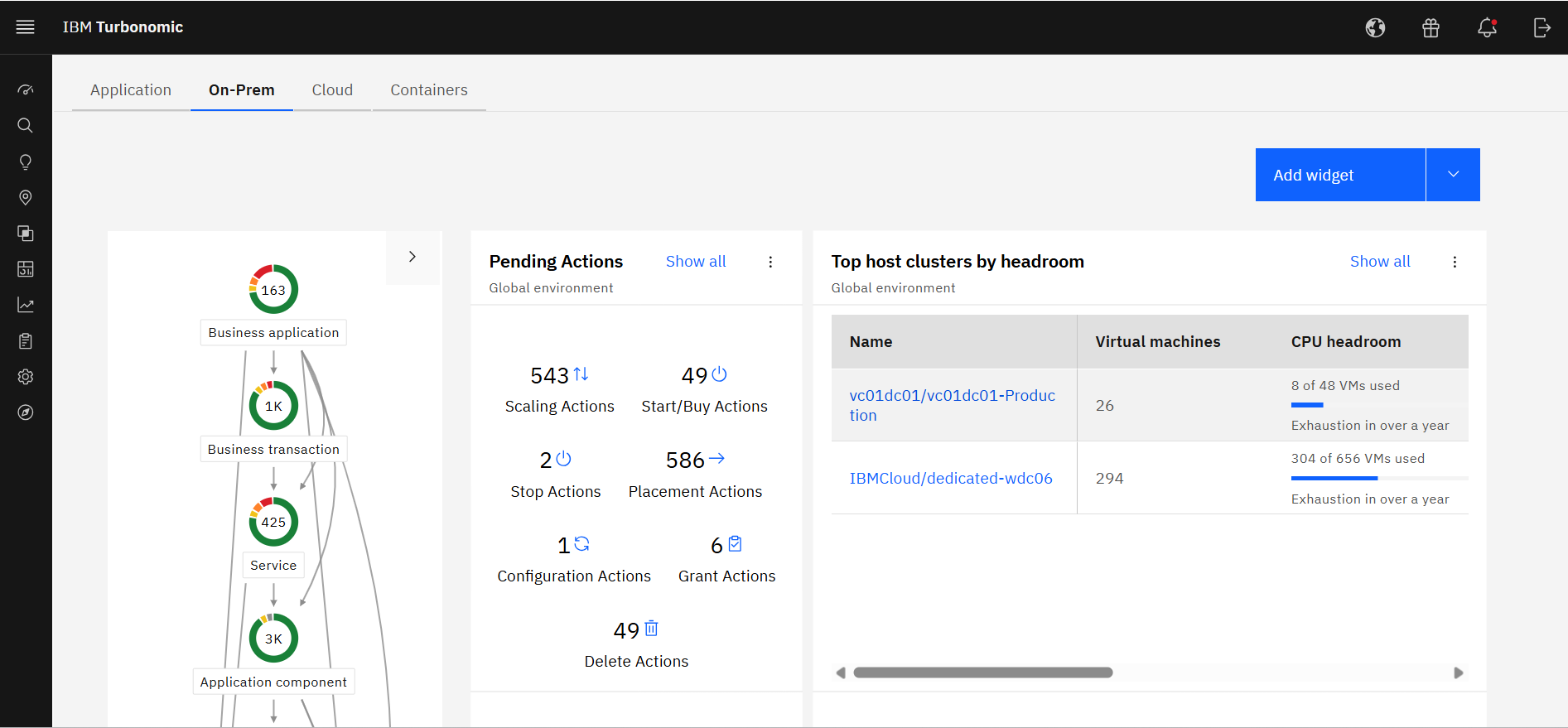
IBM Turbonomic, now part of the Concert platform, is a performance and cost optimization platform for public, private, and hybrid clouds used by cloud, infrastructure operations, and architecture to assure application performance while eliminating inefficiencies by dynamically resourcing applications through automated actions. One of the key features of IBM Turbonomic is its ability to continuously adjust…
N/A
VMware vSphere
Score8 out of 10
N/A
An enterprise workload platform, vSphere is used to improve the performance for a data center. It is used to boost operational efficiency, supercharge workload performance, and accelerate innovation.
$995
per year
Pricing
IBM Turbonomic
VMware vSphere
Editions & Modules
IBM® Turbonomic On-Prem
Varies - Request a Quote
per month IBM Turbonomic On-prem optimizes data center resources in real time, ensuring app performance at the lowest cost by aligning infrastructure supply with dynamic application demand.
IBM® Turbonomic Cloud Standard
Varies - Request a Quote
per month For customers with more than USD 1.6 million in annual cloud spend or 50 Managed Virtual Servers (MVS) or greater
IBM® Turbonomic Hybrid Standard
Varies - Request a Quote
per month Advanced hybrid cloud optimization capabilities for customers with 200 managed virtual servers (MVS) or more
Datacenter Consolidation and Hardware Optimization: This scenario is relevant to you as a hardware manager. It applies when you have physical servers (like Power or System z) and want to maximize virtual machine density. Why it works: IBM Turbonomic analyzes the peak usage times of each VM. If VM "A" is active during the day and VM "B" at night, it places them on the same physical host. Ideal scenario: Data migration projects or when you're told, "[...], there's no budget for more servers this year, make everything fit on what we have." Consolidación de Datacenters y Optimización de Hardware,Este escenario te toca de cerca como encargado de Hardware. Cuando tienes servidores físicos (como los Power o System z) y quieres maximizar la densidad de máquinas virtuales.Por qué funciona: IBM Turbonomic analiza las horas pico de cada VM. Si la VM "A" es activa de día y la VM "B" de noche, las coloca en el mismo host físico.Escenario ideal: Proyectos de migración de datos o cuando te dicen: "[...], no hay presupuesto para más servidores este año, haz que quepa todo en lo que tenemos". This review was originally written in Spanish and has been translated into English using a third-party translation tool. While we strive for accuracy, some nuances or meanings may not be perfectly captured.
A de minimis incentive was given to thank the reviewer for their time. The incentive was not used to bias or drive a particular response, nor was the incentive contingent on a positive endorsement. More Info
vSphere is well suited for multiple VMWare hosts and can be very useful in larger enterprises where vMotion is used to load balance and failover running virtual machines. In smaller businesses with one or two hosts then the features can be overkill. The addition of virtual TPM support is a very nice addition to provide vm security in a more Microsoft supported methodology.
A de minimis incentive was given to thank the reviewer for their time. The incentive was not used to bias or drive a particular response, nor was the incentive contingent on a positive endorsement. More Info
A de minimis incentive was given to thank the reviewer for their time. The incentive was not used to bias or drive a particular response, nor was the incentive contingent on a positive endorsement. More Info
A de minimis incentive was given to thank the reviewer for their time. The incentive was not used to bias or drive a particular response, nor was the incentive contingent on a positive endorsement. More Info
It would be nice if the UI included a break-down of features that are both licensed as well as un-licensed. That way, you could not only see what you have, but what you don't.
The right-sizing recommendations are great, but very little info is given about why the recommendation is being made. More info would not only increase understanding, but would also help drive decision-making.
A de minimis incentive was given to thank the reviewer for their time. The incentive was not used to bias or drive a particular response, nor was the incentive contingent on a positive endorsement. More Info
More detail in recent tasks. Instead of just showing a task called "Reconfigure virtual machine" also have a link to more detailed information as to what was reconfigured, changed or removed.
A de minimis incentive was given to thank the reviewer for their time. The incentive was not used to bias or drive a particular response, nor was the incentive contingent on a positive endorsement. More Info
We are certainly happy with Turbonomic as a whole and have invested quite a bit of time and effort into learning the ins and outs of the product. We have our reporting setup the way we want it and have gained definite value from these features. I will say though that many products nowadays are offering more native monitoring, reporting, and alerting features which may eventually steer us away from this product
A de minimis incentive was given to thank the reviewer for their time. The incentive was not used to bias or drive a particular response, nor was the incentive contingent on a positive endorsement. More Info
We are constantly looking for change that will benefit our company. We are not ones to stick with a product simply because it is what we know, but rather looking for what fits us best. We can't imagine another product on the market today doing a better job of handling our infrastructure than vSphere.
Excellent approach to larger VM organizational management. They have an very clean integrated dashboard that allows us to see everything in our environment and what that is doing in real-time. It works on multiple hyper-visors really well and integrates capacity planning on my local site as well as my cloud locations.
A de minimis incentive was given to thank the reviewer for their time. The incentive was not used to bias or drive a particular response, nor was the incentive contingent on a positive endorsement. TR verified that a representative sample of customers was invited. More Info
Very useful for environments where space and energy consumption are issues and management is not very keen on upfront spending on hardware every time whenever requirement comes from any dept for provisioning a machine for their occasional use, easily can be done in case of VMware vSphere in few clicks. Backup, security, monitoring and management everything is covered but at additional cost.
A de minimis incentive was given to thank the reviewer for their time. The incentive was not used to bias or drive a particular response, nor was the incentive contingent on a positive endorsement. More Info
A de minimis incentive was given to thank the reviewer for their time. The incentive was not used to bias or drive a particular response, nor was the incentive contingent on a positive endorsement. TR verified that a representative sample of customers was invited. More Info
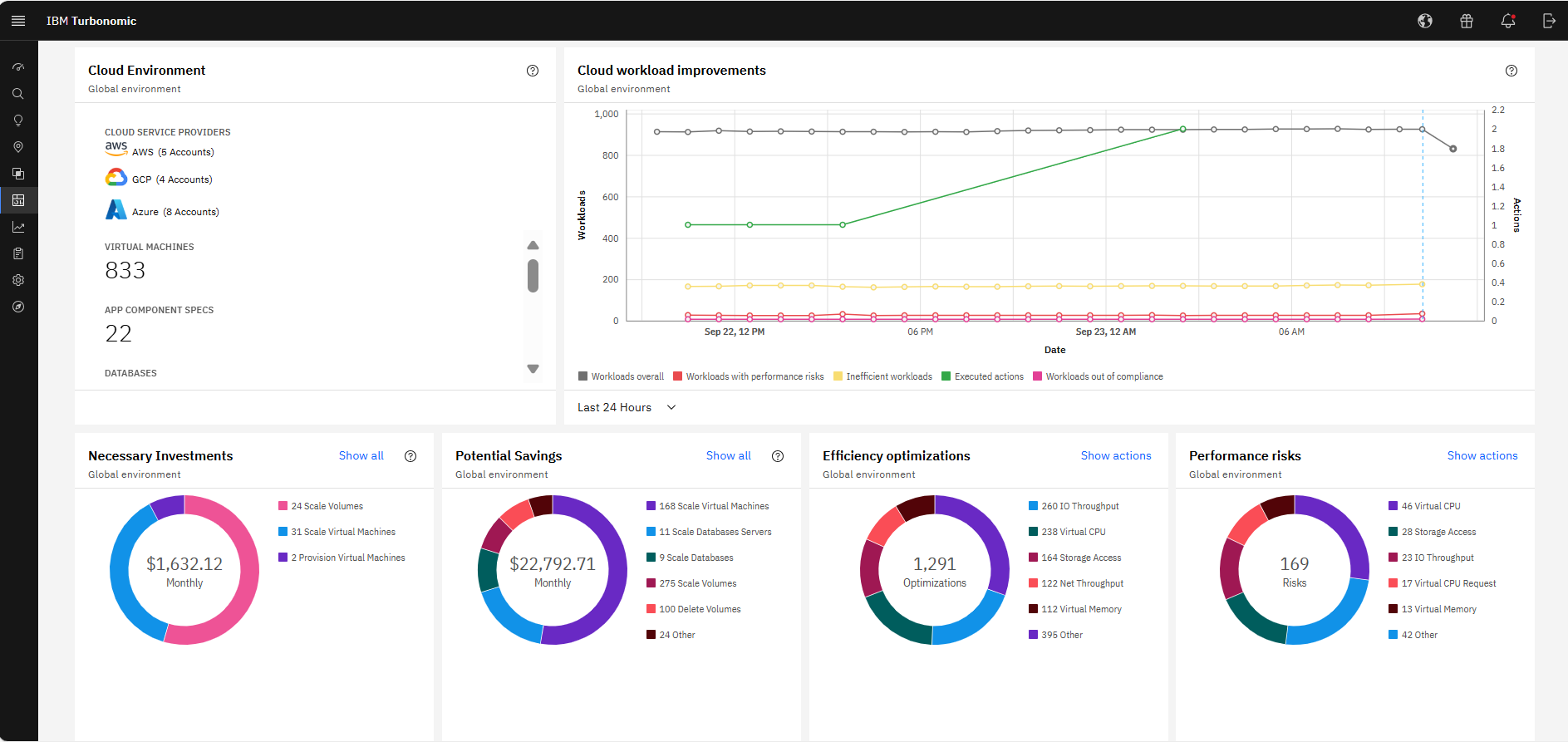
It allocates resources among applications by showing more on the cost breakdown by cloud service, with metrics on cloud provider information like Azure Management, Identity, Networking, Storage with costs per day, and total services costs. This then could facilitate and show the corresponding actions thereafter upon scaling.
A de minimis incentive was given to thank the reviewer for their time. The incentive was not used to bias or drive a particular response, nor was the incentive contingent on a positive endorsement. More Info
When I contact support I get a quick response and they are able to solve my problem quickly. I also get a sense that they want to make sure that we are getting value from the product and walk me through whatever steps are needed to accomplish my goals.
A de minimis incentive was given to thank the reviewer for their time. The incentive was not used to bias or drive a particular response, nor was the incentive contingent on a positive endorsement. TR verified that a representative sample of customers was invited. More Info
I rarely ever have to contact support and when I do need to resolve an issue, there is always an abundance of kb articles and research information available that can help quickly resolve the issue. Depending on the type of support contract you have, you may get support from some offshore group in another country and this could be a little challenging because of the language barrier.
A de minimis incentive was given to thank the reviewer for their time. The incentive was not used to bias or drive a particular response, nor was the incentive contingent on a positive endorsement. More Info
Alex (from VMTurbo) has worked with the product for years and helped develop the product. He was very knowledgeable and was able to provide our support team with details knowledge on how to get our deployment configured correctly as well as help with another VMTurbo POC within another customers environment.
A de minimis incentive was given to thank the reviewer for their time. The incentive was not used to bias or drive a particular response, nor was the incentive contingent on a positive endorsement. TR verified that a representative sample of customers was invited. More Info
After buying VMTurbo Operations Manager, I was invited to an online user training event. I felt this training was effective and dug just deep enough to be informative yet still keep my attention. Additionally, the webinar was free.
A de minimis incentive was given to thank the reviewer for their time. The incentive was not used to bias or drive a particular response, nor was the incentive contingent on a positive endorsement. TR verified that a representative sample of customers was invited. More Info
The implementation was very simple. Just upload an OVA file and power on the VM. Once it comes up enter some networking information and you can then access the web interface. From there, just begin configuring the system for your environment by adding you license and the various virtual environments and storage through the inventory tab
A de minimis incentive was given to thank the reviewer for their time. The incentive was not used to bias or drive a particular response, nor was the incentive contingent on a positive endorsement. TR verified that a representative sample of customers was invited. More Info
Just make sure that when you implement, that the person implementing truly knows what they are doing and has a plan of action coming in. Since our initial implementation using a consulting service, I have implemented a few vSphere just from what I learned at the initial implementation and use over time, and the person implementing really needs to know what they are doing or you will miss out on features that may help you down the line
As the organization had experience of years in using IBM products, we had the confidence that they will provide us with great support. And we needed a reliable solution as a financial institute to ensure continuous operations. Even though the price was very high, we made the correct decision to go ahead with IBM Turbonomic as the feedback from existing users in the region was very positive. We needed a solution which was capable of handling our automation requirements. All these were green in IBM Turbonomic.
A de minimis incentive was given to thank the reviewer for their time. The incentive was not used to bias or drive a particular response, nor was the incentive contingent on a positive endorsement. More Info
vSphere has a lot more feature sets than Hyper-V but at a much higher cost of entry versus MS Hyper-V. I have not been able to play with Hyper-V as much as I would have liked, but the setup and ongoing maintenance seems to be easier in vSphere than with Hyper-V
A de minimis incentive was given to thank the reviewer for their time. The incentive was not used to bias or drive a particular response, nor was the incentive contingent on a positive endorsement. More Info
The contract terms are very clear and can be updated as per the project requirement. Customer support is also included in the contract which help us to troubleshoot critical issues very easily. Training included in contract will really help the client team to empower and hands-on on the latest updates and enhancements
A de minimis incentive was given to thank the reviewer for their time. The incentive was not used to bias or drive a particular response, nor was the incentive contingent on a positive endorsement. More Info
Professional services were always there to guide us in our transformation to the cloud. They understood our business model and then were able to provide guidance on what we needed from the tool.
A de minimis incentive was given to thank the reviewer for their time. The incentive was not used to bias or drive a particular response, nor was the incentive contingent on a positive endorsement. More Info
As I said earlier, they're always ready to understand our issues and propose the best and most appropriate solution for issues all the time. The security patches solution is accordingly to the business needs. Another scenario is their Knowledge Base where they're many articles that help you in order to solve something which is wrong.
A de minimis incentive was given to thank the reviewer for their time. The incentive was not used to bias or drive a particular response, nor was the incentive contingent on a positive endorsement. More Info
Application performance has been a big one. With Turbonomic keeping everything running at top performance, it can make changes when extra resources are need, quicker than somebody being notified and then making the necessary changes.
Turbonomic has been a great cost savings for us on multiple occasions. We use it every time we are improving servers.
With the planning feature we get the best performance form new hardware purchases
A de minimis incentive was given to thank the reviewer for their time. The incentive was not used to bias or drive a particular response, nor was the incentive contingent on a positive endorsement. More Info
Having vSphere helped my business quickly recover from a ransomware attack which would have crippled us for weeks if we were not virtualized. I think the ROI on something like that is immeasurable.
vSphere has allowed my company to purchase bigger server hardware to host 3 or 4 virtual servers, which was at a cost much lower than buying 3 or 4 server hardware boxes, saving us thousands each time we need to upgrade hardware.
A de minimis incentive was given to thank the reviewer for their time. The incentive was not used to bias or drive a particular response, nor was the incentive contingent on a positive endorsement. More Info