Zoho Flow vs. Qntrl by Zoho

Overview
ProductRatingMost Used ByProduct SummaryStarting Price
Zoho Flow
Score 9.8 out of 10
N/A
Zoho Flow allows the user to integrate business apps to automate a workflow.
$29
per month (for 5k tasks per month)
Qntrl by Zoho
Score 0.0 out of 10
N/A
Qntrl (formerly Orchestly) from Zoho Corporation allows users to automate, manage, and optimize routine business workflows and SOPs with a code-free workflow management platform.N/A
Pricing
Zoho FlowQntrl by Zoho
Editions & Modules
Standard
starting at $29
per month starting with 5k tasks per month
Professional
starting at $49
per month starting with 10k tasks per month
No answers on this topic
Offerings
Pricing Offerings
Zoho FlowQntrl by Zoho
Free Trial
YesNo
Free/Freemium Version
YesNo
Premium Consulting/Integration Services
YesNo
Entry-level Setup FeeOptionalNo setup fee
Additional DetailsDiscount available for annual pricing. Higher monthly task volume available.
More Pricing Information
Community Pulse
Zoho FlowQntrl by Zoho
Features
Zoho FlowQntrl by Zoho
Cloud Data Integration
Comparison of Cloud Data Integration features of Product A and Product B
Zoho Flow
5.8
2 Ratings
32% below category average
Qntrl by Zoho
-
Ratings
Pre-built connectors9.02 Ratings00 Ratings
Connector modification2.02 Ratings00 Ratings
Support for real-time and batch integration2.02 Ratings00 Ratings
Data quality services8.02 Ratings00 Ratings
Data security features6.02 Ratings00 Ratings
Monitoring console8.02 Ratings00 Ratings
Best Alternatives
Zoho FlowQntrl by Zoho
Small Businesses
Make
Make
Score 9.3 out of 10
Kintone
Kintone
Score 9.7 out of 10
Medium-sized Companies
Workato
Workato
Score 9.3 out of 10
Kintone
Kintone
Score 9.7 out of 10
Enterprises
Workato
Workato
Score 9.3 out of 10
CMW Platform
CMW Platform
Score 9.4 out of 10
All AlternativesView all alternativesView all alternatives
User Ratings
Zoho FlowQntrl by Zoho
Likelihood to Recommend
10.0
(2 ratings)
-
(0 ratings)
Usability
9.0
(1 ratings)
-
(0 ratings)
Support Rating
10.0
(1 ratings)
-
(0 ratings)
User Testimonials
Zoho FlowQntrl by Zoho
Likelihood to Recommend
Zoho
For small—to medium-sized connections between different applications, Zoho Flow is quick and easy to set up and test. However, as a Flow becomes more complicated with multiple connections and decisions, it becomes more difficult to track errors and faults and manage changes. Some of this is due to the history not being detailed enough, and some is just the UI, where you can't zoom in and out and clearly see connecting lines for flows.
Read full review
Zoho
No answers on this topic
Pros
Zoho
  • Works with all other Zoho apps to connect them together and share data
  • User interface and dashboard are nice. Gives you a detailed look into flow history and/or audit of your flows
  • The ability to set logic responses and incorporate custom functions makes the app even more powerful
Read full review
Zoho
No answers on this topic
Cons
Zoho
  • Some history is missing, and not all error reporting is comprehensive enough on more complex functions.
  • The ability to run tests on custom functions exists in other apps like CRM.
  • Ability to create custom connections for OAuth like in the CRM application.
Read full review
Zoho
No answers on this topic
Usability
Zoho
Flow can accomplish almost anything you want to do. It's imperfect, but it could be with just a few more features and better error management/visibility. For someone who's not a developer, this is a no-brainer. Having used other products in the past, like Zapier, this is as easy to use, if not even easier.
Read full review
Zoho
No answers on this topic
Support Rating
Zoho
I've reached out to the support team several times with assistance requests in Zoho Flow. Each time the team has answered my questions promptly and accurately. And because we are mainly integrating other Zoho apps their teams are perfectly positioned to solve our problems.
Read full review
Zoho
No answers on this topic
Alternatives Considered
Zoho
I've used Zapier and both programs are similar. Zapier has deeper integrations or more apps to integrate with but considering Flow's association with other Zoho apps this does it for us!
Read full review
Zoho
No answers on this topic
Return on Investment
Zoho
  • Quick and Easy to set up without the need for a Developer.
  • Visibility into the history of flows and the ability to rerun is a big time saver.
Read full review
Zoho
No answers on this topic
ScreenShots

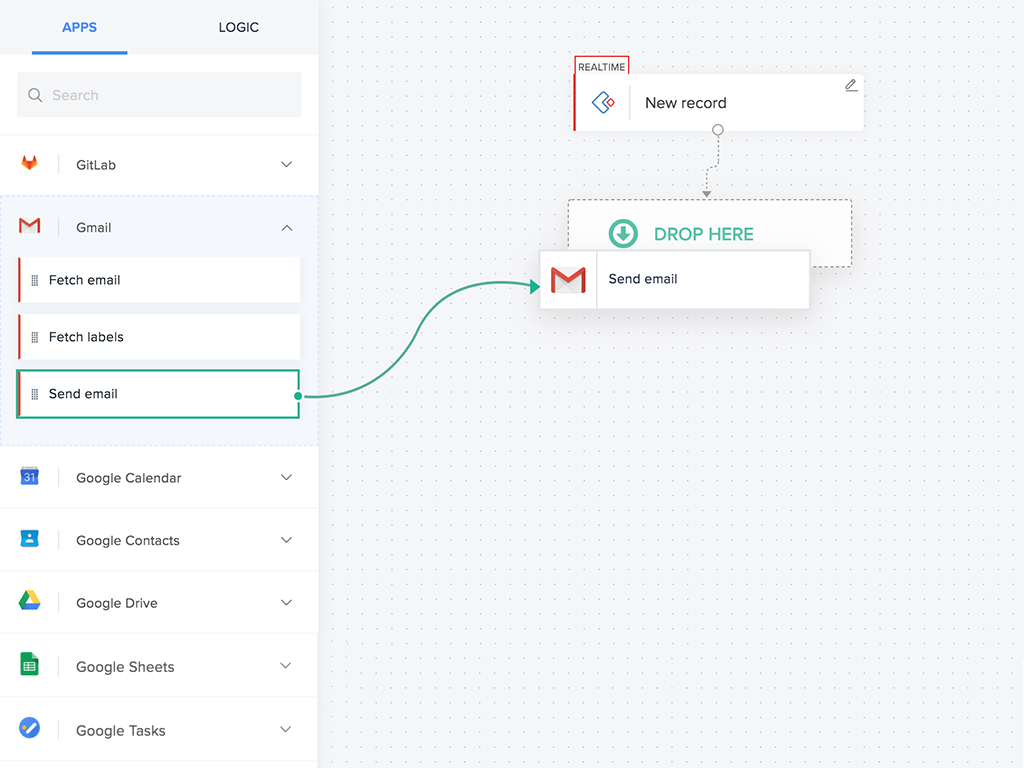
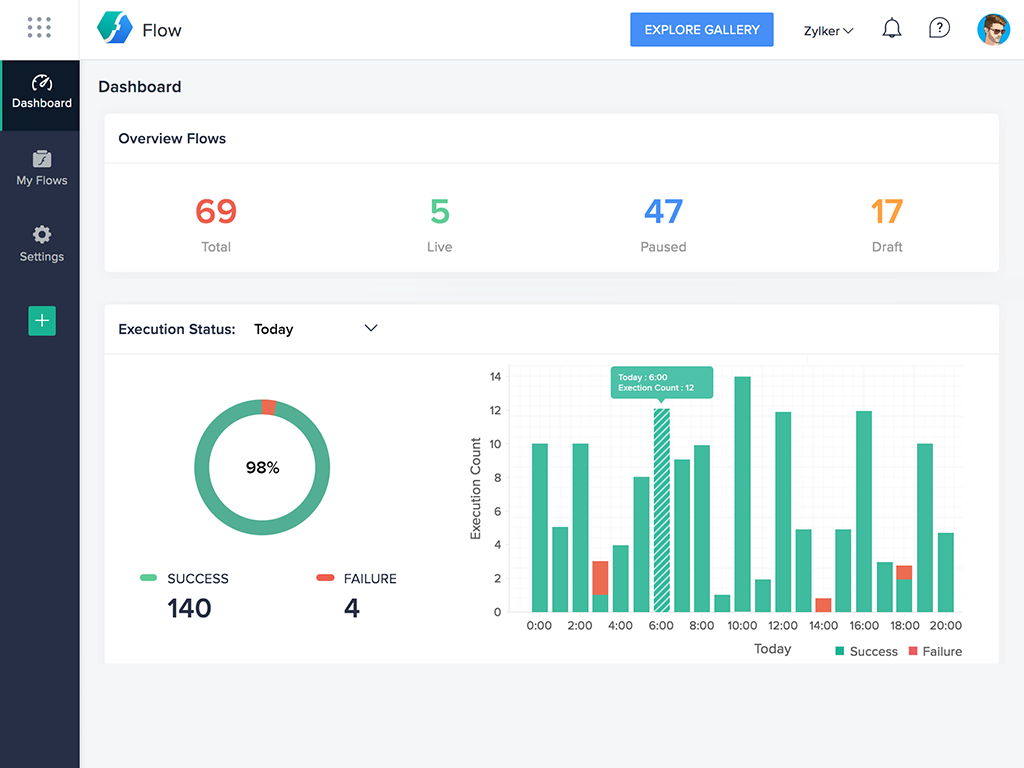
Zoho Flow Screenshots

Screenshot of Screenshot of Screenshot of Screenshot of