
TrustRadius: an HG Insights company

Dashlane Password Manager

Score9.1 out of 10

327 Reviews and Ratings

Get a Demo

Contact about Dashlane Password Manager

Please fill out the form below to get in touch.

Dashlane

Connect with Dashlane

What are you interested in?

Already have an account?

You hereby consent to have TrustRadius share the information supplied on this form with Dashlane so that Dashlane and TrustRadius may contact you in regard to the information requested.

What is Dashlane Password Manager?

Dashlane is a credential manager that secures every credential, every user, and every employee device to proactively protect against breaches. Brands worldwide can use Dashlane to stay ahead of evolving threats.

Read more details.

Media

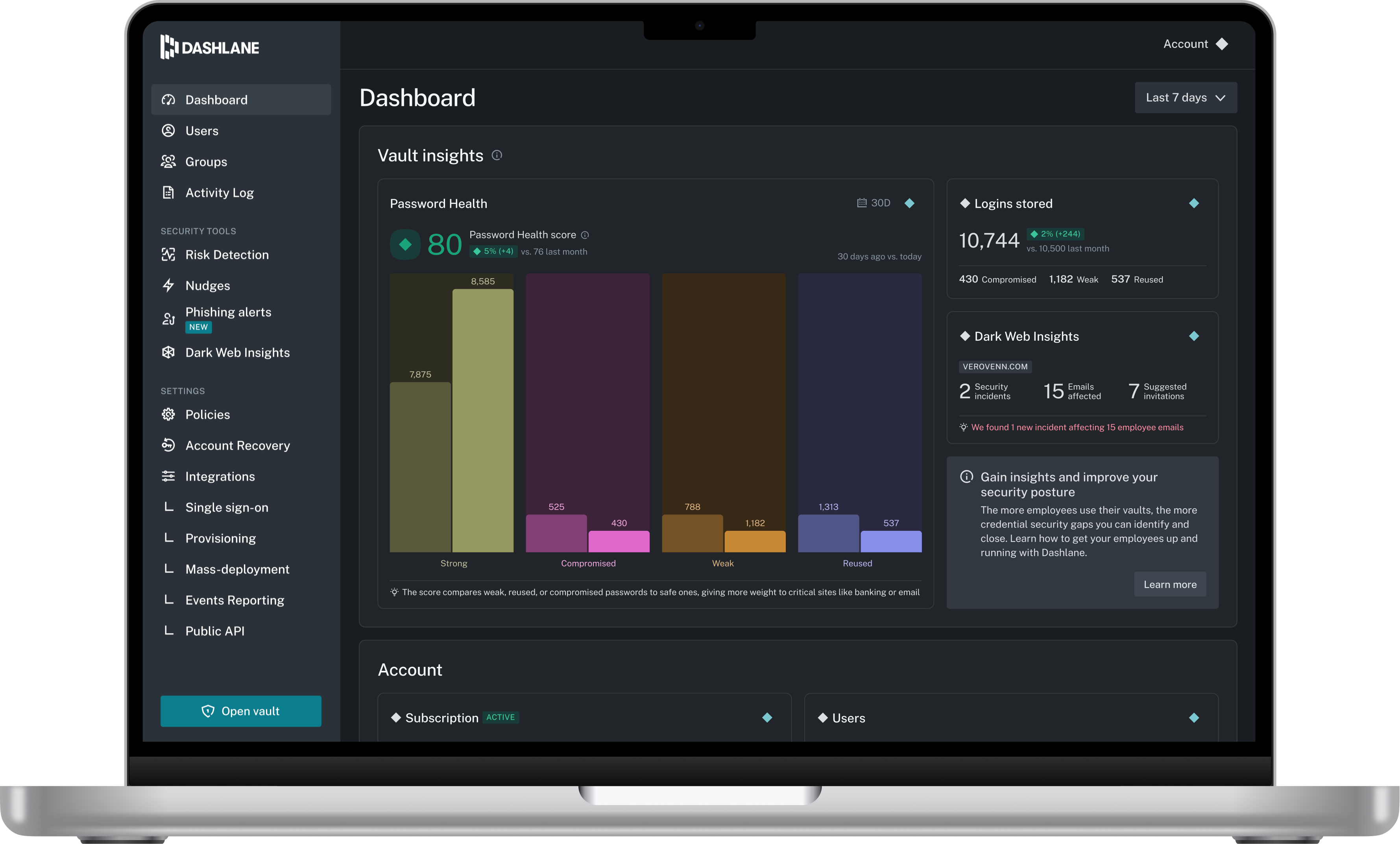
Screenshot of Admin Dashboard
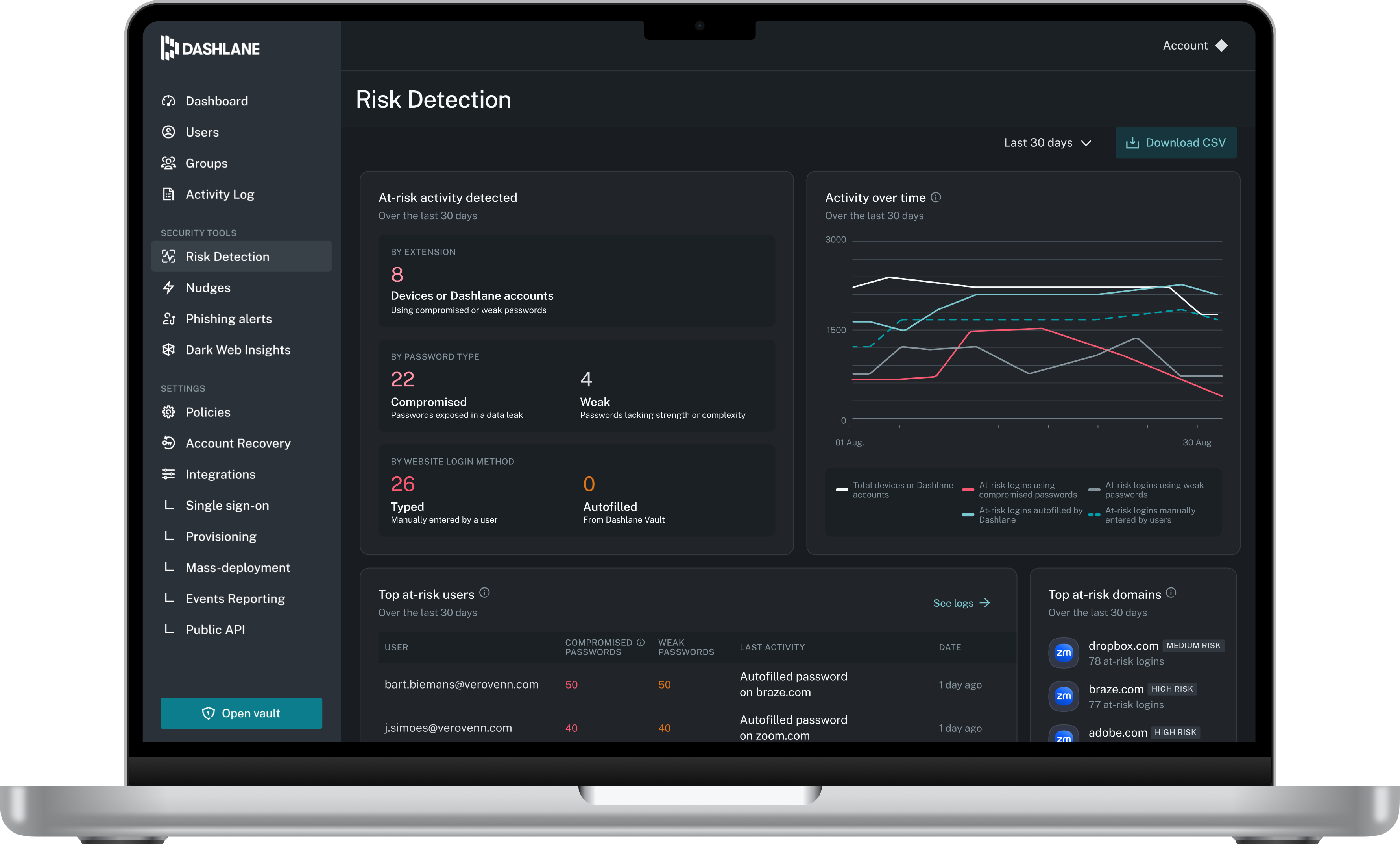
Screenshot of Credential Risk Detection
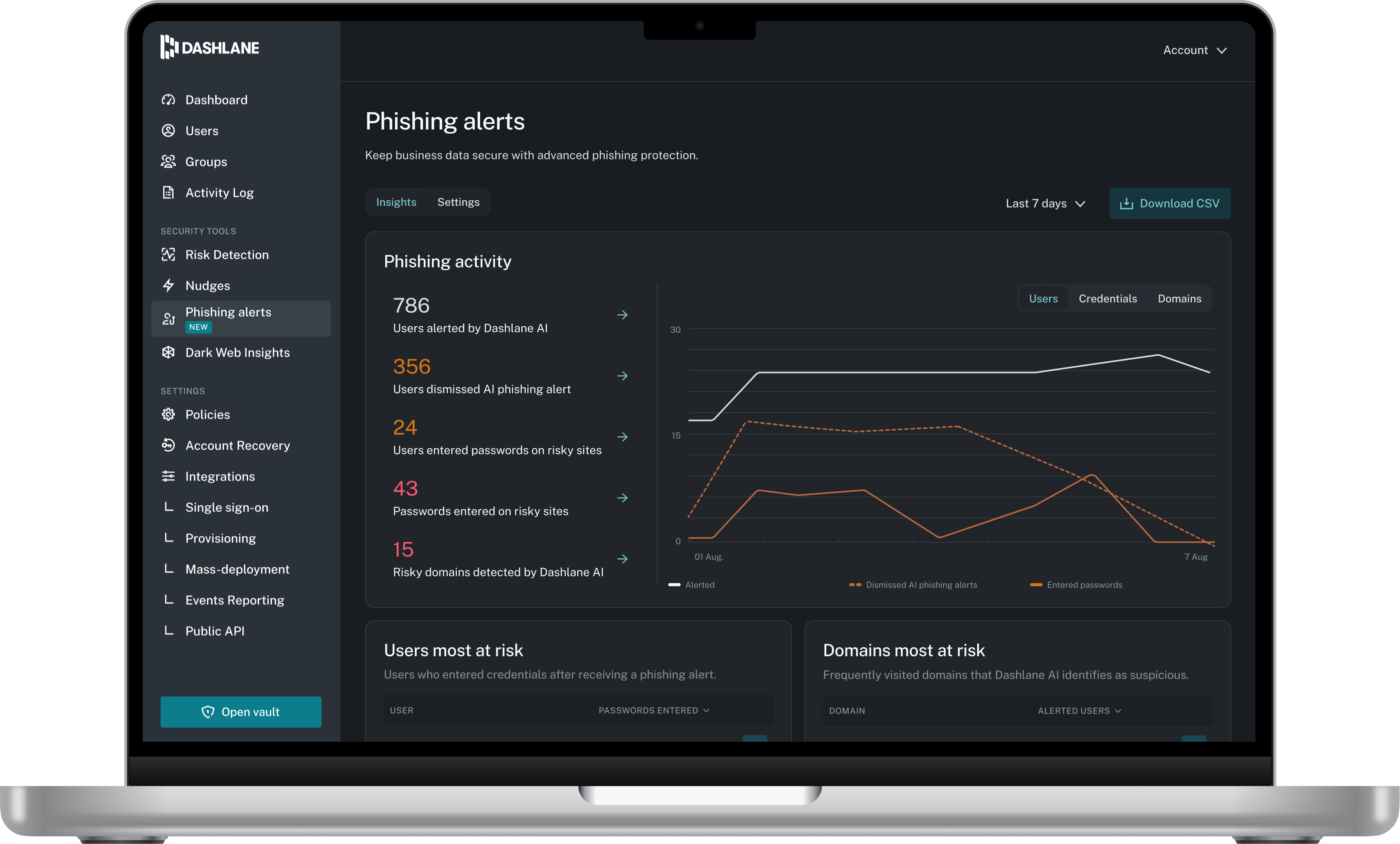
Screenshot of AI Phishing Alert
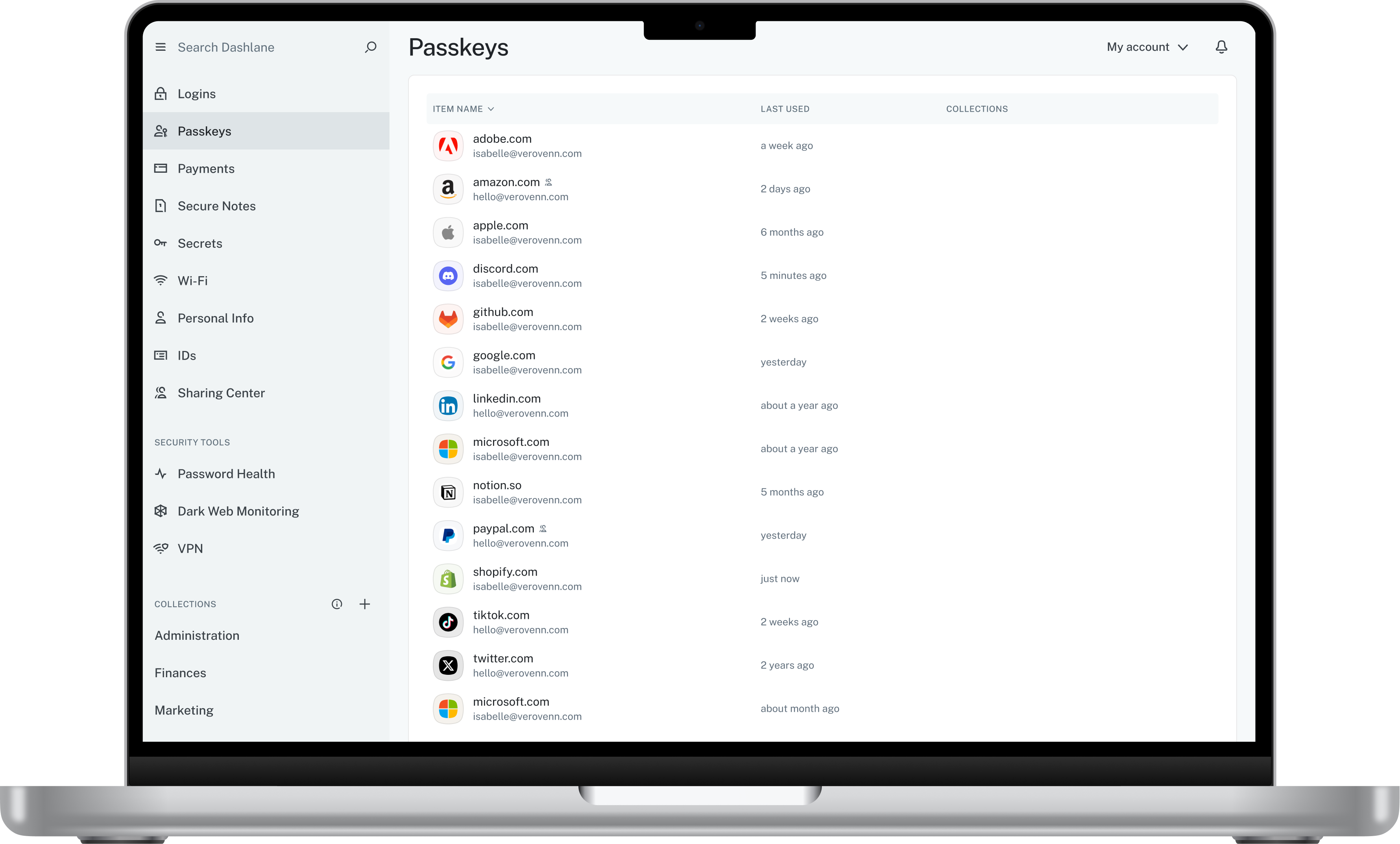
Screenshot of Vault

1 / 4

Screenshot of Admin Dashboard

Who Buys & Uses Dashlane Password Manager

Pros

  • Robust password generation for strong, unique credentials
  • Secure and frictionless password sharing among teams
  • Efficient autofill and login assistance across websites

Cons

  • Autofill functionality is often aggressive or inaccurate
  • Inconsistent autofill performance across sites and mobile apps
  • User interface and usability issues, particularly for updates and sharing

Great app

Use Cases and Deployment Scope

We use it for keeping a hold of background passwords for Switches, Servers, etc. We also use it in our finance sector for login details to payroll applications. I personally use it for any passwords I need to keep a log of as part of my job in IT. It's also quite handy to make sure people are using secure passwords for sensitive information.

Pros

  • Being easily accessible to the right individual
  • Easy to use
  • Compatible among multiple platforms

Cons

  • It's a bit too easy for anyone to access the passwords on your computer, if you left it unlocked I mean
  • Speed of the application inside the web browser
  • Pricing

Return on Investment

  • It has made it easier to share credentials with new employees
  • Easier to share credentials with current employees/coworkers
  • Made everything a lot more secure then leaving sticky notes everywhere

Usability

Alternatives Considered

1Password

Other Software Used

Freshdesk

Versatile Password Manager with Bonus Features

Use Cases and Deployment Scope

Within our organization, we use Dashlane for payment and password storage. Previous to implementing Dashlane, we had a password sheet that sat on the common drive. This system was not secure and left us vulnerable to both external and internal malicious attacks. Additionally, having the ability to store payment methods, identification, and other secure information is useful.

Pros

  • Encrypted security
  • SSO
  • autofills
  • Easy password updates

Cons

  • Some autofill fields do not detect when information is imported from Dashlane.
  • Proactive reminders and actions to improve security
  • More efficient synchs between mobile and desktop apps

Return on Investment

  • Having a master password that I havent had to change in multiple years is great.
  • I dont have to create individual passwords or worry about vulnerable passwords.
  • Offboarding is much easier. I can remove access or easily change the shared password if I'm worried a former employee still has access

Usability

Other Software Used

Asana, Slack, Mixmax

Passwords - Managed

Use Cases and Deployment Scope

Password Management
Password Generator
Payment Info Storage
Password Health Monitoring
Personal and Business Space
Dark Web Monitoring
We have been able to reduce the risk of passwords being stored in the browser password manager and prevent users from handwriting and posting login credentials at their stations. The ability to have the app available on mobile devices and the extension in browsers are very convenient. The added benefit to being able to enable VPN is also great since our remote users that do not need access to the company network can still be protected behind a VPN.

Pros

  • Separation between Business and Personal Spaces
  • Complex Password Generation that can match the requirements
  • Encryption - to everyone. If you forget your Master Password... too bad. Enabling account recovery is the only way to allow the user to regain access. Admins cannot reset passwords, just approve recovery requests.
  • Dark Web Monitoring
  • Password Health Monitoring per person and the overall health of the company.

Cons

  • When a user logs in using the prompted Dashlane Password Manager, but the application prompts for Security questions... and the user enters them, do not prompt to save the entry as a new 'password'. That confuses end users then the get further confused since they didn't realize they changed the password in their Dashlane Password Manager.
  • Cost is high.
  • Unless the user is monitoring their Password Health in the App, they don't realize how their overall password health is impacting risks.

Return on Investment

  • Better Security Posture
  • Easier Onboarding and Offboarding
  • Ease of management by IT
  • Compliance for TISAX Certifications

Usability

Alternatives Considered

LastPass for Business

Other Software Used

NetSuite ERP, RF-SMART Shipping, Anthropic Claude

An outstanding password manager

Use Cases and Deployment Scope

Dashlane allows us to securely store passwords and to generate secure passwords across devices. We share passwords between users.

The ability to have a vault that is personal as well as one that is that is connected to work accounts allows the admin to control the credentials that below to company accounts while allowing the users to store personal passwords as well.

Pros

  • Security
  • Ease of use
  • Easy account management

Cons

  • There is always room for improvement in terms of how it completes forms. Some sites are more frustrating, but that is far less likely than the ones where it works well.

Return on Investment

  • Better, more secure passwords
  • Warnings about your data being leaked.
  • Fewer instances where people have to go through a lost password workflow, wasting time.

Usability

Other Software Used

Google Chrome, Keap, Wistia

Seamless, easy to use

Use Cases and Deployment Scope

My organization used Dashlane Password Manager to help our associates create super-secure passwords and store them in a safe, easily accessible place. Dashlane has a browser extension that my organization pushes to all our devices, so we can easily create, store, and share passwords securely across teams with the convenience of a super-simple, integrated plug-in.

Pros

  • Auto fill existing passwords or quick prompt to create new secure passwords so it's almost mindless
  • Creating really strong, unique passwords
  • easy password sharing across teams

Cons

  • On almost any form, the Dashlane icon would show up to auto fill for a password even if you weren't prompted to provide one
  • Bulk downloading your login information was kind of hard so if you want to migrate to a new service it's not that easy
  • Dashlane didn't organize the passwords once they were saved in your password vault. This is nit picky, but it would be nice to separate logins based on function. Ex. Banking logins in a banking section and shopping logins in another

Return on Investment

  • It has dramatically helped us safe time when it comes to employee transitions. If someone leaves the organization, we can access their passwords through Dashlane to ensure we can get access to any major accounts they were connected to.
  • This helps reduce the time that can add up when you're creating and trying to remember paswords throughout the day. It might seem small at first, but looking back on how many minutes we've saved creating hyper-secure passwords with a few clicks and accessing a complex password through a simple auto fill has saved us a ton of time.
  • This has also probably saved our company from several account hacks which has probably saved us lost of time and money working to recover compromised accounts

Usability

Alternatives Considered

N-able Passportal and LastPass for Business

Other Software Used

Grammarly, CoPilot