TrustRadius: an HG Insights company

What is elapseit?

The features also leave a big room for users to customize should they choose. Its custom fields allow for more detailed database input and management. For instance, users can use the platform to personalize skill filters, in this way, users can find the right resource for projects based on the skills that you are looking for. Users can also tweak parameters for leaves and even set bank holidays for multiple locations. With this, any business from any industry can make elapseit the tool they rely on for their business.

Read more details.

Media

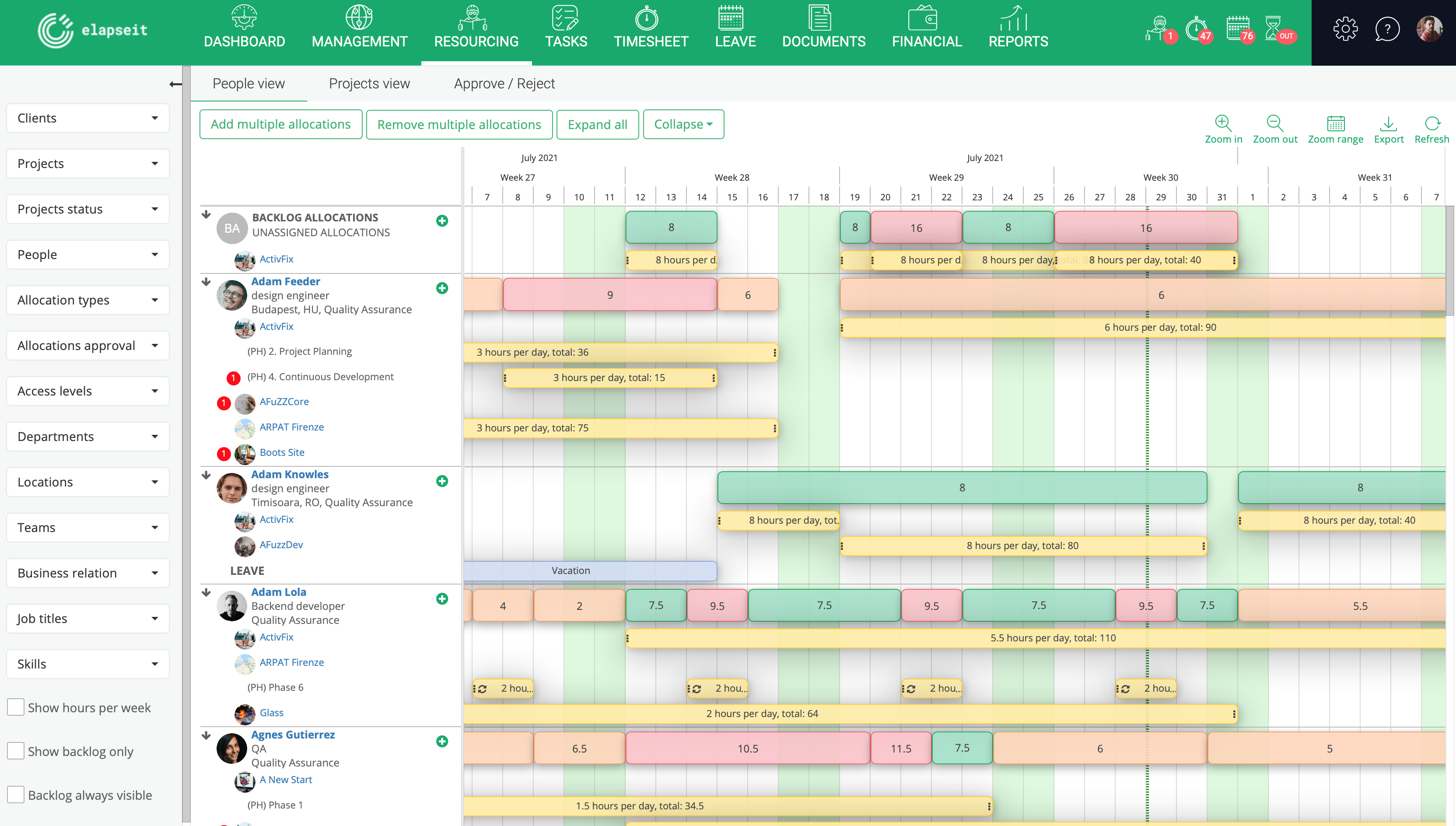
Screenshot of Resource planner expanded, where you can see the availability of all your resources, and who is working on what project, how many hours, etc
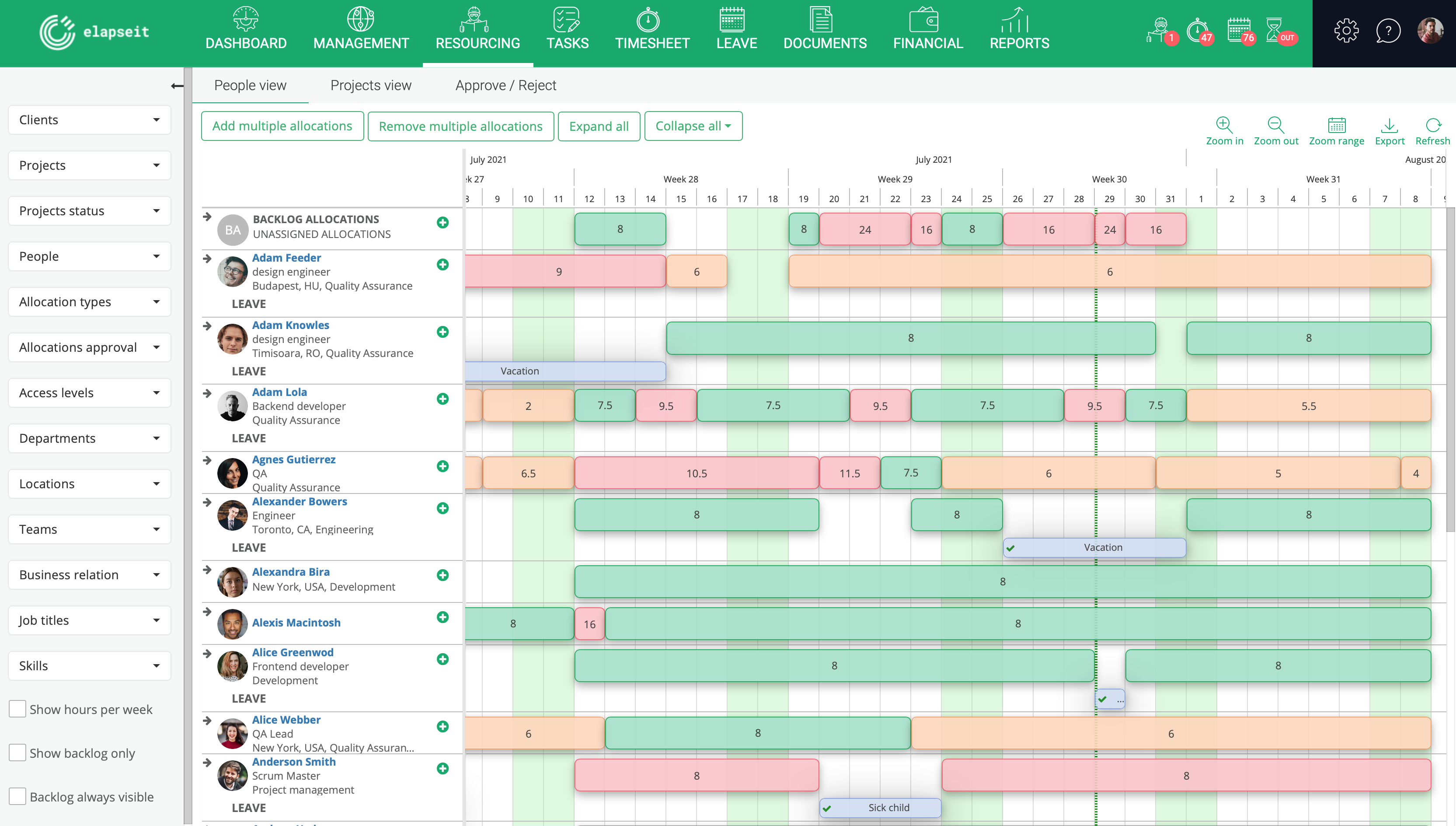
Screenshot of Resource planner collapsed, which gives you a very clear image of who is under allocated (orange), fully allocated (green) and over allocated (red). Having this view, a project manager can rearrange the allocations, so that all the resources can work a normal schedule.
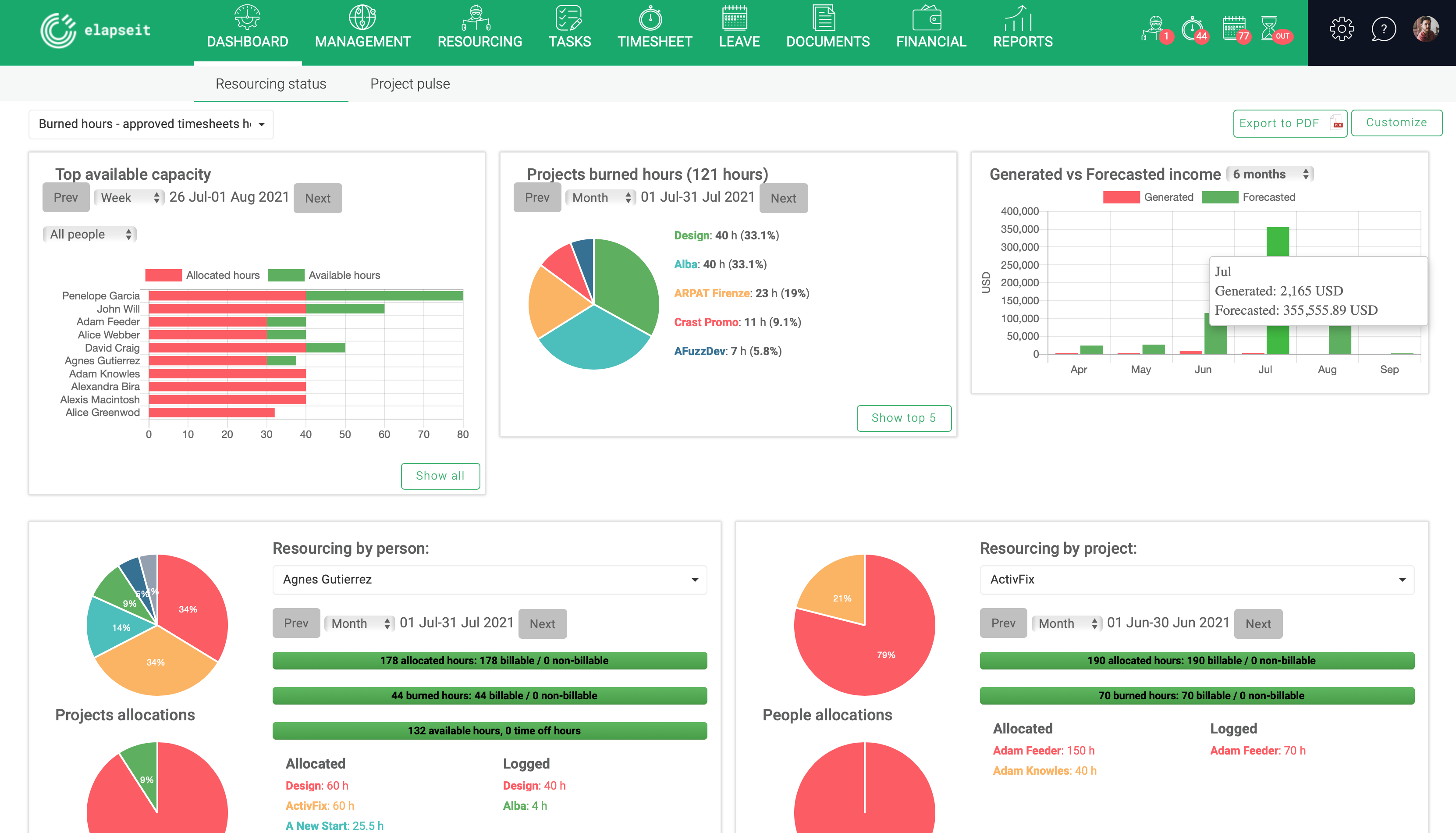
Screenshot of Resourcing dashboard is showing you the state of your business in one page, from resourcing information (availability, leave, tasks allocations) to financial information (revenue forecasted vs generate, invoices, expenses)
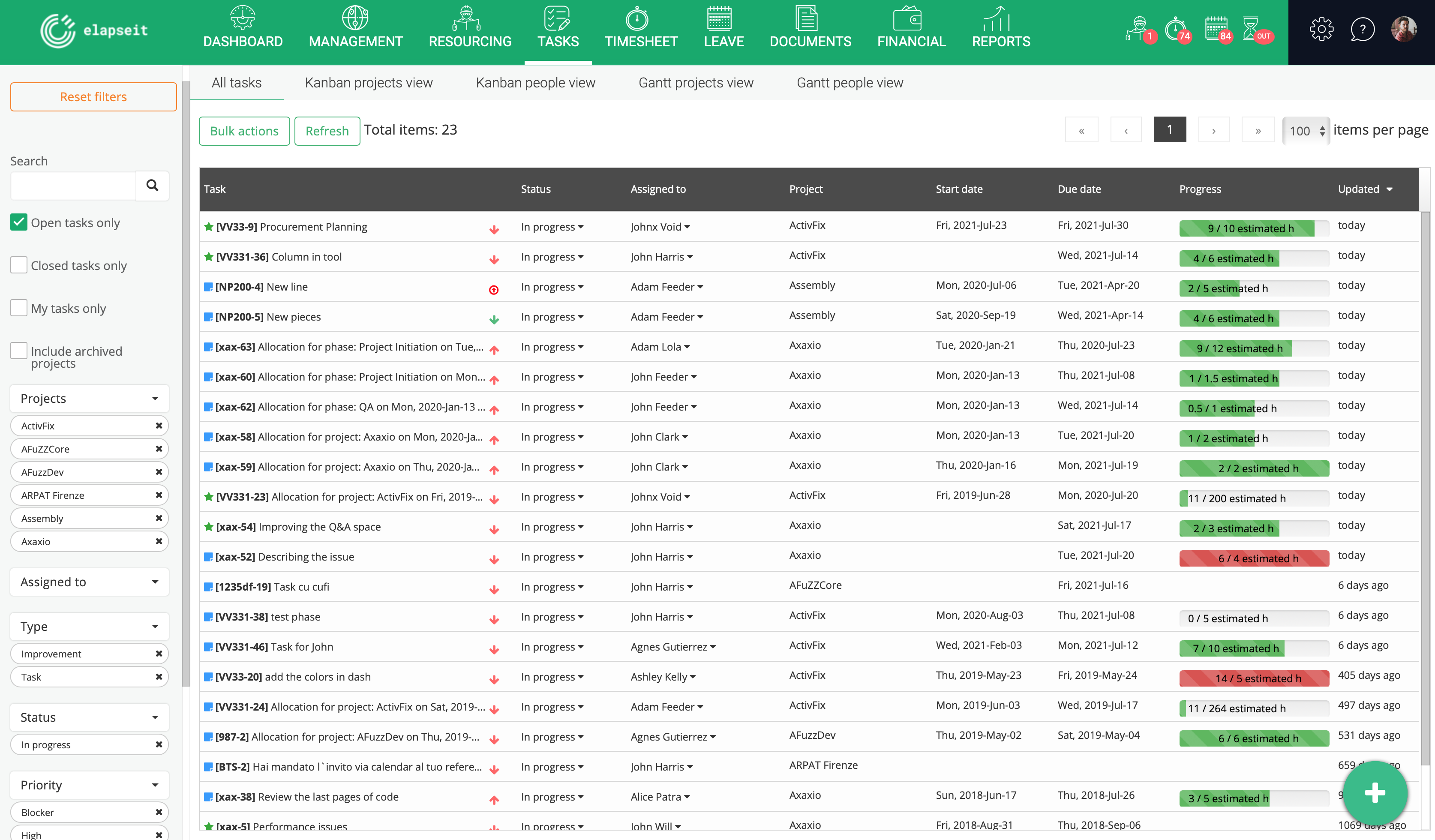
Screenshot of Tasks list, where are listed all the tasks with statistics about the logged hours, and basic information about the status, project and resource assigned to the task.
Screenshot of KanBan board for a project, with the statuses (columns) for each task
Screenshot of Gantt view, with tasks assigned and dependencies for each one
Screenshot of Project pulse, with information about the type, status and priority of all the tasks on the selected project
Screenshot of Timesheet

1 / 8

Screenshot of Resource planner expanded, where you can see the availability of all your resources, and who is working on what project, how many hours, etc