
TrustRadius: an HG Insights company

IBM Cloudability

Score8.9 out of 10

256 Reviews and Ratings

What is IBM Cloudability?

IBM Cloudability is a cloud cost management and optimization (FinOps) tool that enables IT, finance, and business teams to optimize their cloud spend across all cost sources, all maturity levels, and for all stakeholders.

Read more details.

Media

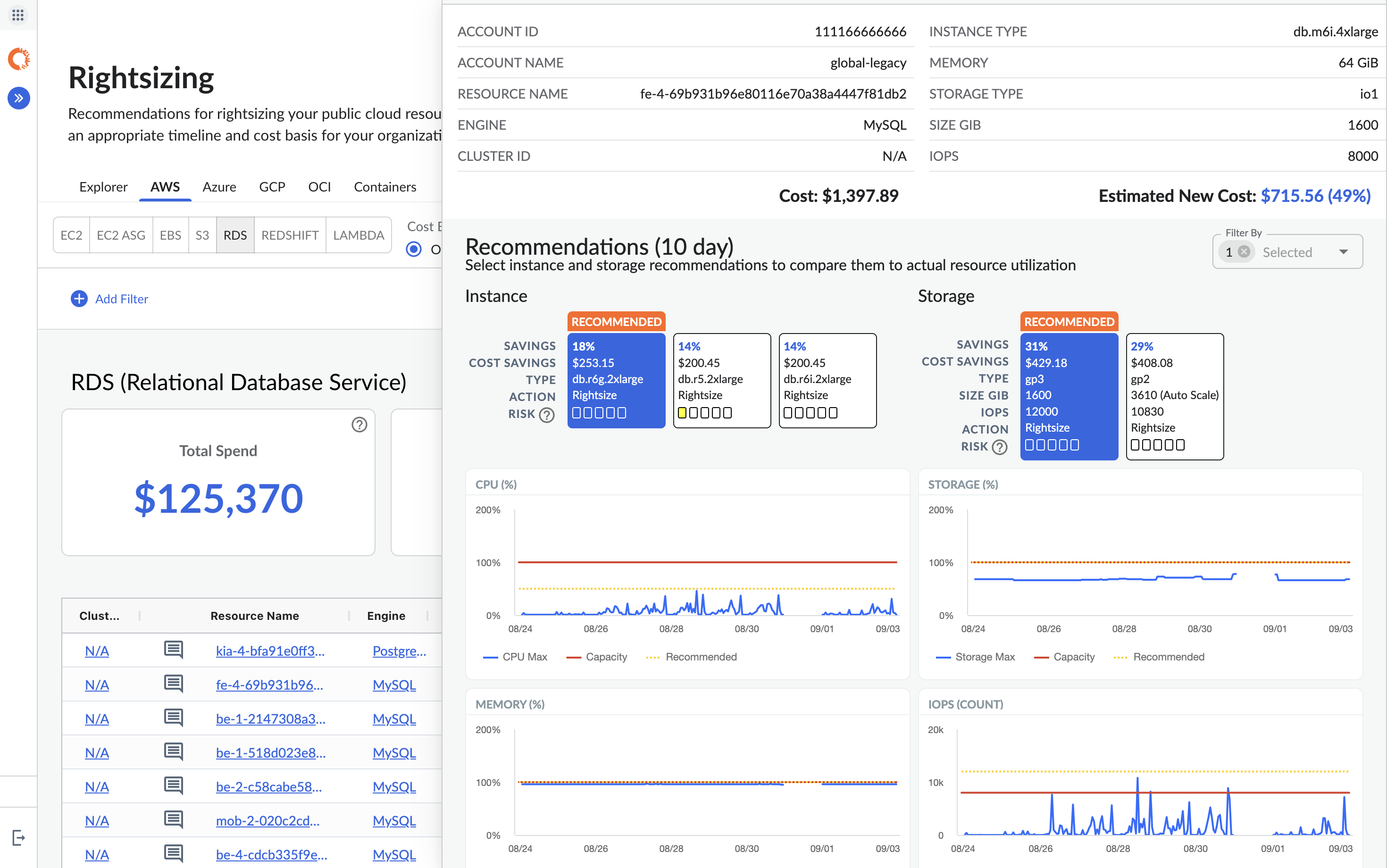
Screenshot of ML backed rightsizing recommendations surfacing multiple scenarios with tools to help sort those that can me realistically actioned on, with Jira and ServiceNow
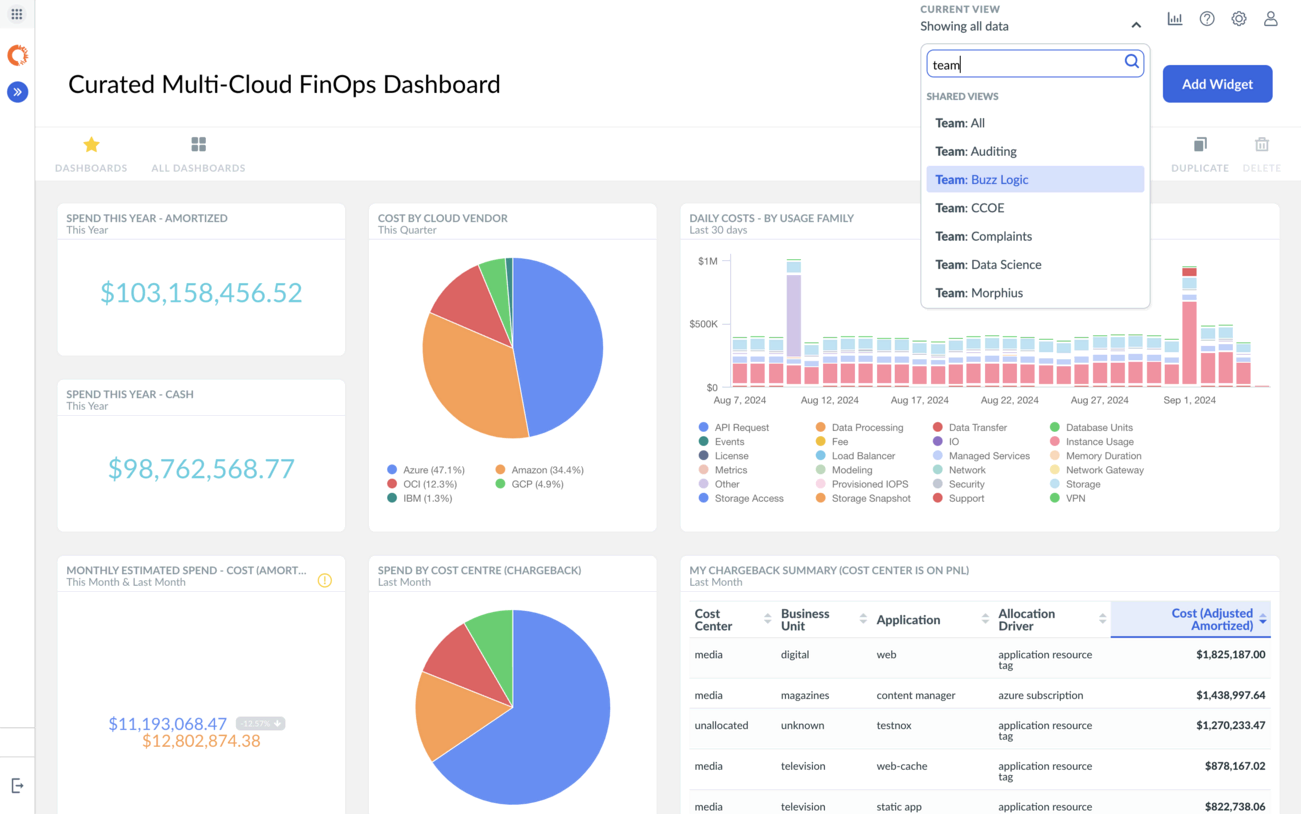
Screenshot of an allocation of cloud viewed through the enterprise grade tools to tailor data for chargeback/showback across an organization
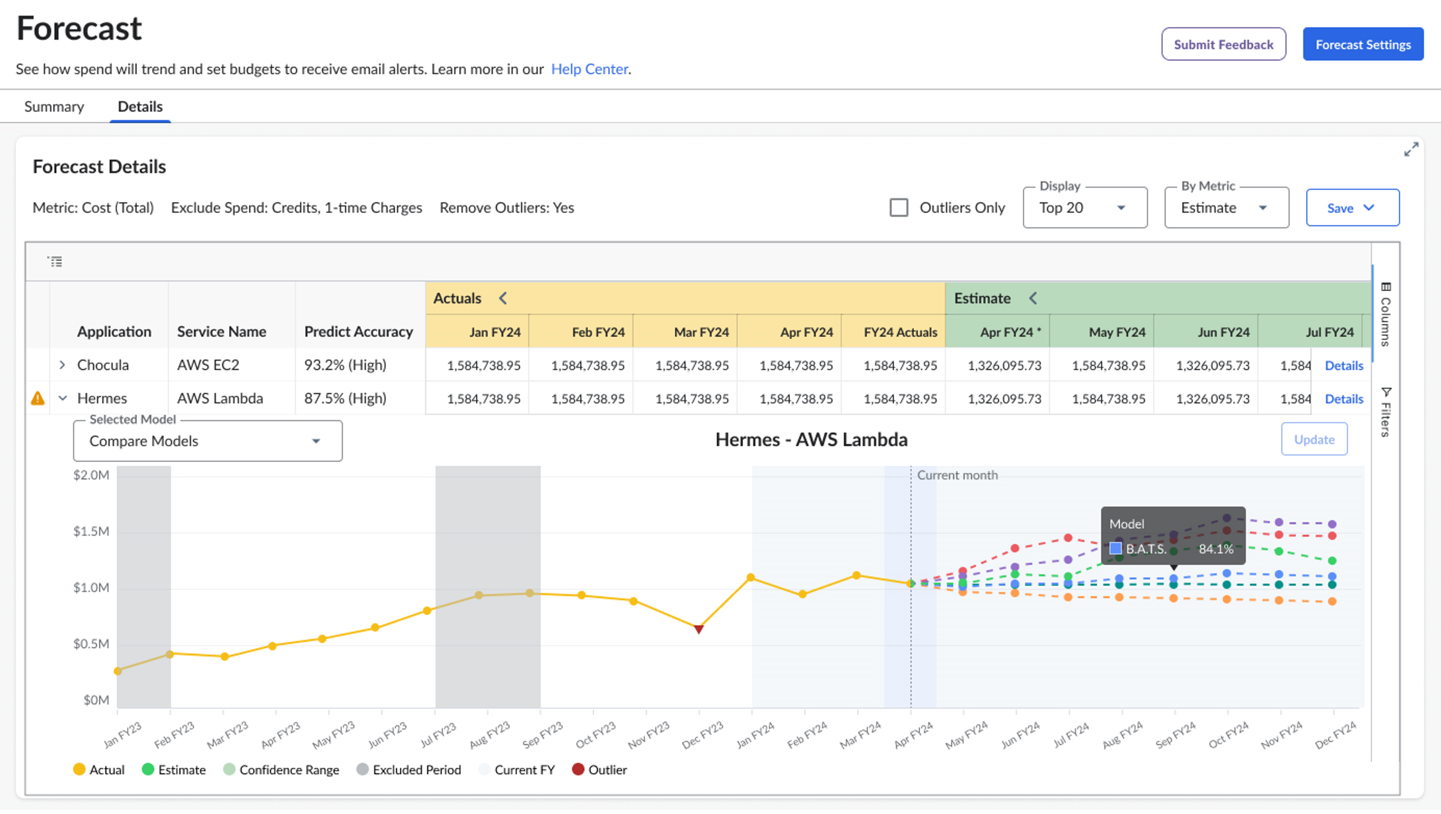
Screenshot of intelligent forecasting including seasonality, cost drivers and net new spend
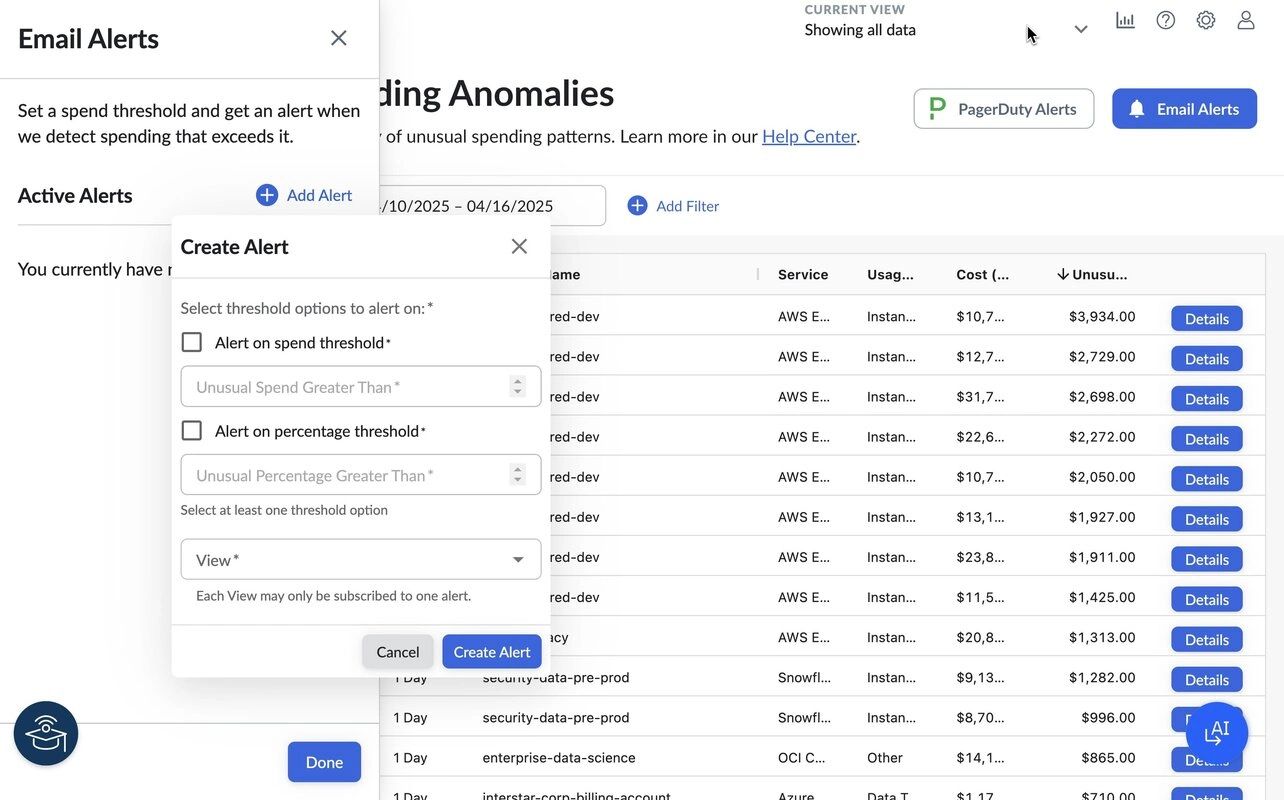
Screenshot of anomaly detection capabilities to stop issues in their tracks via the right people for the job

1 / 4

Screenshot of ML backed rightsizing recommendations surfacing multiple scenarios with tools to help sort those that can me realistically actioned on, with Jira and ServiceNow

Who Buys & Uses IBM Cloudability

Pros

  • Robust and customizable reporting and dashboards for cloud spend.
  • Granular cost visibility and transparency across multi-cloud environments.
  • Effective cost allocation and management capabilities.

Cons

  • Reporting and dashboard interfaces could be more intuitive with better pre-built templates and export options.
  • Limited integrations with external business intelligence and IT service management tools.
  • User experience challenges, particularly concerning user management and access controls.

IBM Cloudability Review

Use Cases and Deployment Scope

We use to manage and optimize cloud cost across AWS, Azure, GCP and OCI. It helps us improve cost visibility, identify savings opportunities.

Pros

  • identifies savings and oppotunities
  • Showback
  • Chargeback

Cons

  • More flexibility report to showback e chargeback
  • Better integration with cloud
  • More intuitive interface

Return on Investment

  • ROI: Improved cloud spending efficiency through better cost visibility

Usability

Other Software Used

Microsoft Power BI

Full FinOps solution, that won't break the bank

Use Cases and Deployment Scope

We have a very large, diverse Cloud environment that many departments have apps/services in. It is an easy way to segregate, and break down costs as needed without giving users access to the actual Azure Portal itself. The speed to create dashboards, or run reports is a big advantage when departments need viability of their owns costs.

Pros

  • Visibility of reserved instances, and recommendations for further savings
  • Right sizing suggestions based on VM utilization
  • Dashboards - easy to add widgets for quick visibility of desired metrics
  • Business mappings, bunch resources of type/interest together easily using custom created grouping

Cons

  • I'd like see the actual VM name in reservation portfolio, rather than the reservation ID
  • I find the speed in which the changes are applied a frustration. E.g if you add a business mapping, you often have to wait 24hrs or more for the data to fully process.
  • The user management seems a little clunky, I preferred it when it was part of the actual Cloudy portal, rather that through access administration.

Return on Investment

  • We have seen some substantial cost reductions as a direct result of rightsizing/utilzation suggestions. An estimated 18% per month
  • Greater visibility of allocation of spend, highlights areas to concentrate on for potential reductions, or justification
  • Positive engagement with service owners from other departments so they are now able to have insights of their spend, this was not possible before without manual reports being generated form Azure portal

Usability

Other Software Used

Rubrik, Microsoft 365, Microsoft Visual Studio Code

Still using and still learning

Use Cases and Deployment Scope

Primary use is a visibility tool. We also use it to highlight optimisation opportunities and to share those with teams. Our problems are mainly in addressing the high costs of a DC migration exit, where we have higher than anticipated cloud costs that we want to optimise as soon as possible.

Pros

  • Visibility
  • Choice of risk based optimisations
  • User interface

Cons

  • BI
  • Speed to load
  • Training materials

Return on Investment

  • Helped validate commitments
  • Helped with Contract negotiation
  • Started to make people take action

Usability

IBM Cloudability Review

Use Cases and Deployment Scope

I am an SRE from Booking.com and we use IBM Cloudability to view budgets across different AWS budgets, create custom dashboards and set budgets for each of the different AWS projects. Sometimes we also use optimize section to view if we can save on some of the costs and analyze rightsizing. Also we are using forecast for seeing how much the costs will be until the end of the month.

Pros

  • Creating view to be able to see budgets across different AWS projects
  • Ability to create and view custom dashboards
  • Also the ability to set budgets for your projects

Cons

  • I think the UI/UX needs improvements.If I am using a third party tool instead of AWS Cost Explorer, I would like to have it better than the AWS itself.
  • It can also be quite slow from time to time to load pages such as budgets and forecasts. The speed can increase as well.

Return on Investment

  • The most benefit it provided was setting budgets for the upcoming periods such as quarters or years
  • Also being able to filter quickly through different views is quite benefiical
  • As a negative, I prefer the UI of the AWS Cost Explorer for quicker analysis for a single project

Usability

Alternatives Considered

AWS Cost Explorer

Other Software Used

AWS Cost Explorer

IBM Cloudability Review

Use Cases and Deployment Scope

We use Cloudability for cost data management for our Azure cloud services. Product provides high visibility of the cloud costs as well we utilize the cost sharing feature for the cost allocation which is a cool feature. Also we use the rightsizing and optimisations features within Cloudability.

Pros

  • Apptio BI report features like drill down and linked reports even though performance is poor
  • Cost sharing feature
  • Rightsizing feature
  • Container insights

Cons

  • Apptio BI reporting performance can be improved
  • API availability for apptio BI reporting
  • NEW IBM Report studio having drill down and linked report features in place
  • New IBM Report Studio having dragging facility with ease
  • Cost sharing dimensions compatible with other business dimensions
  • Container dimensions like namespace available for cost sharing reports

Return on Investment

  • Improved visibility across Azure Cloud & Containers

Usability