Overview
ProductRatingMost Used ByProduct SummaryStarting Price
Adobe Acrobat Reader
Score 8.6 out of 10
N/A
Acrobat Reader is a PDF viewer and converter, available as a free download from Adobe. Users can view, sign, collaborate on and annotate PDF files, or edit and convert PDFs into file formats like Excel and Word.N/A
PDF Studio
Score 9.1 out of 10
N/A
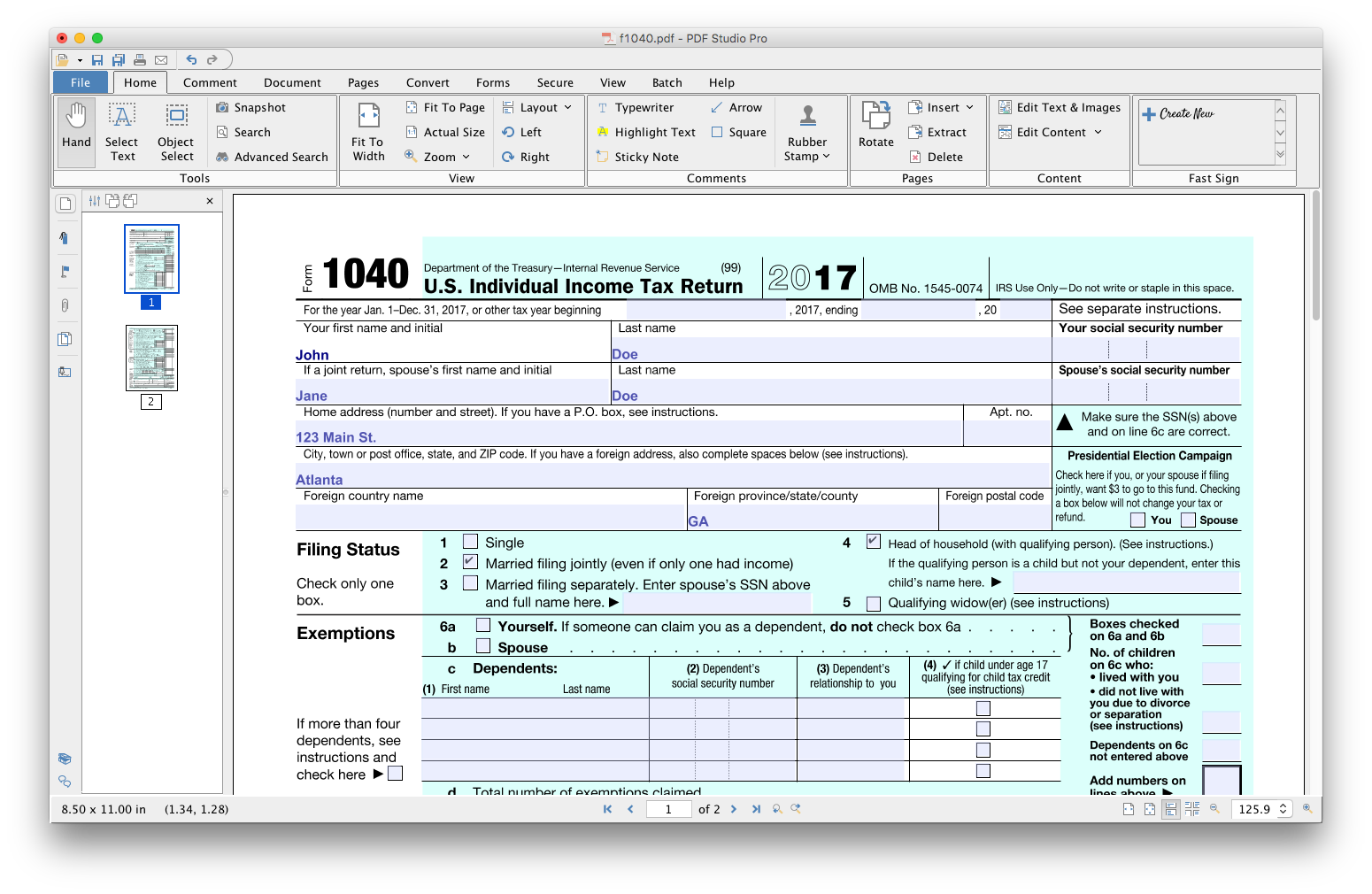
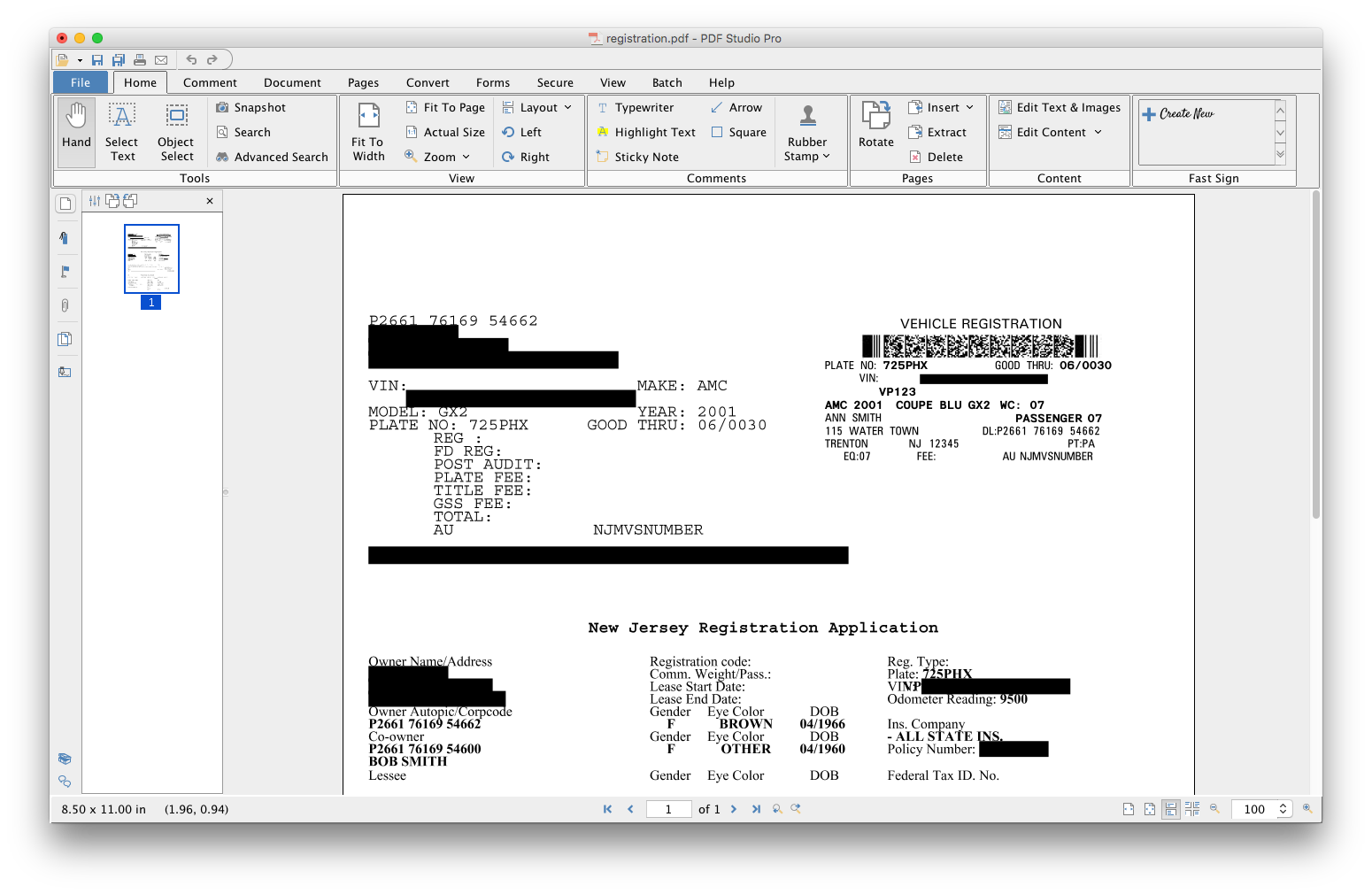
PDF Studio is a PDF editor that aims to provides all PDF features needed at a low cost. PDF Studio maintains full compatibility with the PDF Standard. Users can: Create PDFs from Scan, MS Word, Text and Images Annotate PDFs with Comments & Text Markups Create, Fill In & Save PDF Forms Secure Documents with Passwords and Permissions Merge, Split & Assemble Documents Apply Watermarks, Headers and Footers Create Bookmarks / Table…
$99
one-time fee
Wondershare PDFelement
Score 5.0 out of 10
N/A
PDFelement is a document management solution from Wondershare Software headquartered in China.
$79.99
per year per user
Pricing
Adobe Acrobat ReaderPDF StudioWondershare PDFelement
Editions & Modules
No answers on this topic
PDFelement
79.99USD
per year per user
PDFelement
129.99USD
one-time fee per user
Offerings
Pricing Offerings
Adobe Acrobat ReaderPDF StudioWondershare PDFelement
Free Trial
NoYesYes
Free/Freemium Version
NoNoNo
Premium Consulting/Integration Services
NoNoNo
Entry-level Setup FeeNo setup feeNo setup feeNo setup fee
Additional DetailsEach user license key can be used on 2 computers (for the same user) on any of the supported operating system (Windows, Mac, Linux). Each user license is perpetual and allows to continue using this major version of our software (version 2018) as long as it works on your operating system. Payment is a one-time fee, with no monthly or yearly subscription or commitment. Any upgrade to future major versions is optional.For Individuals: Yearly Plan: $79.99/user; 2-Year Plan: $109.99/user Perpetual Plan(one-time): $129.99/user For Teams: Yearly plan starts at $109/year for 1 user For Education: Yearly Plan: $47.99/user; Perpetual Plan(one-time): $99.99/user
More Pricing Information
Community Pulse
Adobe Acrobat ReaderPDF StudioWondershare PDFelement
Considered Multiple Products
Adobe Acrobat Reader

No answer on this topic

PDF Studio

No answer on this topic

Wondershare PDFelement
Chose Wondershare PDFelement
We haven't used any other similar products, and don't feel any desire to stop using PDFelement.
Features
Adobe Acrobat ReaderPDF StudioWondershare PDFelement
PDF Editors
Comparison of PDF Editors features of Product A and Product B
Adobe Acrobat Reader
9.1
2 Ratings
4% above category average
PDF Studio
-
Ratings
Wondershare PDFelement
-
Ratings
Edit Text and Images9.02 Ratings00 Ratings00 Ratings
Merge or Split PDFs9.52 Ratings00 Ratings00 Ratings
Add Annotations9.02 Ratings00 Ratings00 Ratings
Text Recognition (OCR)8.02 Ratings00 Ratings00 Ratings
Page Management8.52 Ratings00 Ratings00 Ratings
Form Creation and Editing10.01 Ratings00 Ratings00 Ratings
Secure PDFs10.01 Ratings00 Ratings00 Ratings
Convert to Different Formats9.02 Ratings00 Ratings00 Ratings
Comment and Review Tools9.02 Ratings00 Ratings00 Ratings
Undo and Redo Actions8.52 Ratings00 Ratings00 Ratings
Best Alternatives
Adobe Acrobat ReaderPDF StudioWondershare PDFelement
Small Businesses
Tungsten Power PDF
Tungsten Power PDF
Score 9.7 out of 10
Tungsten Power PDF
Tungsten Power PDF
Score 9.7 out of 10
Square 9 Softworks
Square 9 Softworks
Score 9.7 out of 10
Medium-sized Companies
pdfFiller
pdfFiller
Score 9.0 out of 10
pdfFiller
pdfFiller
Score 9.0 out of 10
MSB Docs
MSB Docs
Score 9.4 out of 10
Enterprises
Bluebeam
Bluebeam
Score 9.2 out of 10
Bluebeam
Bluebeam
Score 9.2 out of 10
Tungsten Capture
Tungsten Capture
Score 8.0 out of 10
All AlternativesView all alternativesView all alternativesView all alternatives
User Ratings
Adobe Acrobat ReaderPDF StudioWondershare PDFelement
Likelihood to Recommend
9.5
(75 ratings)
9.1
(3 ratings)
9.1
(55 ratings)
Likelihood to Renew
7.2
(2 ratings)
-
(0 ratings)
10.0
(1 ratings)
Usability
9.5
(3 ratings)
8.2
(1 ratings)
8.6
(5 ratings)
Availability
-
(0 ratings)
-
(0 ratings)
10.0
(1 ratings)
Performance
-
(0 ratings)
-
(0 ratings)
7.5
(2 ratings)
Support Rating
-
(0 ratings)
8.5
(2 ratings)
8.4
(8 ratings)
Implementation Rating
10.0
(1 ratings)
-
(0 ratings)
10.0
(1 ratings)
Configurability
-
(0 ratings)
-
(0 ratings)
10.0
(1 ratings)
Ease of integration
-
(0 ratings)
-
(0 ratings)
7.5
(2 ratings)
Product Scalability
-
(0 ratings)
-
(0 ratings)
10.0
(1 ratings)
Vendor post-sale
-
(0 ratings)
-
(0 ratings)
10.0
(1 ratings)
Vendor pre-sale
-
(0 ratings)
-
(0 ratings)
10.0
(1 ratings)
User Testimonials
Adobe Acrobat ReaderPDF StudioWondershare PDFelement
Likelihood to Recommend
Adobe
After creating a document, converting it into Adobe Acrobat Reader is usually very easy for storage in my computer, sending/sharing via emails, etc. This also saves a significant amount of unnecessary printing and paper waste, which is great for reducing waste. I don't have to worry about not having the right software/app to view, edit, and share with anyone.
Read full review
Qoppa Software
For Linux users it is without a doubt the best option and the most developed so far.
Read full review
Wondershare Technology
It's a wonderful asset to have when you lose your original Word doc, etc. so you can still edit a document (and not have to start from ground zero). That feature alone is why I bought this product and why I will continue to recommend.
Read full review
Pros
Adobe
  • It has all the tools that individuals need for reading/doing light editing of PDF files.
  • It is the most secure PDF reader on the market, and it tends to get patched with timely updates on a regular basis.
  • It usually works very well, as far as the software itself. It doesn't crash a lot, or is particularly an error prone software platform.
Read full review
Qoppa Software
  • Editing PDF pages easily.
  • Organizing PDF pages quickly.
  • Adding comments to particular items within a PDF.
Read full review
Wondershare Technology
  • PDFelement provides the same powerful features as Adobe Acrobat, but the interface is easy to learn and use. The product is extremely intuitive, which saves our clients from becoming frustrated as they learn the product.
  • PDFelement Pro's ability to create fillable forms with the click of one button is one of our clients favorite features. I was impressed at how accurately PDFelement performed this task and the ease with which these fields can be edited, if needed.
  • Security is more important than ever these days and PDFelement provides the encryption and permissions to protect documents quickly and easily. I especially like the batch encrypt feature, this makes it easy to protect multiple files with the same password.
  • PDFelement makes it easy to extract the data from form fields. This is a huge plus for our clients.
Read full review
Cons
Adobe
  • Being able to add image "stamps" to a document is a little tricky as the stamp has to already be in PDF format (at least on Mac) to work. This mean you have to convert the image to PDF before you can use it as a stamp.
  • Being only able to save one signature and one set of initials is a bit of a pain but you can actually use stamps if you need different versions frequently used scribbles for various reasons. The stamp won't secure the document and prevent future changes the same way the signature would though.
  • All of the other features you might want to use are only included with Acrobat Pro but the options are all displayed in the Reader app. When clicked they will offer the free trial that leads to a paid subscription. This is more of an annoyance but you can't fault Adobe for trying to make a sale.
Read full review
Qoppa Software
  • I would like to be able to generate indexes of the documents that I am adding to a file.
  • To be able to scan a file and convert it from a PDF simply having the scan parameters.
Read full review
Wondershare Technology
  • I wish there was a lighter program for just reviewing a document and then to transition seamlessly to an editing mode. It takes a few seconds longer to load than Preview on my Mac, and based on that frustration, I use Preview to view documents.
  • A lower price for upgrades.
Read full review
Likelihood to Renew
Adobe
To be honest, I do not have any say in the renewal of Adobe Acrobat Reader DC. It is managed at an enterprise level, and the decision to renew or not renew is handled well above my pay grade as an external consultant.
Read full review
Qoppa Software
No answers on this topic
Wondershare Technology
Excellent, easy to use product
Read full review
Usability
Adobe
Again, Adobe Creative Suite is widely used and backed by an industry leader, making the experience very familiar and common for anyone who has used a PDF and wants more features to interact with it. It also makes copy text a lot easier than just previewing the file.
Read full review
Qoppa Software
As I answered before, the graphical interface is the best developed of the options that exist for Linux.
Read full review
Wondershare Technology
I am a novice and I am using it like a pro because it is so easy to work with
Read full review
Reliability and Availability
Adobe
No answers on this topic
Qoppa Software
No answers on this topic
Wondershare Technology
No issues. Works perfect
Read full review
Performance
Adobe
No answers on this topic
Qoppa Software
No answers on this topic
Wondershare Technology
There is a lot of learning. Although some of the functions you can probably pick up relatively quickly, some of them, including compressing the size or using a different language, remains a myth to me.
Read full review
Support Rating
Adobe
No answers on this topic
Qoppa Software
Anytime I have had questions they have been able to be found in the forums of PDF Studio.
Read full review
Wondershare Technology
PDFelement is always in contact with me, by email and by giving constant tips and recommendations. But what makes me give you a 10, was the outstanding support service received on July 9th by one of your support professionals Amanda, who helped me with a tariff issue, and makes me [rate] your product.
Read full review
Implementation Rating
Adobe
The application is pretty much "plug and play"
Read full review
Qoppa Software
No answers on this topic
Wondershare Technology
Just pay, download, activate and start using it
Read full review
Alternatives Considered
Adobe
We have reviewed DocuSign in comparison to [Adobe] Acrobat Reader [DC's] e-sign capabilities. We found that DocuSign has more robust options when creating contracts and consent capabilities. DocuSign's online UI is much more suited to this type of task as well. However, we decided to stick with [Adobe] Acrobat Reader DC because of the price (DocuSign is more expensive) and we felt we didn't need all of the bells and whistles for contract signature and consent.
Read full review
Qoppa Software
PDF Studio doesn't involve an expensive subscription, plus has all the features without the cluttered UI. It is intuitive to use and I prefer it to Adobe Acrobat, Foxit, PDF XChange, AcePDF, and others. Minimal design with refined tools. Frankly, I am just relieved to have a perpetual license for a product that just works.
Read full review
Wondershare Technology
I didn't try or buy other programs, but did a good bit of research on them. I went with PDFelement because of the lower pricing, and because of the rich features I learned it had. I also appreciated the great customer service I received from reps in the community forums, which showed me they have an aim in keeping their customers happy - which is always good to have when using fairly complex technical apps.
Read full review
Scalability
Adobe
No answers on this topic
Qoppa Software
No answers on this topic
Wondershare Technology
Super easy Word style layout and format.
Read full review
Return on Investment
Adobe
  • It's available for free, so there is no excuse to not install
  • Contains features that you would normally have to pay for in competitor software, so it has a positive impact on ROI
  • Reduces the amount of printing
  • Decreases the amount of time spent on regulatory and governance documentation
Read full review
Qoppa Software
  • Allowed me to get a customer a quote faster.
  • Won business proposition due to the ability to organize and sort through customer documentation quickly.
Read full review
Wondershare Technology
  • For me, it's been very important to me that my business as a pet sitter and dog walker not leave a negative footprint on the environment. To that end, it's been very important that i'm able to do as much paperwork as possible without using paper. PDFelement is wonderful at helping me meet those goals.
Read full review
ScreenShots

PDF Studio Screenshots

Screenshot of Screenshot of Screenshot of Screenshot of Screenshot of Screenshot of

Wondershare PDFelement Screenshots

Screenshot of AI-powered support for chatting with PDFs/summaring/proofreading/rewriting/explaining/translating the PDF file content.Screenshot of file conversion to and from PDF format in high quality.Screenshot of PDF generation, which can be done from images, Word documents, and various formats, including batch create.Screenshot of certificate-based legal signatures, and documents can be sent to bulk signers, and signatures collected and tracked from anywhere, on any device.Screenshot of text recognition, from scanned PDFs and images.Screenshot of the PDF text editor, with images, forms, and pages.