
Adobe Presenter vs. PlayPlay
Adobe Presenter vs. PlayPlay
| Product | Rating | Most Used By | Product Summary | Starting Price |
|---|---|---|---|---|
 Adobe Presenter | N/A | Adobe Presenter is a PowerPoint plugin for converting PowerPoint presentations into elearning content. It allows for multimedia and interactive integrations and can be mobile accessible. Presenter can also integrate with standalone LMS products, including Adobe Captivate. | N/A | |
 PlayPlay | N/A | PlayPlay is an online video maker that any communication professional can use to produce, in minutes, videos ready to publish on social media, blogs or on internal channels. Stories, interviews, news clips, events and product promotions, job offers… Engage audiences with video! The vendor states that PlayPlay is best for, but not limited to: small to large companies that need to create engaging videos for social media, highlight internal initiatives and employee projects, and build… | $217 1 User per month |
| Adobe Presenter | PlayPlay | |||||||||||||||
|---|---|---|---|---|---|---|---|---|---|---|---|---|---|---|---|---|
| Editions & Modules | No answers on this topic |
| ||||||||||||||
| Offerings |
| |||||||||||||||
| Entry-level Setup Fee | No setup fee | No setup fee | ||||||||||||||
| Additional Details | — | Enterprise plan also available, catered to your company's specific requirements. Let's talk! | ||||||||||||||
| More Pricing Information | ||||||||||||||||
| Adobe Presenter | PlayPlay |
|---|
| Adobe Presenter | PlayPlay | |||||||||||||||
|---|---|---|---|---|---|---|---|---|---|---|---|---|---|---|---|---|
| Video Security |
| |||||||||||||||
| Video Player |
| |||||||||||||||
| Video Hosting, Management & Storage |
|
| Adobe Presenter | PlayPlay | |
|---|---|---|
| Small Businesses |  Canva Score 9.1 out of 10 |  Wistia Score 9.6 out of 10 |
| Medium-sized Companies |  Mentimeter Score 8.3 out of 10 |  Flipgrid Score 1.0 out of 10 |
| Enterprises | Mentimeter Score 8.3 out of 10 |  Panopto Score 7.6 out of 10 |
| All Alternatives | View all alternatives | View all alternatives |
| Adobe Presenter | PlayPlay | |
|---|---|---|
| Likelihood to Recommend | 9.4 (8 ratings) | 10.0 (1 ratings) |
| Likelihood to Renew | 8.2 (1 ratings) | - (0 ratings) |
| Usability | 7.0 (2 ratings) | - (0 ratings) |
| Availability | 7.0 (1 ratings) | - (0 ratings) |
| Performance | 5.0 (1 ratings) | - (0 ratings) |
| Support Rating | 3.6 (1 ratings) | - (0 ratings) |
| Product Scalability | 6.0 (1 ratings) | - (0 ratings) |
| Adobe Presenter | PlayPlay | |
|---|---|---|
| Likelihood to Recommend | Adobe
 Laura Gillenwater Sr. Learning & Development Consultant, E-Learning Specialist | PlayPlay
|
| Pros | Adobe
 Ronald Ray Sr. Instructional Designer, Training Coordinator and Client Services Manager | PlayPlay
|
| Cons | Adobe
| PlayPlay
|
| Likelihood to Renew | Adobe
Laura Gillenwater Sr. Learning & Development Consultant, E-Learning Specialist | PlayPlay No answers on this topic |
| Usability | Adobe
| PlayPlay No answers on this topic |
| Reliability and Availability | Adobe
| PlayPlay No answers on this topic |
| Performance | Adobe
| PlayPlay No answers on this topic |
| Support Rating | Adobe
Laura Gillenwater Sr. Learning & Development Consultant, E-Learning Specialist | PlayPlay No answers on this topic |
| Alternatives Considered | Adobe
 Srinivasan V Iyer Security Analyst | PlayPlay No answers on this topic |
| Scalability | Adobe
| PlayPlay No answers on this topic |
| Return on Investment | Adobe
| PlayPlay
|
| ScreenShots | PlayPlay Screenshots 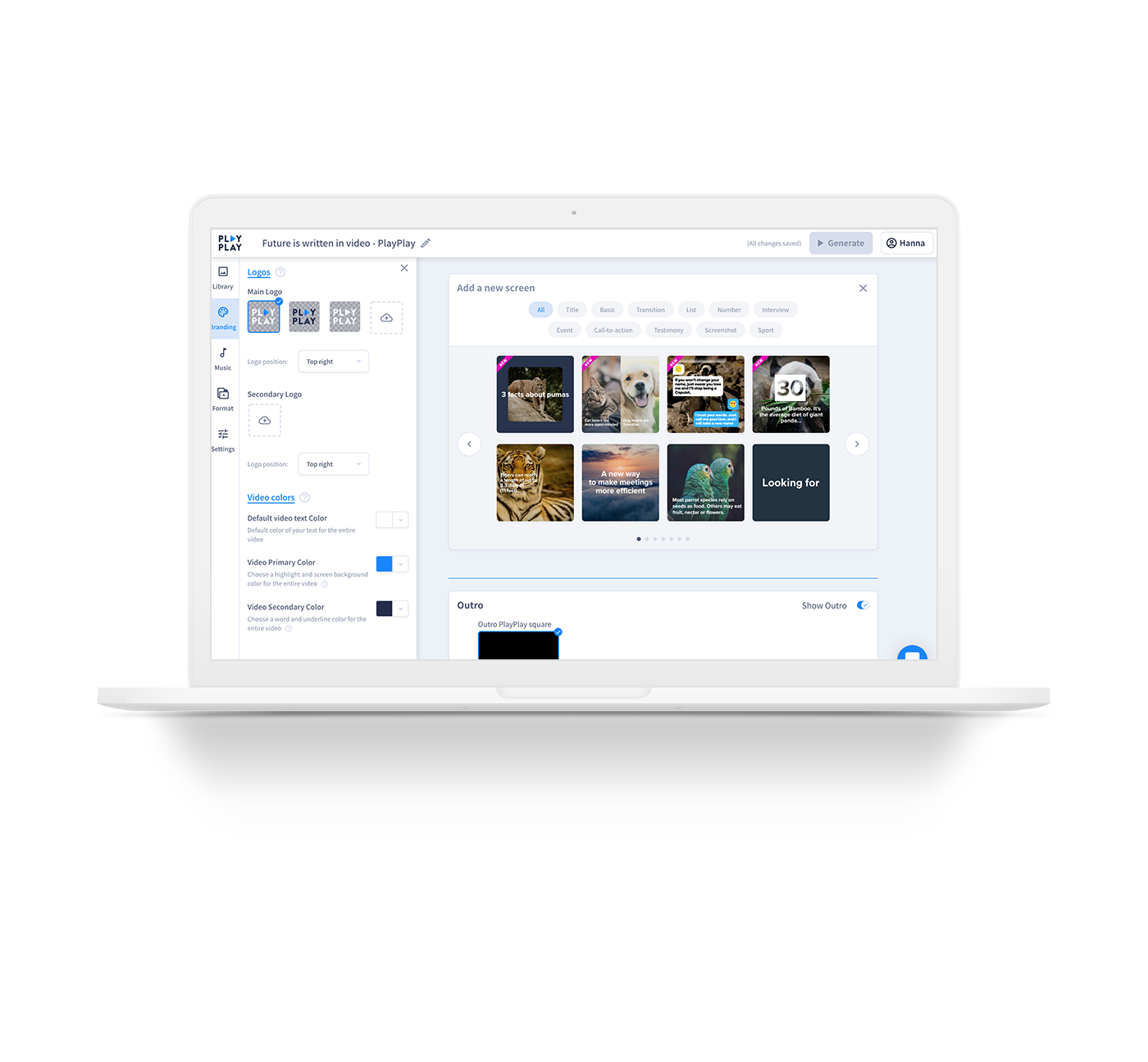  |